
You already know the problem. You open YouTube to check one thing, and ten minutes later the study session is gone, the work block is dead, or bedtime slid past again. This is about how to block YouTube on Android, but the issue isn't screen-time theory. It's that the path back in sits right there when your willpower is low.
Everything below applies to Android phones. If you're on iPhone or desktop, this isn't your setup. On Android, the question is simple: do you want a daily quota, content filtering, parental supervision, or a block that creates enough friction to stop the impulsive undo?
The Moment You Open YouTube When You Meant Not To
You meant to study. You opened the phone, tapped YouTube, and the old excuse showed up again. That's the moment that matters, not the part where you promised yourself you'd use the phone “only for a minute.”
Android gives you a few ways to handle that problem, but they're not equal. Some tools are reminders dressed up as blockers. Others raise the cost of backing out enough to matter when the urge hits.
A useful way to judge any method is by one question, how much friction does it create when you're about to give in? Not whether it sounds strict in a settings screen. Not whether it looks serious in a screenshot.
Practical rule: If a blocker still lets you change your mind instantly, it's a limiter, not a commitment.
The options fall into three buckets. One is Android's built-in timer approach, one is YouTube and Google's own content or parental controls, and one is stronger app blocking that holds a session together long enough to matter.
Using Digital Wellbeing App Timers
Android's built-in route is Digital Wellbeing app timers. On supported phones, you open Settings, go to Digital Wellbeing, choose App timers, pick YouTube, and set a daily allowance. Google says that when the allowance runs out, the app closes, the icon dims, and the timer resets at midnight. You can see the value instantly, because it's a clean daily cap without installing anything extra. Google's Android help for app timers
That sounds stronger than it is.
What the timer actually does
It's a daily limit, not a permanent block. Google also documents that the timer can be deleted before midnight, which means the restriction is reversible through Android settings. That's fine if your goal is to cut routine scrolling. It's weak if your problem is that you keep editing the limit when you're tired, bored, or supposed to be asleep.
| Aspect | Behavior |
|---|---|
| Daily limit | YouTube closes when the allowance is used |
| Icon state | The app icon dims after the timer expires |
| Reset | The allowance resets at midnight |
| Reversibility | The timer can be deleted before midnight |
For a lot of people, that's exactly why the timer fails. It doesn't stop YouTube. It just makes YouTube unavailable after you've already spent the allowance. If your weakest moment is the moment you'd normally change the rule, this tool still leaves you holding the rulebook.
Google also notes that some work and school accounts may not support app timers. So even the convenience layer isn't universal.
Where it fits
Use this if you want a softer boundary and don't need the setting to resist your own second thoughts. It's a decent built-in quota. It's not a lock.
YouTube Restricted Mode and Google Family Link
YouTube's own controls are about content filtering, not app blocking. Restricted Mode has been available since 2010, and Google describes it as an optional setting that screens out some potentially mature content. It leaves YouTube in place and still allows normal viewing. On Android, you turn it on from YouTube's profile menu, then Settings, then General. Google's guidance on Restricted Mode and supervision uses the same basic path.
That matters if your goal is to trim questionable recommendations or reduce exposure to mature clips. It does little if the core problem is opening YouTube during work, study, or bedtime.
Family Link is for children, not self-control
Google Family Link is the parental route. Google says it can apply Restricted Mode and supervise YouTube access for children, and supervised accounts can get content filters and screen-time management. The setup is built around a parent managing a child account, not an adult trying to restrain their own phone. Google also says that once a child reaches 13, or the applicable age in the country or region, the supervision rules change and the child may gain access to YouTube without supervision. Google's Family Link and YouTube supervision guidance spells that out.
That age boundary shows the purpose clearly.
Restricted Mode filters what YouTube shows. Family Link decides who controls the account. An adult who keeps undoing their own limits needs a tool built for commitment, and neither of these is it.
Comparing Third-Party Android App Blockers
The choice starts here. AppBlock, BlockSite, Cold Turkey, and Stay Focused all block solidly. None of them should be brushed off as weak. The difference that matters is how easy it is to exit a running session when you've already decided you "just need a quick look."
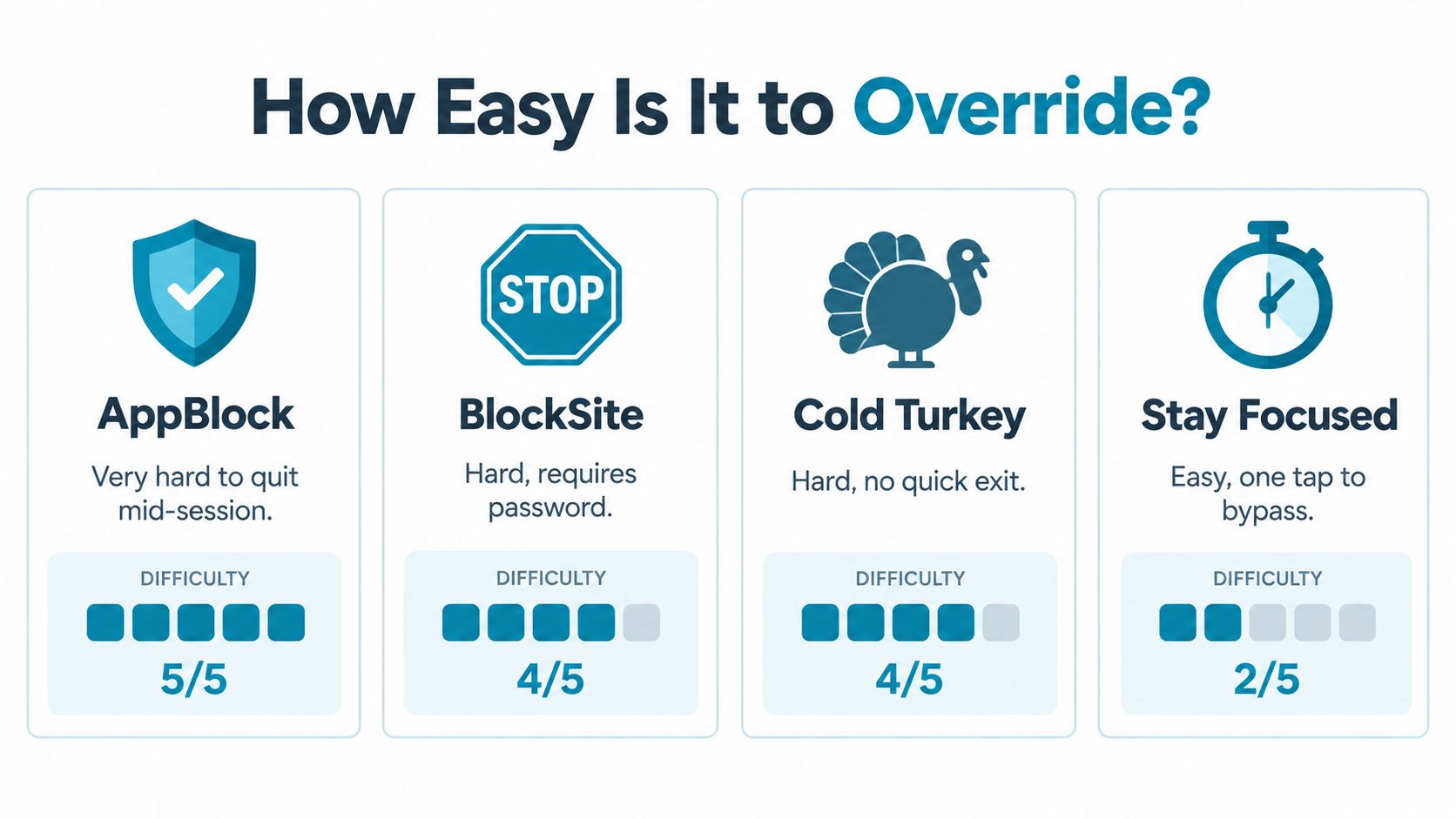
The friction ladder
Some blockers still leave a quick pause button, a short grace period, or a simple confirmation path. That's fine for people who want gentle guardrails. It's not fine if your problem is that you already know how to talk yourself out of the rule in the heat of the moment.
The right question isn't “Which app blocks hardest?” It's “Which app makes the impulsive bypass annoying enough that I stop?” That's the whole game.
- AppBlock: good when you want a strict-feeling session and don't want a soft reminder system.
- BlockSite: solid when you want a password-based barrier between you and the exit.
- Cold Turkey: heavy-duty enough that there's no quick exit when a session is running.
- Stay Focused: useful if you're okay with easier bypass paths and just want a speed bump.
The difference sounds small on paper. It isn't. A blocker that makes you think for a minute works differently from one that lets you slip through on reflex.
For a closer look at feature trade-offs, see the product overview at TiedSiren's features page.
Strict-Mode Blocking with TiedSiren
If your real problem is the one-tap escape route, TiedSiren is built for that failure mode. It is a free Android app that blocks the apps you choose for a duration you commit to up front, and it works on Android 8.0 and later. You choose the apps, start the session, and the timer keeps running until it ends. TiedSiren is a commitment tool. A reminder with a polite exit is a different product category. For the app itself, see the Google Play listing.
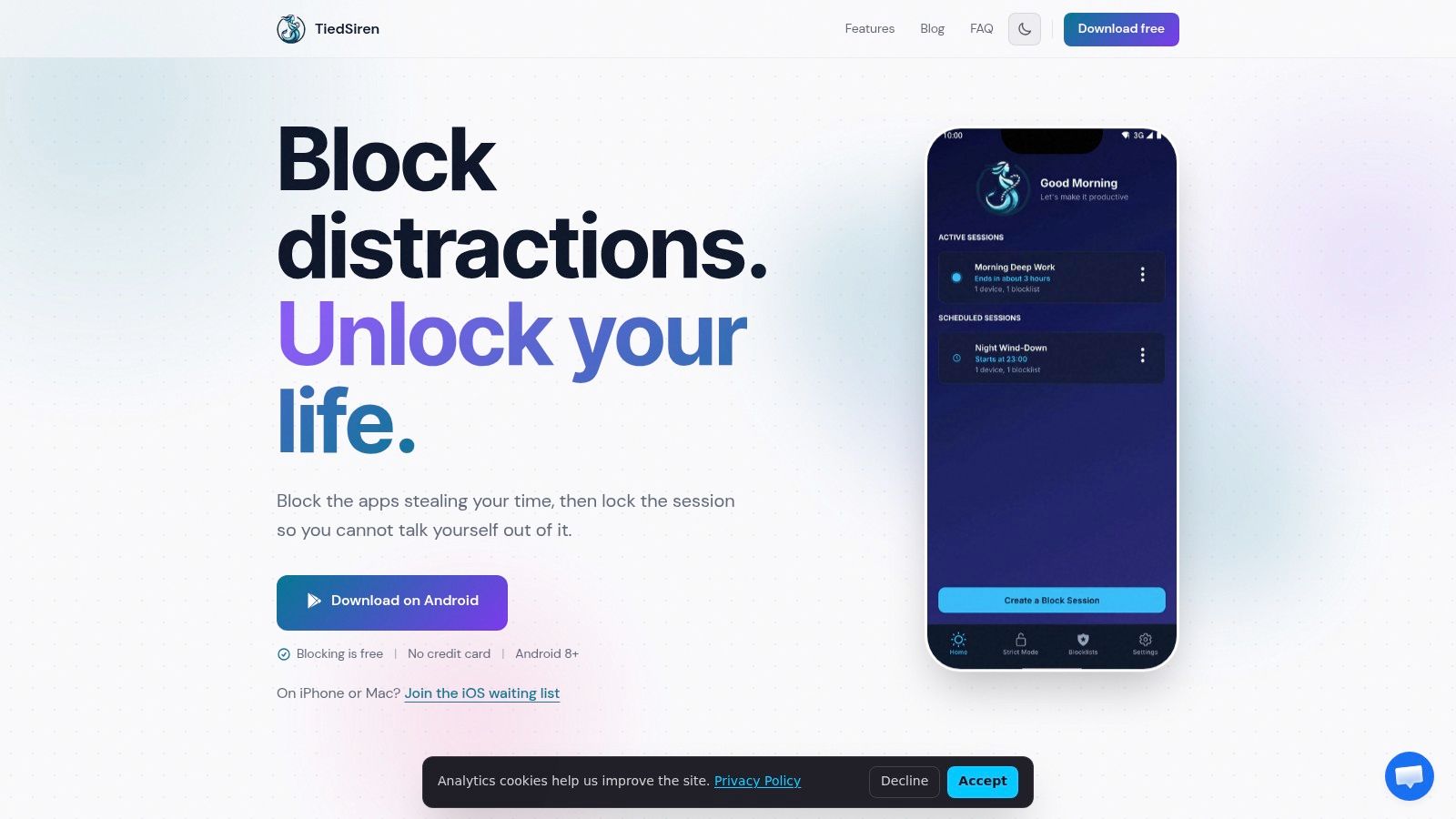
What Strict Mode changes
TiedSiren's Strict Mode ends a running session when the timer ends, and nothing else ends it. That matters because the usual failure is not the block itself. It is the moment you decide to cancel the block before the urge fades.
The app also blocks the Android Settings screen while a session runs, which raises the cost of turning it off. That is the point. It does not claim magic, but it makes the impulsive undo much harder than a normal blocker does. TiedSiren also supports custom blocklists grouped by context, scheduled sessions with daily or weekly recurrence, and a focus timer that shows the time left in the session.
The practical move is simple. Put YouTube in the blocklist for the window that matters, then let the session run without bargaining with yourself. That turns “I'll stop later” into something with a start and an end.
The honest limit
This is not an absolute lock, and it does not need to be sold that way. The value is friction. It defeats the impulsive bypass, the one you do without thinking when the feed gets loud and your resolve gets soft.
If you want the official site, use TiedSiren. The app is built for the session-based blocking most users need.
The Browser Loophole Most Guides Miss
Blocking the YouTube app is not the same thing as blocking YouTube. If your phone still has Chrome or another browser installed, youtube.com is still a route in. That's the hole a lot of how-to guides leave open, and it's why app-only blocking often feels like it worked until the first weak moment.
The route you forgot to test
A browser tab can become the new habit instantly. Delete the app, and the urge just moves to Chrome, a browser shortcut, or another installed browser. That's why built-in parental controls have such limited ability to prevent website access in practice, and why “YouTube blocked” should never be assumed after a single app-level change.
Use a plain decision tree:
- Block only the app when notifications and casual taps are the problem.
- Block both the app and browser routes when you want temporary abstinence.
- Test YouTube URLs in every browser after setup, because one browser passing means the block didn't hold everywhere.
That last part is the part people skip. They check the app icon, feel relieved, and never open the browser they use at night. Then they wonder why the block failed.
If you didn't test the browser path, you didn't finish the job.
The useful standard is simple. Don't call it blocked until the browser route is checked on every browser already on the phone. That's the difference between a setup that looks good and one that survives the moment you're tempted.
Picking the Method That Matches the Goal
Choose the tool by the failure mode, not the pitch. Digital Wellbeing app timers work for routine scrolling limits. Restricted Mode handles mature-content filtering. Family Link fits a parent supervising a child. Third-party blockers sit between those options, where the question is how much friction they create when you want to quit early.
If your problem is the off switch being one tap away, use a blocker that makes backing out annoying. Session-based blocking does that better than a timer you can shrug off. For a committed setup, the TiedSiren download page is the place to start.
Use the method that matches the urge. Routine scrolling needs a quota. Content concerns need filtering. A child needs supervision. If the issue is impulsive bypass, choose the stricter session-based option and keep the off switch out of easy reach.