

You're halfway through a report, essay, or code change when you open one app to check something. The original task is still there when you look back, but the thread's gone. You try to pick it up again, then reach for the phone once more.
Getting distracted easily doesn't mean you need another lecture about screen time. Often, the failure is more specific: a quick way to reverse your decision is available just when your attention is weakest. TiedSiren runs on Android phones; the advice on shaping your work environment and routine applies on any platform.
The useful fix isn't a perfect schedule or heroic self-control. It's a setup that makes the first unwanted switch less convenient, gives demanding work a clear boundary, and leaves you something deliberate to do when the urge to check appears.
Why Distraction Wins at the Wrong Moment
The task is moving. You hit a tricky sentence, a dull stretch of revision, or a bug you can't explain. You pick up your phone for a quick look, and the feed replaces the work. When you return, you have to figure out where you were and what you meant to do next.
That lost time isn't limited to the seconds spent looking at the screen. The LSE Behavioural Science review of workplace interruptions reports that 57% of workplace tasks are interrupted, and 41% of interrupted tasks aren't resumed afterward. In its field survey of more than 150 knowledge workers, 77% said they were interrupted all the time or frequently, while 62% agreed that interruptions made it difficult to do their jobs effectively. The point isn't that every interruption ruins a day. It's that a small switch can end a useful stretch of work altogether.
The first switch is the one to protect
Once you've left a task, part of your attention can stay with what you were doing. Research on attention residue describes how people may need time to disengage from the original task, which can slow both the new activity and the return to the first one. A quick check can therefore cost more than the visible time on the phone. The research abstract on interruptions and attention residue offers a useful explanation for why task switching can affect performance beyond the switch itself.
This is why advice that ends at “try harder” doesn't help much. If the urge arrives and the way out of your commitment is immediately available, you're being asked to make a fresh decision at the worst point. That's a poor design for a predictable moment of weakness.
Protect the start of the work block. Don't wait until you've already opened the distracting app to decide whether to stay focused.
Pick one high-value task and make its first work period easier to enter than a feed is to open. Put the needed document in front of you, name a concrete next action, and decide beforehand which distractions will be unavailable. That's the beginning of a workable system, not a test of character.
Know What Your Distraction Is Made Of
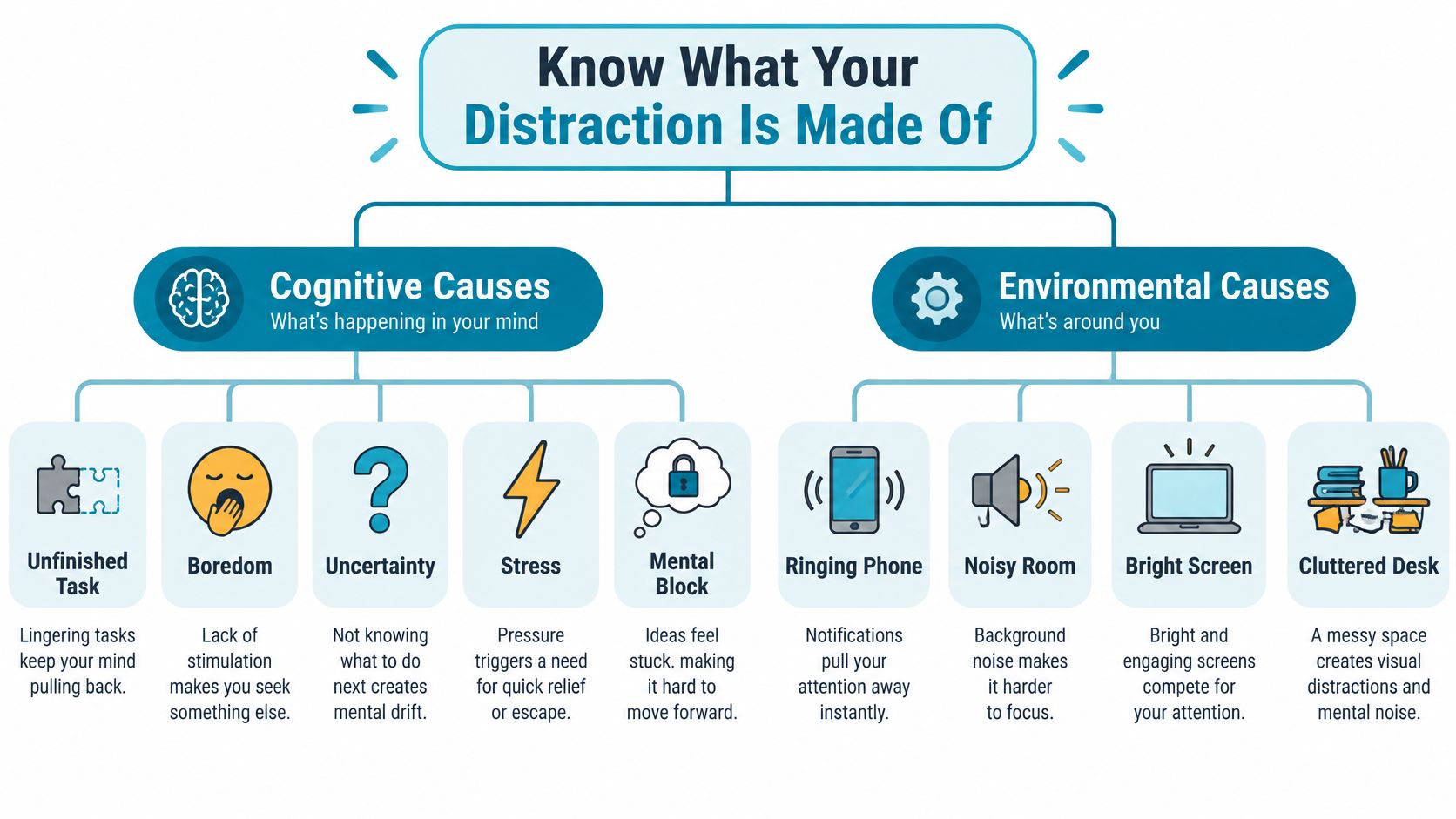
Distraction has two parts. One comes from inside the task: boredom, uncertainty, stress, or the feeling that you don't know what to do next. The other comes from the environment: a notification, a visible feed, a noisy room, or a device that makes switching effortless. They often meet in the same moment. A hard paragraph creates discomfort, and an accessible app supplies an immediate exit.
Separate a cue from a cause
A notification is a cue. It doesn't tell you why you were ready to stop working. Maybe the task was unclear. Maybe you were avoiding a decision. Maybe checking messages has become the default response whenever you feel bored. If you only silence the cue, you may still reach for another distraction.
Phone proximity deserves a careful answer, not a slogan. In two experiments involving nearly 800 smartphone users, participants performed best on working-memory and fluid-intelligence tasks when their phones were in another room; performance was lower when the phone was on a desk and somewhat lower when it was in a pocket or bag. The effect didn't depend on whether the phone was on, face-up, or face-down. But later evidence complicates that finding: a meta-analysis across 33 studies found an overall null effect, while a newer review found a small negative effect specifically for working memory and substantial variation across studies. Read the University of Texas summary of the smartphone-presence experiments as a reason to test your own environment, not proof that any phone in the room always harms attention.
A separate 2025 experiment with young adults found that passive phone presence didn't significantly impair attentional performance, and self-reported distraction didn't reliably predict measured performance. In a study of 162 undergraduates, phone removal increased flow and reduced perceived distraction, but improved learning performance mainly among students with higher nomophobia; phone presence alone had no overall effect unless the device was actively used. The 2025 study on smartphone absence and learning points to a useful distinction: passive presence and active access aren't the same problem.
So don't assume that every distraction comes from the same source. Notice whether the break starts with a ping, a difficult next step, a habitual reach, or a specific app. The right control depends on where your own switch begins.
Find the Break Point Before It Finds You
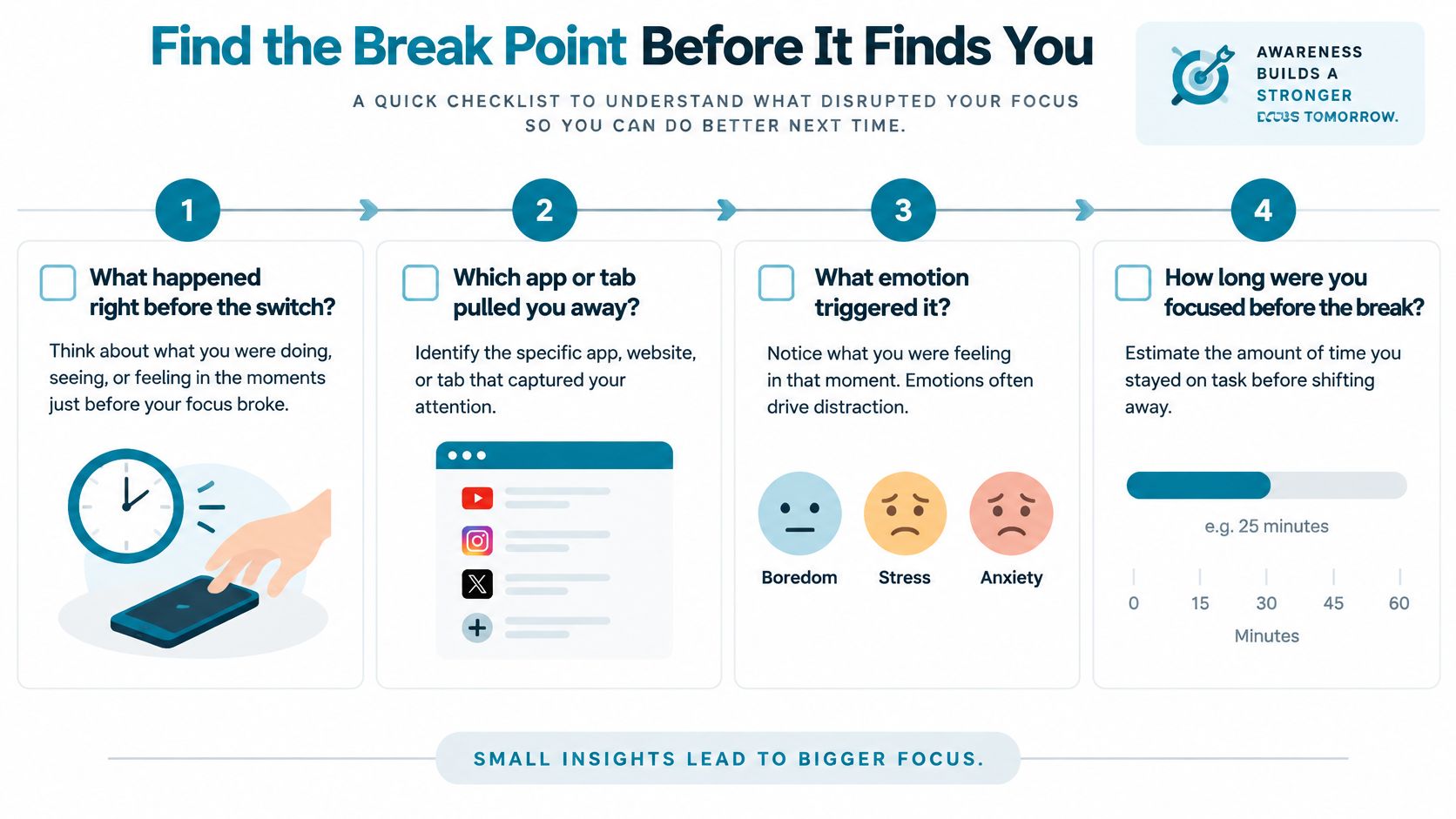
Don't design a new routine from a vague memory of “getting distracted.” Reconstruct one recent failed work period. Start just before you switched away, not at the beginning of the day. The few moments before the reach often reveal more than a screen-time total.
Trace the sequence, not the blame
Write down what happened immediately before the switch. Was a message notification visible? Did you hit a confusing step? Were you tired of the task, or did you pick up the phone automatically? Name the app or tab you opened, then note what you did after leaving the original work.
Use the answers to choose a response:
- Unclear next action: Write the first physical step you can take, such as opening the source document and drafting a rough outline.
- Fragmented tasks: Group similar replies, admin, or routine checks into a planned window instead of fitting them between demanding tasks.
- Repeated environmental cues: Move the phone, reduce visual clutter, or change where you work.
- Fast app-checking loop: Make that app harder to enter during a chosen focus period.
- A switch to another device: Set a boundary for the browser or computer too. Blocking one phone app doesn't close every route to distraction.
That last pattern catches people by surprise. Put the phone away and the laptop browser may become the new feed. Restrict one app and another service can take its place. Research on smartphone distance during work found that reducing phone use didn't eliminate overall distraction or task fragmentation. A systematic review of technology-related classroom distractions likewise highlights that technology is only one part of a wider distraction environment, and that awareness alone can be a weak response.
Before you build a routine, fill out a short note:
- Cue: What happened just before you stopped?
- Timing: When did the urge appear, and what were you working on?
- Device or app: Where did your attention go?
- Replacement: What could you do instead for a moment of relief, such as getting water, taking a short walk, or saving a message check for later?
A replacement needs to be specific. “Don't scroll” leaves an empty moment; “stand up, drink water, then return to the draft” gives you a next move.
Batch Tasks and Protect the Work Block
Task batching means doing similar actions together instead of reopening them throughout the day. A message reply, a code review, and a difficult writing task use different kinds of attention. When you move among them without a plan, each new task gives you another chance to check something unrelated.
Start with the work that needs your clearest attention. Name what you want finished, not how focused you hope to feel. “Draft the opening section” gives you a target. “Work on writing” doesn't.
Give each kind of work its own place
A flexible half-day might look like this:
| Work period | Intended result | Keep reachable |
|---|---|---|
| Writing block | Draft a defined part of the report | The document and necessary references |
| Coding block | Resolve one named issue or complete a bounded change | The editor, relevant files, and required documentation |
| Messages and email | Reply to grouped requests and capture new tasks | Communication apps and the notes needed to track follow-up |
| Deliberate break | Step away from the work surface | Water, a walk, or another planned activity |
The point isn't to enforce a rigid timetable. A new request may be urgent, or you may discover that you need information before you can continue. Write down the interruption, decide whether it needs an immediate response, and return to the next concrete action when you can. If low energy makes a demanding task unrealistic, switch deliberately to a lower-effort task or take a break. Don't drift into an app and call it recovery.
For studying, the protected result might be a set of notes on one topic. For exam preparation, it could be answering practice questions and marking what needs review. For development work, it might be tracing one bug rather than checking every incoming message.
Decide what stays reachable before the session begins. After the urge to switch arrives, renegotiating the whole setup is the distraction.
Keep unrelated apps out of the work block, but don't make the environment so restrictive that a legitimate task becomes impossible. If the work requires research in a browser, keep the necessary pages available and set a clear boundary around unrelated browsing. Choose phone access based on what the task needs, not on a blanket rule that your phone is always bad.
Choose the Smallest Fix That Holds
Different controls solve different failures. A reminder can prompt a planned break, but it won't do much when the problem is an immediate urge to undo a decision. Moving a phone away reduces easy access, but the same habit may transfer to a computer. Better task design helps when confusion or tedium is driving the switch.
| Failure pattern | Most relevant control | What may remain |
|---|---|---|
| You forget to take a planned break | A reminder or visible timer | The reminder won't stop an impulsive app check |
| You reach for a nearby phone out of habit | Physical separation | Another device may become the substitute |
| You drift through unrelated browser tabs | Close unnecessary tabs and define browser use | A phone or another app may still pull attention |
| One chosen Android app triggers quick checking | A committed app-blocking session | Other apps, devices, or activities may distract you |
| You switch because the work feels vague | Define the next action and batch similar tasks | Notifications and easy access can still interrupt |
Build friction where the switch begins
Use the least complicated control that addresses your actual failure. If you're mainly responding to visual cues, clear them from your workspace. If the task has no obvious next step, write one before you begin. If the problem is a familiar app that you reopen during every difficult moment, reminders may not be enough. Add friction to that access during the work period.
Friction matters because it can interrupt the automatic reach. It doesn't make distraction impossible. And a blocked app won't produce concentration by itself if you leave a browser, another device, or an unplanned activity ready to take its place.
A download of TiedSiren for Android is relevant when the specific failure is reopening selected phone apps during a committed work period. For computer-based distractions, use computer and browser boundaries too. For an unclear task, fix the task first.
Build an Android Focus Session With TiedSiren
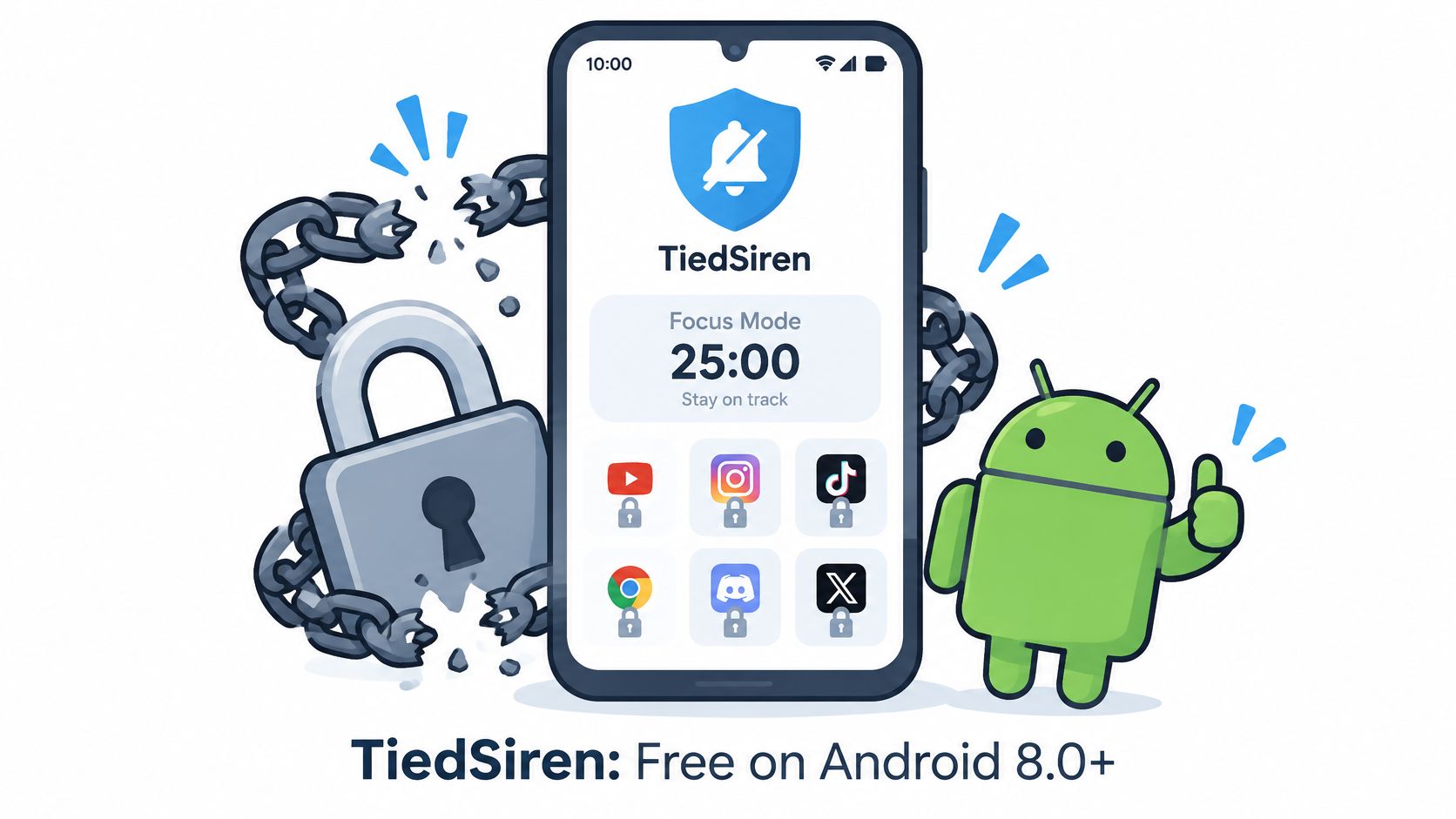
If you've installed a blocker and switched it off at the moment you needed it, the issue probably isn't a lack of information about screen time. The problem is that you could reverse the decision while the urge was active. TiedSiren is a free Android app for Android 8.0 and later that blocks the applications you choose for a duration you commit to in advance.
Set the boundary before work starts
Begin with the context, not a long list of every app you might someday block. Create a custom blocklist for the work in front of you, such as study, writing, or coding. Choose the applications that repeatedly pull you away from that kind of task. A study list may differ from a sleep list because the temptations aren't always the same.
Then commit to a session duration that fits the work you've planned. If the same boundary belongs at a regular time, scheduled sessions can recur daily or weekly. That takes the repeated decision out of the moment when you're already tempted to check. The TiedSiren features overview describes its app blocking, context-based blocklists, recurring sessions, Strict Mode, Settings blocking, and focus timer.
Strict Mode changes how a running session ends: the session ends when its timer ends, and nothing else ends it. There's no in-product override during that session. TiedSiren also blocks the Android Settings screen while the session runs, adding effort to an impulsive attempt to turn the block off. That's friction, not an absolute lock. Don't confuse a stronger boundary with a guarantee that every determined workaround is impossible.
The focus timer shows how much time remains. Use it as a boundary you chose before starting, not a reason to race. Once the session is underway, return to the task you named. If you get an idea or remember a message, note it for your later review rather than using it as an excuse to reopen the apps.
Keep the arrangement simple: choose a context list, decide how long you'll work, set recurrence if it suits your routine, and start with a defined task. TiedSiren can make the impulsive return to selected apps harder during that window. Your task plan and the rest of your environment still matter.
Make One Repeatable Daily System
A useful focus routine starts before the urge arrives. Decide what matters, group related actions, make the next work step clear, and set a boundary around the distractions that usually break that work. Then plan what you'll do when the session ends. That is enough to begin. You do not need to rebuild your whole day first.
Use the same sequence, adapted to the task:
- Choose a priority. Name one result you can recognize when it's done.
- Batch related work. Put messages and routine checks in a separate window.
- Prepare the task. Open what you need and write the next action.
- Plan a break. Choose an offline activity such as water or a short walk.
- Choose your boundary. Decide which apps and devices create the greatest risk for this task.
- Review the session. Note what pulled you away and adjust the next work period.
Same structure, different work. For a developer, the priority could be tracing one bug; related messages wait for their batch, and the next action is opening the relevant files. For an exam candidate, it might be reviewing a topic and marking what remains unclear, with distracting apps blocked during the study period. For someone trying to stop evening checking, the priority might be finishing a quiet routine before bed, with selected apps blocked during that chosen window.
TiedSiren fits when selected Android apps repeatedly pull you into a quick checking loop, when you want a daily or weekly blocking window, or when you've turned off a blocker during a session before. Its value is the added friction and the precommitted boundary, not a promise that nothing else can distract you. Learn more about TiedSiren and choose the setup that matches your Android workflow.
Judge progress by whether you complete the work block you chose and whether unplanned switches become less common. Perfect focus isn't the test. A routine is doing its job when it helps you return to the work you meant to do.
TiedSiren is a free Android app blocker for Android 8.0 and later, with committed sessions, context-based blocklists, scheduled sessions, Strict Mode, and a focus timer. If quick access to selected apps keeps breaking your work, set a boundary before the next urge to check.