

You've hit your daily limit, and your thumb is already moving toward the option that gives you more time. You installed the blocker yourself. You meant it when you set the limit. But right now, finishing the video feels more urgent than keeping a promise you made earlier.
Learning how to limit screen time means fixing that exact failure, not collecting more reminders. This guide focuses on Android phones, including a free Android blocking option for people who've already tried a limit and dismissed it. The broader habits apply elsewhere, but the blocking setup here is Android-specific.
Why Most Screen Time Limits Fail
A daily limit assumes you'll make the same decision when you're tired, bored, or avoiding something difficult that you made when you felt motivated. That's a bad foundation for a rule you already know you'll want to break.
The problem becomes obvious when a blocker presents its warning. You haven't lost access to the feed. You've reached another decision screen, with the thing you want still close enough to negotiate for.
Recognizing the problem doesn't enforce the limit
In a Pew Research Center survey of U.S. teenagers published in 2024, 38% said they spent too much time on their smartphones, while 36% said they'd cut back; 63% hadn't reduced smartphone use, and 60% hadn't reduced social-media use. These are teenagers' reports, not evidence about every adult, but they illustrate why recognizing excessive use and changing it must be treated separately.
The survey doesn't establish that the same respondents who felt they used their phones excessively failed to reduce their use. It does show why advice built entirely around awareness leaves an important job unfinished.
Knowing your screen-time total doesn't decide what happens when you want another look.
- A reminder asks again. You've already decided to stop, but the notification invites another decision under worse conditions.
- A vague promise leaves room. “Less scrolling” can accommodate almost any exception you feel like making.
- An indiscriminate restriction creates legitimate objections. If your limit interferes with necessary communication or work, you have a convincing reason to abandon it.
Design for the person who wants to keep scrolling
Treat the moment of temptation as a design requirement. Don't build your plan around the assumption that you'll suddenly become unusually disciplined when an assignment gets frustrating or bedtime arrives.
Write down what happened the last time you disabled a blocker. Name the app, the situation, and the excuse. “I needed my phone” isn't specific enough. “I opened Instagram while waiting for a reply, dismissed the warning, and stayed there” gives you something to fix.
Your plan needs to survive an ordinary bad evening. That means preserving necessary access, restricting the applications responsible for the problem, and deciding the rules before you're trying to escape them.
Don't judge a limit by how reassuring it feels to configure. Judge it by what you can do when you no longer feel like following it.
Set a Target You Can Defend
Start with your actual use, not an impressive-looking daily allowance. A target you chose without checking your routine can be both unnecessarily restrictive and ineffective.
Record a baseline before changing anything. Separate recreational scrolling from work, study, navigation, and deliberate conversations. The useful question is what you want to remove, not how low you can push a dashboard total.
Measure the behavior you intend to change
A systematic review and meta-regression of screen-time interventions supports combining goals, feedback, and planning; a practical measurement-first approach is to record 7 days of baseline use and consider a reduction of 30–60 minutes daily, rather than relying on reminders alone. Treat that reduction as a possible starting target, not a universal prescription.
Use your baseline to write a rule with these parts:
- The applications that count. Identify feeds, video services, games, or other apps you open without a clear purpose.
- The protected activity. Name what you're trying to preserve, such as studying, finishing work, eating without scrolling, or getting ready for sleep.
- The permitted window. Decide when recreational use belongs in your day instead of leaving access permanently negotiable.
- The review method. Compare actual recreational use and repeated app openings against your plan.
The target-setting sequence is straightforward.
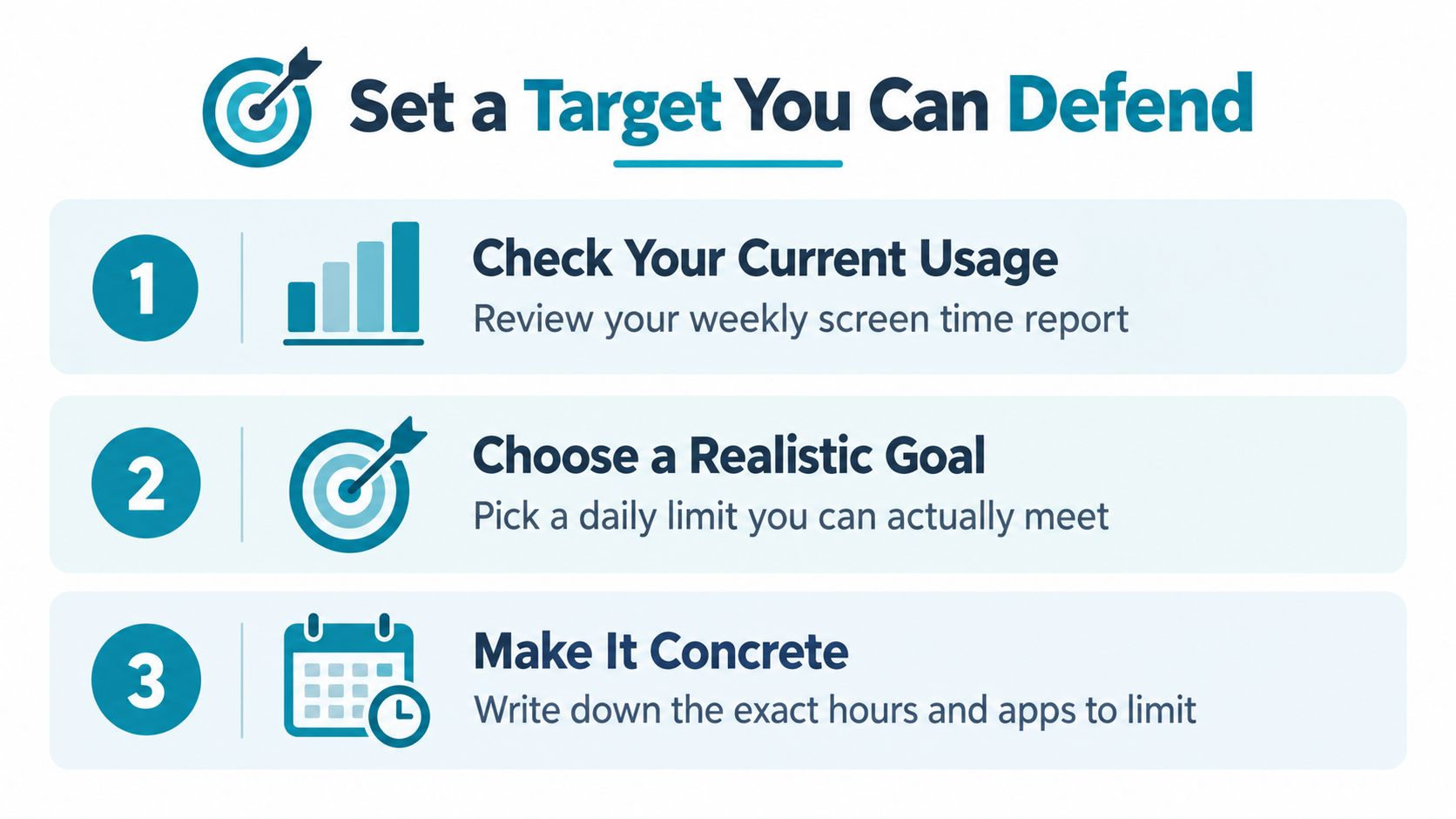
Borrow the commitment, not the laboratory target
In a randomized intervention involving 89 families and 164 adults, the reduction group was instructed to keep recreational screen use below 3 hours per week per person. Adults in that group reported a median of 2.7 hours weekly, versus 15.5 hours in the control group, a difference of 12.8 hours weekly, roughly 1 hour and 50 minutes daily.
That's a substantial reduction under a controlled arrangement. It isn't a sensible default target for everyone, and the study shouldn't be presented as a direct comparison between a commercial blocker and reminders.
The practical lesson is narrower: make the commitment concrete and distinguish leisure from necessary use.
A defensible target might protect your study period from social feeds while keeping educational tools available. Another might move recreational video out of your bedtime routine without restricting a planned call with family. Those are different problems, so they deserve different rules.
Write yours down plainly enough that you can tell whether you followed it without arguing with yourself.
Configure Android's Built-In Screen Time Tools
Use your phone's built-in controls to understand your behavior before adding stronger enforcement. Look in Android Settings for Digital Wellbeing, or the equivalent screen-time controls your device provides. Availability and labels vary, so follow the options shown on your phone rather than assuming every Android device has identical controls.
The entry point may look like this.
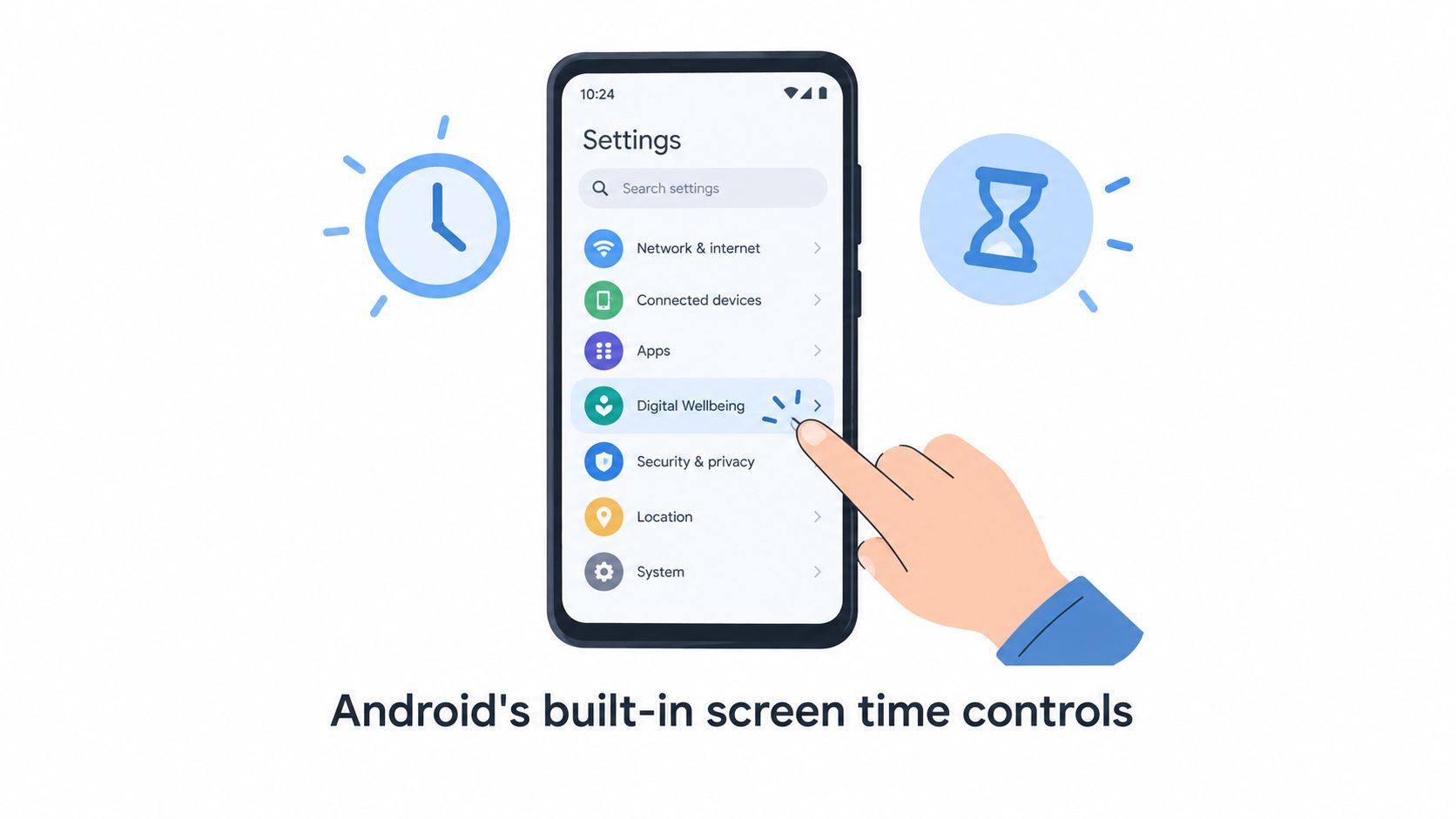
Use the dashboard before changing the rules
Inspect the usage information available on your device. Look for the applications taking your time and any pattern around when you reach for them. Compare that information with the baseline you recorded, especially where your memory and the device record disagree.
Where app timers are available, assign them to recreational applications rather than spreading restrictions across everything you use. Where bedtime or wind-down scheduling is offered, align it with when you intend to finish using the phone, not when you usually stop after getting distracted.
Then examine what happens when you reach a limit. If your available controls let you change the allowance immediately, decide whether that level of friction matches your history. Someone who reliably respects a warning doesn't need the same arrangement as someone who routinely dismisses it.
Built-In Android Tools vs a Strict App Blocker
| Capability | Built-In Android Tools | Strict Blocker |
|---|---|---|
| Understanding current use | Use available usage reports to establish your baseline | Keep measurement separate from blocking decisions |
| Daily app allowances | Use app timers where your device offers them | Commit selected applications to a defined blocking period |
| Protecting a recurring period | Check the scheduling controls your device provides | Use daily or weekly recurring sessions |
| Revising a running restriction | Inspect how your device handles changes and dismissal | Choose a session whose timer determines when it ends |
| Choosing the right role | Visibility and lighter boundaries | Enforcement during periods you've already identified |
Don't mistake a family guideline for an adult prescription
Screen-time advice depends on age and context. The American Academy of Pediatrics' explanation of screen-time guidance notes that the World Health Organization's 2019 guidance recommended no sedentary screen time for infants and 1-year-olds, and no more than 1 hour daily for children aged 2, with less considered better.
Those are early-childhood recommendations. They aren't an adult productivity allowance or a reason to restrict necessary professional screen use.
Configure your phone around what your use displaces. A dashboard can show whether you followed your plan, but the plan itself must reflect your responsibilities. Keep useful controls, and add stronger enforcement only where your own behavior shows you need it.
Lock In a Strict Blocking Session
You sit down to study, hit a difficult passage, and reach for a feed before you've consciously decided to take a break. In this example, the important event happened before you sat down: you chose which applications would be unavailable during the study period.
A committed session changes what happens next. Instead of reconsidering your whole screen-time plan, you return to the work or choose a break that doesn't involve the blocked applications.
This screenshot shows the app's interface.
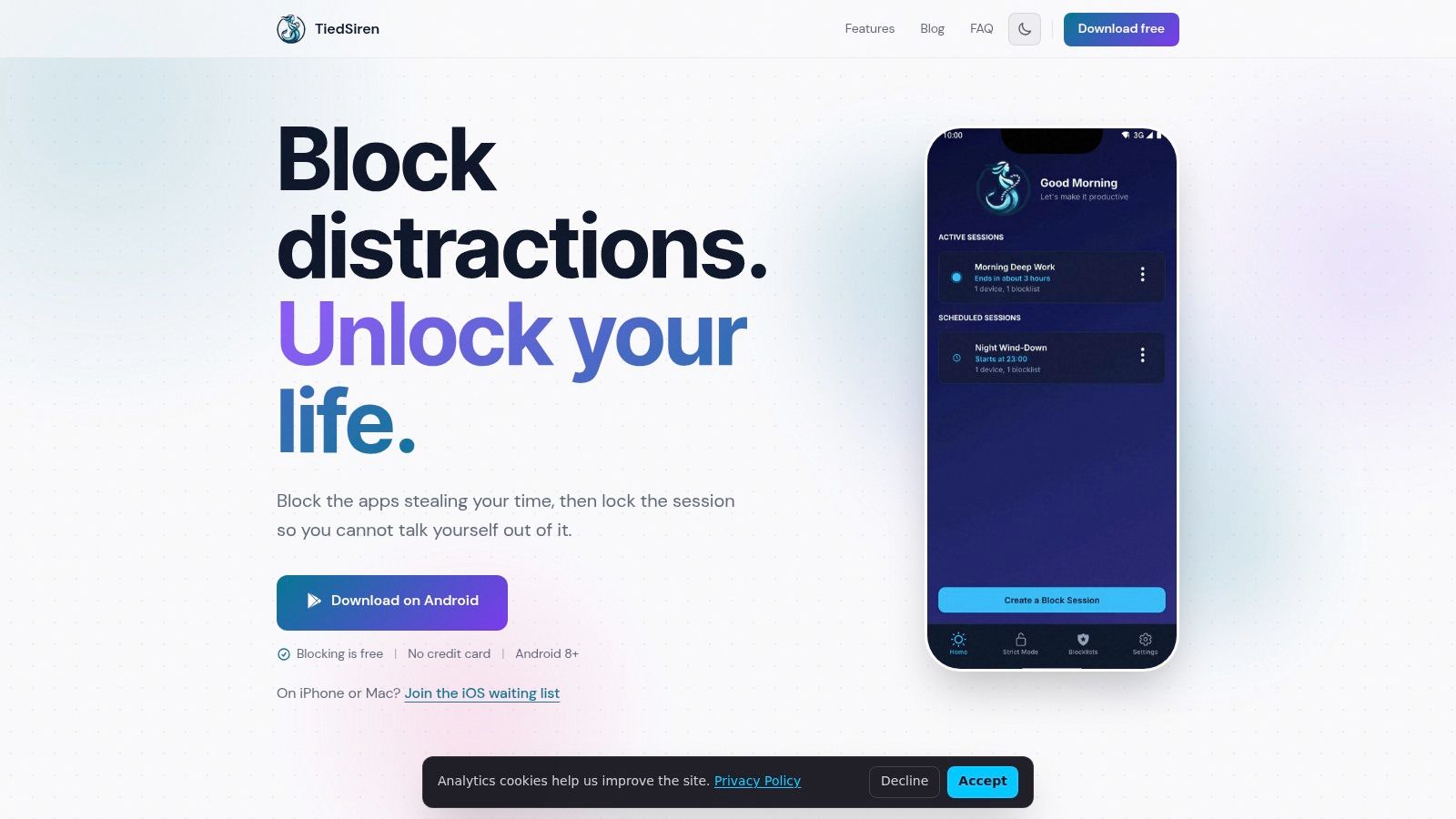
Commit by context rather than blocking everything
The Android blocker's listed features include custom blocklists grouped by context, a focus timer showing time left, and scheduled sessions with daily or weekly recurrence. In Strict Mode, a running session ends when its timer ends, and nothing else ends it within the product.
It also blocks the Android Settings screen while a session runs, raising the cost of turning the restriction off. Describe that accurately: it defeats the impulsive bypass, the one done in five seconds without premeditation. It isn't a claim that a determined person can never circumvent a device-level restriction.
Choose each blocklist around a real situation:
- Work. Restrict the feeds, games, or video apps you use to dodge difficult tasks. Keep applications required for the task outside the list.
- Study. Include recreational distractions that compete with revision, but preserve whatever you need to access course material.
- Sleep. Target the applications that turn getting into bed into another browsing session.
Check the list before committing. A strict session deserves a deliberate scope because changing your mind during it isn't the intended workflow.
The video provides another look at the approach.
Schedule the periods you repeatedly lose
Bedtime is worth treating as a recurring situation rather than an occasional lapse. In a four-week study of smartphone activity around sleep, 75% of participants had activity during the hour before self-reported bedtime, and 41% experienced smartphone-interrupted sleep on at least one weekday.
The study doesn't prove that phone activity caused every sleep problem. It identifies a pattern with useful timing: the period around bed deserves explicit attention.
Set recurring sessions around the routine you actually intend to follow. Don't schedule an ambitious block that conflicts with obligations you already know about. A useful commitment protects a realistic period, rather than forcing you to fight your own configuration.
For an irregular day, choose a session duration that matches the task in front of you. Look at the focus timer when you need to know what remains, then leave the phone alone.
Add Behavioral Techniques That Reinforce the Block
Blocking access doesn't tell you what to do with the discomfort that sent you toward the phone. If you're avoiding a confusing task, you still need a way to start it. If you're bored before bed, you still need something to do besides reaching for another screen.
Pair the restriction with an activity that fits the situation. For work, that means a defined task and a break plan. At home, it may mean putting a book where you usually keep your phone or arranging a walk before the blocked period begins.
Protect attention rather than merely reducing minutes
The University of California, Irvine's report on interruptions says researchers found it takes about 23 minutes to return to a concentrated state after an interruption, and that a typical worker is interrupted or switches tasks about every three minutes on average. These figures aren't a stopwatch prediction for every task or person.
They do explain why a short check deserves more scrutiny than its screen-time total suggests. You can reduce total phone use while still interrupting every difficult stretch of work.
Use the Pomodoro method as a structure: choose a task, work through a bounded interval, and take a deliberate break. Don't turn the break into an unrestricted feed session if returning from feeds is your known problem. Stand up, stretch, get water, or look away from the desk instead.
The following graphic summarizes complementary habits. Treat its timing as a technique example, not a medically established requirement.
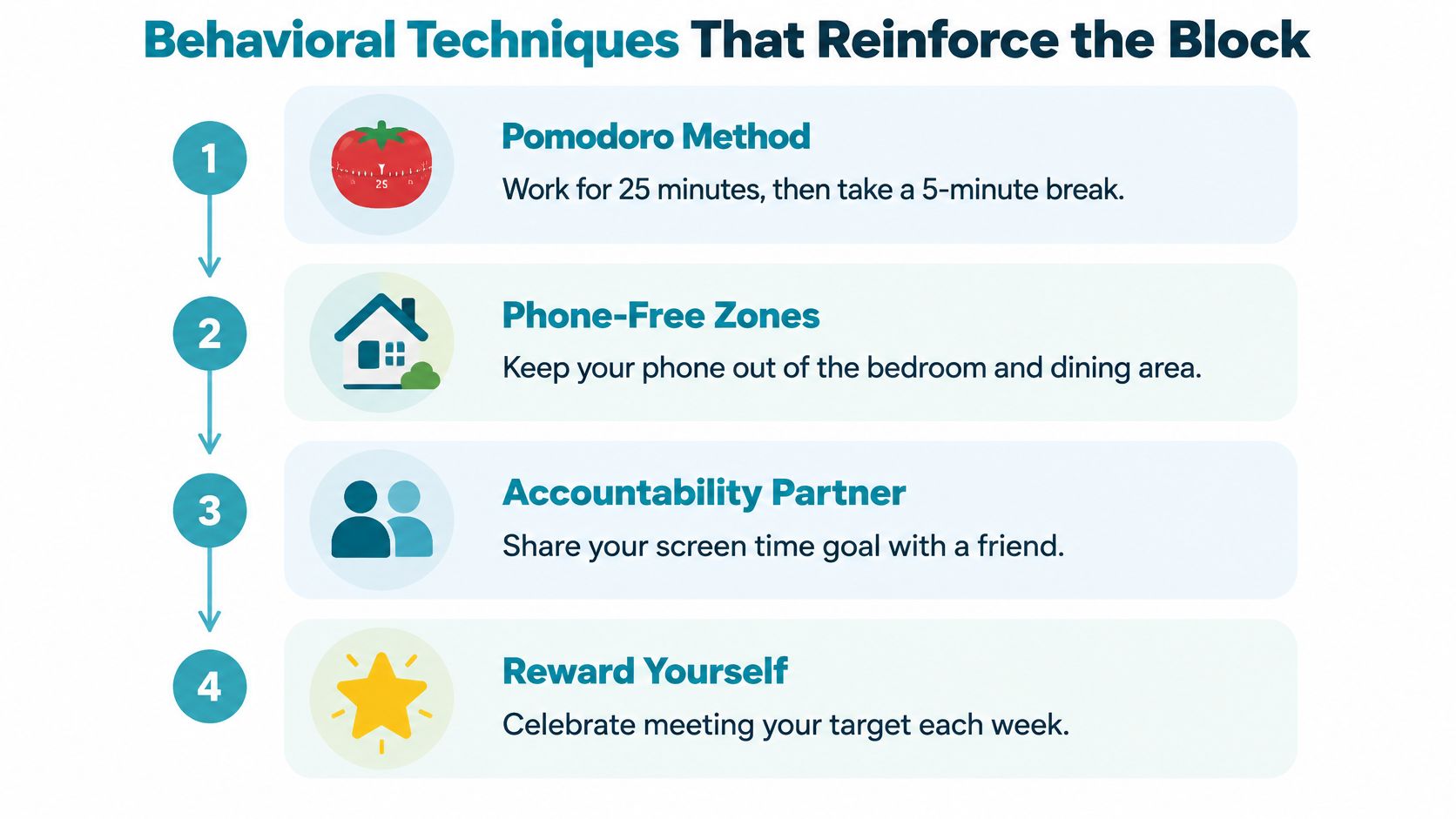
Make the alternative easier to start
Physical arrangements matter because you still have to decide what to do when an urge appears. Put the phone somewhere that requires you to leave the task to retrieve it. Keep the material for the intended activity within reach.
Avoid turning the whole day into an exercise in resisting temptation. Change the immediate environment instead.
- Prepare the next action. Before studying, open the relevant material and write down the question you'll answer. “Study more” leaves too much unresolved.
- Create phone-free locations. Keep meals or the bedroom separate from casual browsing when that supports your routine.
- Use accountability for review. Tell someone what you committed to and discuss what happened, including where the plan was poorly designed.
- Choose a compatible reward. Mark progress with something you enjoy that doesn't recreate the scrolling pattern you're trying to interrupt.
These are practical supports, not guarantees. An accountability partner can't carry out your decisions, and moving the phone won't remove every distraction.
Make the desired behavior ready before the restriction begins. If the only prepared activity is the one you've blocked, you'll spend the session hunting for a substitute rather than doing what matters.
Troubleshoot When the Plan Breaks Down
A successful stretch doesn't prove the habit is permanent. Don't remove every support because you've had a good run.
In a 2025 randomized study of smartphone screen-time reduction, participants limited use to two hours daily for three weeks and showed improvements in well-being, depressive symptoms, sleep quality, and stress. Usage then increased rapidly after the intervention and approached its initial level at follow-up.
That's a warning against treating a temporary reduction as a finished job. Plan for maintenance while the restrictions are still working, rather than waiting until your old routine returns.
Diagnose the failure before tightening the rules
Don't respond to every lapse with a longer block. Different failures need different repairs.
| What happened | What to inspect | What to change |
|---|---|---|
| You needed a blocked app for legitimate work | Whether the list matched the task | Correct the blocklist before the next session |
| You moved to another device or feed | Whether you measured only the original app | Review recreational use across devices and access routes |
| You forgot to begin | Whether the period recurs predictably | Use a recurring schedule for that routine |
| You deliberately sought a workaround | What you were avoiding or trying to obtain | Address the trigger and reconsider the next commitment |
| You abandoned the plan completely | Whether the scope conflicted with daily responsibilities | Restore a smaller protected period you can sustain |
A workaround is information, not proof that you need to punish yourself. Be precise about what you did and what preceded it. There's a difference between needing access to a work document and searching for another way to watch videos.
Review the pattern without renegotiating every urge
Make adjustments outside the active session. That separates a considered change from an exception invented while you want access.
Check whether you're protecting the activity that prompted the plan. Less scrolling is useful, but also look at whether you completed the study session, stayed with your work, or followed your intended bedtime routine. Don't declare success solely because the original app's total fell.
Keep necessary communication available and planned recreation legitimate. The aim is a routine you can live with, not permanent deprivation that you're waiting to escape.
If phone use keeps seriously interfering with sleep, work, or relationships despite repeated efforts, consider seeking appropriate professional support. A blocker can enforce a chosen period; it doesn't resolve every reason you reach for a screen.
Repair the specific failure, then resume the plan. You don't need a fresh identity or another dramatic detox. You need a workable commitment that remains in place when motivation disappears.
TiedSiren is a free Android app that blocks applications you choose for a duration you commit to up front. Choose a realistic protected period, check which apps you'll need, and install it from Google Play to put that decision into practice before the next urge arrives.