

You've opened the textbook, started the blocker, and reached the paragraph you don't understand. Before you've worked out what's confusing, you're cancelling the session to check something on your phone. The check feels reasonable. Returning to the chapter takes longer than you meant it to.
TiedSiren is a free Android app for Android 8.0 and later, according to its Google Play listing. The product guidance here applies to Android phones, not iPhone or desktop study setups. The wider question applies anywhere: what restriction will you still accept when studying gets uncomfortable?
Why an App Blocker for Studying Gets Switched Off
The blocker didn't misunderstand your plan. You chose the distracting apps correctly, and you knew the assignment mattered. Then the chapter stalled, and you made a different decision.
That's the weak point in a cancellable study limit. You set it while you wanted to work, but you can remove it while you want relief. Knowing your screen time won't necessarily change that exchange.
The decision changes when the reading gets hard
Consider a familiar sequence rather than a measured case study. You stop at an unfamiliar term, reach for the phone, and remember that a messaging app is blocked. You decide you need a brief exception, end the restriction, and open the conversation.
There might be a legitimate message waiting. There might also be a feed next to it, a video someone sent, and a reason to keep holding the phone after the original task is finished.
The important distinction is between needing access and wanting an escape. Both can feel urgent halfway through difficult work. A useful setup separates them before the session begins.
- Necessary access: A class platform, authentication app, or agreed contact route that the work requires.
- Habitual checking: Opening something because the paragraph became difficult or the phone was already in your hand.
- Deliberate cancellation: Removing a restriction you chose because you no longer feel like following it.
Choose for the moment you usually quit
An app blocker for studying needs to fit that last moment, not just the motivated minute when you install it. A reminder can be enough if you usually respect reminders. If you've repeatedly cancelled limits, another warning leaves the same decision in your hands.
Start with the detour itself: what happens after the first check, what makes abandoning a session less convenient, and which restriction matches your behavior. Then define a study window that leaves coursework and essential communication available.
You don't need to treat every phone function as a threat. You need a boundary around the apps you reach for when you'd rather not read the next page.
What Breaks Focus After the First Phone Check
A notification and a voluntary check can lead to the same app, but they start differently. One interrupts you from outside. The other happens when you reach for the phone without being prompted.
A 2026 study of 84 Taiwanese undergraduates found that students shown notifications checked more frequently, but hiding notifications alone didn't reliably improve learning performance; both visible- and hidden-notification patterns increased mental effort, according to the study in Instructional Science. The authors suggest that controlling the timing and interaction pattern of phone use may be more useful than silencing alerts.
Silence doesn't settle what happens next
The practical distinction is between preventing an interruption and containing the interaction afterward. Muting can remove the prompt. It doesn't decide whether you open an app anyway, check again after returning to the page, or remain inside the app longer than intended.
This diagram separates the interruption from the behavior that follows.
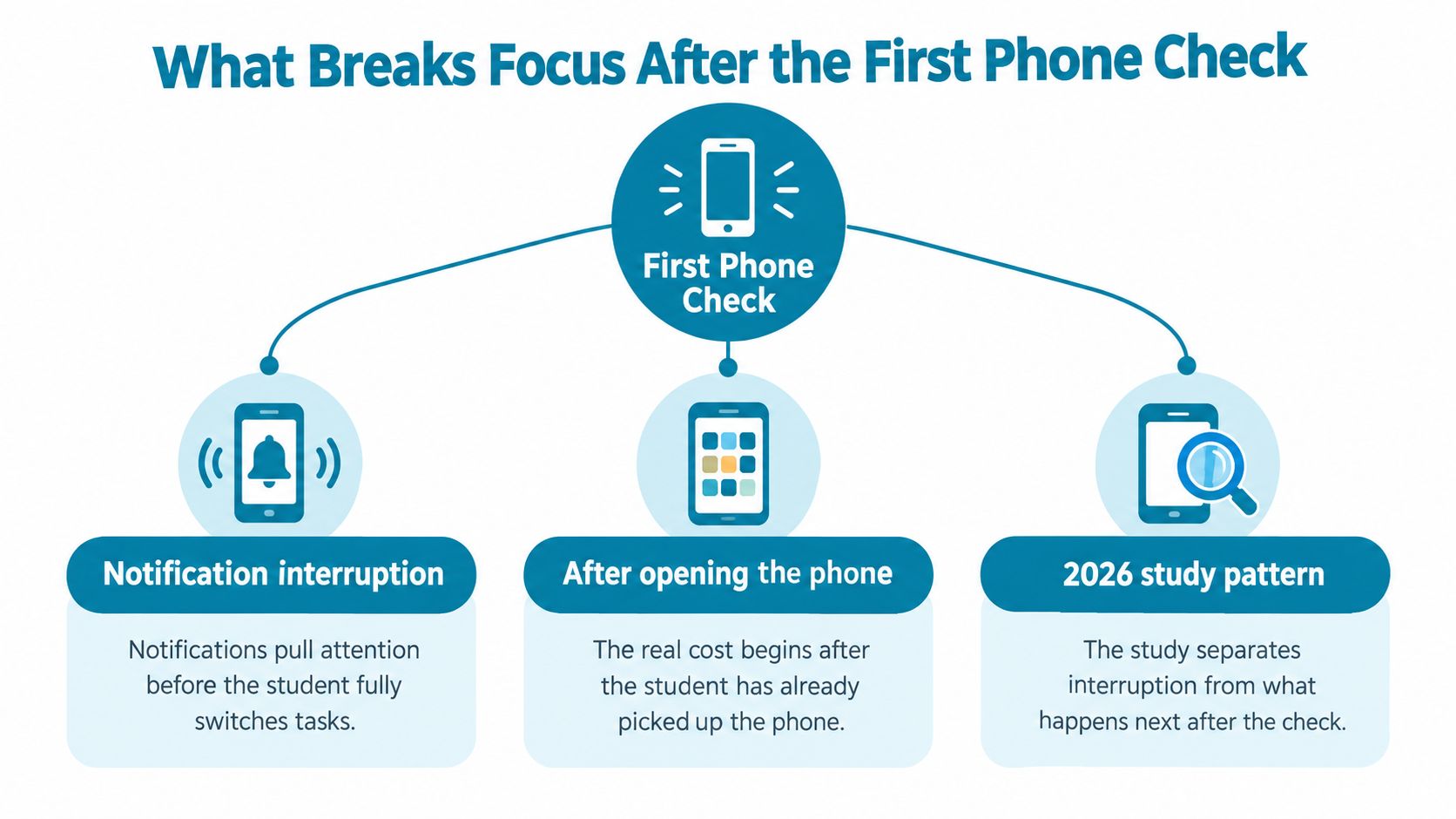
A legitimate glance can become an unrelated session without a clear decision to abandon studying. You check a course message, notice another app, and continue from there. That's why the original reason for picking up the phone isn't always the most useful thing to restrict.
- Before the check: Remove prompts you don't need during the work.
- During the interaction: Keep the tempting destination unavailable if that's where the detour usually starts.
- After necessary use: Return the phone to its chosen place rather than leaving it beside the book.
Not checking can still require effort
The University of Texas researchers' paper in the Journal of the Association for Consumer Research reported lower available working-memory capacity and fluid intelligence when phones remained close, even without notifications. Participants could maintain sustained attention and avoid checking while still having less cognitive capacity available.
That doesn't establish that an app lock removes the burden of proximity. Blocking apps and moving a phone are different interventions. The useful interpretation is narrower: visible interruptions aren't the only possible cost of keeping the device close.
Choose between a mute, an app restriction for the whole study window, and physical separation by identifying what pulls you away. Silence addresses a ping. It may leave the next voluntary check untouched.
Features That Raise the Cost of Quitting a Session
If you've already negotiated your way past softer limits, inspect the exit conditions before worrying about how a blocker looks. The relevant question is what happens when you decide, midway through studying, that you'd prefer to stop being restricted.
The app described here blocks applications you choose for a duration you commit to up front. Its session features include Strict Mode, custom blocklists, recurring schedules, and a focus timer. Those features serve different parts of the commitment.
Put the difficult decision before the session
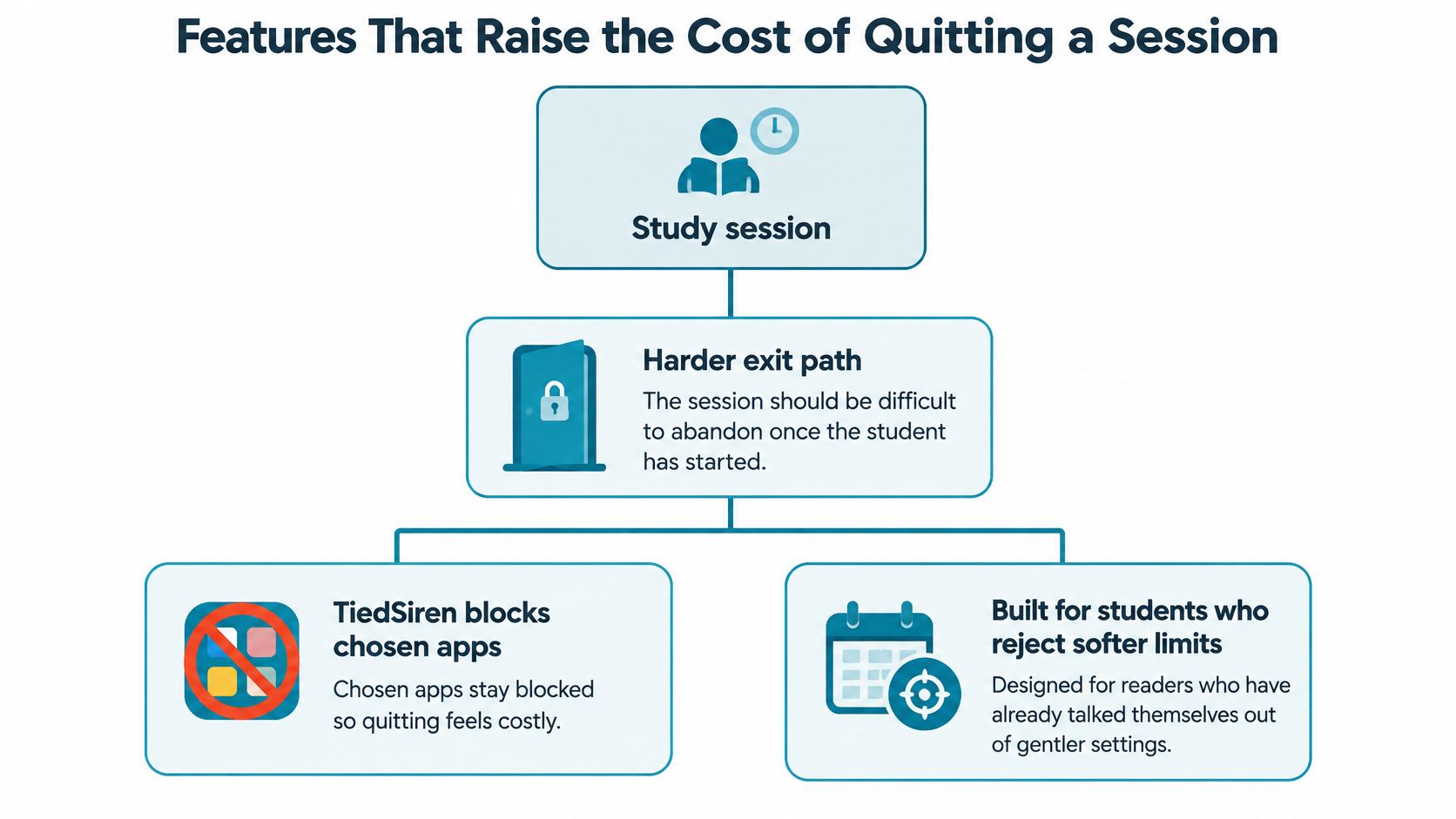
In Strict Mode, a running session ends when its timer ends, and nothing else ends it. There's no pause or short override inside that session. That removes the routine in-product negotiation over whether this particular urge deserves an exception.
While a session runs, the app also blocks the Android Settings screen. That raises the cost of taking a quick route toward disabling the restriction.
This is friction, not a promise that a determined person can never get around an Android restriction. The practical value lies in making an impulsive reversal less convenient than continuing with the task you chose.
The feature hierarchy starts with that harder exit path.
Use different lists for different work
Custom blocklists grouped by context let you distinguish studying from work or sleep. That matters when an app is distracting in one setting and useful in another.
- Reading list: Instagram, TikTok, Reddit, and YouTube might belong together when the assignment requires only a book and notes.
- Coursework list: Keep a required video app outside the blocklist when the class depends on it, while restricting unrelated feeds.
- Sleep list: Choose separately rather than assuming your academic needs apply at bedtime.
The examples are starting points, not a universal list. Blocking an app you need for the assignment creates a predictable conflict before you've even started.
Scheduled sessions with daily or weekly recurrence remove the need to make a fresh start decision whenever a regular study window arrives. They fit repeated commitments, such as class-night reading or a recurring revision period.
The focus timer shows time left in the session. Treat it as a view of the boundary you already chose, rather than a reason to keep picking up the phone. The duration should be settled before the hard part of the assignment gives you a reason to bargain.
Match the Restriction to the Study Failure
Don't begin by choosing the strictest tool. Begin with the last study session that went wrong: what happened immediately before you stopped working?
A loud alert calls for a different response from opening a silent phone out of habit. Cancelling a limit on purpose is different again. Match the restriction to the failure, then check whether it leaves the task workable.
Study Failure and the Restriction That Fits
| Failure during study | Fitting restriction | Enough when |
|---|---|---|
| A loud interruption pulls you away | Notification muting; consider airplane mode only when losing connectivity fits the task | You leave the phone alone once the incoming prompts stop |
| A legitimate glance turns into habitual checking | A scheduled blocklist; grayscale can be an optional visual cue, not a substitute for restricting access | You need useful phone functions but keep drifting into selected apps |
| You cancel a soft limit on purpose | A timed session without an in-session override | You can choose a sensible boundary beforehand but routinely renegotiate it during work |
| The nearby phone keeps taking your attention | Put the phone in another room | App restrictions leave you watching, reaching for, or thinking about the device |
Grayscale changes presentation, not your commitment to stay out of an app. Airplane mode is a connectivity choice, so judge it against the communication and online resources your assignment needs. Neither should be treated as interchangeable with an app-level study boundary.
Separate app access from phone proximity
In experiments involving nearly 800 smartphone users, participants performed best with their phones in another room, worse with phones in pockets or bags, and worst with phones visible on the desk; the pattern remained when phones were turned off or notifications and vibration were disabled, according to the University of Texas at Austin's account.
That supports trying physical separation when restricting selected apps leaves the device competing for attention. It doesn't mean every student must remove the phone for every task. A session that requires authentication or a course tool presents a real trade-off.
AppBlock, BlockSite, Cold Turkey, and Stay Focused all block solidly. The distinction for the option discussed here is the absence of an override during a session, not a claim of stronger blocking than those alternatives.
- Keep it proportionate: Don't disconnect necessary coursework to solve an unrelated feed habit.
- Judge the result: If the phone remains the object of your attention after apps are restricted, change its location.
- Avoid tool shopping: A different interface won't help if you keep choosing a restriction with the same cancellation path you already misuse.
Set Up a Study Session on Android
Prepare the restriction while you can still think clearly about the assignment. Doing it after you've started scrolling turns a practical decision into an argument with yourself.
The Android download page is the starting point for installation. Before committing to a session, work out which applications you need and which ones usually take you elsewhere.
Choose access before choosing strictness
- Keep essentials available: Leave calls, authentication, emergency contacts, class platforms, needed study tools, and assistive services outside your chosen blocklist.
- Group the detours: Make a study list around the apps that interrupt this work, rather than treating the whole phone as disposable.
- Commit a duration: Decide how long the restriction should run before opening the book.
- Schedule repeated windows: Use daily or weekly recurrence when the same study commitment returns.
- Choose Strict Mode deliberately: Use it when you already know you'll try to renegotiate, after checking that the list and duration fit the task.
Researchers at the University of British Columbia assigned 221 students to contrasting one-week conditions: alerts on with phones within reach, and alerts off with phones away; students reported more inattention and hyperactivity in the alert-enabled, nearby-phone condition, according to the account of the UBC research. Because both alerts and placement changed, don't read that as a clean measurement of either change alone.
Make the list fit the assignment
For example, plan a 50-minute reading block as a chosen session length, not a research-backed optimum. If you're reading a printed chapter, your list might include Instagram, TikTok, YouTube, and Reddit, while leaving your dictionary, authentication app, and essential contact route available.
For a longer exam-revision evening, the list could differ. You might need YouTube for assigned explanations and a class platform for practice material, so those stay available while unrelated social apps are restricted.
The longer window deserves more preparation, not automatic enthusiasm for more blocking. Fetch the materials, confirm the required services, and check whether you'll need phone access during the planned period.
Use the focus timer only to see the time remaining. It doesn't tell you whether the chapter is understood or the revision is complete. Keep the academic task separate: finish the worked example, annotate the argument, or attempt the practice questions.
Where Blocking Helps and Where It Stops
A stricter restriction can make a chosen boundary easier to keep. It can't decide whether that boundary was sensible, supply missing course materials, or make an unclear assignment clear.
The aim is workable access, not a phone that becomes unusable for the sake of appearing disciplined.
Read the evidence without promising grades
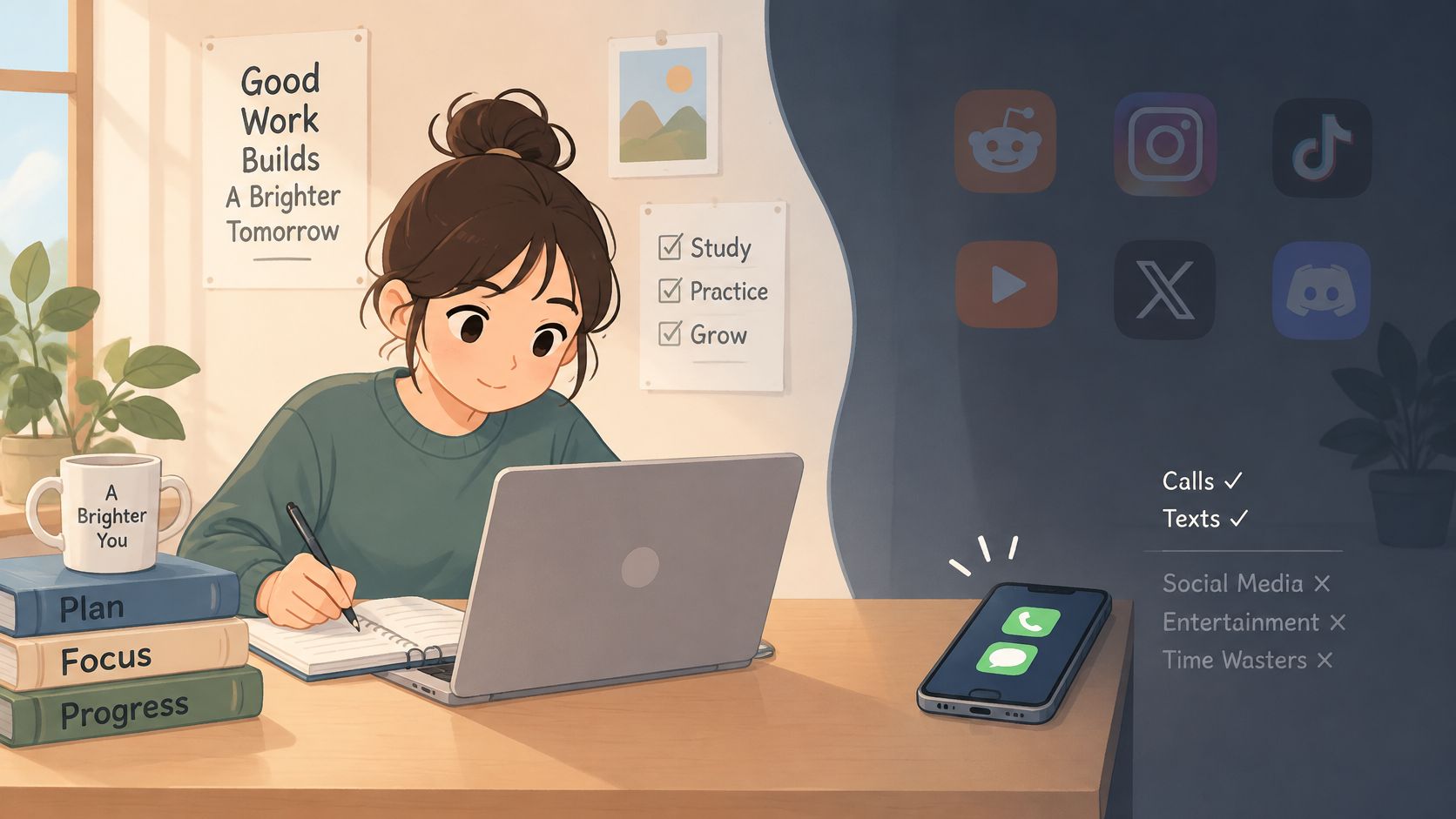
A 2025 randomized experiment involving 467 participants restricted mobile internet for two weeks while preserving calls and texts; 91 percent of participants with usable measurements improved on at least one measure of well-being, mental health, or sustained attention, though adherence varied, according to the report describing the restriction experiment.
That result doesn't mean an app blocker produces the same outcome, improves grades, or helps every participant in every domain. Restricting mobile internet is also broader than blocking selected applications.
The longitudinal evidence on university students likewise concerns distraction and later academic engagement, not proof that any particular blocker fixes either. The practical lesson is to take distraction seriously without treating restriction itself as an academic result.
- Planned exception: A lab login, proctor message, or accessibility tool has a known purpose in the study task.
- Impulsive undo: You remove the boundary because you want an unrelated app available right now.
- Overbroad restriction: You block something necessary and create a conflict that could have been avoided beforehand.
Decide exceptions while they're still specific
Keep exceptions narrow and arrange them before committing. If you can't confidently describe the access you'll need, reconsider the session's scope or duration rather than assuming you'll sort it out inside a strict window.
This video offers another format for considering the study-blocking approach.
The useful strength here is friction against the impulsive bypass, the one done in five seconds without premeditation. A determined person can still get around an Android restriction. Don't confuse the absence of an in-session override with a bypass-proof device.
If a block interferes with safety, accessibility, or coursework, revise the plan before the next session. More inconvenience isn't automatically more useful. You're trying to protect study time while retaining the functions that let you study.
Start the Next Study Block on Purpose
Name tomorrow's study window before you finish today. Give it an actual task: reading the assigned chapter, working through the problem set, or revising the material you missed on a practice attempt.
Then name the apps that usually swallow that window. Keep the list honest. If Reddit is the detour, include Reddit; don't build an impressive-looking list of apps you rarely open.
Write a commitment you can carry out
- The work: State what you'll attempt, without promising you'll understand everything by the end.
- The access: Identify the class tools and essential communication that must remain available.
- The boundary: Choose between a cancellable limit you'll respect and a session intended to run until its timer ends.
- The location: Decide where the phone will stay after any necessary use.
Choose based on your past behavior, not your mood while planning. If you repeatedly disable blockers when the work becomes uncomfortable, use the stricter session only after checking the duration and blocklist. If a cancellable restriction already holds, there's no need to make studying more cumbersome.
Other solid blockers still block apps. The reason to choose this approach is the missing in-session override, not a promise that another product's blocking is weak.
Make the next attempt informative
Afterward, judge what happened. Did you remain with the work, discover a necessary app was unavailable, or spend the session thinking about the phone anyway? Those are different problems and call for different adjustments.
Don't turn an awkward attempt into a verdict about your discipline. Correct the list if it blocked coursework. Shorten an unrealistic commitment before the next session. Move the device if access wasn't the problem.
The next step doesn't need to be another evening spent comparing settings. Prepare the task, choose the apps, and commit while the decision is clear. If a nearby silent phone still pulls your attention, put it in the other room.
TiedSiren offers chosen-app blocking, committed study sessions, and recurring schedules on Android. Visit TiedSiren to prepare your next study window, then choose whether restricting the apps is enough or the phone needs to leave the room.