
The screen time app for Android that holds the line.
Most screen time apps tell you how long you spent on your phone, then ask you to stop. TiedSiren skips the asking. You choose the apps, the websites and the hours up front, and they stay closed until the time you set.
Blocking is free. No credit card. Android 8.0 and up.
Why screen time limits do not hold
A daily limit is a reminder. When it fires, the way out is one tap away, and at that moment you are the person least able to refuse it.
About 85 % of people exceed the screen-time limits they set themselves (Common Sense Media). The limit was right. The enforcement was not.
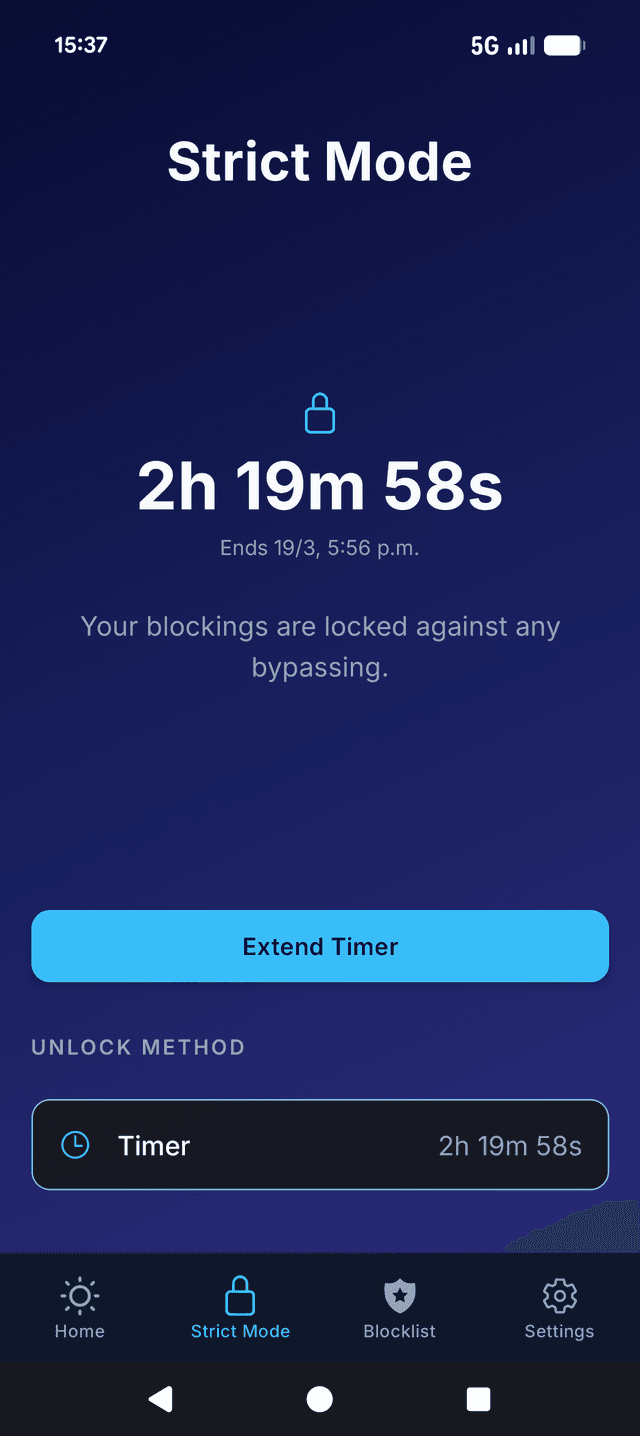
TiedSiren moves the decision to the moment you are calm: before the session starts. Once Strict Mode is on, there is nothing to negotiate.
Limit screen time in three steps
Step 1
Pick what eats your time
Block Instagram, TikTok, YouTube, or any app installed on your phone, and the websites too. Build separate lists for work, study, sleep, or any context.
Step 2
Choose when it is off-limits
Set daily or weekly recurring schedules, or keep a block on all day. Your blocks activate automatically, with no decisions to make in the moment.
Step 3
Lock it
Lock in a session and a duration up front. The session cannot be shortened from your phone once it starts. Strict Mode needs TiedSiren Pro, which starts with a 7-day free trial on the yearly plan.
Every feature in detail: TiedSiren features
TiedSiren or Digital Wellbeing?
Use Digital Wellbeing to find out where your time goes. Use TiedSiren to make sure it stops going there. The two run side by side on the same phone.
| What you need | Digital Wellbeing | TiedSiren |
|---|---|---|
| See how long you spend in each app | Yes, in the Dashboard | No. Use Digital Wellbeing for this |
| Set a daily time budget per app | Yes, with app timers | No. You block by schedule or by timed session |
| Block apps on a schedule | Yes, with Focus mode | Yes, daily, weekly or all day |
| Block websites in the phone browser | Not with Focus mode | Yes, by the addresses you list |
| Stop yourself from ending a session early | No. Focus mode has a "Take a break" button and timers change in Settings | Yes, with Strict Mode: the timer cannot be shortened from the phone |
| Stop the blocker from being uninstalled mid-session | Not applicable, it is part of Android | Yes, with the optional uninstall lock |
| Price | Free, built into Android | Blocking is free. Strict Mode needs TiedSiren Pro, with a 7-day free trial on the yearly plan |
Not sure how much is too much? Read what the research says
Questions & answers
No. TiedSiren blocks apps and websites, it does not measure how long you use them. Android already does that in Settings, then Digital Wellbeing. Look there first to see which apps to block.
TiedSiren runs on Android 8.0 (Oreo) and higher. It uses the Accessibility Service to close a blocked app or website the moment it opens. It is not available on iPhone.
TiedSiren is built to block your own apps on your own phone. It is not a parental control app and does not let you manage another device. Google Family Link is the tool for that.
Blocking apps and websites, blocklists, scheduled sessions and the focus timer are free, with no credit card. Strict Mode needs TiedSiren Pro, a subscription sold through Google Play. The yearly plan starts with a 7-day free trial.
Still have questions? Contact us
Ready to take back
your time?
Blocking is free. No credit card. Works on Android 8 and up.
Want it on iOS, macOS, or Windows? Join the waitlist for early access.