
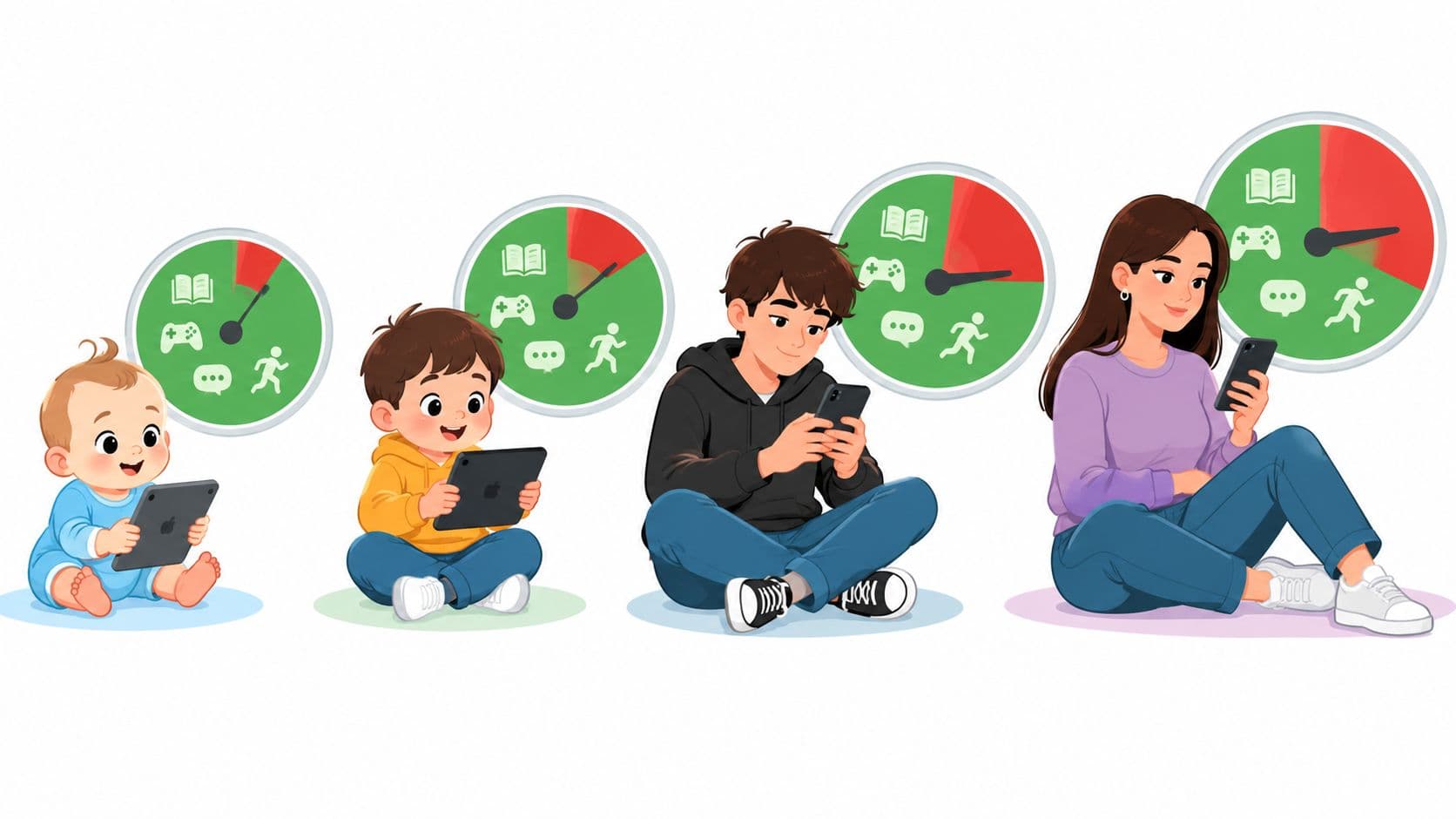
You came for a number. Two hours, perhaps. That's the rule repeated in parenting articles, phone settings, and wellness advice.
The problem is that a stopwatch can't tell you whether your screen use is harmless, necessary, or taking over your day. An hour of homework isn't the same as an hour of short-form videos. Eight hours at a monitor for work isn't the same as eight hours of compulsive scrolling, although both can leave you sitting too long and sleeping badly.
The more useful question is this: What is your screen time replacing?
That question matters because many people already know they scroll too much. They've checked the dashboard, set a limit, ignored it, and disabled the blocker when the urge arrived. Information wasn't the missing piece. The missing piece was a decision made before the impulse, with enough friction to stop a five-second override.
Why No Single Number Answers the Question
The popular two-hour rule is easy to remember, but it isn't a universal answer for children, teenagers, adults, or every kind of activity. The American Academy of Pediatrics moved away from one daily limit for all children and teenagers in 2016, because digital media serves different purposes, including schoolwork, communication, reading, entertainment, and social media. Its current approach looks at the quality and context of media use, not minutes alone, as explained in its guidance on screen time for teenagers.
That change wasn't permission to use screens without limits. It recognized that two hours of schoolwork and two hours of compulsive video feeds don't create the same trade-offs.
A fixed number can still be useful. It gives you a boundary when your habits are vague, and it can help families create a shared expectation. But it shouldn't become a medical switch that turns risk on at one exact minute.
The displacement test
Start by naming the activity your screen is replacing.
- Sleep: Are you staying up to finish one more episode, check one more feed, or answer messages that could wait?
- Movement: Are long sitting periods replacing walking, active play, exercise, or ordinary time on your feet?
- Relationships: Are you physically present with people but mentally inside a device?
- Responsibilities: Are feeds, games, or videos delaying work, study, meals, or basic care?
- Recovery: Does recreational use leave you rested, or does it make it harder to wind down?
Practical rule: Screen time becomes a problem when the activity on the screen repeatedly wins against something your body, work, or relationships need.
This test also explains why a developer, student, or knowledge worker can't judge their day from the total alone. Necessary work may occupy a monitor for hours, while one late-night feed creates the most serious consequence by delaying sleep. The raw total matters, but the content, timing, control, and displacement matter more.
The rest of the answer needs both parts. Use age-based benchmarks as guardrails, not as proof that every minute above them is harmful. Then look for the specific category and time window that creates the damage. If the problem is a particular app and your own limits collapse whenever you feel an urge, the solution won't come from reading another general warning. It will come from moving the decision earlier.
Screen Time Benchmarks by Age and Activity
Age changes the answer because young children have different developmental needs from teenagers, and teenagers have different responsibilities from adults. Activity type changes it too. Public-health guidance generally focuses most strongly on sedentary recreational screen use, not every minute spent with a digital device.
The World Health Organization's early-childhood guidance is clearest for the youngest users. For infants younger than 1 year, it recommends no sedentary screen time. For children aged 1 to 2 years, screen exposure should be limited. For children aged 2 to 4 years, sedentary screen time should not exceed 1 hour per day, and less is better, according to the WHO guidelines on physical activity, sedentary behaviour, and sleep.
| Age Group | Recommended Limit | Guidance Source |
|---|---|---|
| Infants younger than 1 year | No sedentary screen time | World Health Organization early-childhood guidance |
| Children aged 1 to 2 years | Limited exposure, less is better | World Health Organization early-childhood guidance |
| Children aged 2 to 4 years | No more than 1 hour of sedentary screen time per day, less is better | WHO guidance |
| Older children and adolescents | A commonly used ceiling is 2 hours of sedentary recreational use, but there is no universal evidence-backed cutoff | Review of WHO guidance |
| Adults | Around 5 to 6 hours of recreational use is a warning range, not a universal biological limit | Systematic review and meta-analysis |
Count the activity, not only the device
A child watching passive entertainment for an hour is in a different situation from a child using a movement-based game. An hour of homework differs from an hour of social media. Necessary communication differs from an endless feed designed to keep the next piece of content one swipe away.
That doesn't mean active or educational screen use has no cost. It still takes time from sleep, movement, conversation, or offline responsibilities. It means you need to classify the activity before deciding whether a number tells you anything useful.
For older children and adolescents, some national recommendations use 2 hours per day as a planning benchmark for sedentary recreational screen use. The review of WHO guidance notes that evidence isn't strong enough to define one precise threshold that applies to everyone. A daily cap and regular breaks address different problems. The cap addresses accumulated recreational use, while breaking up sitting addresses long uninterrupted periods.
Use benchmarks as guardrails
For a young child, the WHO limits deserve firm attention because sleep, movement, play, and interaction compete for the same part of the day. For an older child, start by separating schoolwork and necessary communication from discretionary entertainment. Then check whether recreational use pushes bedtime later, reduces active time, or crowds out face-to-face contact.
The benchmark tells you where to inspect the habit. It doesn't tell you what happened during every minute.
How Real Usage Compares to the Guidelines
The gap between guidance and ordinary use is large. Common Sense Media's 2021 census found that children aged 8 to 12 averaged 5 hours 33 minutes of entertainment screen media per day. Teenagers aged 13 to 18 averaged 8 hours 39 minutes. Those figures excluded school and homework use, and average entertainment use rose by 17% over two years for both age groups, from 4 hours 44 minutes to 5 hours 33 minutes among tweens and from 7 hours 22 minutes to 8 hours 39 minutes among teens, according to the Common Sense Media 2021 census.
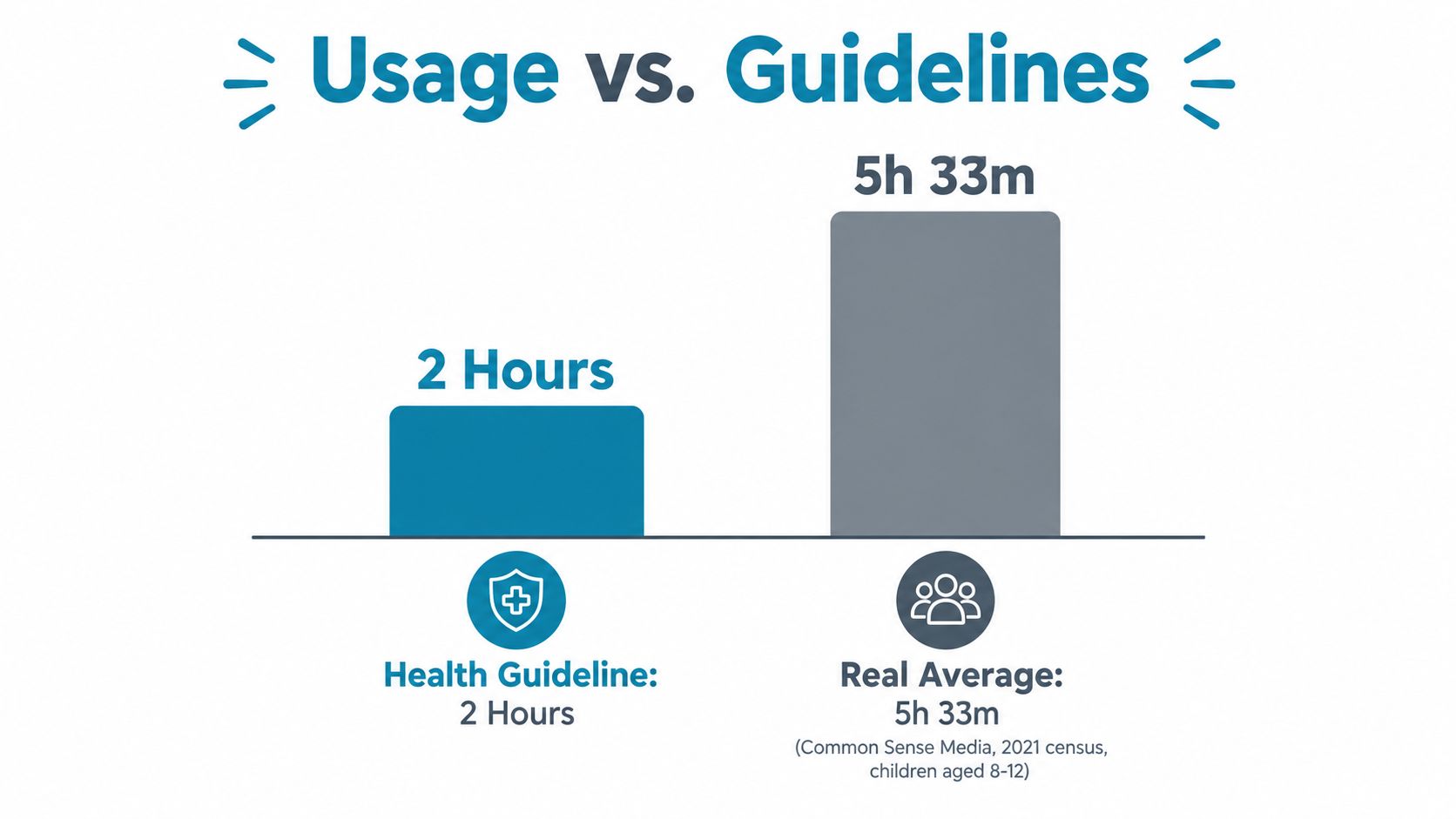
Those averages don't prove that every child in the group is harmed. They do show that high recreational use is common, not an unusual failure of discipline. If a child's entertainment use resembles the average, the family has a reason to examine sleep, activity, and responsibilities rather than assuming the habit is within a healthy range because it feels normal.
Social media creates another layer. The U.S. Surgeon General reported that 8th- and 10th-graders averaged 3.5 hours per day on social media in 2021, as included in the same Common Sense Media census report. That is only one category of use, not a child's entire digital day.
Average use tells you what's common. It doesn't tell you what's working.
A longitudinal study of 6,595 adolescents found that spending more than 3 hours per day on social media was associated with twice the risk of poor mental-health outcomes, including depression and anxiety symptoms. That association doesn't establish that social media alone caused those outcomes. It does make prolonged, difficult-to-control use a meaningful risk marker, especially when it also disrupts sleep or displaces offline life.
The practical lesson isn't to frighten a child with population averages. It's to stop treating high use as harmless because friends use screens just as much. Measure the effect on the child in front of you. Look at bedtime, morning energy, physical activity, schoolwork, family interaction, and whether the child can stop when asked.
The comparison is also useful for adults. If your own recreational use keeps expanding because short sessions accumulate, the issue isn't that you failed to remember the right guideline. You've got a habit that needs a clearer boundary.
When Screen Time Actually Becomes Harmful
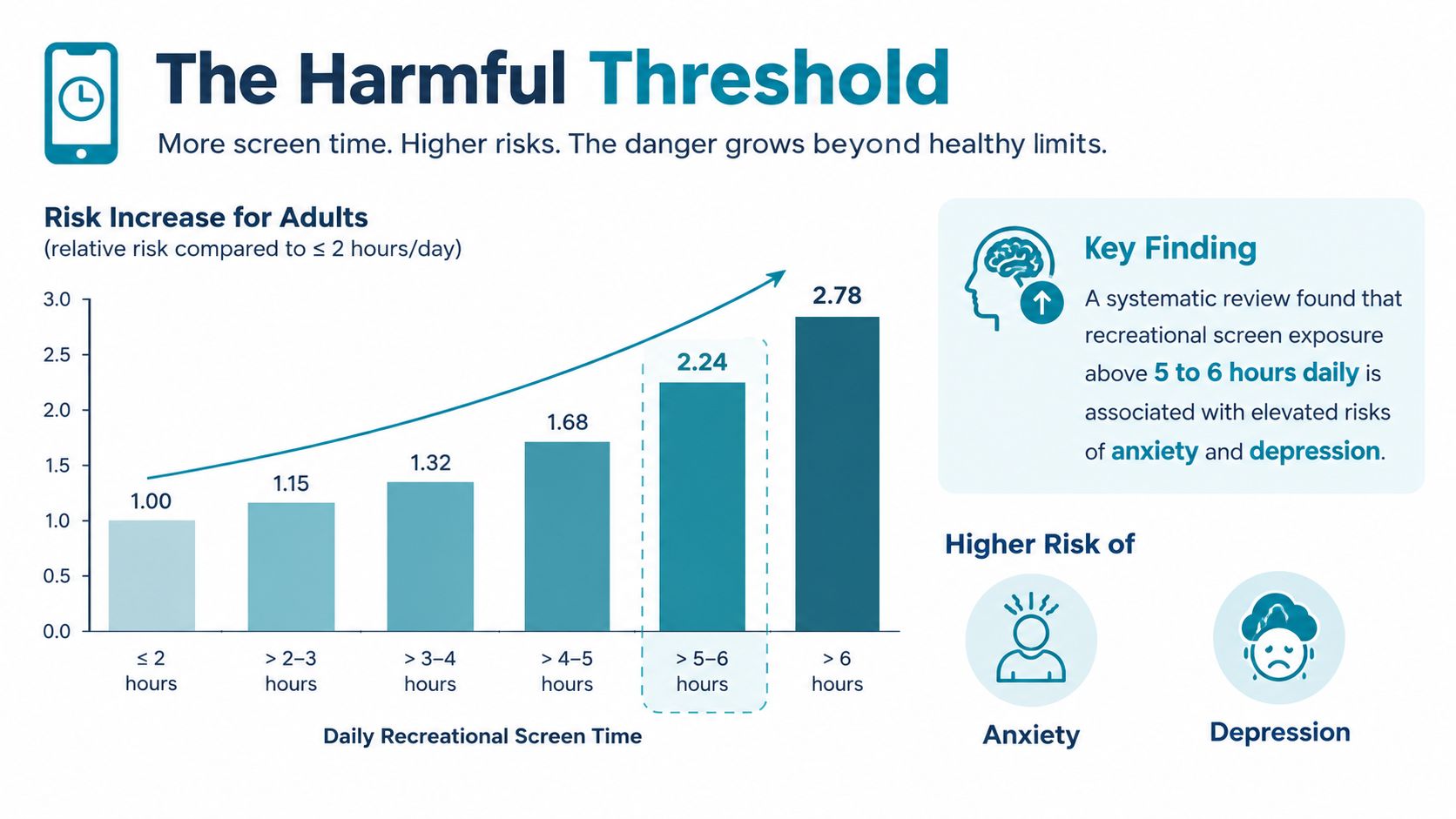
For adults, recreational screen exposure above 5 to 6 hours daily is best treated as a warning range. An updated systematic review and meta-analysis found that this level was associated with cardiovascular-disease risk comparable to more than 10 to 11 hours of total sedentary time, even after adjustment for physical activity and other cardiovascular risk factors, according to the updated systematic review and meta-analysis.
That finding doesn't mean a screen emits a specific amount of harm at the sixth hour. The evidence is observational, so it supports risk management rather than proving that every person above the range will develop cardiovascular disease.
The screen is often part of a larger pattern
Prolonged recreational screen use usually arrives with other behaviours. You sit without interruption. You move less. You snack while watching. You push bedtime later, then use another screen because you're too tired to do anything else. The display is present, but the risk comes from the pattern around it.
A software developer who spends eight hours working at a monitor isn't making the same choice as someone spending eight hours compulsively switching between short videos. The developer still needs breaks, movement, and sleep protection. The compulsive scrolling pattern creates a different problem because it's recreational, difficult to stop, and likely to continue after the original intention has disappeared.
This is why a total dashboard number can mislead. It can hide the difference between necessary work and a feed that repeatedly takes more time than planned.
Look for displacement and loss of control
Screen time has crossed your personal limit when one or more of these patterns becomes reliable:
- You stay online after deciding to sleep.
- You open an app without a clear purpose and lose track of the session.
- You cancel movement, meals, study, or work to continue.
- You keep returning to the same app after a limit has warned you.
- You use a device to avoid an uncomfortable task, then feel more stressed afterward.
The World Health Organization states that replacing sedentary time with physical activity of any intensity provides health benefits. That makes a small substitution more useful than a dramatic promise to become a completely offline person. Stand up during a long session. Walk while listening to something that doesn't require visual attention. Protect the part of the evening that sleep needs.
Treat 5 to 6 hours of recreational screen time as a signal to investigate the pattern, not as a biological cliff.
Adults often ask whether work screen time counts. It counts as sedentary exposure, but it shouldn't be lumped together with every recreational activity when you decide what to change. Start with the portion you can control and the portion creating the clearest displacement. A late-night social feed is usually a better first target than necessary work.
How to Audit Your Own Screen Time
Don't start by trying to cut everything. First, make the total less meaningless.
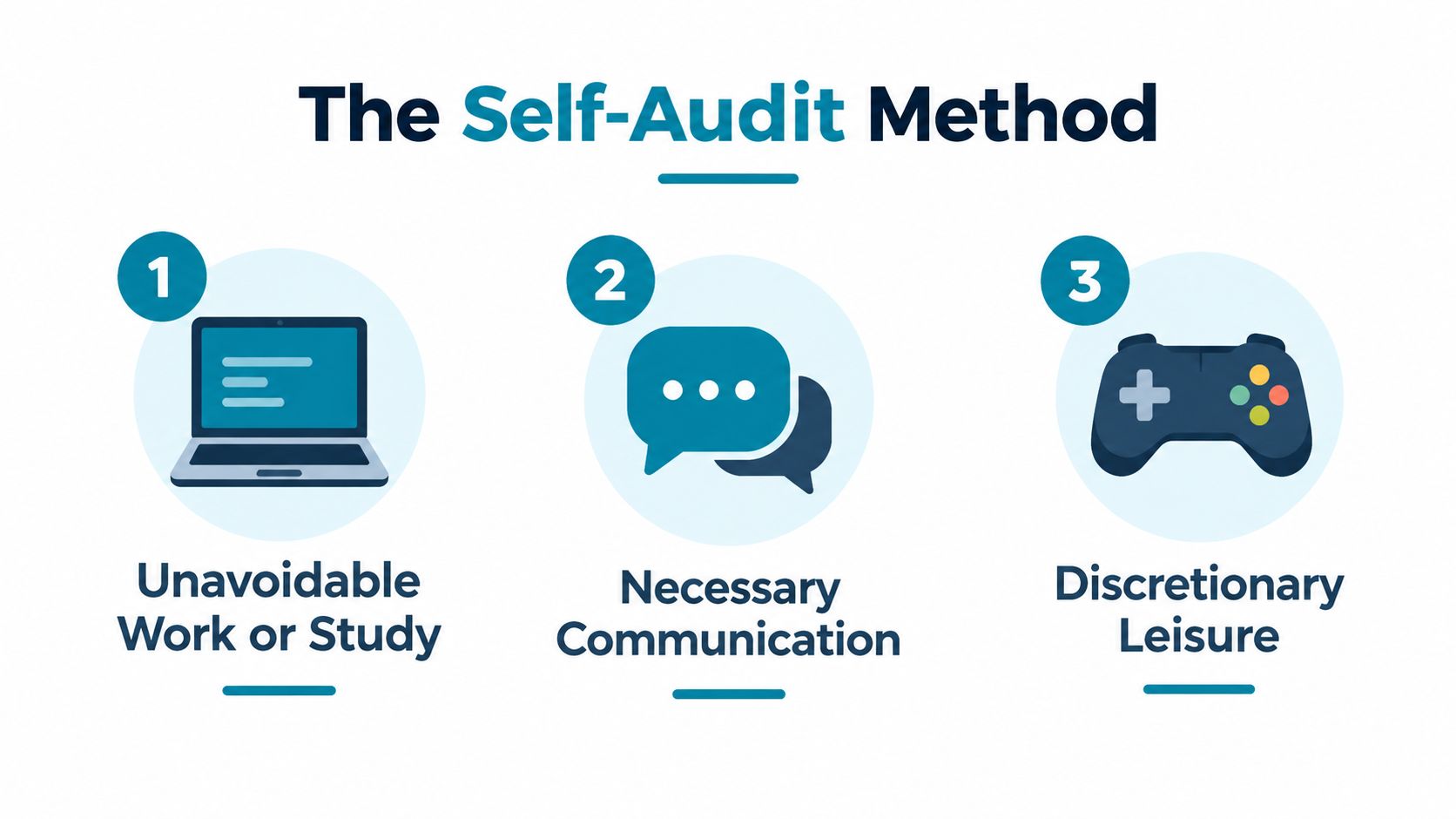
Open your usage dashboard and sort the day into categories. You're looking for the activity that causes the problem, not a number you can feel guilty about.
Separate the categories
Unavoidable work or study includes programming, writing, research, online classes, and other tasks you've chosen for a defined responsibility. Record it, but don't treat it as interchangeable with entertainment.
Necessary communication includes messages, calls, and practical coordination. Some conversations may be social and restorative. Others may be repeated checking that feels urgent but isn't.
Discretionary leisure includes games, streaming, social feeds, video platforms, and browsing without a defined stopping point. This is usually where you'll find the clearest opportunity to change the pattern.
Then add timing. A planned session after dinner has a different effect from an unplanned session that begins in bed. The same total can produce different results depending on whether it breaks sleep or leaves the rest of the evening intact.
Ask what each category displaces
Write down the answer for your main recreational category:
- What did I intend to do before opening it?
- What did I postpone while using it?
- Did I stop when I meant to stop?
- Did the session affect sleep, exercise, relationships, or responsibilities?
- Does the problem happen at a predictable time?
You don't need a perfect diary. A few honest observations will usually show whether the issue is duration, timing, or loss of control. If the answer is “I can stop whenever I want, except every night at bedtime,” you've found a predictable trigger window.
Research found that adolescents meeting the 2-hour screen-time recommendation had 55% lower odds of reporting poor sleep quality than those exceeding it, according to the research on screen time and sleep quality. That figure doesn't turn two hours into a universal adult rule, but it reinforces the importance of sleep as an outcome to track.
Choose one category and one protected window. Keep the rest of your use stable for now. After the trial, check whether you sleep more consistently, complete tasks with less resistance, and experience fewer unplanned sessions. If those outcomes improve, you've found a more meaningful measure than a lower dashboard total.
Practical Ways to Cut Harmful Screen Time
Reminders help when you're already willing to stop. They're weak when the urge is the problem.
Start with environmental friction. Remove the most tempting apps from your home screen. Sign out where signing in again creates a pause. Keep the phone away from the bed if bedtime scrolling is the trigger. These changes won't solve a compulsive habit on their own, but they can interrupt automatic opening.
Next, define the window before it begins. “I'll use less tonight” leaves the decision available at the exact moment your judgment is tired. “This app is unavailable during my sleep window” gives you a rule that doesn't need to be renegotiated every few minutes.
Precommit before the urge
A blocker becomes more useful when it removes the in-the-moment override. That's the point of TiedSiren, a free Android app that lets you choose applications, commit to a duration up front, and run a blocking session. Its Strict Mode keeps the session running until the timer ends, and it blocks the Android Settings screen while the session is active, raising the friction of turning the session off.
That friction is the honest selling point. It isn't an absolute lock, and it doesn't need to be one to help. It's designed to defeat the impulsive bypass, the one you attempt in five seconds without premeditation. The app supports custom blocklists grouped by context, such as work, study, or sleep, along with scheduled sessions that recur daily or weekly. A focus timer shows how much time remains, and it runs on Android 8.0 and later.
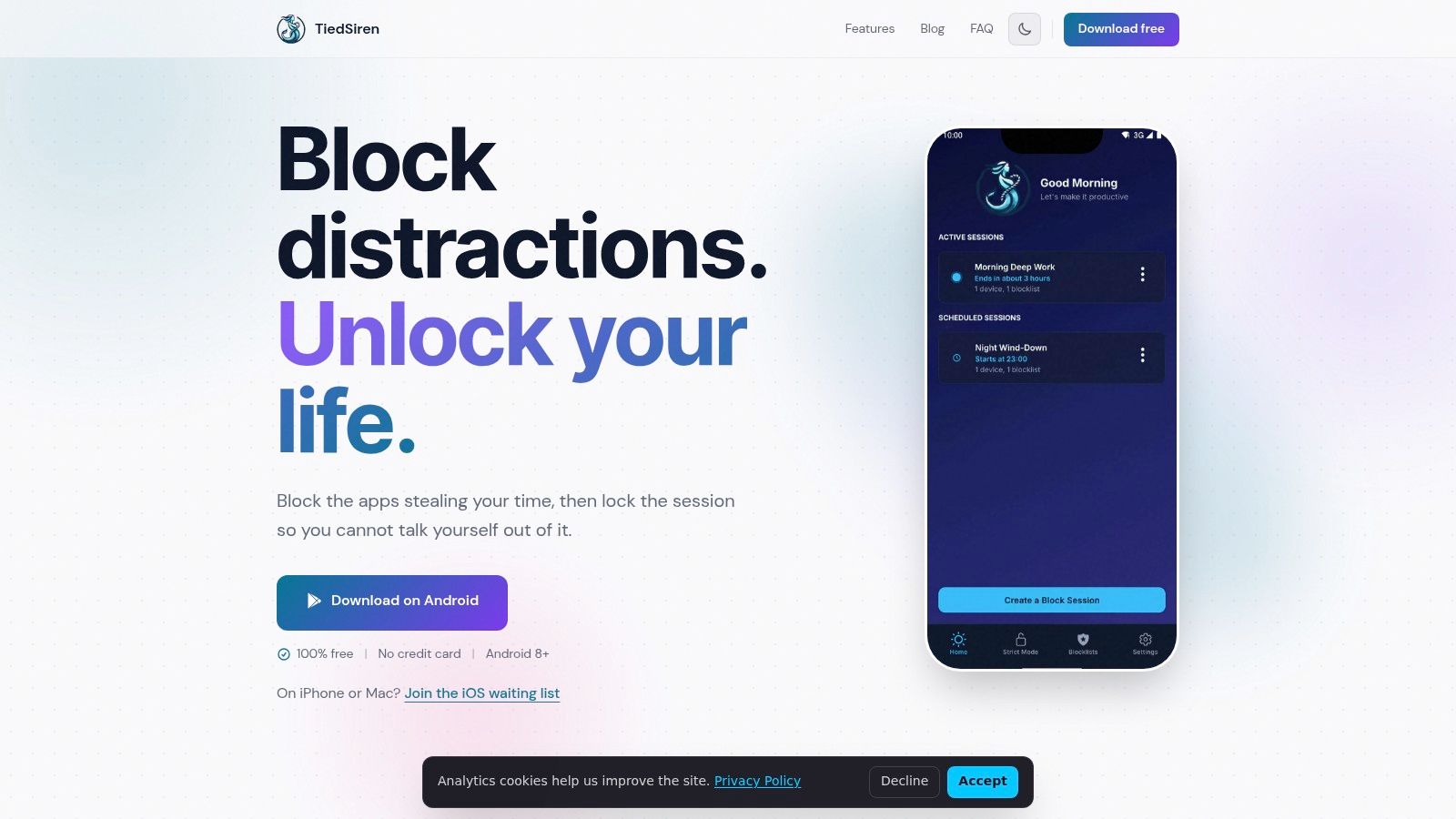
You can use a stricter session for the small set of apps that repeatedly cause displacement. For example, a blocklist might group Instagram, TikTok, YouTube, and Reddit for a deep-work period, then use a different list around sleep. The point isn't to make every screen unavailable. It's to remove access to the trigger category during the window when you repeatedly lose control.
Match the tool to the failure
A reminder may be enough if you stop when notified. A scheduled session helps if you forget to begin the boundary. Precommitment helps when you make a sensible decision earlier and then abandon it during an urge.
Sleep deserves special protection because it's a common pathway between prolonged screen use and poorer outcomes. Research across age groups reports consistent associations between increased screen exposure and worse sleep, as described in the research on screen use and sleep disruption.
Set the blocking window before the evening begins. Don't wait until you're already in bed, tired, and bargaining with yourself.
How to Know Your Limits Are Working
A lower dashboard number is not the only sign of progress. It may not even be the most useful one.
Look for fewer unplanned sessions. Notice whether you complete the task you intended to start before opening the feed. Check whether bedtime feels less negotiable and whether you wake with fewer consequences from the previous night.
A limit is working when it changes the sequence:
You notice the urge. The trigger app is unavailable. You return to the task, go to bed, or choose something that doesn't consume the rest of the evening.
That's different from repeatedly dismissing a warning and then blaming yourself for having no discipline. The useful boundary sits before the impulse, not after you've already opened the app.
Your benchmark still matters, especially for young children. Your activity classification matters too. But the most personal test is displacement. If recreational screen use isn't taking sleep, movement, relationships, or responsibilities, the raw number tells you less than you think. If it is taking them, lowering the total becomes useful only when you target the category creating the loss.
Pick the app category that eats the most unplanned time. Set one protected window this week, before the urge arrives. After seven days, check sleep, task completion, and unplanned sessions. Those results will tell you more than another hour-counting argument.
TiedSiren is a free Android app that lets you choose apps, commit to a blocking duration, and use Strict Mode with scheduled sessions and custom context-based blocklists. Visit TiedSiren to put friction between you and the app you keep disabling your limits to open.