
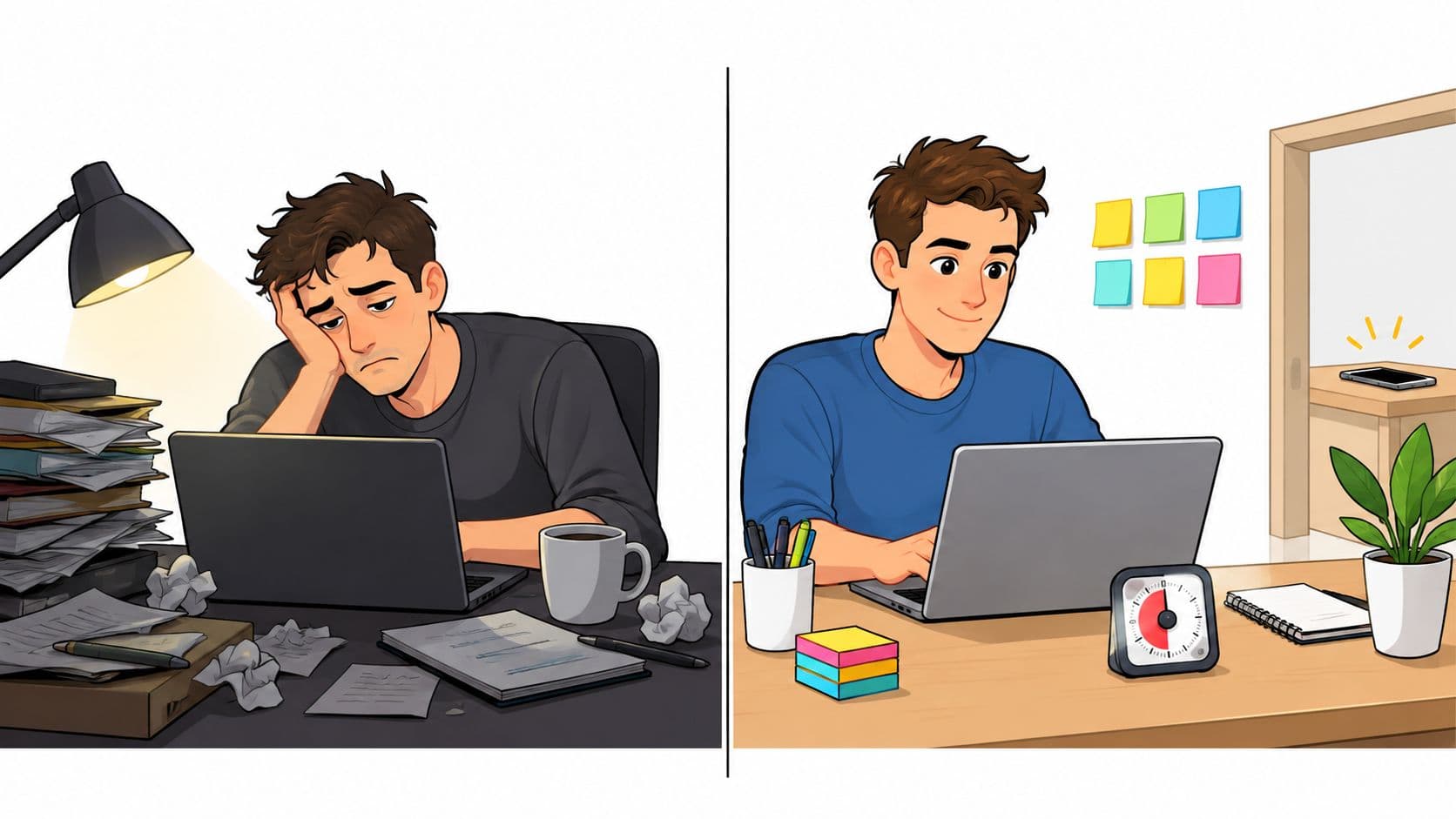
You're staring at the same document you opened this morning. Your phone is beside your keyboard, the inbox is open, and every small notification gives you a reason to leave the task. You don't need another speech about ambition. You need to find out what keeps making work harder to start than distraction.
“I have no motivation at work” can describe several different problems. Sometimes the phone keeps interrupting you. Sometimes the workload is unreasonable. Sometimes the work has stopped making sense, or your energy has been drained for long enough that a productivity trick won't touch it.
The practical reset is to identify the failure mode, change the environment around it, and use a short commitment instead of waiting for the right mood.
Why You Have No Motivation at Work
Low motivation at work is often an environment design failure, not a willpower failure.
That distinction matters because discipline advice sends you back to the same conditions that caused the problem. If your phone, inbox, unclear priorities, and noisy workspace keep demanding attention, trying harder only makes you work harder at resisting.
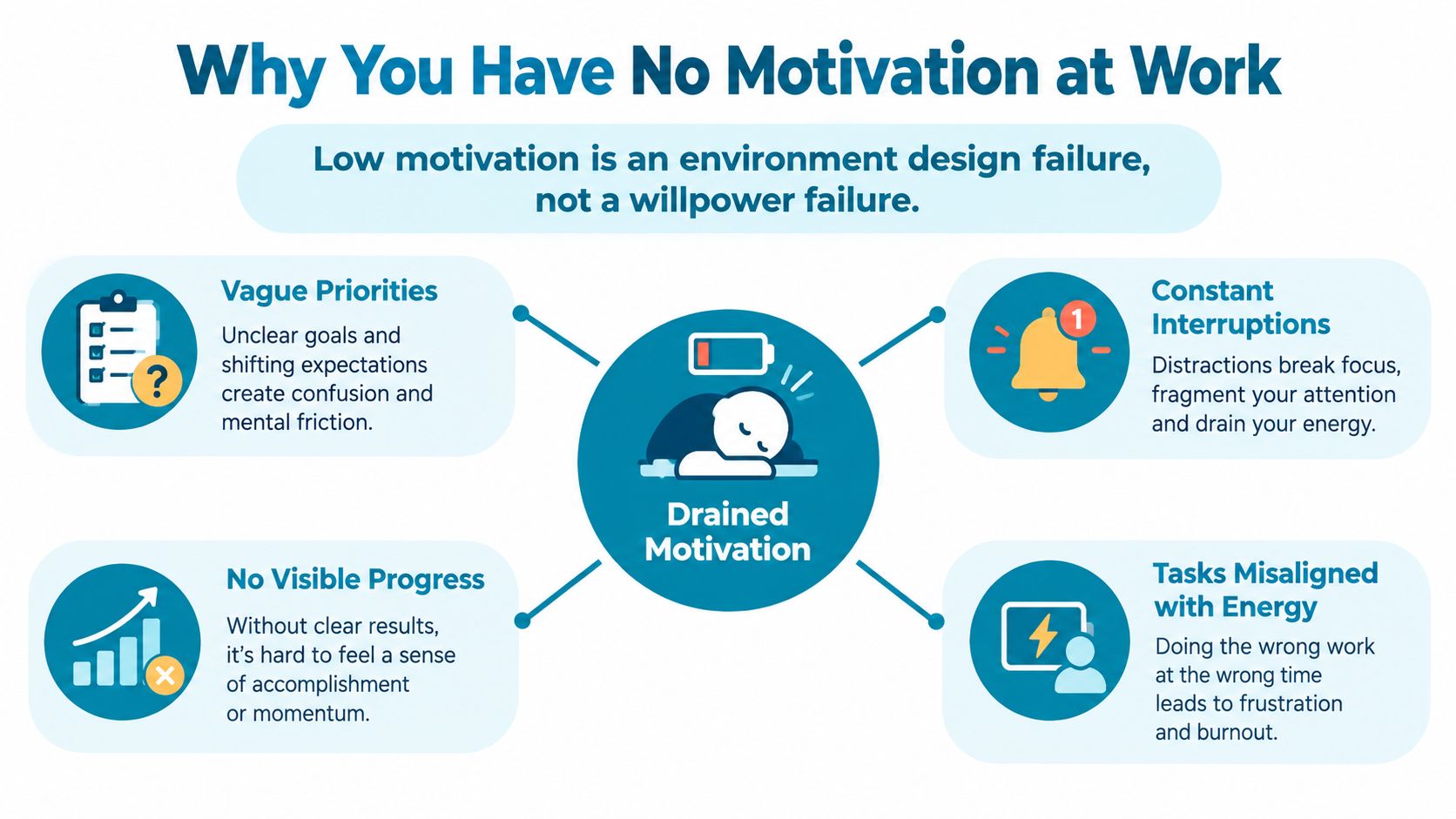
Start with a short self-diagnosis.
- Constant phone interruptions: Is your phone within reach, and do you check it whenever a task becomes slightly uncomfortable? The issue may be impulse access, not a lack of interest in the work.
- A shapeless task list: Does your list mix tiny administrative actions with complex projects and give you no obvious starting point? A list that treats every task as equal creates friction before work begins.
- A hostile focus environment: Do messages, browser tabs, meetings, and nearby conversations interrupt you whenever you try to stay with one problem? Sustained attention needs protection, not just intention.
- Invisible progress: Have you completed useful small tasks without recording or acknowledging what moved forward? Work can feel pointless when every finished item disappears into the next demand.
You can answer each question in one line. “My phone pulls me out of work.” “I don't know what the first action is.” “Messages interrupt every attempt to focus.” “Nothing I finish stays visible.” Those answers give you something specific to change.
Practical rule: Match the intervention to the failure. A blocker can help with impulse-driven interruption. It can't repair an impossible workload, unclear management, poor sleep, or a job that has become emotionally empty.
This distinction is supported by the scale of workplace disengagement. Gallup's 2024 workplace findings reported that global engagement fell from 23% to 21%, while manager engagement fell from 30% to 27%. The same report estimated approximately $438 billion in lost productivity during 2024 and associated low engagement with about $8.9 trillion in annual productivity loss, roughly 9% of global GDP.
Those figures don't prove that your phone is the cause. They do show why “try harder” is an inadequate diagnosis. If the problem sits in your workload, support, or environment, changing the design around your attention is a more sensible first move than attacking your character. You can learn more about the thinking behind the product at TiedSiren's background page, but the diagnostic comes first.
Five Quick Wins to Break the Stall
These actions are deliberately mechanical. Each takes under five minutes and produces something visible, so you don't have to manufacture enthusiasm before starting.
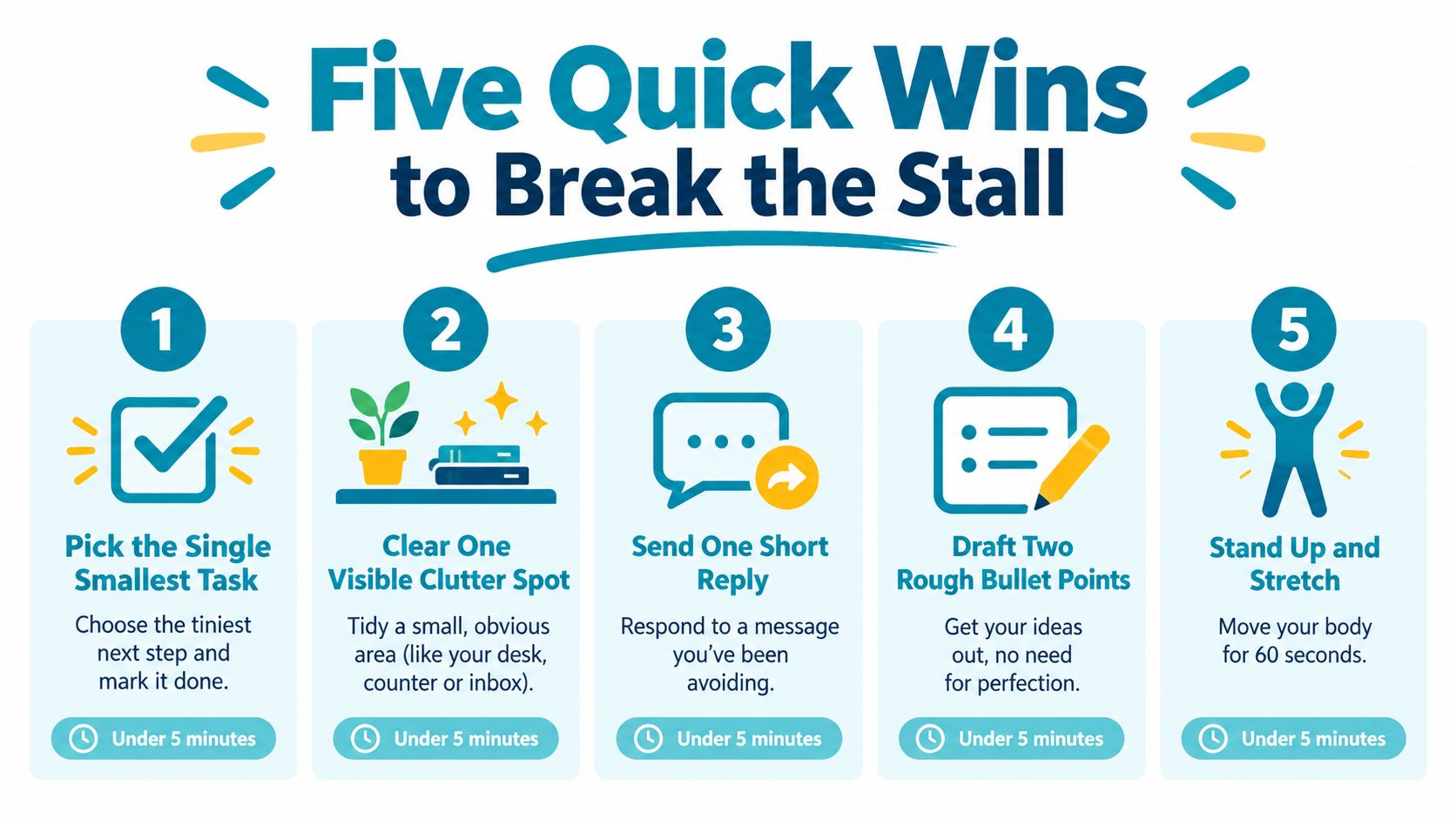
Start with an easy piece of finished work
Choose the smallest task on your list and finish it before opening email. This might be filing a document, confirming a meeting detail, or sending a reply that needs no research. The point isn't the importance of the task. The point is to create a completed output before incoming requests take over the morning.
In the next hour, you'll have one less open loop and a clearer view of what remains.
Turn a project into a physical next action
For the largest project, write one action on a sticky note using a verb and an object. “Draft the opening paragraph” is usable. “Work on the report” isn't. “Review the customer notes” is usable. “Prepare the presentation” is too broad.
This removes the decision you would otherwise have to make when the document is open and your attention is already weak.
Reduce the visual field
Close every browser tab unrelated to the next 90 minutes of work. Don't sort them into an elaborate system. Bookmark anything important, close the rest, and leave only the document, reference material, or application needed for the task.
A crowded screen keeps offering alternative actions. A reduced screen makes the next action obvious.
Put the phone somewhere inconvenient
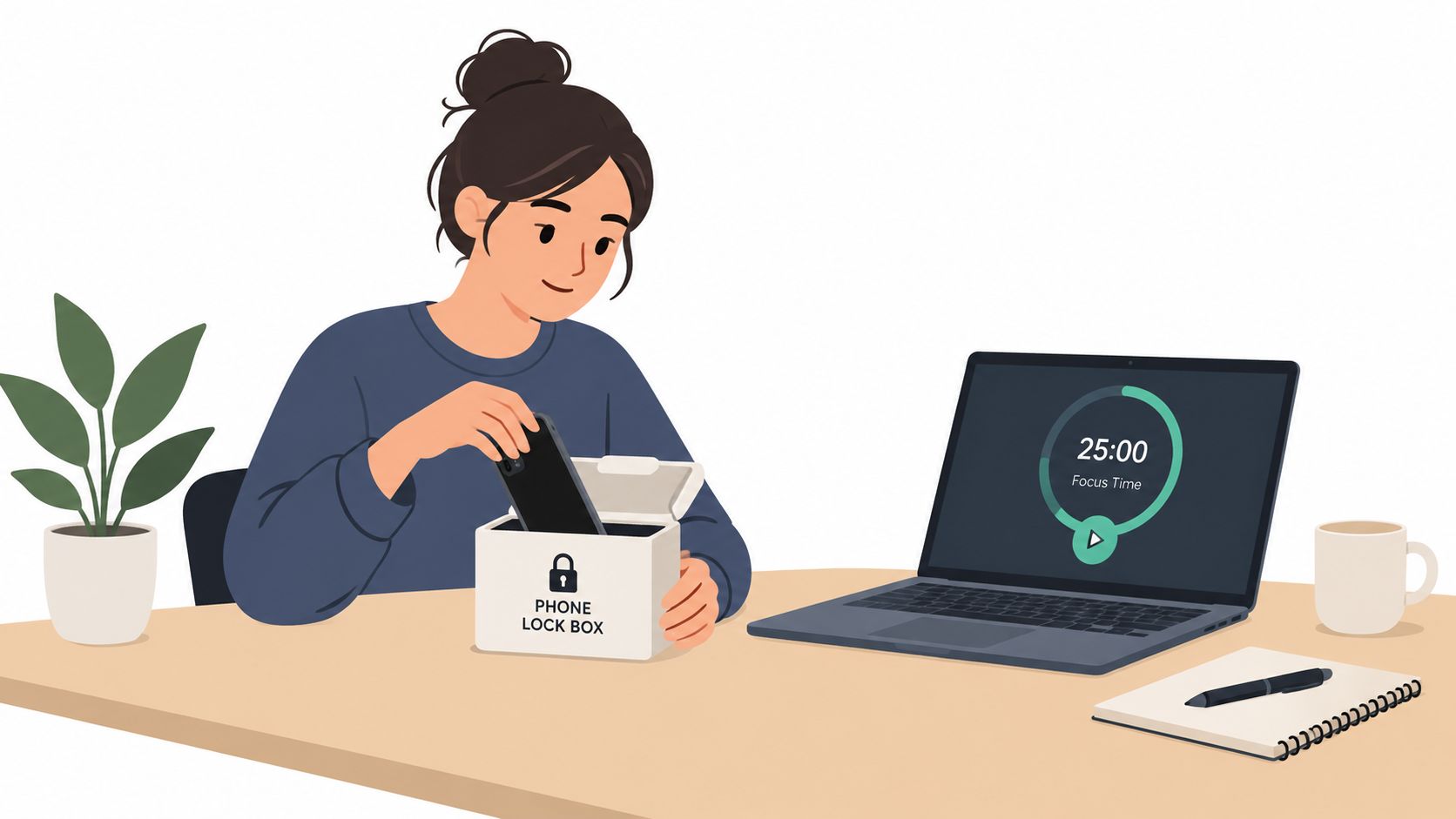
Move the phone to another room. Face down on the desk isn't enough if your hand can reach it during a difficult sentence. Silence smartwatch notifications as well, because a wrist alert can restart the same checking loop even when the phone is out of sight.
The change you want in the next hour is simple: the impulse must meet a physical obstacle.
Make one commitment visible to another person
Tell one coworker what you'll ship before lunch. Keep the message concrete, such as “I'll send the revised outline before lunch,” rather than “I'll make progress on the project.” This gives the work a visible endpoint without turning the whole day into a performance.
None of these steps fixes burnout or a broken role. They're useful when the immediate problem is a stalled start, scattered attention, or too many open choices. If the work itself is excessive, use the first completed task as evidence for a workload conversation rather than treating it as proof that you should just do more.
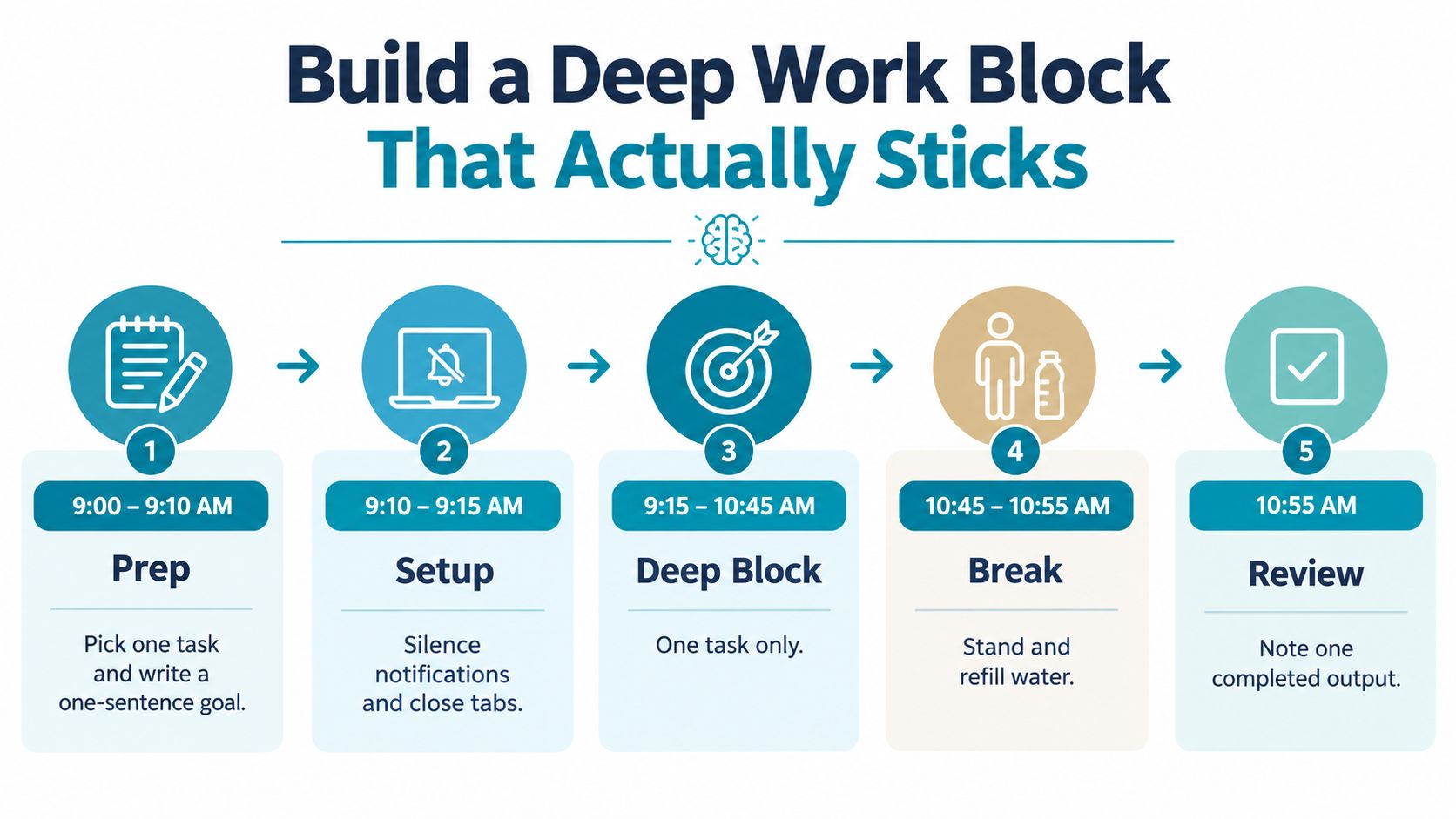
Build a Deep Work Block That Actually Sticks
A deep work block works because it removes renegotiation. You decide the task, the boundaries, and the stopping point before the difficult moment arrives.
Use this schedule as a practical template.
The ten minutes before
At 9:00, choose one task. Write a one-sentence definition of done, such as “Send the cleaned proposal to the project lead” or “Complete the first draft of the analysis section.” Keep it observable. “Make good progress” doesn't tell you when to stop.
At 9:10, close messaging apps and unrelated tabs. Put your phone in another room, silence wearable notifications, and place water within reach. Your aim is to remove small reasons to stand up, check, or switch.
At 9:15, start the block.
The block itself
Work from 9:15 to 10:45 on one task only. If an unrelated thought appears, write it on a notepad and return to the document. The replacement behavior is important. You aren't trying to prevent every interruption in your mind. You're giving the interruption somewhere to go that isn't your phone.
The urge to “just check” usually arrives at the point where the task becomes ambiguous, boring, or difficult. Don't debate with it. Write “check message,” “look up article,” or whatever appeared in your head, then continue with the next visible action.
Keep your posture comfortable, drink water, and avoid switching tasks when you finish a small part. If you complete the definition of done early, use the remaining time to check the work or prepare the next starting action. Save minor follow-ups for later.
When attention breaks: Record the thought on paper, keep your hands on the work, and return to the last unfinished sentence or step.
The ten minutes after
At 10:45, stand up and refill your water. Take a real break away from the screen rather than replacing the work document with a feed.
At 10:55, write down what shipped and name the next starting action. “Add the supporting example to section two” gives your future self a much easier restart than “continue report.” The record also makes progress visible when the day feels unproductive.
The block doesn't depend on feeling focused for its entire duration. It depends on a prepared environment and a known response to distraction. Willpower still fluctuates, but it isn't the variable carrying the schedule.
This short video can help you see the sequence as a routine rather than a vague intention:
If the block repeatedly fails because your workload won't fit inside the available time, shorten the task, renegotiate the deadline, or raise the capacity problem. Don't use a focus system to hide a planning problem.
Use an Enforced Blocker for the Hardest Window
Willpower is unreliable at the exact moment an appealing app is one tap away. The purpose of an enforced blocker isn't to make you stronger at resisting. It is to remove the easiest route to changing your mind during a precommitted session.
TiedSiren is a free Android app that lets you choose applications, set a duration, and start a session. It runs on Android 8.0 and later, and its Strict Mode means the running session ends when the timer ends, with nothing else ending it. During the session, it also blocks the Android Settings screen, which raises the cost of turning the block off. That creates friction against the impulsive bypass, but it isn't an absolute lock.
Set the session around the actual problem
Open the blocker and create a work list containing the applications that pull you away from the task. Keep the list specific. If social feeds cause the problem, block those applications. If video or messaging is the trigger, include those instead. A broad list that blocks everything can create unnecessary friction, while a vague list leaves the actual escape route available.
Choose a session that matches the hardest window, often 60 to 90 minutes. Enable Do Not Disturb first, put the phone face down in another room, and close the blocker screen once the session is running. The aim is to make the decision once, before the urge appears.
BlockSite, Cold Turkey, and Stay Focused also block solidly. The relevant comparison isn't whether other tools can block applications. The decision is whether you need reminders or a committed session that raises the cost of an impulsive exit. Choose the tool whose controls fit the environment you use.
Use the blocker selectively
Don't lock every hour of the day. Use one enforced session for the window when you most often abandon important work. That might be the first deep work block, the period after lunch, or the evening study session. Scheduled daily or weekly sessions can help when the same interruption window keeps returning, while a focus timer shows how much of the current commitment remains.
The trade-off is reduced flexibility. A locked session is inconvenient when a genuine urgent request arrives, so don't start one while you expect to be available for immediate responses. The restriction should protect a deliberate focus window, not punish you for having a job with real coordination needs.
A Realistic Low Motivation Day From Start to Finish
The day starts badly. You wake up tired, reach for the phone, and feel the familiar resistance before work has even begun. Instead of scrolling in bed, you take a short walk and drink one glass of water. That doesn't create motivation. It prevents the first part of the morning from disappearing into a feed.
Before opening email, you finish one small visible task. Then you write the two or three items that matter today. The largest item becomes a concrete action, such as “draft the opening section,” rather than “work on the project.”
Late morning is the protected window. You put the phone in another room, start the enforced blocker, and work on the one defined output. When a message or unrelated concern appears, you write it down and return to the document. At the end, you record what shipped and take lunch without a screen.
The afternoon block is shorter and less ambitious. You handle replies and administrative work together instead of letting them interrupt the morning task. You also decide when you'll leave the desk, because an undefined stopping point makes low motivation feel like an endless obligation.
At around 3pm, the urge to scroll spikes. You open the phone, notice the impulse, and put the blocker back on for 25 minutes instead of opening social media. You don't try to feel enthusiastic. You give the urge time to pass while completing one small remaining action.
The day ends with a five-minute shutdown ritual. Write tomorrow's first task, close the loops that can be closed, note anything waiting on another person, and stop. A low-motivation day still contains useful work when the system carries the decisions that you can't keep making under pressure.
Your Reset Checklist and When to Get Outside Help
Use this as a one-page reset. Keep it visible instead of relying on memory.
- Choose one visible win: Finish the smallest useful task before opening the inbox.
- Write three priorities: Separate what must move today from work that can wait.
- Define the first action: Use a verb and an object, not a broad project label.
- Protect a deep block: Put the session on your calendar and remove unrelated tabs.
- Set the hardest-window boundary: Use an enforced blocker when impulse interruption is the main failure.
- Record the output: Write down what shipped before taking the break.
- Protect shutdown: Set tomorrow's first action, close open loops, and leave work.
- Repeat before judging: Run the system for two weeks before deciding whether the environment changed.
This checklist is appropriate for a narrow problem: you can do the work, but your attention keeps getting diverted or your starting point stays unclear. It isn't a treatment for persistent exhaustion, depression, a hostile workplace, or an impossible workload. A 2025 survey of desk-based knowledge workers reported that 82% experienced burnout to some degree, with long hours, overwhelming workloads, and difficulty balancing work with personal obligations among the leading contributors, as detailed in DHR Global's 2025 workforce trends report.
Look for a larger signal when motivation has stayed flat for over two weeks, your sleep or appetite has shifted, work that used to engage you feels meaningless across the board, or rest doesn't restore anything. Persistent low motivation can also appear alongside broader workplace disengagement. Gallup's 2025 global workplace data reported that 20% of employees worldwide were engaged, 64% were not engaged, 16% were actively disengaged, and 40% experienced substantial stress the previous day.
No app, blocker, or schedule will fix those warning signs. Speak with a doctor or therapist, and raise workload or management concerns through an appropriate workplace channel. If you need to discuss a product question or report a problem, use the TiedSiren contact page.
Motivation comes back when the environment stops costing you attention, and when the environment isn't the problem, that is information worth acting on quickly.
TiedSiren gives Android users custom application blocklists, committed sessions, Strict Mode, blocked Settings during active sessions, recurring schedules, and a timer showing the time left. If the off switch is the part you keep reaching for, visit TiedSiren and set up one protected work window.