
You pick up your Android phone intending to check one message. Instagram opens before you've made a decision. Twenty minutes later, you're still scrolling, and the original task is somewhere behind a feed of Reels and Stories.
If you've already installed a blocker and disabled it when you needed it most, you know the problem isn't a lack of screen-time information. The problem is the easy escape route waiting at the exact moment your judgment is weakest.
This guide is for Android 8.0 and later. If you're using an iPhone, iPad, Mac, or Windows PC, the methods here don't apply. The useful test for every Android option is simple: how much friction does it put between the urge to open Instagram and the action that turns the block off?
The Moment You Reach for Instagram Without Deciding To
The automatic reach usually happens in a predictable gap. You finish a task, wake during the night, wait for a file to load, or sit down to study. Your hand goes to the familiar icon before you've decided what you want from it.
Instagram's scale helps explain why this habit can feel bigger than a minor distraction. The app launched publicly on October 6, 2010, attracted approximately 25,000 users on its first day, and reached 1 million users in less than three months, according to Britannica's history of Instagram. It later became a cross-platform network with more than 2 billion monthly active users in 2022, so the pull you're dealing with isn't unusual or limited to a small photography app.
The issue isn't that you don't know Instagram takes time. You probably know exactly how much time it can take. The issue is that, when the impulse arrives, disabling a limit or resuming access can require less effort than resisting the feed.
The block has to be stronger at the moment of temptation than the habit is.
There are three practical levels on Android:
- Built-in limits, such as Digital Wellbeing app timers, Focus Mode, and Do Not Disturb. These are free and useful, but their enforcement can be easy to renegotiate.
- Notification control, which removes some prompts without stopping Instagram from opening.
- A committed blocking session, where Instagram stays unavailable for a chosen period and the fastest routes to disabling the block become harder to reach.
The rest of the article compares those levels by friction, not by feature count. A reminder can be useful if you stop after seeing it. A timer can work if you accept its warning. But if you've already proved that you can tap through your own limits, you need to judge the system by what happens after the urge appears.
What Android Already Gives You for Instagram
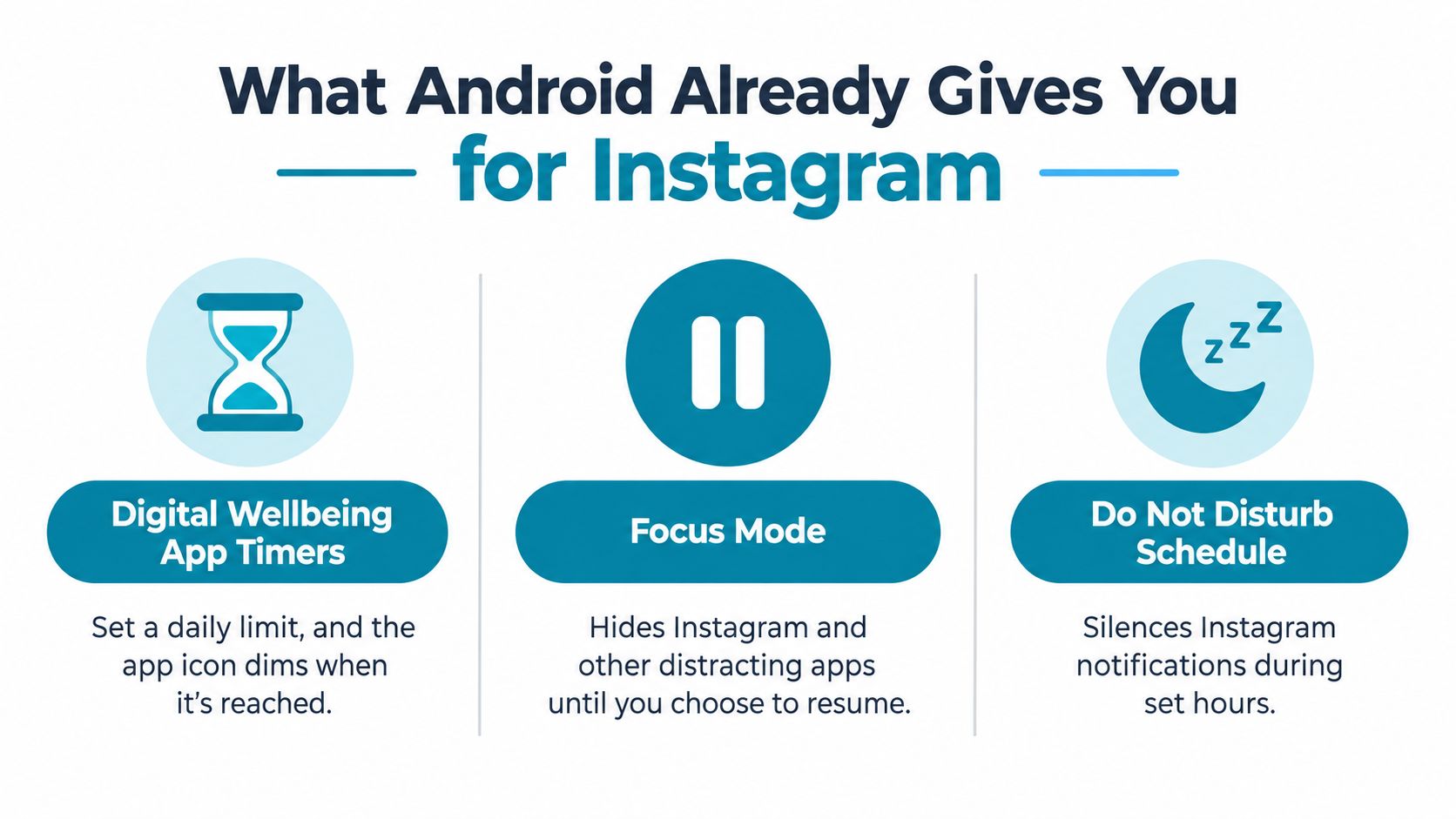
Android's native controls are a sensible starting point because they're already on the phone. They also show the central limitation of soft controls: they can interrupt the habit without necessarily preventing you from continuing it.
Digital Wellbeing app timers
Open Settings, choose Digital Wellbeing and parental controls, then open the dashboard or app controls and select Instagram. Set an app timer for the amount of daily use you can accept.
When the allowance runs out, Android can dim the app and stop ordinary access until the timer resets. The setting is useful as a daily boundary and as a way to see how often Instagram takes your attention. It doesn't create a committed work or sleep session, and a determined user may still look for a way to change the limit when the urge is active.
Focus Mode
In Settings, open Digital Wellbeing and parental controls, select Focus mode, and add Instagram to the paused apps. You can start Focus Mode manually or use its schedule for recurring periods.
This is better suited to a study block or work window than a daily allowance because it targets a context. Instagram is paused while the mode runs, alongside any other apps you select. The weak point is the exit decision. If the control lets you resume or end Focus Mode during the moment you're trying to escape your work, it still asks you to win a willpower contest.
Do Not Disturb
Go to Settings, open Notifications or Sound and vibration, then choose Do Not Disturb. From there, create a schedule and decide which notifications are allowed.
Do Not Disturb is a notification tool, not an Instagram blocker. It can silence alerts during sleep or focused work, but it doesn't stop you from opening Instagram directly. That distinction matters because an alert can trigger the behavior, but boredom or habit can do the same thing without any notification.
Android also exposes a restricted-settings route for apps that use accessibility access. Google's Android Help documentation explains that restricted settings can be enabled from an app's information page in Settings. Google Play requires apps using the AccessibilityService API outside core accessibility tools to make a declaration, provide clear disclosure, and obtain affirmative consent, as described in Google Play's accessibility requirements.
For a native-only setup, use app timers for a broad daily boundary, Focus Mode for scheduled context, and Do Not Disturb for notification silence. For stronger session friction, compare those controls with TiedSiren's Android blocking features.
Why Built-In Limits Lose at the Worst Time
You usually do not fail at noon, while setting the limit. You fail later, when Instagram is already in your hand, the timer has fired, and Android still leaves you a clean way to override it.
Android's built-in tools each handle a different part of the problem. Digital Wellbeing app timers cap total time. Focus Mode pauses chosen apps on a schedule. Do Not Disturb removes alerts. Those are useful controls, but they do very little when the actual problem is the off switch.
That failure pattern is predictable. You hit the limit, then tap through the confirmation. You open Settings and change the schedule. Or no notification appears at all, but the urge is already running, so you launch Instagram anyway. The weak point is not whether Android can show a boundary. The weak point is how little friction stands between you and turning that boundary off.
A limit that asks for a fresh decision during temptation is still a negotiation.
A stricter blocker shifts the decision earlier. You choose the session while you are calm, then the block carries that choice through the window you set. On Android, apps that use accessibility access can monitor app state and react when a blocked app comes to the foreground, as described in the Android accessibility service documentation. Android also makes clear in its developer documentation reference that this level of access is powerful and constrained by platform rules and Play policy.
So be blunt about what Android can and cannot do. A blocker can raise the cost of the impulsive bypass. It cannot promise perfect, tamper-proof control across every recovery path Android still reserves for the system and the user. Reboots, permission changes, OEM battery settings, device administration paths, and plain persistence still matter.
The practical standard is simple. Use built-in limits when you want reminders, softer boundaries, and a schedule you can revise easily. Use a stricter session tool when your known failure happens inside the session, when you are already reaching for Settings and looking for a quick way out. The method that holds is the one that makes disabling the block slower, more annoying, and easier to regret than opening Instagram in the first place.
Running a Strict Instagram Session That Holds
A strict session only works if the off switch is harder to reach than Instagram itself. That is the whole job. You are not chasing a perfect lock. You are setting up enough friction that the impulse passes before you can disable the block.
TiedSiren is built for that failure pattern on Android. You pick Instagram, set the duration before you start, and run a session where Strict Mode leaves the timer as the normal way out. During the session, it blocks the Android Settings screen, which shuts the quickest path to changing permissions or loosening the rule. That matters more than another reminder ever will. It still does not seal every system-level escape route, so use it as friction that holds in real life, not as a claim of total device control.
Set up the first session plainly. Put Instagram on the blocklist. Choose one real window you care about, not an all-day promise you will resent. Good starting examples are a study block, a work block, or the hours when bedtime scrolling usually starts. If Instagram is only one stop in a feed-hopping loop, add the other apps now instead of pretending you will deal with them later.
Then make the schedule do some of the work. One-off sessions are useful, but recurring sessions are better when your problem happens at the same time each day. If the trouble starts every evening, schedule the evening. If it starts when work gets dull at mid-morning, schedule that window. The point is to remove the moment where you have to remember to protect yourself.
Match the session to the situation
Use a single-app blocklist when Instagram is the only app you reach for automatically. Use a grouped blocklist when the behavior jumps between feeds. Keep the setup tied to context:
- Study: block Instagram for the period you plan to study.
- Work: choose a session that spans the full concentration window, not only the first few minutes.
- Sleep: schedule the block around the part of the night when automatic checking tends to begin.
The focus timer helps because it ends the argument quickly. You can see how long is left. You wait it out. That is much easier than reopening the same willpower fight every time your hand reaches for the app.
This setup also fits what researchers have observed about distraction from fragmented and sticky phone use. A support page from Google Accessibility links to a study summary published through Google Accessibility describing a 2024 experience-sampling study of adolescents that recorded 733,359 smartphone-use events and 12,723 experience-sampling reports over three weeks. In that study, 77% reported greater distraction when use was more fragmented, and 55% reported greater distraction when use was more sticky. A strict session answers that pattern by stopping the repeated reopen, not by scolding you after it already happened.
If you want to try it, install the Android app from the TiedSiren download page. It runs on Android 8.0 and later.
Cover the Substitutes, Not Just Instagram
Blocking Instagram alone can leave the underlying loop intact. If your real habit is short-form video, rapid feed switching, or checking whatever app offers the quickest novelty, removing one icon can send the behavior elsewhere.
A large Instagram deactivation experiment found that freed-up time shifted to Twitter, Snapchat, TikTok, YouTube, general browsing, and other apps, as reported by Northeastern's summary of the social-media break research. That doesn't make an Instagram block pointless. It tells you what to watch after the block starts working.
Use the trigger pattern as the boundary
If Instagram is the only app you open automatically, start with Instagram. If you immediately replace it with TikTok or YouTube, build the session around the group rather than the brand.
TiedSiren supports custom blocklists grouped by context. That lets you create a study, work, or sleep group containing the applications that pull you into the same kind of switching. The right group is the smallest one that addresses the behavior you repeat most often.
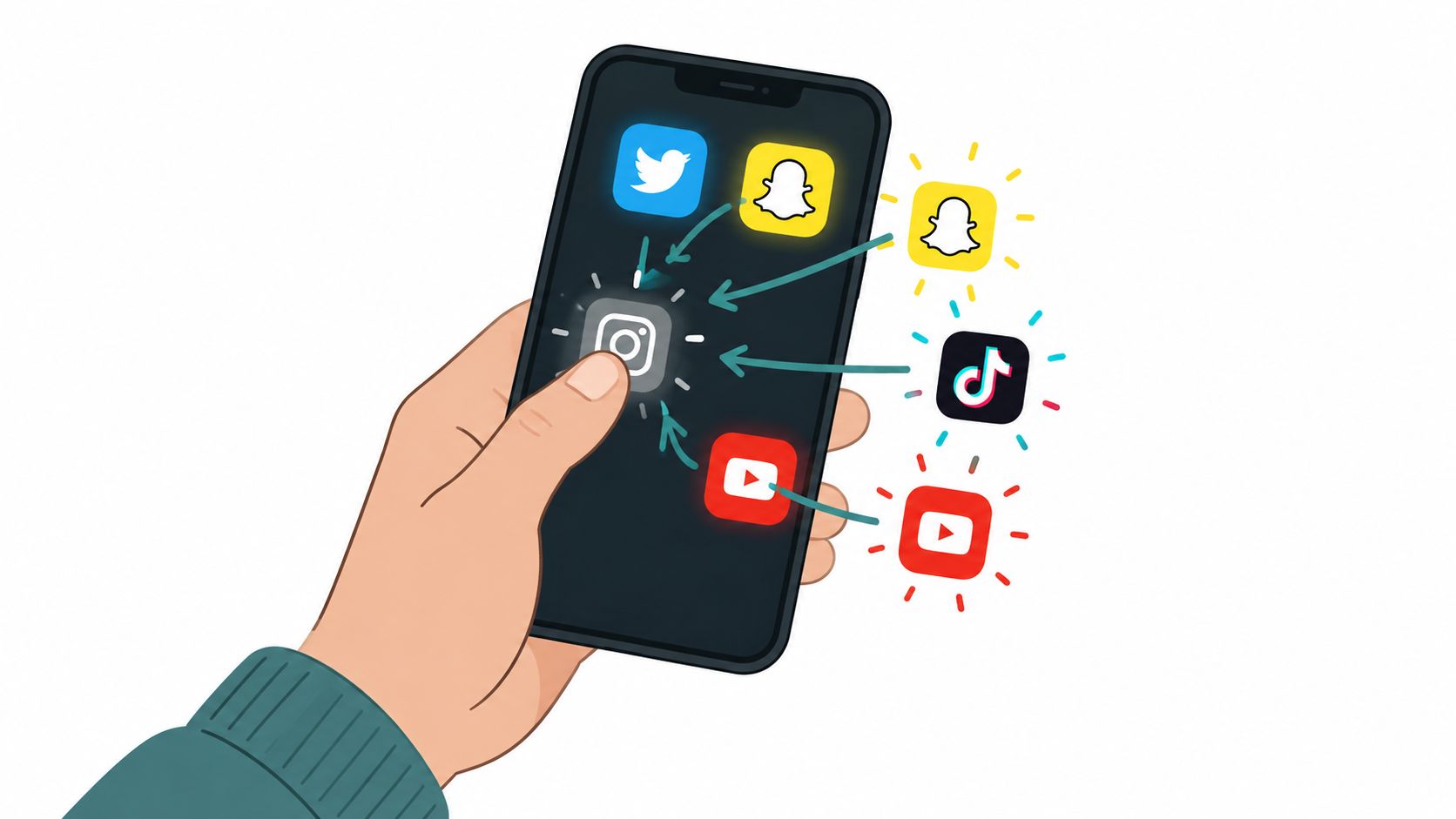
Blocking the substitutes also means choosing what replaces the scroll. Put a book beside the bed, start the assignment before the session begins, or decide which offline task will occupy the first empty minutes. Without a replacement, your phone may route you toward another feed or browser tab.
Don't treat a block as a guaranteed mood intervention. A 2025 randomized study of 280 regular social-media users found that neither full nor partial abstinence for seven days significantly improved well-being, while the full-abstinence group reported higher fear of missing out, according to the study record from the American Psychological Association. A separate 2025 meta-analysis of 32 randomized controlled trials involving 5,544 people found a statistically significant benefit from restricting social media, but the pooled effect was small.
Measure the result you can observe: reclaimed time, completed work, sleep, and whether the distraction moved. If you need technical information about Android implementation rather than usage advice, TiedSiren's developer resources are intended for that audience.
What to Expect When the Session Starts Holding
You open your phone, tap where Instagram usually sits, and hit a wall. That moment can feel annoying, flat, even a little agitating. Good. A session that holds is supposed to interrupt the automatic reach, not make it feel pleasant.
If you use social media heavily, the first few blocks can feel worse than you expected. Forced interruption often brings frustration or technology anxiety, and heavier users did not get the same performance lift in the enforced-blocking experiment. Track that reaction, but do not confuse it with failure. The point is to stop the reflex loop long enough for work, sleep, or recovery to happen. Irritation is often the first sign that the route got cut off.
What Android gives you out of the box also sets expectations. Google documents the platform tools that developers need to respect, including limits around how apps interact with restriction settings, in Google Play's developer documentation reference. That matters because system tools can create friction, but they do not always close the exit door when you are tired, bored, or looking for a loophole.
Review the session instead of guessing
After a week of recurring blocks, check four things:
- Time reclaimed: Did the blocked window stay open for something better, or did another app swallow it?
- Tasks completed: Did the study block, work sprint, or bedtime routine happen?
- Sleep change: Did blocking Instagram change when you put the phone down or when you started scrolling elsewhere?
- Displacement: Did the urge move to TikTok, YouTube, Chrome, Reddit, or another feed?
Those checks matter more than vague ideas about feeling better.
Do not expect blocking Instagram to fix anxiety, depression, or compulsive behavior on its own. Use the session as a boundary around a context, then judge it by visible outcomes: fewer app openings, more finished tasks, less late-night drift, and less rerouting into substitute apps.
A useful setup also changes what happens after the failed tap. If Settings is still the easiest path, the off switch is still running the show. If the block holds through the period you chose, the phone stops inviting negotiation and starts forcing a different next action.
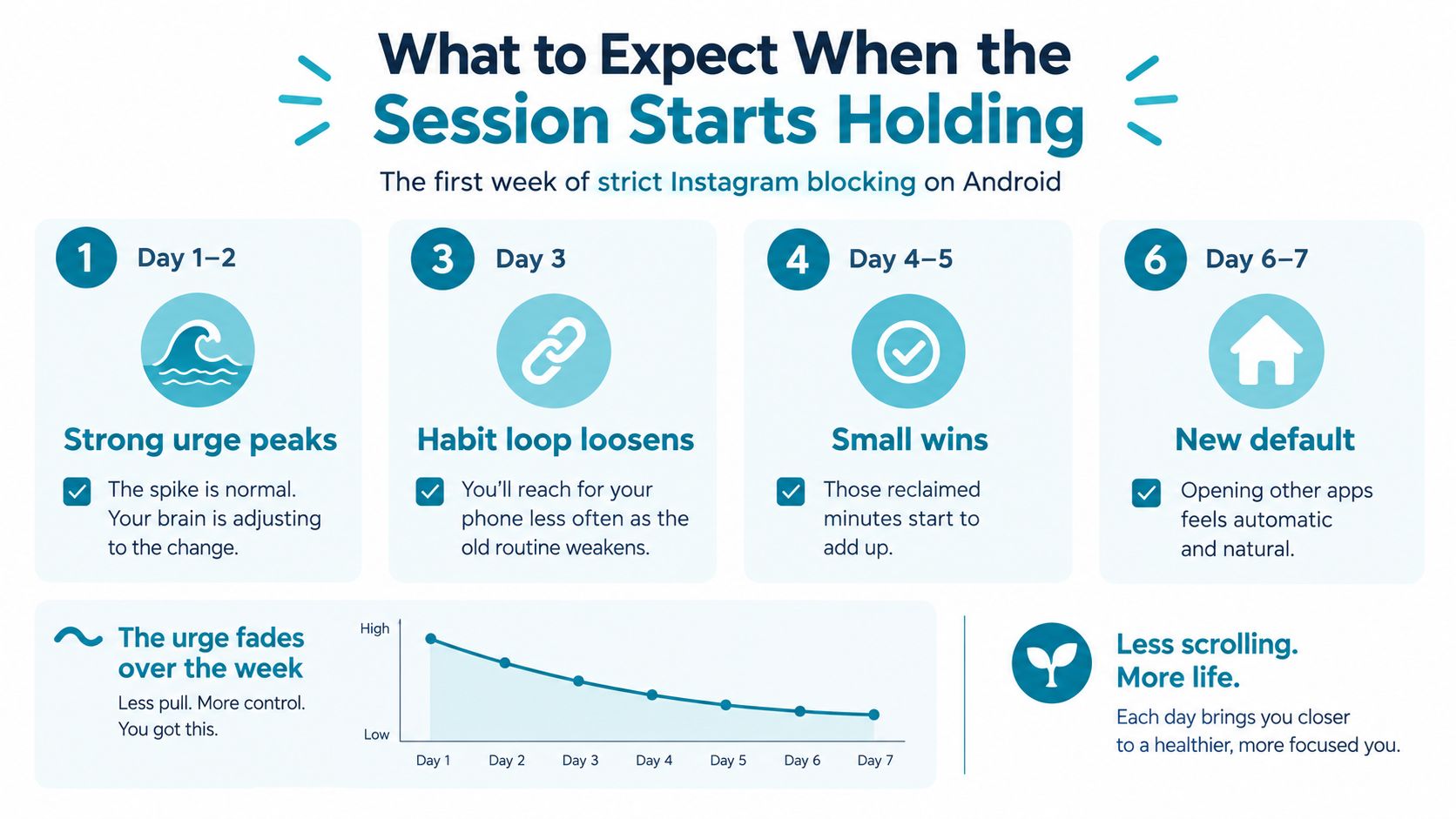
Review your first week against those four checks, then widen or narrow the blocklist based on where the distraction went.