
You installed a blocker on a calm afternoon, chose the apps that swallow your evenings, and felt prepared. Then the feed pulled at you late at night. You opened the blocker, changed the limit, and got back to scrolling before you had time to argue with yourself.
That's the problem behind focus for ADD. You usually know which apps cause trouble. The gap is the vulnerable moment, when the exit is easier than starting the task you meant to do.
This list ranks tools by how much friction they put between an impulse and the exit. None is unbeatable, and none replaces treatment or practical support. TiedSiren runs on Android, while the list also includes options for iPhone, Windows, macOS, ChromeOS, and browsers.
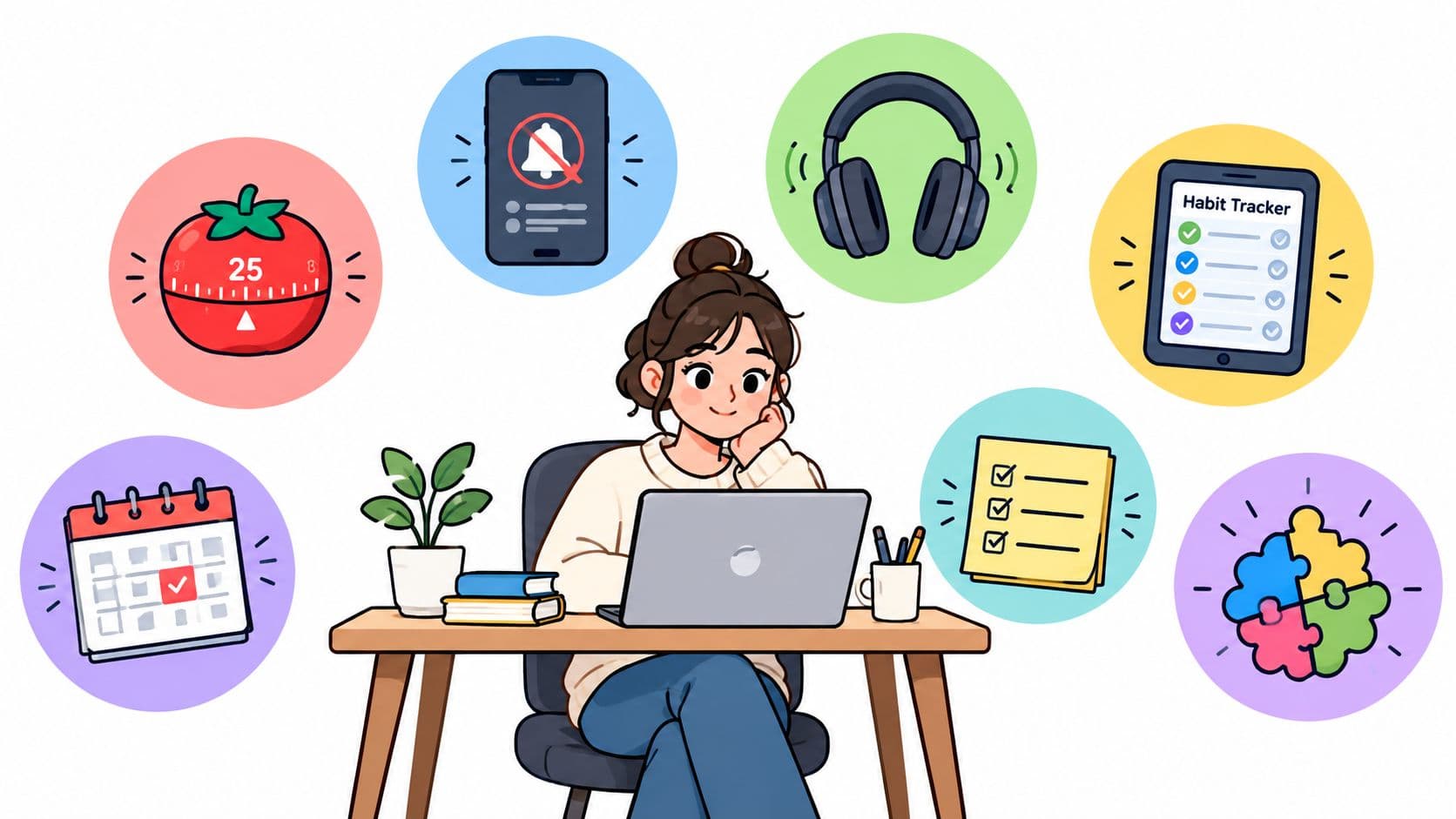
Blocking alone won't fix an inconsistent routine. Pomodoro-style timing can give a work period a visible end, but a timer doesn't stop you from opening the feed. Questions about medication, diagnosis, or therapy belong with a qualified clinician. A blocker is an external support for a difficult window, not a medical solution.
1. TiedSiren
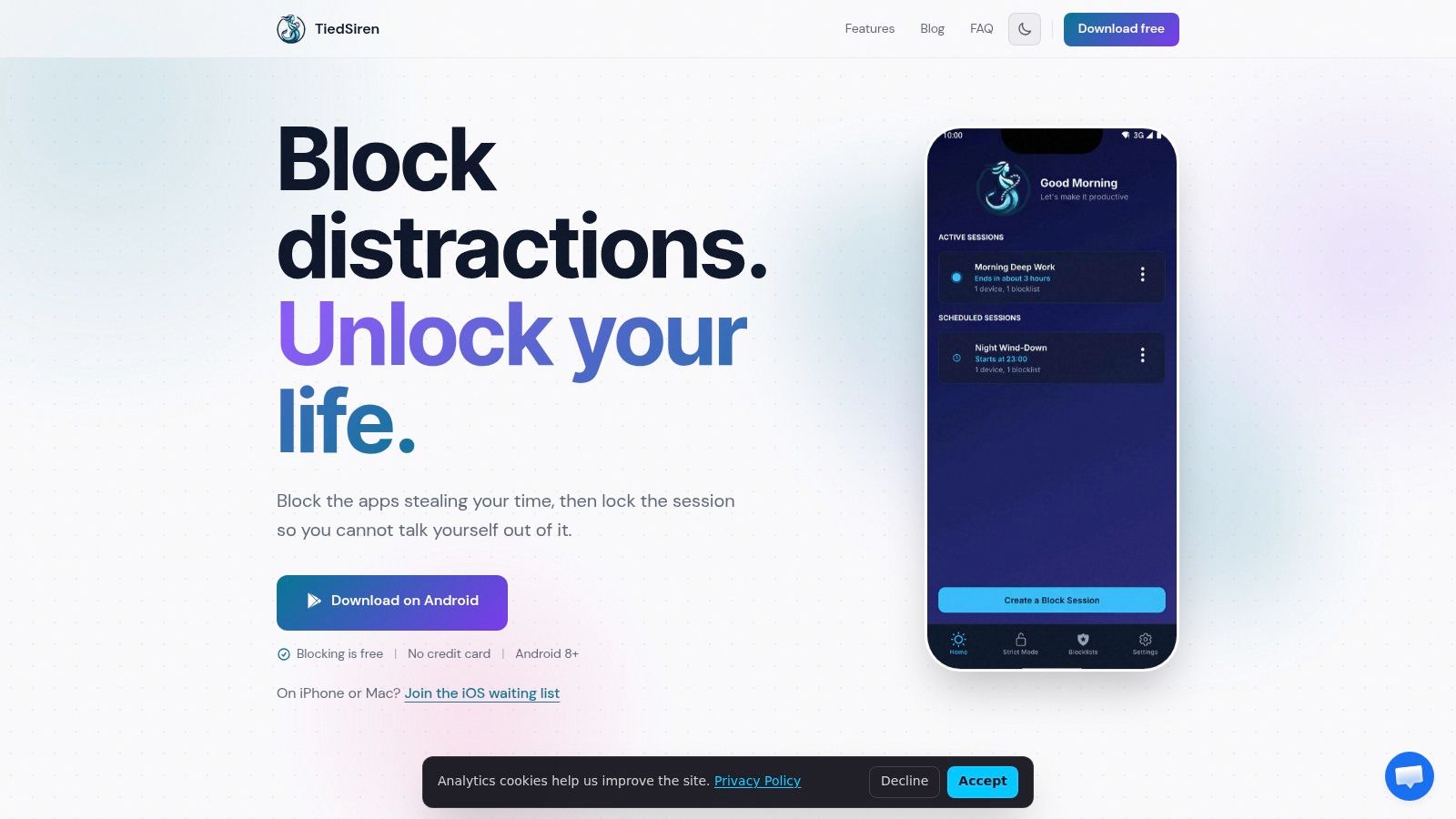
The weak moment usually isn't picking the apps. It's the ten seconds when you want out, open the blocker, and look for the fastest escape. TiedSiren is built for that specific failure mode. It's a free Android app blocker for Android 8.0 and later, and it keeps the setup simple: choose the apps, set the duration, start the session.
With Strict Mode, a live session runs until the timer ends. There's no pause button or early override in the app. TiedSiren also blocks the Android Settings screen during the session, which matters because settings are often the quickest way to shut a blocker down.
For readers dealing with focus for ADD, that extra friction is the point. You already know which apps waste your time. What matters is whether the tool slows down the reflex to undo your own boundary long enough for the urge to pass.
Best for committed Android sessions
You can build custom blocklists for different contexts, such as work, study, or sleep. Scheduled sessions can repeat daily or weekly, which helps when you're least likely to remember setup at the exact moment you need protection. A visible timer shows how much time is left.
Set the boundary before the impulse arrives. Once the session is live, the countdown is the exit.
This is friction, not magic. A determined user can still get around it through routes like ADB or safe mode, so it shouldn't be framed as impossible to bypass. The practical win is narrower and more honest. It stops the quick, low-effort reversal that happens without much thought.
TiedSiren is Android only. There's no iPhone, macOS, or Windows version. If your problem lives mainly on an Android phone, try TiedSiren through Google Play.
2. Freedom
Freedom is the better fit when your distractions move between a phone, a computer, and a browser. It supports Android, Windows, macOS, iOS, and ChromeOS, with sessions that can cover apps and websites across devices.
Its strongest feature for this audience is Locked Mode. Active sessions can't be ended or edited early, which adds meaningful friction against the familiar “I'll just change the setting for a minute” decision. You can also schedule recurring sessions and use a desktop “block all except” allowlist when your work requires a narrow set of sites.
The trade-off is that the strongest enforcement isn't part of every plan. Locked Mode, longer sessions, and advanced scheduling require Premium. Website exceptions are desktop-only, so the experience isn't identical on every device.
Freedom also includes optional focus sounds and Pomodoro-style sessions. Those can help if a visible rhythm gets you started, but the useful part for compulsive app opening is the locked session, not the timer by itself.
Read TiedSiren's feature overview if you're comparing the difference between a scheduled blocker and a stricter Android-only session.
Freedom puts more friction in place than a reminder and covers more platforms than TiedSiren. Choose it when the laptop is as distracting as the phone. Choose something more focused when your problem is specifically an Android app you keep reopening.
3. AppBlock
AppBlock is a strong mobile choice for people who want detailed profiles rather than one broad rule. It's especially well suited to Android, where its Strict Mode can lock profiles and block device Settings during an active restriction.
That level of control helps when your distractions change by context. A study profile might target social feeds and video apps, while a sleep profile can use different rules. AppBlock also supports app, site, and keyword blocking, schedules, daily limits, and fine-grained controls at the profile and rule level.
Strong controls, more configuration
The Android implementation includes a cooldown before Strict Mode can be deactivated. That delay creates a pause between the urge and the change, which is useful for someone who tends to negotiate with a limit immediately.
The downside is complexity. Detailed controls are valuable when you'll maintain the profiles, but they also create more decisions during setup. AppBlock documents that Android blockers can still face bypass routes such as Safe Mode or ADB. That limitation applies to the platform environment, not just personal discipline.
Community discussions have also raised concerns about changes affecting legacy lifetime licenses. Check the current terms before paying, rather than assuming an older offer still applies.
AppBlock is a good pick when you need keywords, per-profile rules, and a mature Android setup. If you want a simpler commitment with a timer that ends the session and no internal override path, download TiedSiren and compare the experience directly.
4. Lock Me Out
Lock Me Out takes a harder enforcement approach on Android. It's designed for people who don't want a gentle warning after the limit has been reached. Its modes cover app and site blocking as well as full-device lockouts, with different strictness levels for different situations.
The most useful control is the Prohibited changes password. It can block changes such as uninstalling the app or removing permissions, while uninstall protection and tamper-resistant modes raise the cost of dismantling the setup. Scheduling, allow-lists, and Do Not Disturb controls give you room to preserve essential access while restricting the parts of the phone that reliably derail you.
This is the sort of tool you choose when ordinary app limits have become part of the ritual. You don't need another notification explaining that you've exceeded a limit. You need the device to make the next step less convenient.
Lock Me Out is Android-only and doesn't sync across devices. Safe Mode and ADB remain ultimate bypass options on Android, so its protection is still friction, not a perfect seal. That distinction matters because an absolute promise encourages the exact kind of testing that turns a focus system into another puzzle.
The developer also offers accessibility pricing support. For someone who needs strict mobile enforcement and doesn't care about iPhone or desktop coverage, Lock Me Out belongs near the top of the list.
5. Unpluq
Unpluq uses a physical interruption instead of relying only on software settings. It works on Android and iOS, and its optional NFC Tag can require a deliberate tap before blocked apps open.
That ritual changes the moment. Automatic scrolling depends on a short chain of familiar movements, while the Tag inserts a physical object and a separate action into the chain. For some people with ADD, that pause is enough to notice the choice before the app takes over.
Unpluq supports blocklists and schedules. Its free tier on Android and iOS blocks up to two distracting apps on one schedule. Full Tag functionality requires a Premium subscription, and feature parity can vary between platforms.
The Tag isn't a magical barrier. Limited emergency overrides exist, and a determined user can still decide to continue. Its value is that the decision becomes more deliberate than tapping an app icon while half-aware.
This is a good fit if your problem begins with automatic launches rather than a carefully planned attempt to defeat a blocker. It's also useful if a physical cue works better for you than a settings screen or a countdown. Students should check the current Tag and subscription offers, including any available student discounts, before buying.
Unpluq creates a real-world pause. TiedSiren creates a committed Android session. The better choice depends on whether you need a ritual before opening the app or a barrier that keeps selected apps unavailable for a defined window.
6. one sec
one sec sits lower on this list because it interrupts app opening rather than fully locking the app away. It's available on Android, iOS, browsers, and macOS, and it inserts a short intervention before a target app opens.
The intervention can include breathing exercises, a task prompt, a mirror check, or intention and emotion tracking. The point is to interrupt the automatic launch and make you identify what you're about to do. On Android, its implementation uses Accessibility Services to detect launches.
That can work well for someone who responds to an immediate pause. It can also fail when the pause becomes familiar. A determined user can proceed after the intervention, so one sec doesn't provide the same enforcement as a strict locked session.
Better for awareness than hard limits
The free version targets one app. Pro adds unlimited targets and more controls, and cross-device Pro licensing is available. The developer cites peer-reviewed studies on its interventions, which gives readers something specific to examine rather than requiring trust in a vague promise.
Use one sec when your aim is to notice the urge and make a more intentional choice. Use a stricter blocker when you already know you'll choose the feed after the pause.
For ADD, that difference is practical. A reflective prompt helps with awareness, but it can become another step to dismiss. The right tool is the one that matches your failure point, not the one with the most appealing explanation.
7. Stay Focused
Stay Focused is a feature-rich mobile blocker for Android and iOS, with its strongest enforcement options on Android. It supports profiles, app and site blocking, daily limits, schedules, location-based rules, and focus sessions.
Its Strict Mode can lock profiles and block Android Settings during active sessions. Options such as Block Power Off and setting the app as the Home app are intended to reduce common bypass routes. Browser blocking across multiple Android browsers is useful when the distraction has moved from an app into a web feed.
That breadth makes Stay Focused flexible. You can build different rules for work, study, sleep, or a location where you reliably lose time. The cost is that more controls require more maintenance, and the strongest setup still depends on the limits of Android.
Safe Mode remains a possible bypass on Android, as the product's own guidance acknowledges. Community reports have also discussed changes to legacy lifetime entitlements, so verify current purchase terms before committing.
Stay Focused is a sensible choice when you want many mobile rules in one place and you're willing to tune them. It's less suitable if every extra option gives you another setting to debate during a weak moment.
For a direct comparison of the publisher and its Android-first approach, see how TiedSiren handles committed focus sessions.
Top 7 Focus Apps for ADD, Comparison
| Tool | Complexity 🔄 | Resources ⚡ | Expected outcomes ⭐📊 | Ideal use cases 💡 | Key advantages |
|---|---|---|---|---|---|
| TiedSiren | Moderate, Android-only setup, Strict Mode timer | Low, Free; Android 8.0+ | ⭐⭐, Strong impulsive-bypass reduction, not absolute (ADB/safe mode workarounds) | Android users wanting simple commitment devices and scheduled focus | Blocks Settings during sessions; custom blocklists; free |
| Freedom | Moderate, cross-device sync configuration, Locked Mode controls | Medium, Premium for Locked Mode/advanced features; multi-OS support | ⭐⭐⭐, High when Locked Mode + multi-device used; strong cross-device enforcement | People needing enforcement across phones/desktops (ADHD, distributed work) | Cross-platform syncing; Locked Mode across devices |
| AppBlock | Moderate, profile/rule setup, Strict Mode options | Low–Medium, Best on Android; freemium model | ⭐⭐⭐, Very effective on Android with fine-grained rules; bypasses possible via safe mode/ADB | Users who need precise, rule-based blocking and schedules on Android | Mature Android implementation; per-rule controls; cooldowns & Settings blocking |
| Lock Me Out | Moderate, tamper-resistant modes and uninstall protection | Low, Android-only; accessibility pricing available | ⭐⭐⭐, Very strong enforcement on Android; raises cost of disabling | Users requiring hard lockouts and anti-tamper measures (ADHD impulse control) | Prohibited-changes password; uninstall protection; strict lockout levels |
| Unpluq | Low–Moderate, app + optional NFC Tag workflow | Medium, Optional Tag hardware; Premium for full Tag features | ⭐⭐, Effective for interrupting impulsive opens when Tag used; not a full lock | People who benefit from physical rituals to interrupt automatic app use | Hardware-assisted friction (NFC Tag) creates deliberate opening ritual |
| one sec | Low, installs cross-platform pause prompts/interventions | Low, Free tier; Pro for unlimited targets | ⭐⭐, Reduces automatic behavior via brief pauses; not an absolute block | Users responsive to short reflective prompts or breathing exercises | Evidence-backed micro-interventions; multi-platform support |
| Stay Focused | Moderate, many hardening options and profile rules | Low–Medium, Android/iOS; feature-rich with paid tiers | ⭐⭐⭐, Very effective on Android with Strict Mode and hardening options | Mobile users wanting schedules plus strong hard-lock behaviors | Strict Mode, Settings/Power-off blocking, location rules and guidance on hardening |
Pick the Block You Won't Talk Yourself Out Of
The best focus blocker for ADD isn't the one with the longest feature list. It's the one that still holds when the task feels dull, the feed feels rewarding, and you've already started building an argument for making an exception.
For Android users who want a fixed session with no pause or early override inside the product, TiedSiren is the clearest choice. AppBlock and Stay Focused offer more detailed Android controls. Lock Me Out is built for people who want especially strict lockout behavior. Unpluq adds a physical ritual, while one sec is better when a pause can interrupt the habit before it becomes a full session. Freedom makes the most sense when you need the same commitment across phones, computers, and browsers.
Don't test a blocker only on a good day. Set the schedule before your work or study window begins, choose the specific apps that pull you away, and leave essential communication available when you need it. Narrow blocks usually make more sense than trying to make the whole phone unusable.
Evidence supports that environmental friction is worth taking seriously. A controlled experiment published in Scientific Reports tested 42 adults aged 20 to 34 and found worse d2-R attention performance when a turned-on smartphone was present than when it was absent, although the result doesn't prove that every person or task responds the same way. The study explains the smartphone-presence findings, including why removing access can be a rational focus strategy rather than a test of character.
Notifications alone may not solve the problem. A preregistered randomized trial of 205 participants found that disabling notifications for one week didn't reduce checking frequency, screen time, perceived overuse, vigilance, productivity, or distraction, although it did reduce perceived checking-habit strength and increase fear of missing out. The study record and findings are available here.
Pick one tool. Use it on the apps you open. Keep the schedule for a week, then adjust the blocklist based on what you bypassed, not what you intended to avoid. The aim isn't perfect behavior. It's making the unwanted choice harder during the short window when your judgment is least reliable.
TiedSiren is a free Android app that lets you choose distracting apps, commit to a duration, and run a session with Strict Mode and Settings friction. If you're tired of turning a blocker off when the urge hits, visit TiedSiren and try a scheduled session on the apps that cost you the most time.