
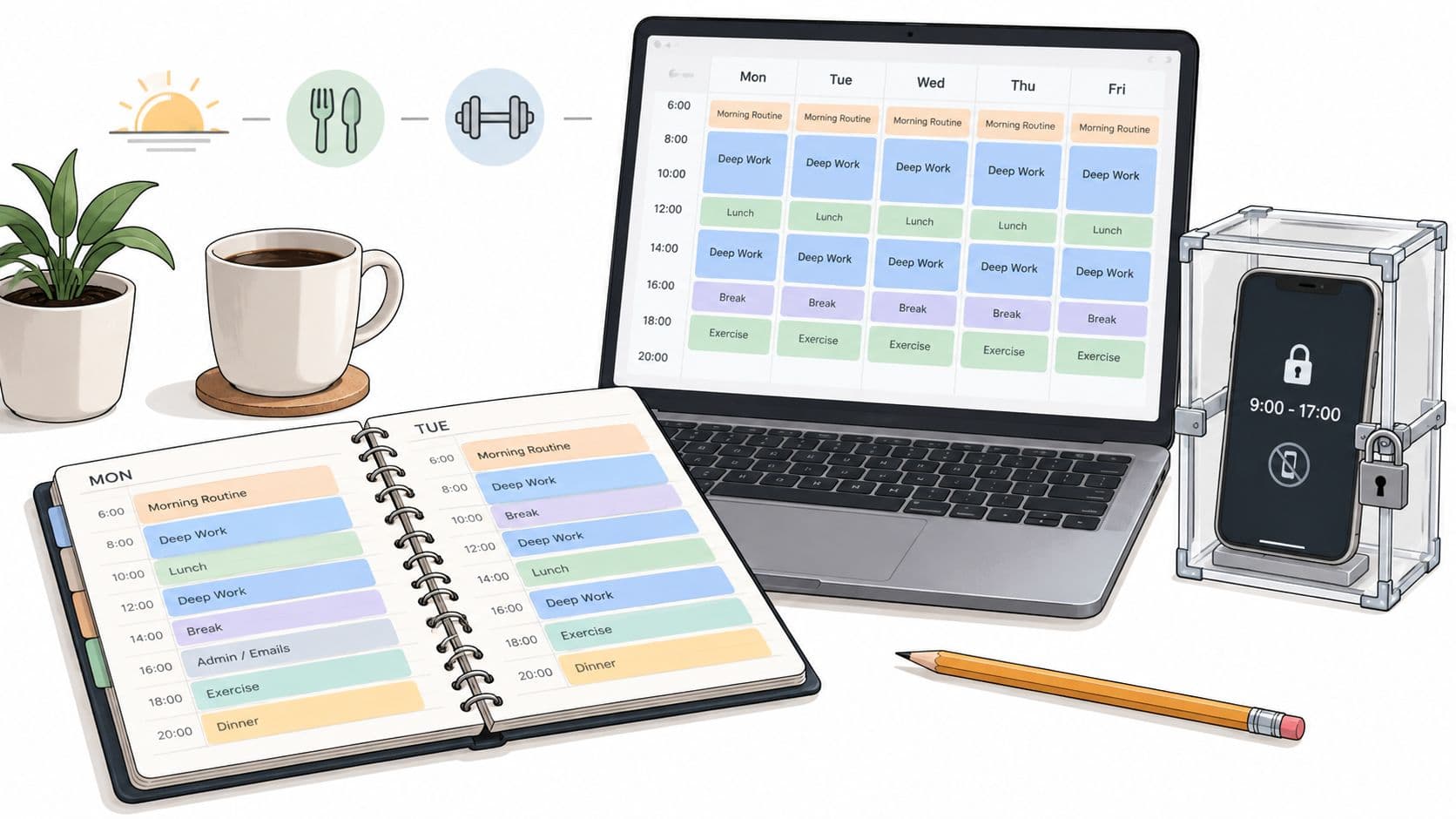
You've written the schedule. Sunday night, every hour has a place. Monday mostly cooperates. Tuesday costs you one block, then Wednesday arrives with no trace of the plan. The calendar didn't fail because it was poorly formatted. It failed because, at the moment you wanted an easy reward, nothing stopped you from taking it.
A schedule has three jobs: define the outcome, place the work, and protect the attention needed to do it. Most guides explain the first two and leave the third to willpower. That's why learning how to create a schedule often produces a tidy document that can't survive an ordinary phone notification.
Why Most Schedules Fall Apart by Wednesday
By Wednesday, a schedule can still look intact while the work has already slipped. One missed block forces a task into another part of the day. That move displaces something else, and soon you're responding to requests, notifications, and distractions instead of following a deliberate sequence.
The failure usually starts with follow-through under pressure. A 2017 study of scheduling behavior, as summarized by the Berlin School of Business and Innovation's summary of time-management research, found that across 19 scheduling days, an average of 25.2% of tasks started couldn't be finished before an interruption. A plan with no recovery space turns one interruption into several unfinished tasks.
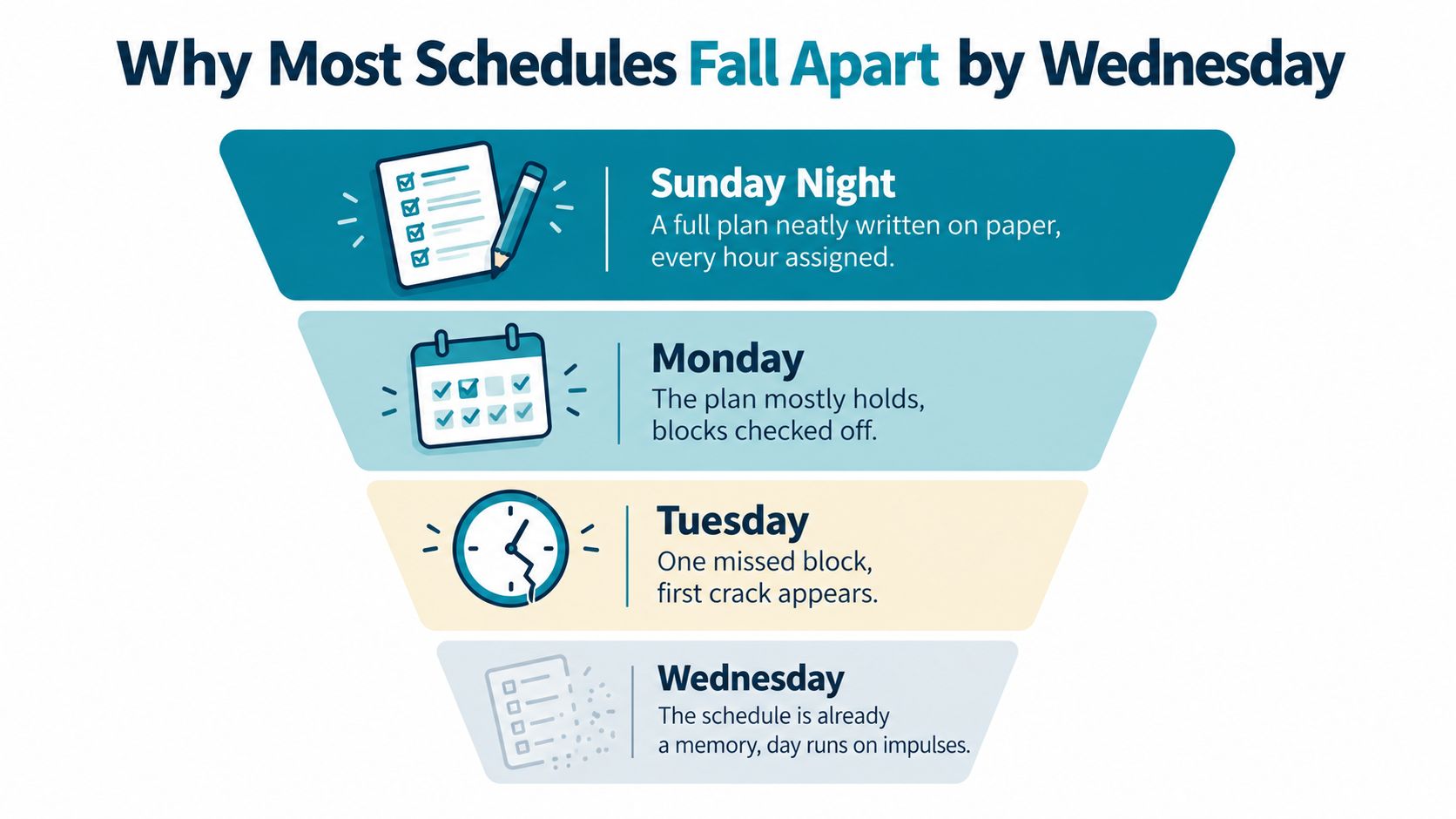
The single point of failure
Blaming weak discipline misses the practical problem. A schedule that depends on resisting every visible trigger asks willpower to perform the same job as a boundary. That arrangement breaks as soon as pressure, fatigue, or an unexpected request raises the cost of staying on task.
A workplace survey summarized by Berlin School of Business and Innovation reported that only about one in five people use a dedicated time-management system, while 48% use a to-do list and 75% say they spend up to two hours a day on tasks or meetings that aren't important to their role. A to-do list helps you remember work. It doesn't reserve attention for that work or prevent a convenient distraction from taking the block.
The practical fix is scheduled enforcement. Put the phone away, close unrelated tabs, define the next action, and use a fixed session during the block that matters. The session creates a boundary at the point where motivation usually fades.
Practical rule: Treat every important block as a situation that needs protection, not as a promise you'll remember to keep.
A schedule that survives ordinary pressure has three layers. Intent identifies the outcome. Structure gives it a time and place. Enforcement makes the unwanted alternative harder to reach when willpower drops.
Decide What the Schedule Is Actually For
Before opening Google Calendar, write down what the day must produce. Don't begin with “answer email” or “work on the project.” Name the result that would make the day count.
Start with the outcome
Ask:
- What should exist by shutdown? A completed draft, a reviewed analysis, a study chapter, or a decision ready for someone else.
- What does done mean? Define the finish line in observable terms, so “work on it” can't expand to fill the entire day.
A useful goal is narrow enough to guide the first task. “Make progress on the report” is vague. “Complete the introduction and document the three unresolved data questions” gives the block a direction.
Then separate the goal from the supporting work. Messages, file cleanup, and routine administration may matter, but they shouldn't replace the main outcome.
Set the anchors
Anchors are the parts of the day you don't negotiate every morning. Sleep, meals, school pickup, commuting, standing meetings, and exercise all create edges around the flexible work.
Put those edges on paper first. The calendar isn't an empty grid waiting to be filled. It's a limited surface between commitments that already exist.
Add limits and buffers
A block that runs directly into the next block assumes perfect transitions. Real days include setup, movement, interruptions, and recovery. Add deliberate gaps rather than pretending they won't be needed.
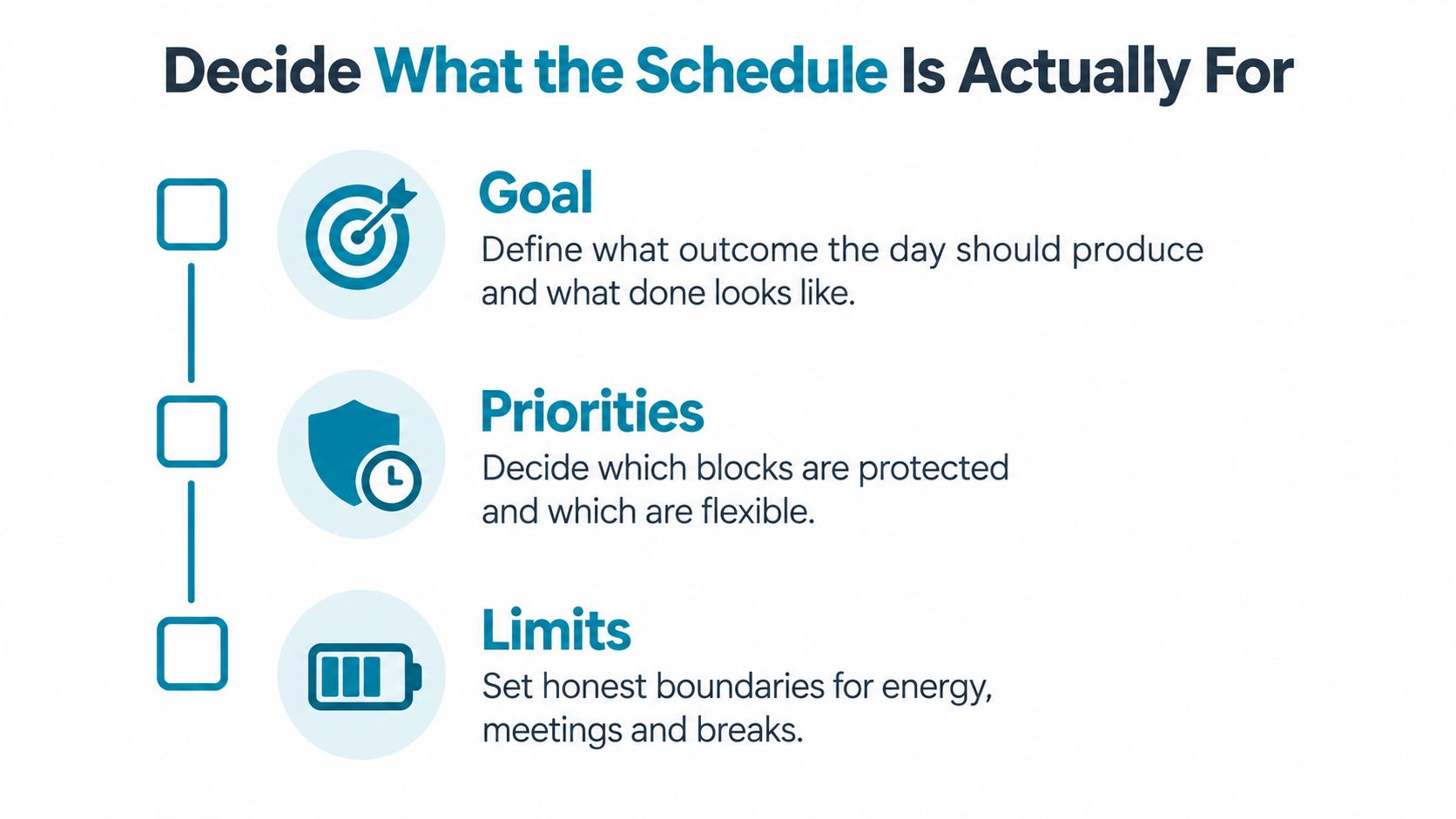
Be honest about energy, too. Put demanding work where you can think clearly, not where an ideal version of you would supposedly be available. A schedule becomes reliable when its limits reflect your life instead of punishing you for having one.
Build the Day with Time Blocks and Priorities
Time blocking turns a list into a sequence of decisions. Start with the anchors and fixed appointments. Then assign the remaining space by work type, not by whichever task shouts loudest.
A practical day usually needs four kinds of blocks:
- Deep work: One high-impact task that directly moves the main goal.
- Shallow work: Messages, admin, coordination, and routine processing.
- Recovery: Food, walking, rest, or an activity that lets your attention reset.
- Deliberate gap: Unassigned space for overruns and unexpected work.
Inside each block, rank tasks with a simple order. If a task moves the main goal, it comes first. If it serves someone else's urgency, it comes second. If it's maintenance, batch it or leave it for the end.
A worked example
A freelance analyst might build a day like this:
| Time | Activity | Block Type | Priority |
|---|---|---|---|
| 8:30–9:00 | Review goal and prepare files | Planning | High |
| 9:00–11:00 | Analyze client data and write findings | Deep work | High |
| 11:00–11:30 | Break and transition | Recovery | Protected |
| 11:30–12:30 | Email and client replies | Shallow work | Medium |
| 12:30–1:30 | Lunch and walk | Recovery | Protected |
| 1:30–2:30 | Client call and follow-up notes | Fixed work | High |
| 2:30–3:00 | Deliberate gap | Buffer | Flexible |
| 3:00–4:30 | Revise report recommendations | Deep work | High |
| 4:30–5:00 | File updates and tomorrow's first task | Maintenance | Low |
The important detail is the gap. Without it, a call that runs long steals time from the next serious block. With it, the schedule absorbs a normal problem without requiring a complete rewrite.
Time blocks are commitments, not suggestions. If you move one, move it deliberately and name what displaced it. The phone-shaped failure point needs its own design, because careful prioritization still breaks when every distracting app remains immediately available.
For a blocking setup that can follow these contexts, review TiedSiren's app-blocking features.
The Phone Is the Weak Link in Every Plan
Your schedule can be clear, realistic, and prioritized. Then the phone lights up during the first difficult paragraph.
The sequence is predictable. A notification creates a small opening. A feed supplies novelty. The difficult task now competes with an app designed to remove any stopping point. Once attention shifts, reopening the work feels more expensive than continuing to scroll.
Social media distraction is a reported problem in student work. In one student study, 64.2% of respondents agreed or strongly agreed that social media distracts them from academic work (Frontiers in Education review and research). The figure matters less as a universal forecast than as a reminder that the phone can directly attack the exact blocks a schedule is meant to protect.
Motivation versus structure
Willpower-based solutions ask you to notice the urge and make a better decision. Pomodoro intervals, personal rules, and visible habit charts can help when the distraction is mild. They become fragile when the reward is immediate and the work is uncomfortable.
Structural solutions change the choice environment:
- App blockers put selected apps out of reach for a defined period.
- Locked sessions prevent a mid-block renegotiation.
- Blocked settings access adds friction to the quickest undo path.
The aim isn't to create an absolute barrier. No honest blocker should promise that. The aim is to defeat the impulsive bypass, the one completed in five seconds without premeditation.
The hardest windows deserve the strongest locks, not the most motivational speeches.
Choose enforcement based on the failure moment. If you lose focus during writing, protect writing time. If evenings disappear into video or games, protect the shutdown and sleep routine. The schedule needs enforcement where your plan has historically been weakest.
Lock the Hardest Windows with Scheduled Sessions
A scheduled session is a recurring enforcement block. You choose the apps to block, set when the session starts and ends, and let the rule run on a daily or weekly pattern that matches your actual schedule.
In TiedSiren, create the session from the scheduling area, select the blocklist for the context, set the start and end time, and choose the recurring weekdays. A work block might run from 9:00 to 11:30 on weekdays, with social, video, and news apps grouped into a work list. The point is to make the protection begin without asking you to make the same decision again each morning.

Match the lock to the block
Don't block everything by default if the goal only requires removing a few triggers. Build custom blocklists by context, such as work, study, or sleep. That keeps the rule tied to the reason for the session instead of turning the phone into a blunt instrument.
Strict Mode is useful for the blocks you regularly abandon. Once the session starts, its timer runs until the session ends. Nothing else ends it. TiedSiren also blocks the Android Settings screen during an active session, which raises the cost of turning the session off through the normal settings path. Android handles app permissions under Settings, Apps, the specific app, Permissions, with permissions switched between Allow and Don't allow (Google's Android permission guidance). Putting friction in front of that route targets the impulsive undo rather than claiming an impossible lock.
The app supports Android 8.0 and later. Android 8.0 introduced changes requiring privileged apps to be explicitly allowlisted in system configuration XML files under /etc/permissions, a meaningful platform boundary for Android behavior (Android Open Source Project permission documentation).
Use the focus timer for shorter work intervals inside the larger scheduled session. The recurring block protects the window. The timer gives you a visible endpoint for the current push.
The trade-off is deliberate inconvenience. You're giving up easy access during a period you already decided should belong to focused work. That cost is the mechanism, not a defect.
A Day That Actually Holds Up
Consider a knowledge worker whose previous schedule failed in three places: the first writing block, the post-lunch restart, and the final hour before shutdown. The revised day doesn't rely on a better mood. It gives each weak point a defined block and a matching constraint.
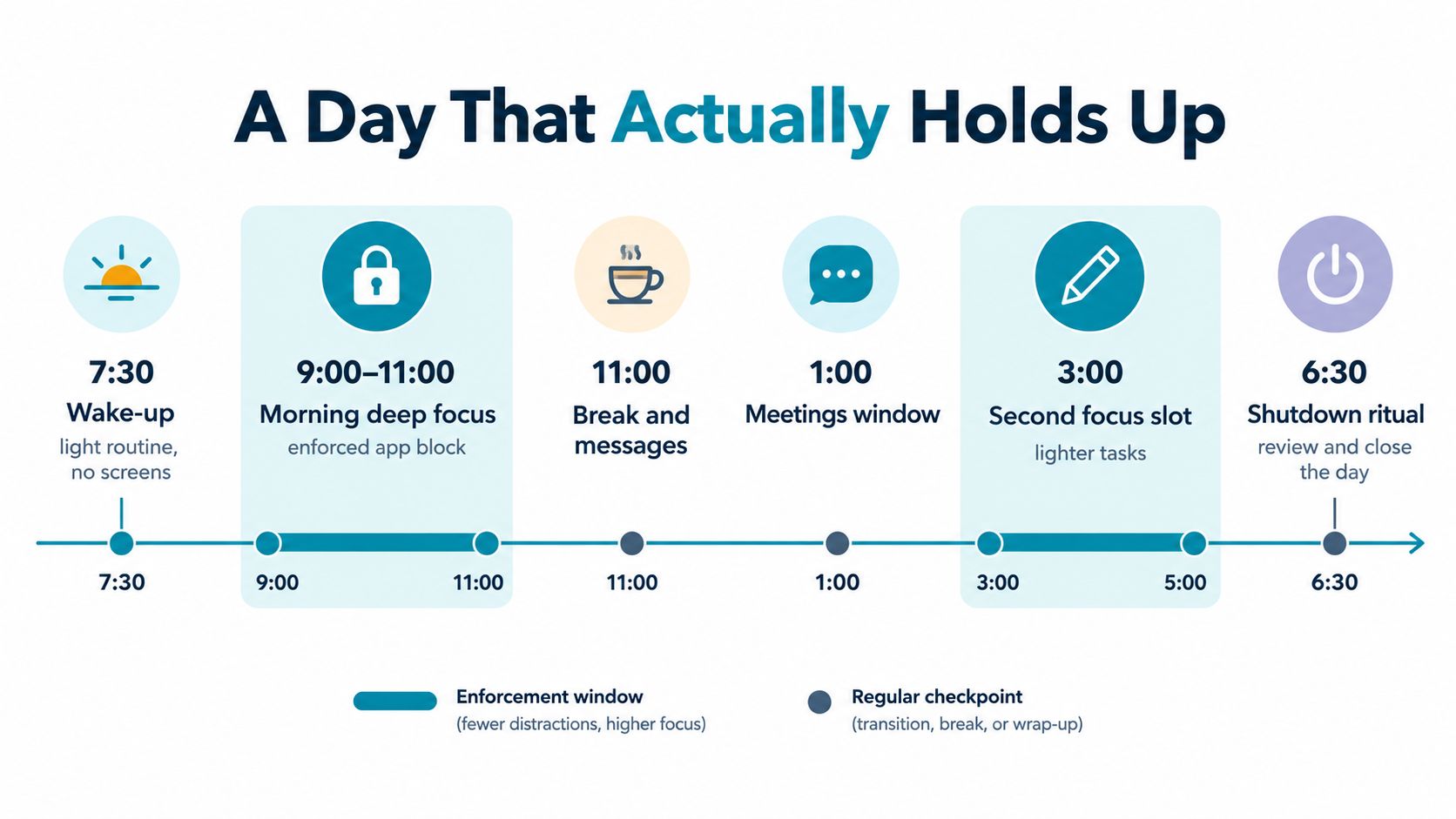
At 7:30, the day starts with a light routine and no screen browsing. From 8:00 to 8:30, breakfast and preparation establish the first anchor. At 8:30, the worker writes the first task on paper: complete the opening section of a report, not “work on the report.”
At 9:00, the morning deep-focus session starts. Distracting apps are blocked until 11:00, and a focus timer shows the remaining time. The worker writes, pauses for a short reset when needed, and returns to the same document instead of negotiating with a feed.
The middle of the day
From 11:00 to 11:30, the lock ends. Messages and coffee fit here because the reset is planned, not stolen from the writing block. Lunch follows, with enough transition space to avoid treating the afternoon as an emergency restart.
The 1:00 meetings window contains calls and follow-up notes. That boundary matters. Meetings are allowed to occupy their own territory instead of leaking into every open hour.
At 3:00, a second focus slot begins for lighter analysis and revision. It's still protected, but the task asks for less creative lift than the morning writing block. The schedule respects the difference between starting difficult work and finishing structured work.
The worker's old failure points now have specific responses:
- Morning distraction: A recurring lock starts before the first app check.
- Post-lunch drift: The next task is chosen before lunch ends.
- Late-day avoidance: The second block has a defined, smaller outcome.
At 6:00, shallow cleanup and tomorrow's first task take place. At 6:30, the shutdown ritual ends the workday. The worker reviews what moved, notes one adjustment, and prepares the next morning's starting point in about two minutes. The schedule doesn't demand a perfect day. It gives interruptions somewhere to go without handing them the entire day.
If you want to test recurring app enforcement on Android, visit the TiedSiren download page.
Review, Adjust, and Keep the Schedule Honest
A schedule is a working instrument, not a moral contract. Review it against what happened, then change the design instead of blaming yourself for failing to inhabit an imaginary day.
Use a short Friday review. Compare the planned blocks with the actual day, identify the two or three windows where execution slipped, and rewrite those slots for the coming week.
Name the cause before changing the time
Each failed block usually points to a different repair:
- Unrealistic slot: The task was too large or the available energy was wrong. Reduce the outcome or move the work.
- Recurring trigger: A notification, app, or checking habit repeatedly broke focus. Add an enforcement session to that window.
- Priority shift: The original outcome no longer matters as much. Replace it openly instead of letting urgent work take over.
University guidance for adults with ADHD recommends using planners, calendars, and scheduling apps, setting daily planning sessions, and synchronizing paper and electronic calendars multiple times a week (CHADD's time-management planner guidance). The broader point applies beyond ADHD. A schedule only works when the planning system stays current enough to be trusted.
Keep one source of truth, and use recurring planning to update it. If you use multiple tools, synchronize them deliberately. For teams building their own workflows, the TiedSiren developer resources provide a place to examine the product's technical direction without confusing an app schedule with a complete personal planning system.
Never adjust the schedule on the same day it failed. Never adjust it without naming the cause.
Review plus enforcement prevents slow erosion. Intent tells you what deserves the time. Priorities decide what gets protected first. Scheduled sessions make the right action easier to continue when willpower drops.
TiedSiren is a free Android app that blocks the applications you choose for a duration you commit to, with recurring daily or weekly sessions, Strict Mode, a focus timer, and added friction around Android Settings while a session runs. Use TiedSiren to protect the specific work, study, or sleep windows your schedule keeps losing.