
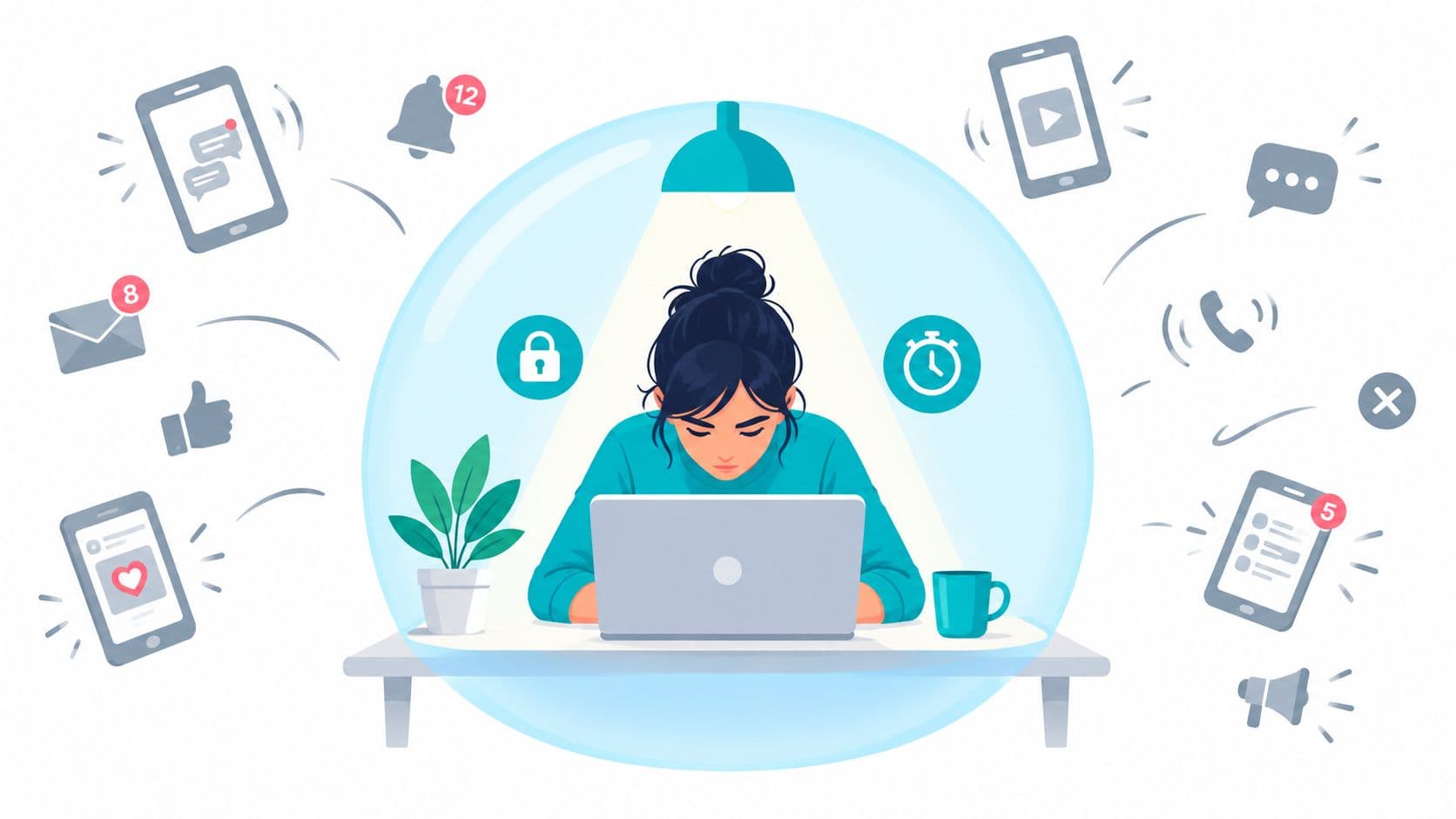
You sit down to finish the proposal, fix the failing test, or study the chapter you've been avoiding. The first tab is relevant. The second tab is still defensible. Then your phone lights up in your pocket, and you open it to silence the alert. Reddit is there, so you check one thing. Twenty minutes later, you've finished a thread and your original task hasn't moved.
The screen didn't make that decision. Your thumb did.
Heads down work fails through a chain of small permissions. The work doesn't collapse in one dramatic event. You keep opening small exits until the task is no longer holding your attention.
The Moment Focus Breaks
You are halfway through a refactor when the editor stops giving you the next move. A notification appears, and checking it feels easier than resolving the design problem in front of you. You pick up the phone for a moment. By the time you return, the structure you were holding has started to fade.
The same pattern catches a student between paragraphs or someone writing a report while an idea refuses to form. None of these actions feels like quitting. Each one has a temporary excuse, which makes the exit easy to approve.
Practical rule: Treat the first time you pick up the phone as a decision, not a neutral movement.
The visible interruption may last seconds. The recovery takes longer. You can still see the code, but the architecture you were holding in mind has gone soft. You reread the diff, reopen the documentation, and reconstruct the argument that was nearly complete. The lost time includes the mental structure you must rebuild.
The chain matters more than the trigger
Notifications, apps, and distracting websites provide the route out. The failure starts when you can negotiate with yourself during the work. Once the exit remains available, the difficult part of the task competes with immediate relief.
A blocker that can be disabled during an urge leaves the important decision for the worst moment. You are tired, under-stimulated, and looking for a quick change of state. A five-second bypass then feels reasonable, even though you set the blocker precisely because you expected that feeling.
The problem is not a lack of awareness. You already understood distraction well enough to install a blocker. The weak point is the off switch. If it stays close enough to use without planning, the system depends on restraint at the exact moment restraint is least reliable. The first time you pick up the phone is therefore a control decision, not a harmless interruption.
What Heads Down Work Actually Means
Heads down work requires two conditions at the same time.
The first is sustained attention on one task. You keep the same object in front of you long enough for the work to build momentum. That might mean a code path, an exam problem, a design decision, or an argument in a document. The task becomes easier to continue because you're no longer rebuilding its context after every interruption.
The second condition is less obvious. You need a locked exit. You must reduce the chance that you'll leave because leaving is available.
Attention without a locked exit becomes vigilance. You spend part of the session monitoring yourself, checking whether you're still allowed to open something else. That consumes the same mental control you need for the work.
Two questions expose the difference
Audit your last “deep work” session:
- Did you hold the same task for a meaningful, uninterrupted stretch?
- Could you have left whenever you wanted, and how much effort would that have required?
If the answer to the first question is yes and the second is “almost none,” you may have worked attentively, but you didn't create a protected heads down session. You relied on continuous restraint.
That distinction matters for software developers, students, and anyone doing cognitively loaded work. The session has to protect the task from both outside interruption and your own predictable exit behavior.
Focus is an environment, not a mood
You don't need to feel ready before starting. You need to remove enough choices that continuing becomes simpler than switching.
That means choosing the work before the timer begins, deciding which applications are unavailable, and accepting that some messages will wait. The aim isn't perfect concentration. It's a setup where a brief impulse doesn't immediately become a different activity.
The Hidden Cost of Every Distraction
A notification glance feels cheap because the first movement is quick. Your attention leaves the task before you've finished naming what happened. The new stimulus then demands interpretation, while the original task remains partially active in memory.
Research summarized by the American Psychological Association's overview of multitasking indicates that brief mental blocks caused by switching between tasks can cost as much as 40% of productive time. The figure captures the hidden overhead of moving attention away and then reloading the original goal.
The lost time isn't limited to the instant you spend looking at the phone.
Reorientation is the expensive part
A major field-research benchmark associated with the University of California, Irvine reports that workers often need about 23 minutes and 15 seconds to fully return to a task after an interruption, as summarized by Productivity Report's interruption research review. The same summary describes time spent switching and rebuilding the original task context, with more than a quarter of switches leading to over two hours away from the original job before returning.
That doesn't mean every interruption affects every person in exactly the same way. It does show why “I only checked for a second” is a poor accounting method.
Consider a developer midway through a refactor. The code is open, but the important structure lives in working memory. After the interruption, the developer reads the diff again, traces a variable through the module, and searches the issue description to recover the intended boundary. The work has resumed physically, but the mental model is still under construction.
The interruption takes the current minute. Reorientation takes the next stretch of work. The unfinished thought pays the third cost.
Switching also carries a preparation cost. Research on task switching separates the cue or switch component from the residual cost of operating in a context where switching remains possible, as discussed in this analysis of task-switching costs. Removing the possibility of switching can therefore help more than practising faster switches.
That's why heads down work depends on continuity. You're protecting the mental state that lets the task advance without repeated reconstruction.
Why the Phone Beats Good Intentions
“Turn off notifications” helps, but it addresses the signal rather than the device within reach.
A phone in your pocket offers an available action during every difficult moment. No banner or vibration is required. Wondering whether something arrived can be enough. Picking up the phone becomes a way to escape uncertainty, boredom, or the friction of the task itself.
Standard Android controls reduce notification noise and impose app limits, but the user still reaches the operating system to change those controls. Google's Android documentation explains that app limits are configured from Settings, with a separate 4-digit PIN available for app time limits in Android's support documentation. If the control remains easy to reach, it becomes another negotiation when resistance is weakest.
The off switch beats good intentions
A bored thumb needs only a nearby route.
A lock screen, a phone in a drawer, or a reminder to behave can fail when someone has already disabled blockers before. Awareness is not the missing ingredient. The problem is that bypassing the protection remains cheap enough to do before conscious resistance catches up.
TiedSiren is a free Android app that lets you choose applications, set a duration, and start a committed blocking session. Its Strict Mode ends when the timer ends. During the session, it blocks the Android Settings screen, increasing the cost of turning the block off. The design targets impulsive bypasses, not absolute enforcement. You can download TiedSiren and decide whether that added friction matches your failure mode.
The useful question is simple: does your setup block the notification, or does it move the exit farther from your thumb?
Rituals Scheduled Locks and Room Setup
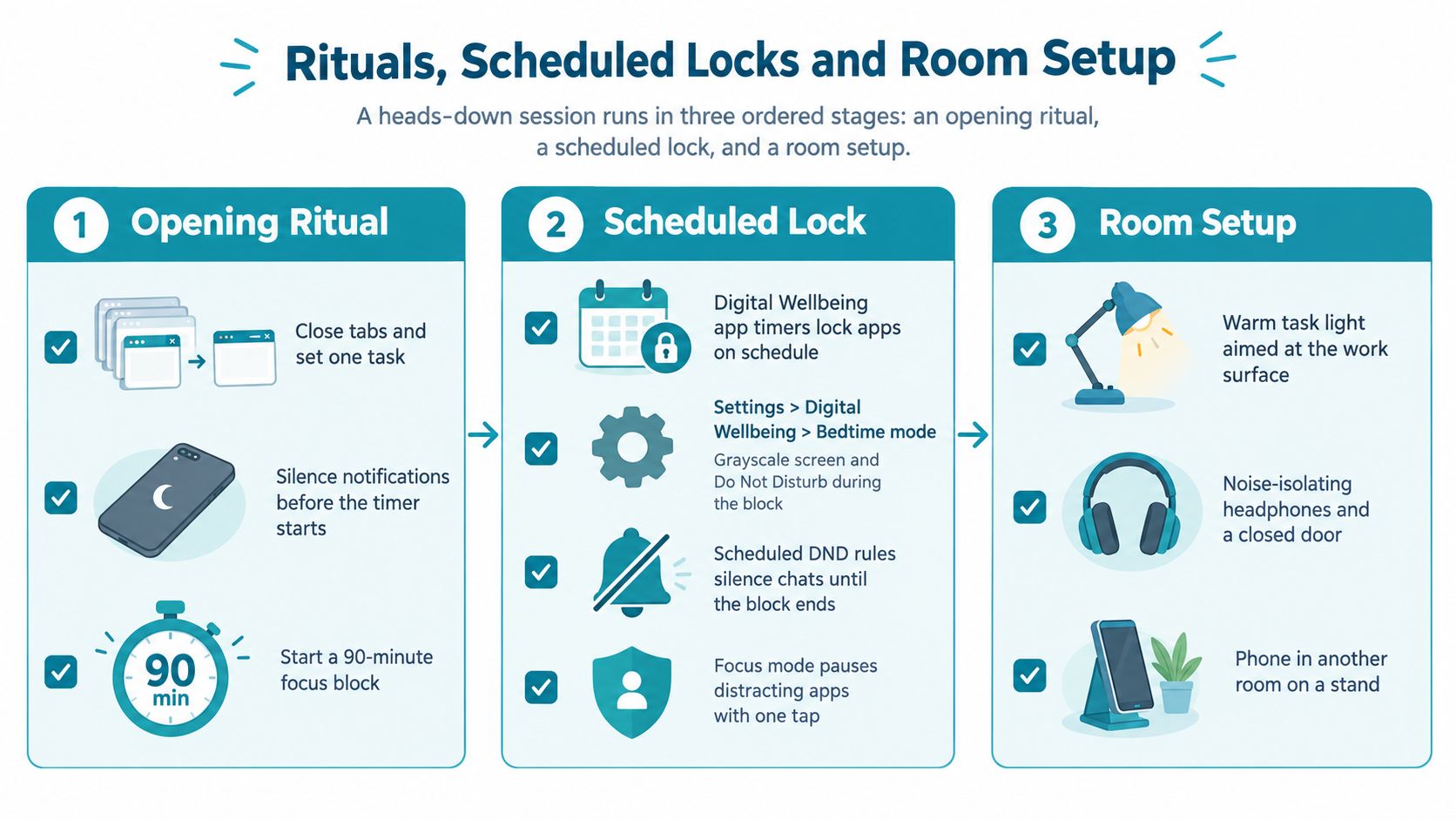
A heads down session works better when entry, enforcement, and surroundings follow a fixed order. Start with a ritual, set the lock before the urge appears, then make the room less interesting than the task.
Start with an opening ritual
Keep the ritual short enough that it doesn't become another avoidance routine.
- Close the tabs: Leave one working window and remove unrelated browser sessions.
- Write the next step: Put a concrete action on paper, such as “trace the failing request from the controller to the database.”
- Silence the phone: Use Android's Do Not Disturb controls before the timer starts.
- Set the duration: Choose the block length, then start it before you begin negotiating with yourself.
The written next step matters because “work on the project” is too vague to restart cleanly. A visible action gives you somewhere to go when the first burst of motivation disappears.
Schedule the lock, not only the intention
For recurring work, schedule the protection around the obligation. Android's Digital Wellbeing tools can support focus routines, app timers, Do Not Disturb rules, and scheduled modes. Those controls are useful for reducing routine interruptions, but they still need to fit your actual enforcement needs.
A hard blocker adds a different layer. It makes the exit decision earlier, when you can assess the consequences calmly. Use custom blocklists for distinct contexts, such as development, study, or sleep, rather than treating every application as equally distracting.
TiedSiren supports custom blocklists, scheduled sessions with daily or weekly recurrence, and a focus timer that shows the remaining session time. Its feature overview explains how those controls fit together on Android 8.0 and later.
Set up the room last
Room setup is the cheapest control, and usually the least reliable one. Still, it removes avoidable cues.
- Put the phone away: Use a drawer or another location that requires a deliberate movement.
- Clear secondary screens: Close the tablet, spare monitor, and unrelated browser windows.
- Leave one work surface: Keep only the notebook, reference material, and tools required for the chosen task.
- Silence the operating system: Prevent banners and vibration from reopening the decision.
The order matters. A tidy desk won't save a session if the phone remains available and the exit takes one tap. The ritual tells you what to do, the lock holds the decision, and the room reduces the number of temptations that reach the lock in the first place.
Blockers Compared Reminders vs Hard Stops
Not every blocker solves the same problem. Some tools make you notice the behavior. Some slow the behavior down. Others move the decision out of the moment entirely.
Android's built-in Digital Wellbeing controls are convenient and free. They work well when you're willing to enforce the limit yourself. A reminder-based tool adds prompts, countdowns, or interruption screens. That creates friction, but the bypass remains visible.
Hard-enforcement blockers take a firmer position. They require the user to commit a duration or use a separate removal step, so ending the session becomes an explicit choice rather than an automatic response to an impulse.
| Type | Override Difficulty | Impulse Protection |
|---|---|---|
| Built-in Android limits | Low to moderate, depending on the setup | Useful against routine use, weak when you're ready to override |
| Reminder-based blockers | Moderate | Interrupts the impulse and adds hesitation |
| Hard-enforcement blockers | Higher during the committed session | Protects against the five-second bypass by moving the exit decision earlier |
The relevant comparison
BlockSite, Cold Turkey, and Stay Focused all block applications solidly. The meaningful comparison isn't whether one of them can block an app. It's what happens when you decide, in the middle of the session, that the block should end.
Ask three questions before installing or configuring a tool:
- Where is the override: Is it on the same screen as the block, or does it require a deliberate separate action?
- When do you decide: Before starting the work, or after the urge arrives?
- What does the tool protect: Does it reduce reminders, or does it raise the cost of opening the exit?
Android's own platform behavior also illustrates why settings matter. Android 8.0 introduced background execution limits for apps in the background, and Google describes restrictions on background services and certain implicit broadcasts in its Android Oreo background execution documentation. Android's open-source documentation says restricted apps can still be launched by the user, but they can't run jobs or alarms, use the network in the background, or run foreground services while restricted, as described in Android's app management documentation.
These are operating-system controls, not a complete heads down system. They can affect how apps behave in the background, while the user's impulse remains active in the foreground.
Pre-Committing the Exit Decision
The urge to disable a blocker isn't evidence that you're lazy. It's a predictable response to a nearby escape route. If you wait until the urge arrives to decide whether the session should continue, you've chosen the worst possible time to make a careful decision.
Pre-commitment changes the timing.
Before work begins, choose the applications to block and the session length. Start the locked mode. Accept that a legitimate interruption might occur and that responding to it may cost more effort than usual. That cost is part of the arrangement, not an unexpected defect.
Make the choice before the work becomes difficult
A practical commitment has four parts:
- Define the task: Name the deliverable, not a vague category of work.
- Choose the blocklist: Include the applications that reliably pull you away.
- Set the duration: Pick a window you can defend against the deadline.
- Accept the exit condition: Decide that the session ends when the timer ends, not when discomfort appears.
The first week won't feel elegant. Early sessions may seem too long. The bypass impulse may appear before the work has reached momentum. That discomfort is useful information. It shows where you normally negotiate.
Don't respond by making the lock harsher without thought. Adjust the block length based on the work, the schedule, and the cost of being unreachable. The purpose isn't to prove discipline. It's to keep the exit door from becoming the main object of attention.
The useful session isn't the one that feels easy. It's the one where leaving stops being part of the task.
The value of pre-commitment appears in the quiet between decisions. You no longer ask whether you should check the feed, answer the message, or change the app limit. You've already answered. The remaining job is to continue until the agreed endpoint.
For more context on the product's approach to committed sessions and friction, read the TiedSiren background page.
The Trade-Off and What Comes Next
Friction protects heads down work because it removes convenience. That means it will cost you something: spontaneous messages, quick lookups, easy access to the phone, and the comfort of knowing that every interruption can be handled immediately.
That cost isn't a flaw in the system. It's the price of refusing to let every impulse rewrite the schedule.
A hard block can make the first week rougher. You may miss a message that could have waited. You may reach for the phone and find the route closed. You may also reread the work later and find that the argument, code, or study notes hold together because you didn't keep rebuilding them from fragments.
The evidence points toward enforcement having a stronger short-term effect on concentration than awareness alone in some contexts. A 2025 randomized controlled trial reported that blocking mobile internet for two weeks improved sustained attention on an objective test, with the effect described as comparable to roughly ten years of age-related decline, and 91% of completers improved on at least one measure, as reported in this summary of the trial. That result doesn't settle durability, adherence, or side effects across every kind of user. It does support testing access removal instead of relying only on reminders.
Run a small experiment. Schedule one hard block, attach it to a real deadline, and review the result at the end of the week. Count the missed conveniences against the quality and continuity of the work you produced. If the friction paid for itself, keep the schedule. If it didn't, change the duration or the blocklist, not the basic question of whether the off switch should remain one tap away.
TiedSiren is a free Android app that lets you choose distracting applications, commit to a session duration, use Strict Mode, and schedule recurring blocks. Visit TiedSiren to set up one protected heads down work session and test whether moving the exit decision out of the moment changes what you finish.