

You set aside time to finish a report, start a timer, and open your phone to check one thing. By minute twelve, the feed has already pulled you away twice. The timer may still show plenty of time left, but it can't tell you how much of that time went to the report.
A focus time tracker records work sessions you've committed to in advance, so you can review what happened afterward. Some tools only log activity. Others time a session, and some also block selected apps while it runs. TiedSiren runs on Android phones with Android 8.0 or later. If you use an iPhone or desktop, the measurement method still applies, but the TiedSiren examples are for Android.
What a Focus Time Tracker Records
A focus time tracker can do three different jobs: record time after the fact, run a timed session, or keep selected phone apps closed during a session. These jobs are easy to confuse. A timer that counts down doesn't necessarily stop you from ending it, and an activity log can show where time went without changing what happens when you reach for a distracting app.
| Tracker type | What it records | What happens at the moment of temptation | Best fit |
|---|---|---|---|
| Passive time logger | Total minutes per app and per day | Nothing; it reports after the fact | Reviewing a week to see where time went |
| Focus session timer | Session length and time left | Whether you can end the session early is set by the tool | Timed work blocks with a clear end |
| Scheduled blocker | Blocked windows and their start and end | Whether you can lift the block during the window is set by the tool | Recurring routines such as sleep or study hours |
| Strict session blocker (TiedSiren) | A running session with a fixed end chosen up front | Blocked apps stay closed until the timer ends | Commitments you've broken before |
A passive logger is useful when you want to inspect your habits. It can reveal that you often switch to video apps during a writing block, for example. But it reports that pattern later. At the moment you're tempted, it doesn't change what's available on the phone.
A session timer makes the work period visible. A blocker adds another layer by restricting selected apps during that period. The key distinction is whether a session can be ended early: if it can, the tool still relies on you to resist renegotiating the plan when the urge arrives. A session that runs until its chosen end time changes that moment by adding friction.
A tracker that records is a diagnosis. A tracker that holds is a commitment.
That distinction matters if you've already installed a blocker and turned it off when it mattered. You don't need another screen-time total to tell you the feed took time. You need to know whether the session stayed protected at the point where you usually give in.
Features Worth Checking Before You Install
Start with the commitment. Can you set the session length before it begins, and does the tool prevent you from ending it early? A timer that you can renegotiate during a lapse may still help you notice time passing, but it doesn't hold the original decision in place.
Next, ask what the tool measures. Total time near your phone isn't the same as an uninterrupted work interval. Look for a way to distinguish time you planned to protect from time you really spent without leaving the session. If the tool only presents a daily total, you'll need to keep your own notes about session starts, breaks, and task progress.
Check whether the tool lets you keep separate blocklists for different contexts. You might want messaging apps available for work but video apps blocked during study, or a different set of apps restricted before sleep. Separate lists make it easier to match the block to the situation instead of repeatedly rebuilding it.
Then look for recurring schedules. Daily or weekly sessions can remove the need to decide each time whether to start a block. Check what happens once the schedule begins: does it enforce the block, or only remind you that a session was planned? That enforcement question matters most if you've already dismissed reminders at the point of temptation.
Finally, confirm the minimum Android version. Android's documentation identifies Android 8.0 as Oreo, and its official Android build-number documentation maps Oreo 8.0.0 to API level 26. A device running API level 26 or later meets that version threshold, but the mapping doesn't guarantee compatibility with every phone model.
Before installing, answer those questions for each candidate. If you can't tell whether the tool enforces the block during the session, don't count it as a commitment device.
Why Uninterrupted Minutes Beat Total Hours
Minute twelve is the honest part of a focus block. The calendar still shows a clean hour, the timer still says a session ran, yet one notification and two quick checks can turn that hour into four short fragments. A daily total works like a bank balance: it shows the final amount and hides the withdrawals.
A summary of workplace-interruption findings reports that office workers spent an average of 12 minutes and 40 seconds on a task before an interruption, needed 25 minutes and 26 seconds to return to it, took roughly another 15 minutes to regain intense concentration on difficult tasks, made twice as many computer errors after interruptions as short as 2.8 seconds, and saw 63% of tasks in open-plan offices and 49% of tasks in private offices interrupted. Read those figures as a measurement warning, not a universal law: the settings were specific, and your day may differ. The pattern still matters because the expensive part is often the restart, not the ping.
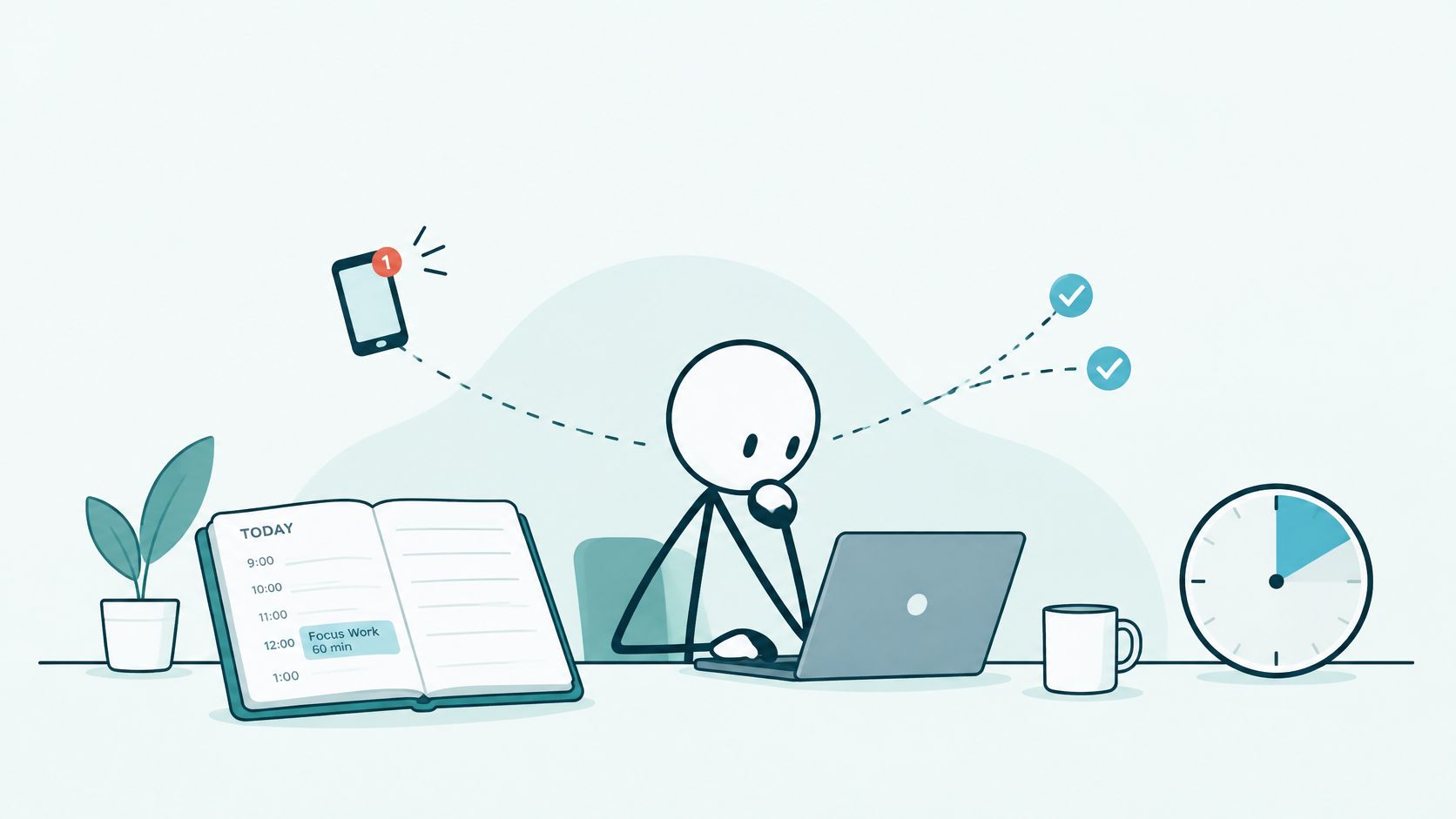
Record the interval, not just the timer
For each session, capture three things: start time, end time, and interruption-free duration. Add a fourth mark when you can: the moment you were tempted to leave, whether you acted on it or not. That mark separates a calm session from one that stayed intact only because the exit was inconvenient.
A worked example keeps the math plain. If a session lasts two hours and you count four interruptions, the interruption rate is two per hour. Then compare the longest uninterrupted run with the planned block. A two-hour session built from eight fifteen-minute runs tells a different story from one ninety-minute run followed by noise.
Two limits deserve equal weight. A clean interval does not prove the report, the chapter, or the code received the time. A temptation mark is also self-observed, so it can be missed when attention is already thin. Treat the record as a trail of evidence: protected window, unbroken run, near-exits, and your own note about what the work really was.
Four Usage Patterns and the Setup Each Needs
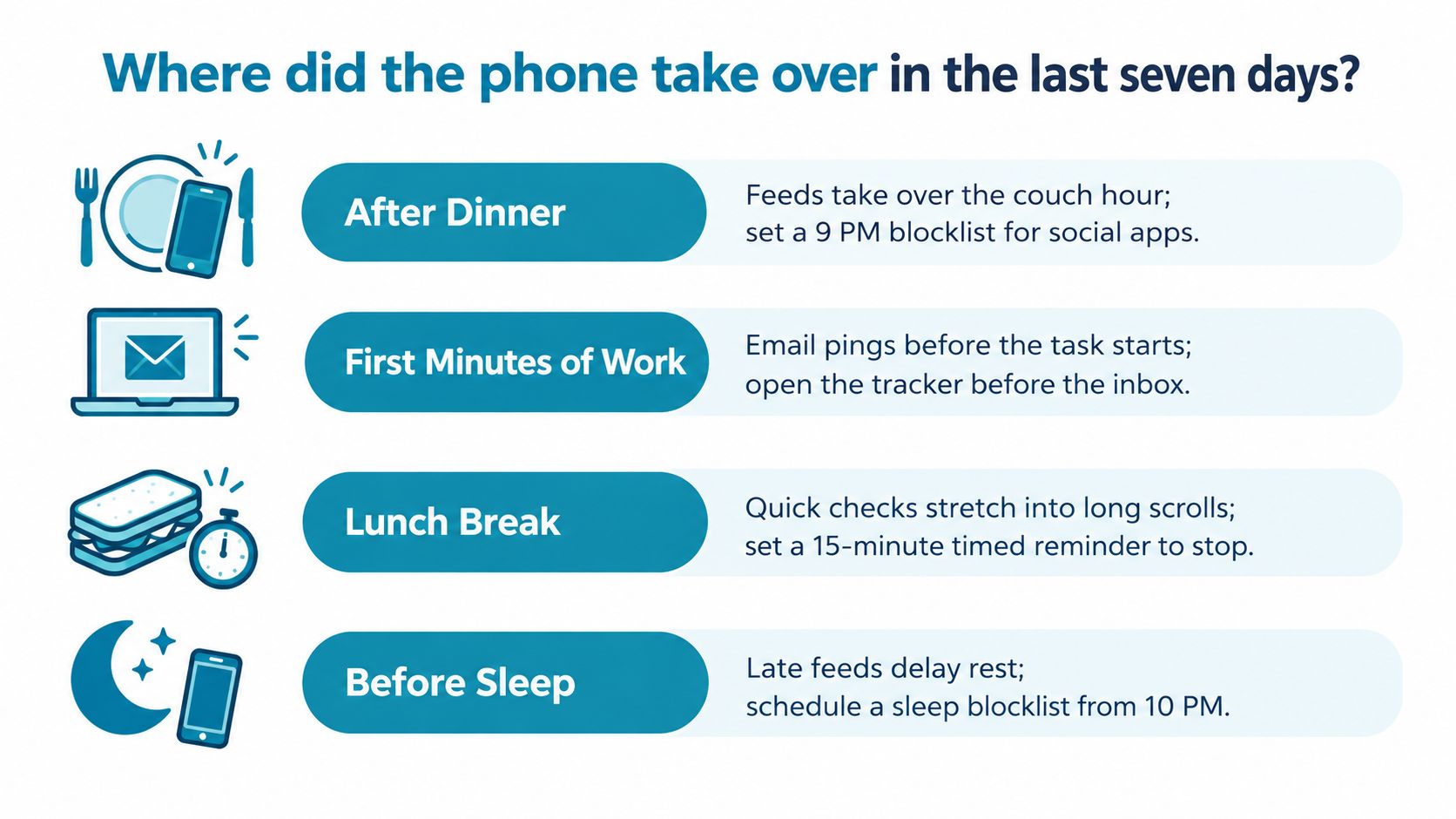
Where did the phone take over in the last seven days? Check the moments you remember: after dinner, just as you started a work block, while studying for an exam, or whenever one particular app kept drawing you back. The same tracker can support each routine, but the first step is naming the pattern you want to change.
| Pattern | Typical trigger | What to measure | Setup that fits |
|---|---|---|---|
| Evening scroller | Feed opens after dinner and runs past bedtime | Session start time and the gap before sleep | Daily scheduled block with a sleep list |
| Deep-work writer or developer | Messages and tabs break the first part of a work block | Longest uninterrupted run per session | One timed session with a work list |
| Student with exam deadlines | Games and video take study hours | Completed study blocks per day | Weekly recurring study schedule with a study list |
| Habit-prone adult | One app that keeps coming back | Whether the blocked app stayed closed for the whole session | Strict session on that app's list |
Students can start by checking whether the phone stays out of reach during study blocks. In a controlled two-week study of 221 University of British Columbia undergraduates, participants kept alerts on and their phones within easy reach during one week, then turned alerts off and kept phones away during the other. The study report found significantly more inattention and hyperactivity symptoms when alerts were enabled. Each participant experienced both conditions, but the sample was university students, not a globally representative group.
That result supports testing a study block with fewer phone interruptions. It doesn't establish that blocking alone improves grades, and it doesn't tell you whether every student needs the same setup. Pick the pattern that best matches your own week, then track one measure that can show whether it's changing.
For one week, a student might use a weekly study schedule and record completed study blocks. A developer might instead compare the longest uninterrupted run in each work session. Keep the measure tied to the problem: if the issue is one app reopening, record whether that app stayed closed.
How to Pair a Focus Tracker With Blocklists and Schedules
Build the setup around a specific context, not a vague intention to use your phone less. A study list, for example, can include the games and video apps that tend to pull you away from coursework. Keep the task itself visible in your notes so a closed app doesn't become a substitute for deciding what to do.
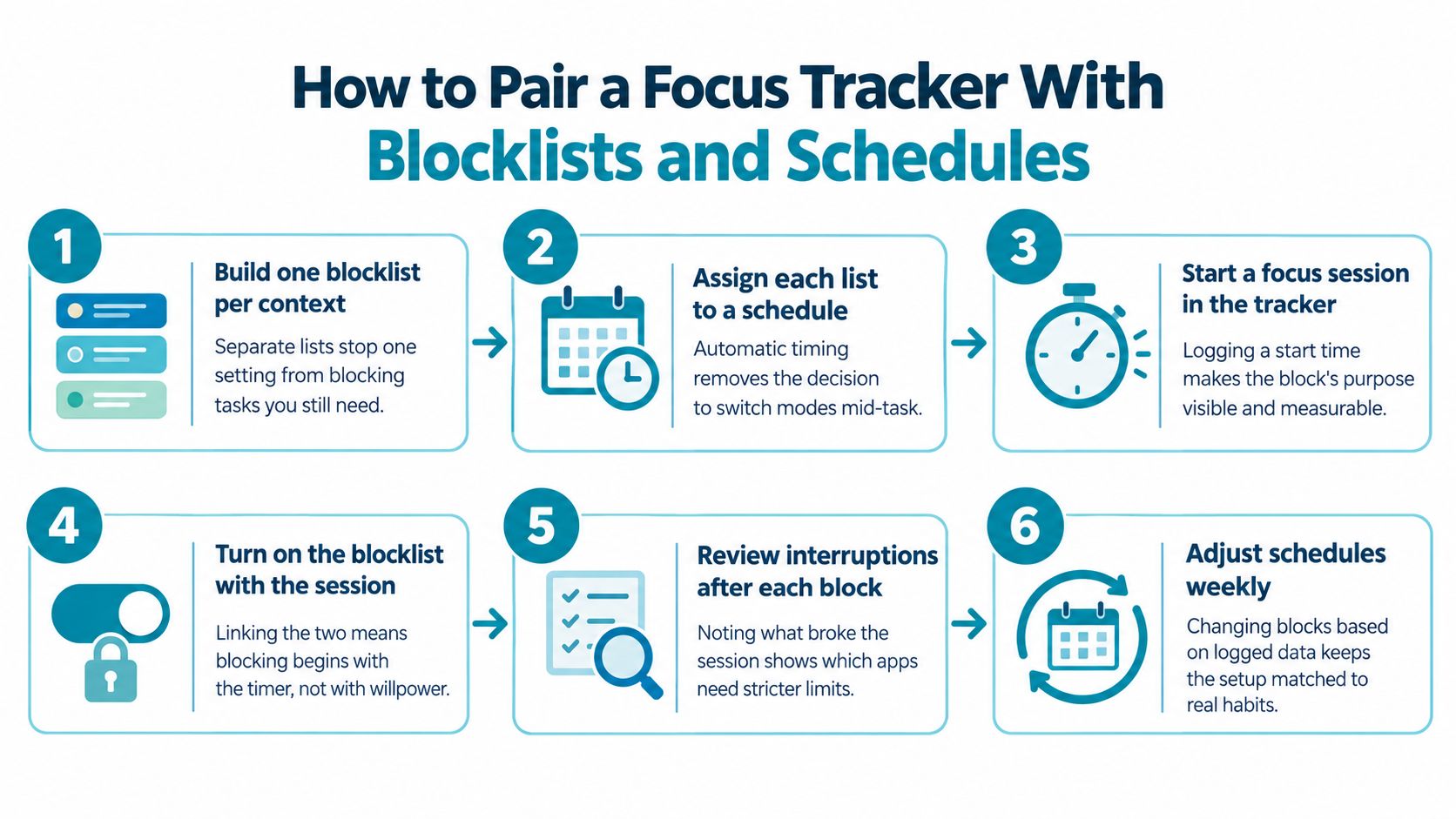
- Build one blocklist per context. Make a work list for the messaging and email apps that interrupt you, a sleep list for late-night feeds, and a study list for games and video.
- Set a recurring schedule for the diagnosed window. Use a daily schedule for a repeated habit and a weekly one when your classes or work hours follow a weekly routine.
- Write down one task before each session. A protected interval without a defined task only tells you that an app stayed closed.
- Choose a duration you won't want to shorten. Keep the remaining time visible on the timer so you can see how much of the planned block is left.
- Make a short note when the session ends. Record how often you reached for the phone and what you planned to do at the start.
- Review the setup after a week. Compare your notes with the pattern you chose, then adjust either the schedule or the blocklist.
The study list makes a useful example. Before a scheduled block, write down the exercise or chapter you intend to finish, then block the apps that tend to interrupt that work. A review of smartphone-cognition research reports that an unintended interruption from another mobile app can delay task completion by up to 400%. It also summarizes evidence that notifications can disrupt attention-demanding work even when users don't open or read them. The interruption cost can come from the alert itself, not only from the time spent inside the app.
You can find an overview of TiedSiren's focus-session features if you're comparing how a timer and blocklists fit together. Keep the review process simple: use the same task measure across sessions, and change one part of the setup at a time so you can tell what helped.
The session holds the block; your notes hold the record of what you intended to do and whether you did it. The tracker doesn't automatically establish that an interval was productive. Reviewing the notes is your job.
Where Blocking Stops and Your Own Judgment Starts
Blocking changes the cost of quitting. It does not make the choice for you. With TiedSiren Strict Mode, blocked apps and websites stay closed and the timer cannot be cut short. If you want the faster undo route closed too, turn on the optional Settings lock before the timer starts; it keeps Settings, including Wi-Fi, Bluetooth and permission screens, closed until the session ends. Someone determined can still reach ADB or safe mode, so the actual target is the 11pm impulse, the five-second reach you make before you have argued yourself into it.
That is why total minutes are a weak verdict. The better evidence is the unbroken interval and what happened at minute twelve, when the old off switch would have been one tap away. A protected hour spent on the wrong task still counts as protected from the blocked apps, so your judgment has to name the task that counts and notice the moment you wanted to escape it.
Evidence about prompts helps set the ceiling for what blocking can prove. In one randomized controlled trial, 70 participants were split 35 and 35 to test a full-screen prompt shown when social-media use passed each person's own limit; the prompted group averaged about 26.57 fewer minutes per day than the control group (p < .001, 95% CI -39.14 to -14.04). The prompt still let people continue, so read the result as a sign that a deliberate interruption at the point of excess can change behavior, with the size tied to that setup.
Your part stays concrete: choose the list for the context, decide before the session what finished means, and give work on a laptop its own rule because a phone block will not cover it. Once a week, compare the protected windows with the tasks you meant to finish, then adjust the list or the window rather than asking the block to supply motive.
Set Up Your First Scheduled Focus Session
Pick the usage pattern that best matches your recent week, then choose one window to protect with a recurring session. TiedSiren is a free Android app for Android 8.0 and later. Blocking apps, custom blocklists, and scheduled sessions are free; Strict Mode requires TiedSiren Pro, a subscription sold through Google Play.
TiedSiren blocks apps you choose, supports daily or weekly scheduled sessions, and shows the time left on its focus timer. In Strict Mode, the session ends when its timer ends, and nothing else ends it. Build a list for the context you're protecting, rather than blocking apps you still need for that task.
If you're ready to try it, visit the Google Play listing or download TiedSiren. Start the first session with the task written down, then check your notes after a week to decide whether the schedule and blocklist fit the pattern you wanted to change.
TiedSiren is a free Android app for blocking chosen apps with custom blocklists and scheduled sessions. If you've turned off a blocker at the moment you meant to focus, visit TiedSiren and try a session with a commitment set in advance.