
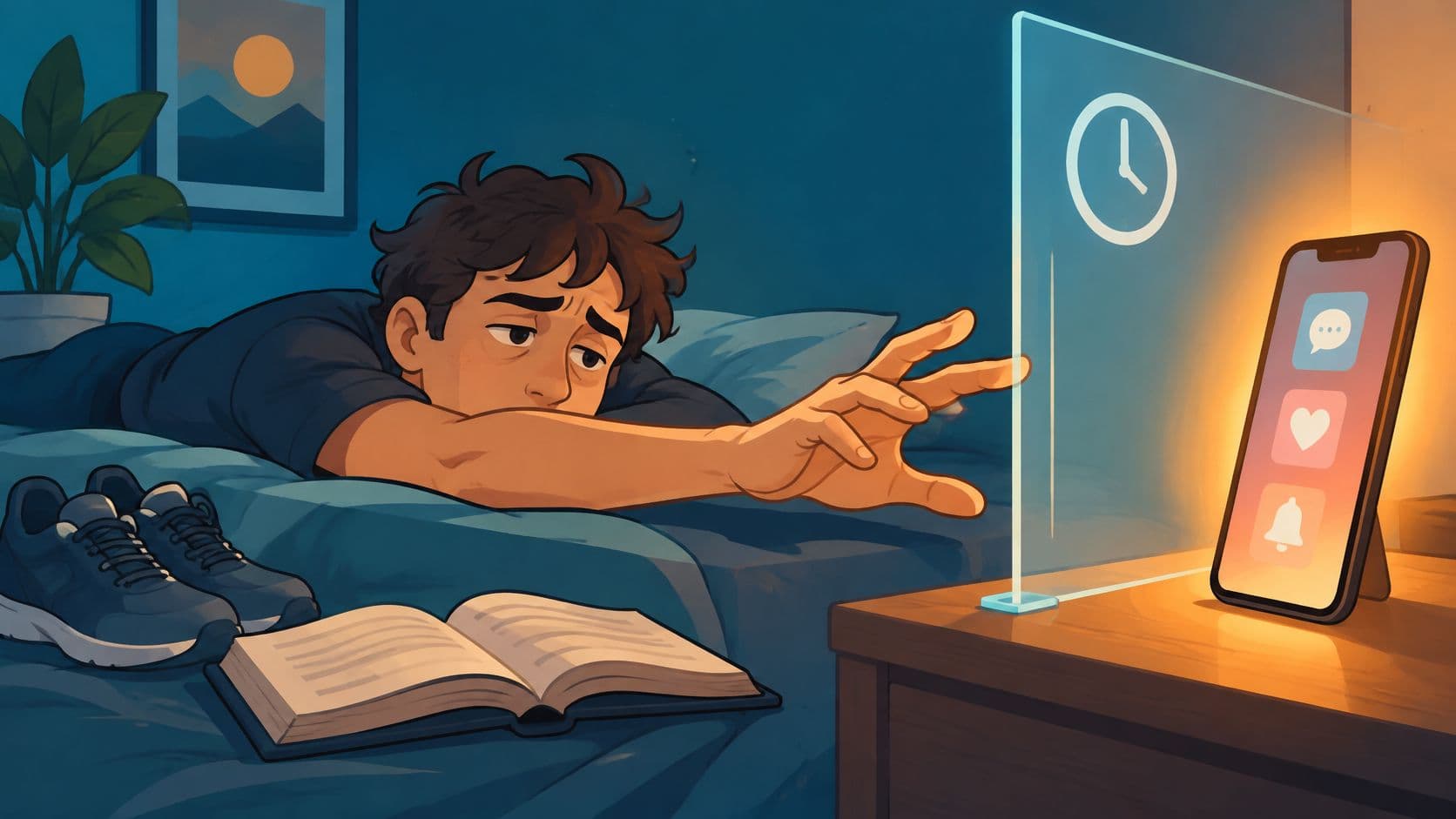
You've checked the screen-time graph, set a limit, and dismissed it once the feed got interesting. Now you're looking for phone addiction help that still works when you don't feel like cooperating. TiedSiren runs on Android phones, Android 8.0 and later. If you use an iPhone or desktop, use the behavior changes below and skip the app-specific steps.
Signs That Call for Phone Addiction Help
Phone addiction signs and the first change tonight
| Sign | What it looks like | First change tonight |
|---|---|---|
| Compulsive checking | You open the phone in the middle of a task you meant to finish | Silence notifications that are not from actual people |
| Failed cutbacks | You have tried to use it less and gone back more than once | Pick one trigger app and block it for a window you set in advance |
| Use despite harm | Sleep, grades, or work are already worse and the habit continues | Charge the phone outside the bedroom |
| Withdrawal-like discomfort | You get irritable or restless when the phone is in another room | Leave it in that other room for one planned block today |
| Hiding use | You minimize or conceal how long you were on it | Tell one person the window you are protecting |
| Crowding out offline life | You cancel in-person plans to stay in an app | Book one offline plan and keep the trigger apps blocked for that hour |
These are patterns to act on, not a diagnosis. Checking your phone during a dull task doesn't establish an addiction. Repeatedly abandoning something important, despite deciding otherwise, deserves a change in how you manage access.
Start with the row that describes an actual consequence. If you're arriving exhausted because you scroll in bed, another productivity dashboard won't move the charger out of your bedroom. Put it somewhere you can't reach from the pillow, and make sure you have another way to wake up.
Choose a change you can observe
A useful change has a clear outcome: the phone stayed outside the room, the distracting app remained unavailable, or you kept the plan with your friend. Feeling more determined isn't an outcome you can check.
Don't try to fix every row tonight. Choose the behavior that costs you the most, then remove the easiest route into it.
- For interruptions: Keep alerts from people you need to hear from, but silence promotional prompts, recommendations, and game reminders.
- For concealed use: Tell someone what you're protecting, such as dinner together or an uninterrupted study period. Ask for support rather than surveillance.
- For abandoned plans: Arrange something concrete, with a place and another person expecting you. An empty evening leaves more room for bargaining.
Sort inconvenience from impairment
You don't need to label yourself before making your surroundings less distracting. Nor do you need to prove that your use is worse than someone else's.
Discomfort deserves attention, but it doesn't mean you should punish yourself with a whole-day ban. Try a manageable separation with something specific to do, such as cooking, walking, or finishing a worksheet.
If a row fits, change the setup. If several fit and school, work, or home life is already suffering, read the clinical guidance below before expecting an app to carry the whole problem.
Heavy Use and Problematic Use
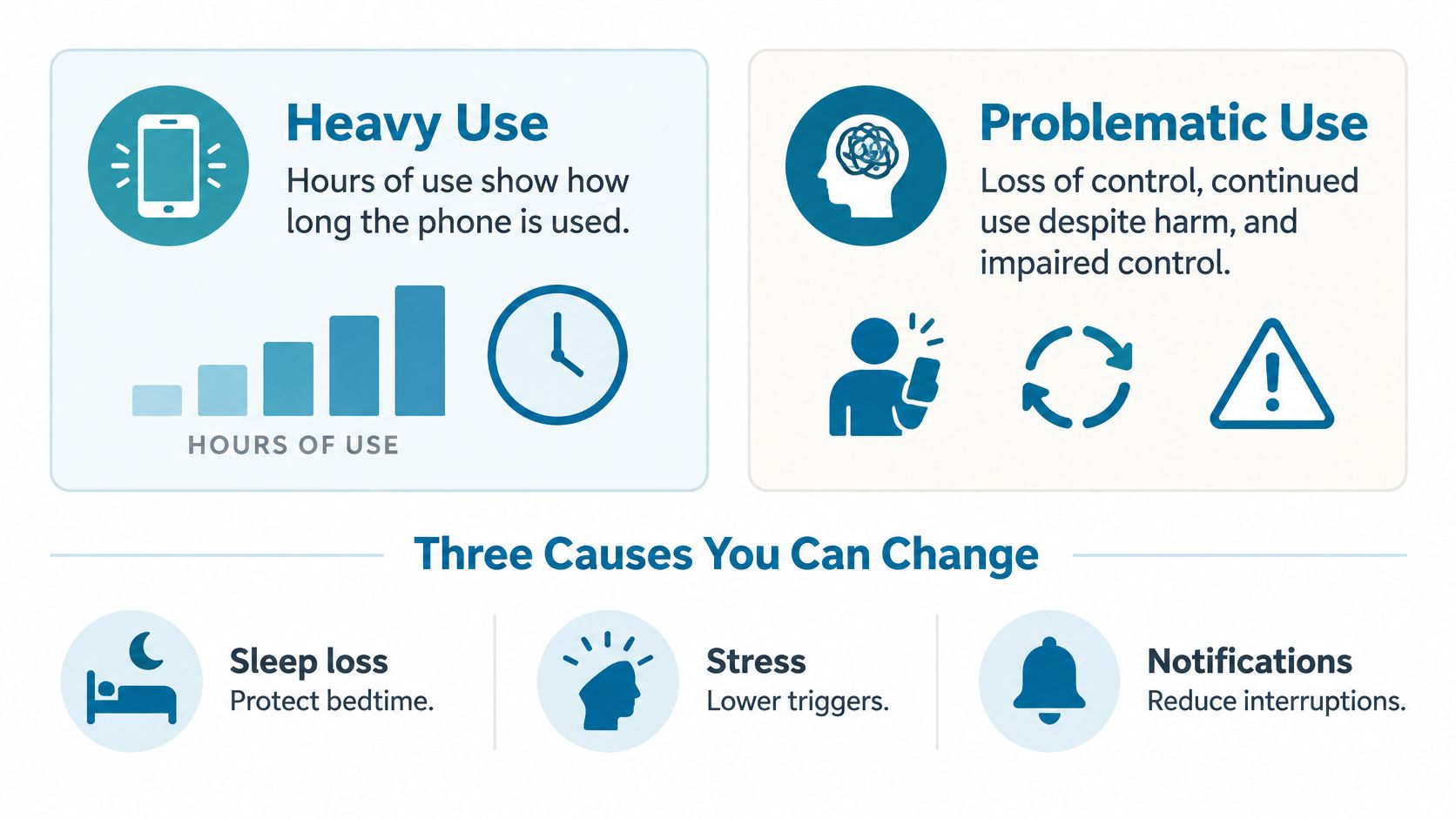
Heavy use describes duration. Problematic use describes impaired control and harm. Someone can spend much of a working day on a phone while completing necessary tasks. Someone else can spend less time on it yet repeatedly sacrifice sleep or miss responsibilities.
The 2019 systematic review and meta-analysis of problematic smartphone use examined 41,871 children and young people, reporting a median prevalence of 23.3%, with an interquartile range of 14.0% to 31.2%; it also found associations with poorer mental-health outcomes, which do not establish that phone use caused those outcomes.
The estimates aren't a universal rate for everyone who owns a smartphone. Different populations, scales, and cutoffs produce different counts. The useful distinction is whether you can follow your intentions and stop when continuing has a cost.
The visual below separates time spent from the behaviors worth addressing.
Identify what starts and sustains the checking
Treat these as places to intervene, not a complete explanation of compulsive behavior.
- Cue load: Non-essential notifications keep offering reasons to reopen the phone. A colorful display can add appeal. Remove prompts that don't serve a person or task you care about.
- A decision made during the urge: You decide whether to stop while you're already enjoying the activity. If dismissing the limit is effortless, you've left the hardest decision to the least helpful moment.
- Use as emotional regulation: You might reach for a feed to escape distress, social discomfort, or understimulation. Restricting access doesn't resolve what you were trying to escape.
Say you open YouTube while stuck on an assignment. If a notification interrupted you, remove that cue. If you deliberately opened it because you couldn't tolerate feeling stuck, also prepare a response to that feeling: write the next question, ask for help, or take a walk without carrying the feed with you.
Read the total in context
Going to the gym every day is frequent use of a facility. Skipping sleep and hiding the habit would raise different questions. Apply the same distinction to your phone rather than treating frequency alone as evidence of a disorder.
A lower total is useful only if it gives you back something you meant to protect.
Ask what changed outside the screen. Did you finish the assignment, arrive rested, or stay present during dinner? Those answers tell you more about progress than a smaller bar on a graph.
A high screen-time number can prompt an honest review. It cannot, by itself, diagnose the problem.
Changes That Lower Addiction Scores
Interventions tested against problematic phone use
The 2022 brief-intervention paper reports the small intervention studies and discusses the exercise meta-analysis summarized below.
| Intervention | Who was studied | What changed | Limit |
|---|---|---|---|
| Notifications off plus grayscale, ten-part package | 51 people; mean SAS-SV 35.29; 67% over the study high-risk cutoff | Problematic-use scores, screen time, and depressive symptoms down after two weeks | Single group, two weeks |
| Same package versus screen-time monitoring | 70 people | Lower problematic use, less screen time, better sleep; scores reported normal for at least six weeks | Small sample, short follow-up |
| Exercise programs | Nine studies, 1,582 undergraduates | Smartphone-addiction scores down, SMD −1.30 (95% CI −1.53 to −1.07) | Undergraduates, not every age group |
Use the package without overstating the result
The Smartphone Addiction Scale–Short Version, abbreviated SAS-SV, measures problematic-use symptoms. A change in that score isn't the same thing as demonstrating lasting recovery for every participant.
The brief intervention combined several changes. You can't credit grayscale alone for the improvement, or assume notification cuts would produce the same result without the other components. The samples and follow-up were small, even where the reported improvements were encouraging.
Still, these are practical starting points. Turn off non-essential notifications and try grayscale through your phone's display or accessibility controls. Treat them as ways to reduce invitations to check, not as barriers you'll be unable to ignore.
Give the freed time a destination
Exercise has broader undergraduate evidence in this comparison, but it requires somewhere to go and something to do. Choose a walk, a gym visit, or a sport you can realistically repeat. A demanding plan you keep postponing won't replace the evening feed.
There are trade-offs:
- Grayscale is easy to try: It changes visual appeal without deciding when you may use an app. Necessary tasks remain available, but so do distractions.
- Notification cuts reduce external prompts: They won't stop you opening Instagram deliberately when a task feels uncomfortable.
- Exercise offers an offline activity: It needs a place in your schedule. Don't make it contingent on first having a perfect day.
- Monitoring provides feedback: It can show where time went, but you still need a different response when the next urge arrives.
For Android readers ready to change access as well as cues, the TiedSiren download page provides the installation route. Decide what you want to protect before installing another tool.
Cue removal plus a replacement activity is a better practical starting point than another reminder alone. None of these findings promises that an early improvement will last while you leave every route into the same habit unchanged.
Judge the change by whether you can repeat it on an ordinary, frustrating day. An intervention that requires constant enthusiasm is a poor fit for the moment you're trying to manage.
Hold the Decision Before the Urge
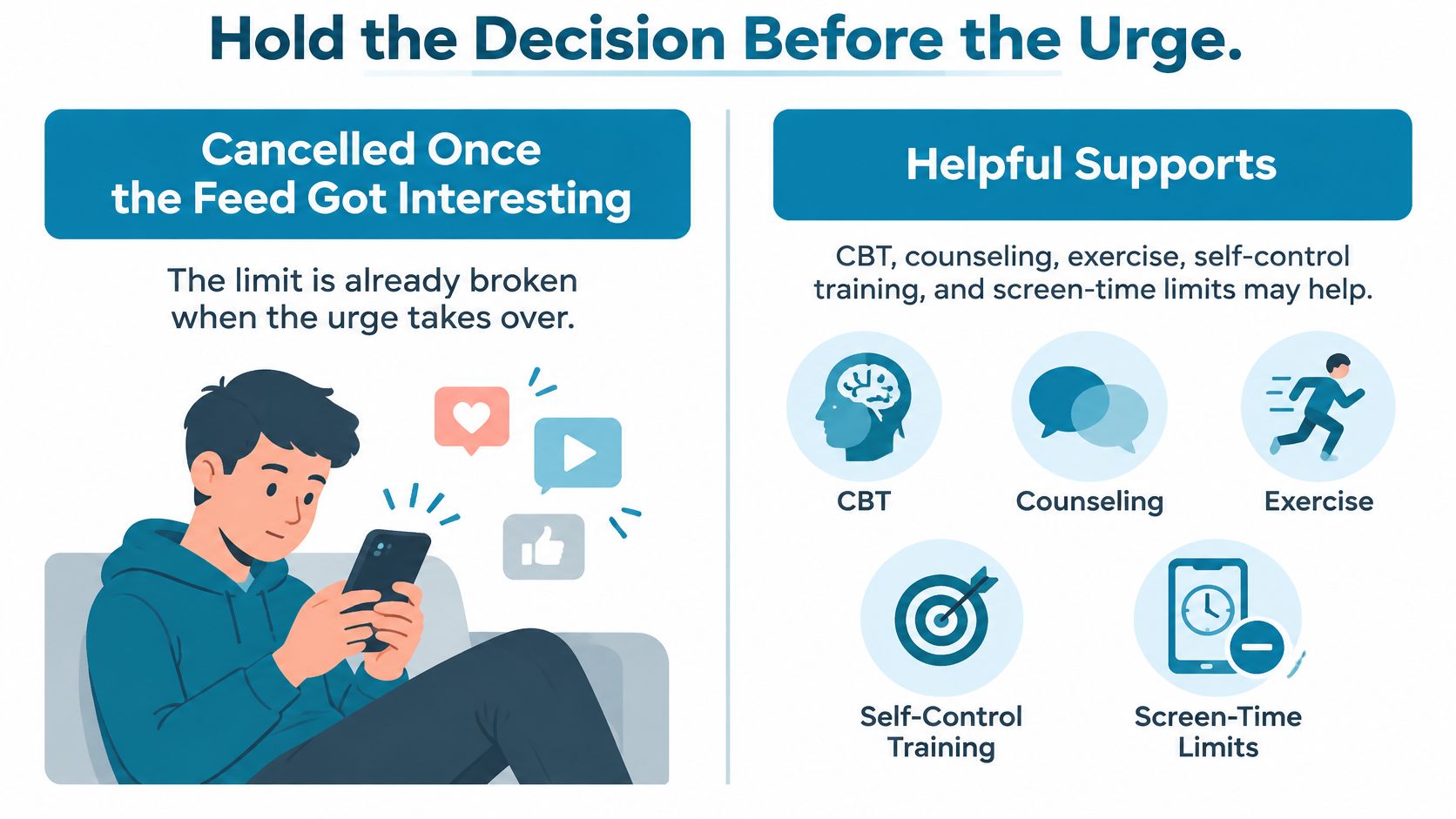
You already cancelled the limit when the feed got interesting. Setting the same limit again, with a sterner message, leaves the same decision in your hands at the same moment.
The 2025 umbrella review of interventions found potential benefits from CBT, counseling, exercise, self-control training, and screen-time reduction, while calling for stronger, larger studies. That supports trying structured help without pretending there's a settled method that works for everyone.
This illustration places access limits alongside other forms of support, rather than treating blocking as treatment.
Match the tool to the failure
Awareness tools help you notice or reconsider use. Graphs, grayscale, and soft caps can be enough when you still follow a nudge. If you routinely dismiss them, more information doesn't address the behavior that defeated the limit.
Precommitment means making the access decision beforehand. You choose the trigger apps and the protected period while you're willing to accept the restriction, rather than negotiating once you want the next video.
| Tool type | What you're asking it to do |
|---|---|
| Awareness | Make use visible or less appealing |
| Reminder | Ask you to stop |
| Precommitment | Hold a decision you made before wanting to reverse it |
TiedSiren is a free Android app for blocking applications you choose for a duration committed to up front. Its custom blocklists can be grouped by context, sessions can recur daily or weekly, and a focus timer shows the time left.
Strict Mode requires TiedSiren Pro, a subscription sold through Google Play. In Strict Mode, a running session ends when its timer ends, with no in-session override. The optional Android Settings lock raises the cost of disabling the intervention while it runs.
Add friction without making impossible promises
The point is to defeat the impulsive bypass, the one done in five seconds without premeditation. That's friction against an unplanned reversal, not a claim that a determined person can never get around a blocker.
AppBlock, BlockSite, Cold Turkey, and Stay Focused block solidly too. TiedSiren's distinction is the absence of an override during a Strict Mode session, not superior blocking.
Phone calls and emergency services are never blocked, even during a blocking session. Keep that distinction clear when choosing what else belongs on your list.
The accompanying video offers another way to consider the approach.
A block doesn't treat loneliness, insomnia, or compulsive distress. Arrange replacement activities, exercise, and human support alongside the restriction. If your life is already substantially impaired, use the protected time to make room for care, not to postpone it.
Block the Risky Hours Only
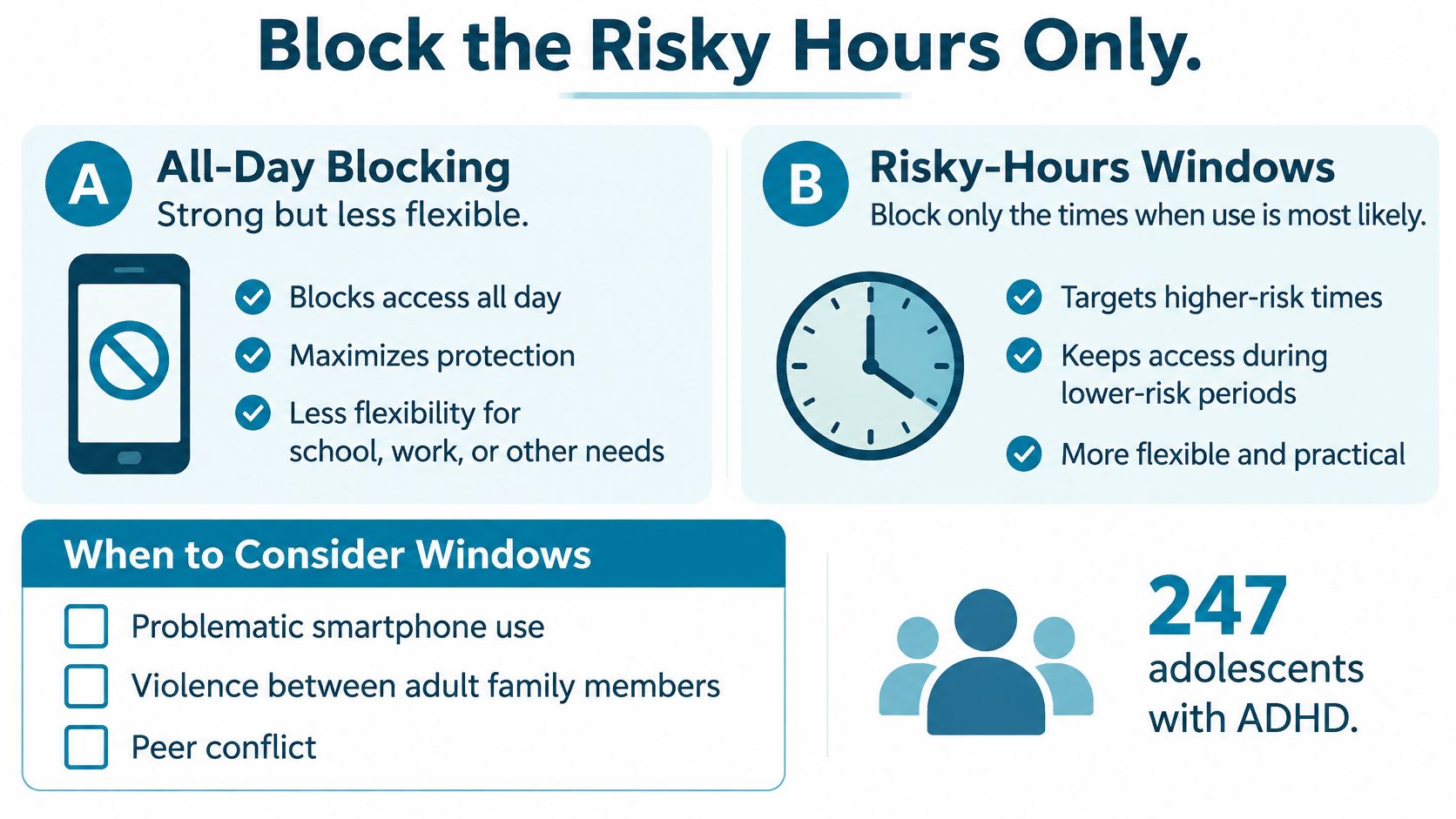
Start with predictable vulnerable periods rather than assuming every distracting app needs to disappear all day. You're trying to preserve lectures, work, or sleep while retaining the communication and practical tools you need.
The 2025 study of adolescents with ADHD examined 247 adolescents and found significant associations between problematic smartphone use, violence between adult family members, and peer bullying victimization. Those associations aren't proof of causation, but they're a reason to ask what's happening around the phone use.
A feed may be serving as escape or a source of stimulation. Taking it away doesn't remove bullying, family conflict, poor sleep, or untreated attention difficulties.
A worked student week
Say a student on Android keeps losing the start of class and then staying awake with the same apps at night. Their hypothetical schedule could look like this:
| Context | Example protected window | Selected apps |
|---|---|---|
| Class days | 9 a.m. to 1 p.m. | TikTok, Instagram, YouTube, and a game |
| Every night | 10:30 p.m. to 7 a.m. | The same distracting apps |
| Essential access | Kept outside the blocklist | Messaging, maps, and banking |
These are example hours, not recommended clinical thresholds. A night-shift worker would choose windows around their own work and sleep rather than copy this timetable.
The comparison below highlights targeted windows rather than treating all-day restriction as the default.
Adjust for real obligations
If a lecturer assigns a YouTube video, account for that before committing to a class block. If your support network reaches you through messaging, preserve that access. Narrow lists require more thought than selecting everything, but they're less likely to interfere with legitimate needs.
The screen-time app for Android guide can help Android readers consider this kind of environmental support. An app blocker isn't ADHD treatment or a substitute for clinical care.
- Check the environment: Ask whether bullying or family conflict is making the phone feel like the only place to retreat.
- Check sleep and attention: Persistent difficulties deserve assessment, not an ever-longer blacklist.
- Check what happens during restriction: Panic or an immediate move to another concealed app is a reason to add support.
Don't respond to every workaround by restricting the whole phone. Find out what need you're trying to meet, then build an alternative that remains available during the protected period.
When Phone Addiction Help Should Be Clinical
Book an assessment when phone use is interfering with daily functioning, especially when several areas remain affected over time. You don't need to wait until every part of life is in trouble. Repeatedly failed self-set limits, significant harm, or using the phone to escape persistent distress are each enough reason to ask for help.
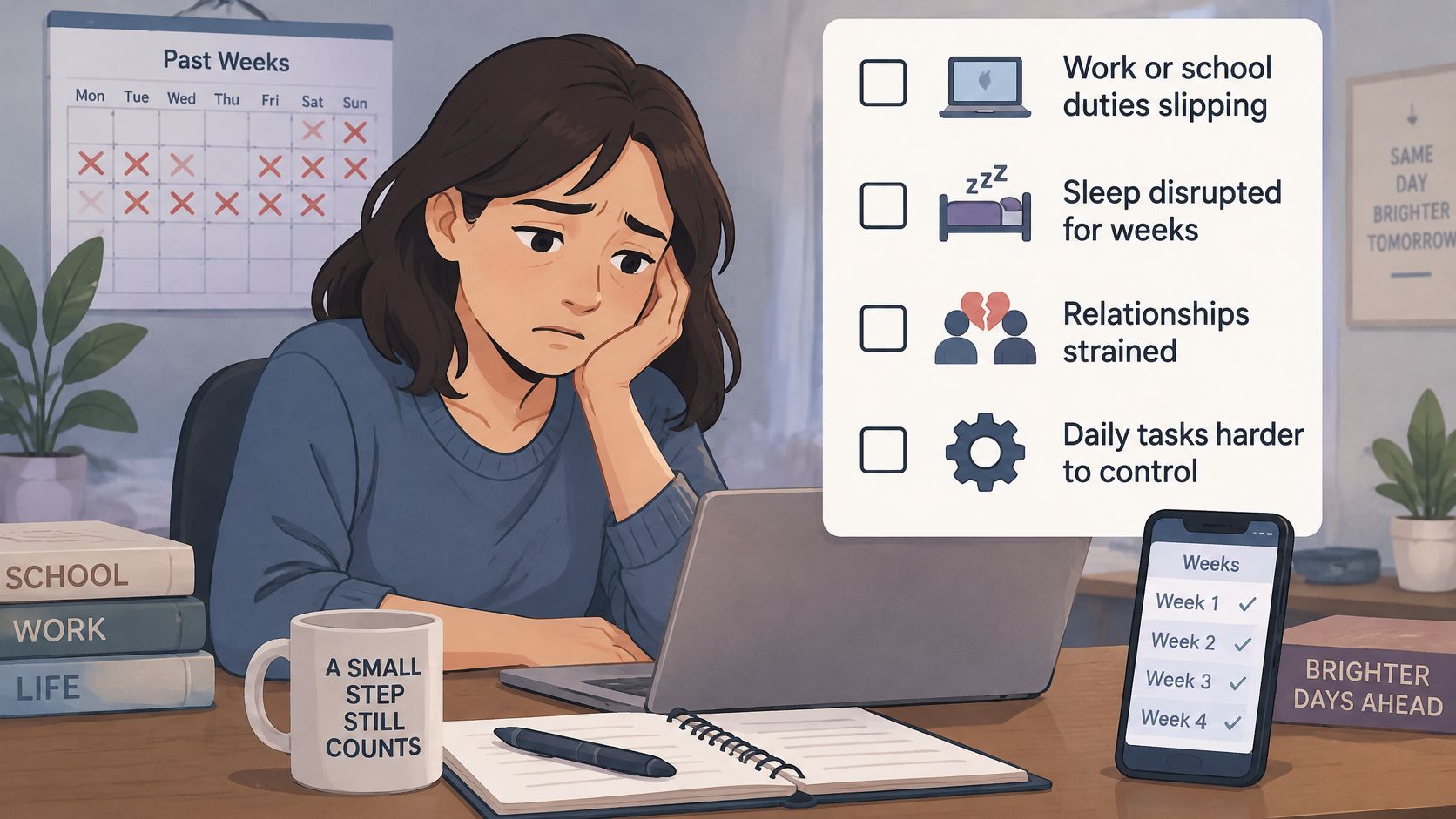
Use the checklist as a decision aid, not a diagnostic score:
- Work or school: You're missing duties, deadlines, attendance, or essential preparation.
- Sleep: You keep sacrificing rest despite trying to stop, and you're struggling during waking hours.
- Relationships or money: Concealed use, arguments, neglected responsibilities, or spending are causing damage.
- Mood and safety: Separation from the phone brings severe distress, or you're using it to escape bullying, conflict, or symptoms you suspect are anxiety, depression, or ADHD.
The image below offers a prompt to consider functioning and distress, rather than screen time alone.
Contact someone who can assess the whole situation
Start with a primary-care clinician, a licensed therapist who works with behavioral addictions, campus counseling, or the clinician already treating your ADHD. Describe the consequences plainly: what you intended to do, what happened instead, and what you've already tried.
Bring examples rather than only a screen-time screenshot. Explain whether you're avoiding a task, seeking relief from distress, staying connected to someone, or struggling to settle for sleep. Mention any bullying, unsafe home circumstances, or existing mental-health treatment.
A clinician can discuss approaches such as CBT, counseling, exercise planning, and mindfulness-based work according to your needs. Don't arrive assuming that all compulsive use has the same cause or needs the same response.
Keep the app in a supporting role
An app session doesn't diagnose a disorder. It doesn't treat trauma or loneliness, and it isn't an ADHD medication plan.
You can change the phone setup while asking for help. You don't have to finish fixing yourself before booking an appointment.
If you feel unsafe or face an immediate emergency, contact local emergency services rather than waiting for a timer to finish. Your safety takes priority over a focus plan.
For persistent impairment, make the appointment while you're making the practical changes. A protected study period can support care by giving you space to follow through. It shouldn't become evidence you use to tell yourself that professional help can wait indefinitely.
Start One Locked Window Tonight
Choose a period you already tend to lose, rather than announcing a ban on the whole day. Make it specific enough that you know what you'll do instead: finish the reading, eat with someone, or get ready for bed.
Put the decision into practice
- Name the window and triggers. Write down the activity you're protecting and the few apps that reliably interrupt it. Keep necessary tools outside the list.
- Use the changes that fit your device. On iPhone or desktop, cut non-essential notifications, charge the phone outside the bedroom, and arrange a walk or another offline activity. Skip the Android installation.
- Install on a supported Android phone. Android readers can get the app from the Google Play listing.
- Commit before starting. Build the context blocklist and choose the duration. Strict Mode locks that duration, so the session cannot be shortened from the phone once it starts.
- Prepare the optional Settings lock. Turn it on before starting if you want the Settings app kept closed until the timer ends, including the Wi-Fi, Bluetooth, and permission screens.
- Repeat deliberately. If the window recurs, schedule it daily or weekly. Use the focus timer to check the time remaining, and review the TiedSiren features before committing to settings you haven't used.
Protect something worth returning to
Put the book, worksheet, walking shoes, or dinner ingredients where you'll use them. Don't leave yourself with a blocked feed and no next action.
If several areas of life are already impaired, book clinical help alongside this change. The window set before the urge is the help, and the graph of hours is not.
TiedSiren offers selected-app blocking and scheduled sessions on Android, with Strict Mode available through TiedSiren Pro for a commitment without an in-session override. Visit TiedSiren and choose a protected window before tonight's urge arrives.