
You install an app blocker because you're tired of losing an hour to Instagram, TikTok, Reddit, or YouTube. The first session works. Then boredom hits during a meeting, you're waiting for a bus, or you feel a little anxious, and you turn the block off before thinking about it.
That moment is the core problem. You already know how to block social media. What keeps failing is the off switch, sitting close enough to reach when your motivation drops.
Social platforms are built into ordinary daily behavior at a massive scale. As of April 2026, about 5.79 billion people used social media worldwide, and internet users spent more than 15 billion hours consuming social content each day, according to DataReportal's global social media overview. A blocker doesn't need to defeat the entire attention economy. It needs to interrupt your next impulsive tap.
Why Your App Blocker Keeps Failing
You choose a duration, start the timer, and feel relieved. For a while, the blocked apps stay out of reach. Then the urge arrives, usually without a serious decision behind it.
You open the blocker, find the active limit, tap an override, and return to the feed. The whole process takes seconds. You haven't changed your mind about wanting more focus. You've made the unwanted action easier than tolerating the discomfort of being bored.
That's why blaming discipline misses the point. You're asking willpower to fight a design problem at precisely the moment willpower is weakest. A reminder can tell you to stop, but a reminder still leaves the next action in your hands.

The five-second bypass
The most common bypass isn't a technical attack. It's a reflex. You aren't planning to change device settings, configure a workaround, or spend time defeating the system. You're reaching for the easiest route back to the app.
Research on digital well-being interventions identifies four useful mechanics: creating obstacles, increasing awareness, supporting focused attention, and strengthening motivation. The same review found that app-level tools were used for timers in 31% of reviewed interventions and for app blocking in 26%, while phone-level blockers appeared in 15% of cases, as reported in the JMIR systematic review.
The practical lesson is simple. A timer helps you notice the boundary. A block adds a boundary. A blocker that also makes the off switch harder to reach addresses the moment when noticing isn't enough.
Practical rule: If disabling your protection takes the same effort as opening the distracting app, the protection is too easy to negotiate.
Friction beats another promise
TiedSiren is built around that narrow failure mode. Its Strict Mode runs until the committed timer ends, while access to Android Settings is blocked during the session. That doesn't make a phone impossible to bypass, but it removes the obvious, immediate route you already know how to use.
The distinction matters. You're not trying to become a person who never feels an urge. You're trying to give yourself enough time between urge and action for the decision you made earlier to survive.
Creating Custom Blocklists in TiedSiren
Blocking every app all day sounds decisive, but it often creates unnecessary resistance. A better setup starts with the situations where social media reliably pulls you away.
Create separate custom blocklists for work, study, sleep, or commuting. A work list might include Instagram, TikTok, and Reddit. A sleep list could include YouTube and X. The exact combination should reflect your behavior, not someone else's idea of a clean phone.
Build lists around triggers
Start by writing down the apps you open automatically. Don't add an app because it's socially considered distracting. Add it because you reach for it when you should be doing something else.
Use a short process:
- Name the context. Choose a label such as Work, Exam Study, or Bedtime.
- Select the trigger apps. Add only the applications that interfere with that context.
- Save the list for reuse. You'll be able to start a session without rebuilding the decision each time.
- Review the list after using it. If a different app becomes the escape route, add it to the relevant context.
This separation keeps blocking practical. You may want social apps available during a break, but not during a writing session. You may need YouTube for study in one context and want it completely unavailable at night. Custom lists let the boundary follow your routine instead of forcing one permanent rule.
The preparation also reduces negotiation. Once the list exists, you don't have to decide whether Instagram is “really” a problem at the beginning of every session. You've already made that call while calm.
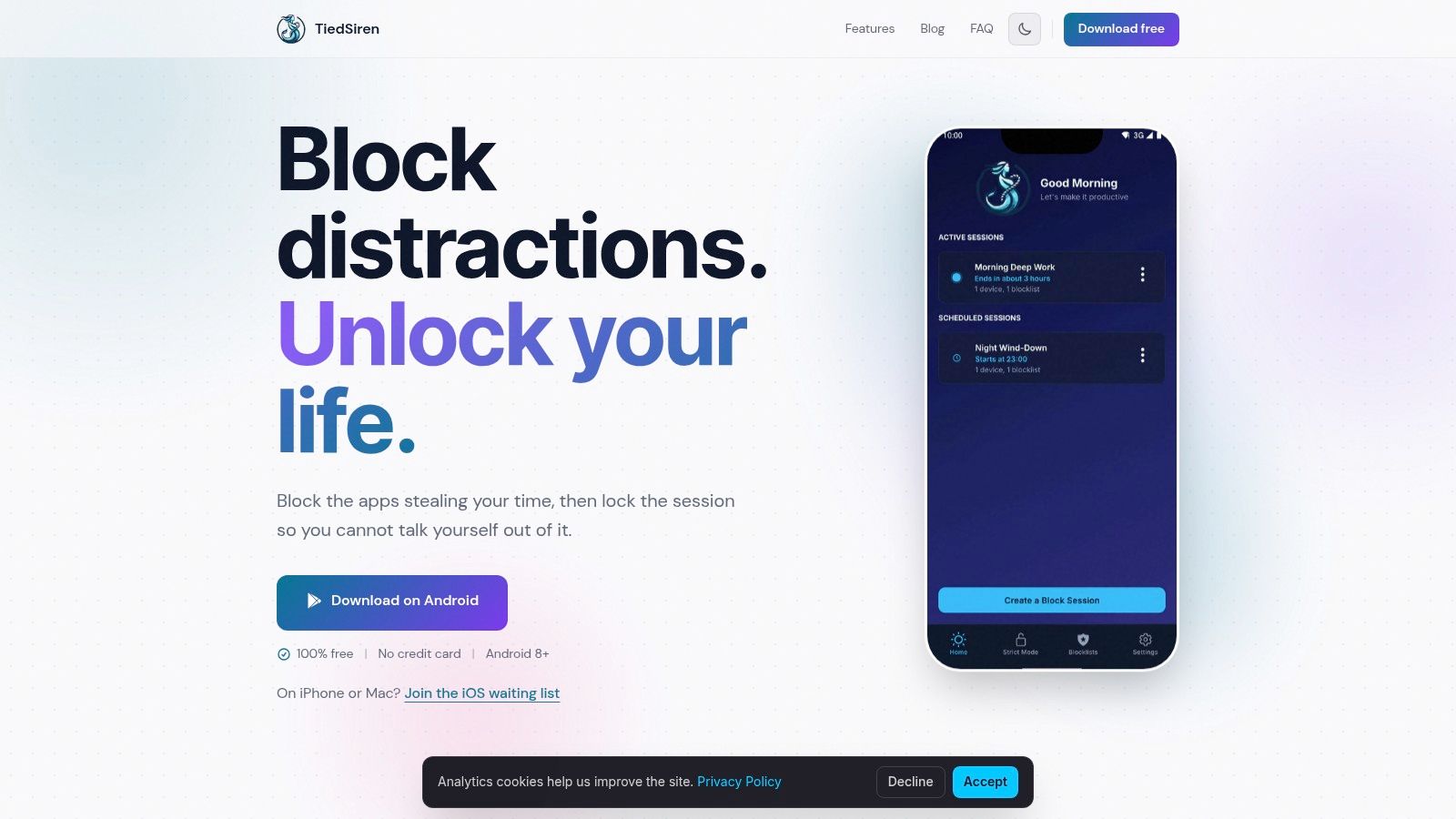
You can review the available controls on the TiedSiren features page. The useful test is whether your lists match real moments in your day. If one list tries to cover everything, split it. A focused boundary is easier to understand and easier to commit to.
Scheduling Recurring Sessions
A blocker that requires you to remember to start it every day leaves one important decision unprotected. You still have to choose whether to begin the session, often when you're already tired or distracted.
Recurring schedules remove that opening. TiedSiren supports daily and weekly session recurrence, so a blocklist can activate during the windows you choose without requiring a fresh start each time.
Set the window before the urge
Pick the blocklist first, then choose the days and time range that fit the routine. A student might schedule a study list for weekday afternoons. A knowledge worker might use a work list during regular office hours. Someone protecting sleep can schedule a separate bedtime block.
Keep the first schedule realistic. If you create a boundary that clashes with necessary tasks, you'll spend the session looking for reasons to disable it. A schedule should protect a predictable period, not attempt to control every minute.
The setup should answer three questions:
- Which apps are blocked? Select the saved context list.
- When does it run? Choose the relevant days and start and end times.
- What behavior should become automatic? Decide whether the schedule protects work, study, sleep, or another recurring activity.
The point isn't to make your phone unusable. It's to make access to chosen distractions unavailable during a period you've already judged important. Once the schedule runs, you don't need to summon motivation at the beginning of every block.
A scheduled session also creates a clearer relationship with the device. Instead of repeatedly asking whether you're allowed to scroll, you know the answer before the window begins. That removes a small but persistent source of mental negotiation.
For the Android app and download details, visit the TiedSiren download page. TiedSiren is available for Android 8.0 and later.
Strict Mode vs Digital Wellbeing
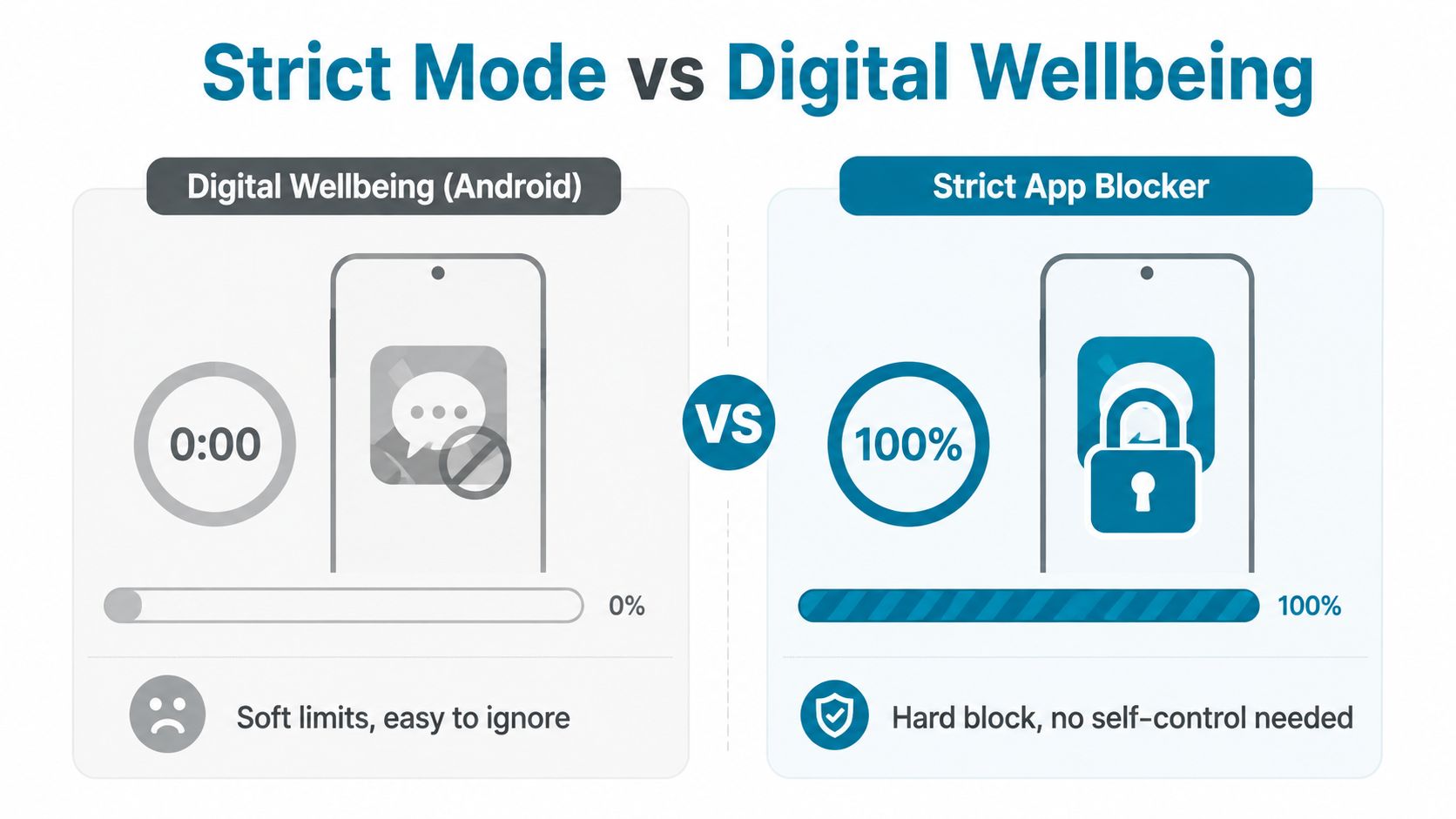
Android's Digital Wellbeing tools are useful when you want awareness. You can set app timers, see how long you've used an application, and receive a visible signal when a limit has been reached. For many people, that's enough to notice a habit they weren't paying attention to.
It isn't enough for everyone.
A timer that turns an app gray still leaves you with a choice. If the system offers an ignore option, the protection depends on whether you'll honor it when the feed is most appealing. That makes Digital Wellbeing a soft limit, not a commitment mechanism.
Two different assumptions
The difference between the tools is less about the timer and more about what happens after the timer becomes inconvenient.
| Control | Digital Wellbeing | TiedSiren Strict Mode |
|---|---|---|
| Main function | Shows usage and applies app limits | Blocks selected applications for a committed duration |
| Response to temptation | Relies on you respecting the limit | Keeps the session running until the timer ends |
| Session exit | The limit can be reconsidered through Android controls | Nothing else ends the running session |
| Settings access | Android Settings remains available | Android Settings is blocked during an active session |
| Best fit | Awareness and gentle correction | Friction against impulsive disabling |
TiedSiren's Strict Mode is designed for the person who has already demonstrated that a reminder isn't enough. Once a session starts, its timer determines when the session ends. There's no pause or short override inside the session.
The Settings restriction matters because Settings is the convenient route to undoing a self-imposed limit. Microsoft documents that Android enterprise management can block end-user access to device settings, including from apps operating in kiosk mode, as described in its Android device settings restriction documentation. That doesn't mean every consumer setup becomes permanently locked. It shows why Settings is a meaningful control point.
Choose based on your failure pattern
Use Digital Wellbeing if visibility is your main problem. If you regularly lose track of time but can accept a limit when it appears, a native timer may be sufficient.
Use a friction-heavy blocker if your pattern is different. If you see the limit, ignore it, open Settings, and keep scrolling anyway, you don't need another warning. You need distance between the urge and the off switch.
That trade-off comes with less flexibility during the session. It should. A commitment that changes whenever you feel uncomfortable is only a preference.
Building a Deep Work Routine
A useful focus system has three parts: a blocklist that matches the distraction, a schedule that removes daily decisions, and a timer that makes the remaining commitment visible.
Start with one repeatable block. A student preparing for exams might protect an afternoon study period on weekdays. A developer might create a work list for social apps and use it during a planned coding session. The apps vary, but the operating principle stays the same: remove the trigger before work begins.
Make the routine concrete
Choose the applications that pull you away. Don't block news, messaging, or video automatically if you need them for the task. On the other hand, don't leave an obvious escape app available just because it seems less harmful than the original distraction.
A practical routine looks like this:
- Prepare the environment. Open the materials for the task before the session starts.
- Use the matching blocklist. Work, study, and sleep should have different boundaries when their triggers differ.
- Let the recurring schedule carry the start. You shouldn't have to debate the first step each day.
- Check the focus timer only for orientation. Seeing the time remaining can help you understand the session without opening a feed.
- Adjust after observation. Add the app you use to escape, rather than trying to build a perfect list in advance.
The Focus Timer has a modest role. It isn't there to entertain you or provide constant feedback. It tells you how long remains, which can make the commitment feel finite and manageable.

Protect the transition
The end of a block matters as much as the beginning. Decide beforehand what you'll do when the timer finishes. Check messages, take a walk, make food, or return to a planned task. If the first available activity is an unrestricted feed, you may turn a successful focus period into an immediate scrolling session.
Don't measure the routine by whether you felt perfectly focused. Measure it by whether the chosen apps stayed out of the way during the period you committed to. The system should make productive behavior easier, not demand that you feel motivated every minute.
Android Blocking Limits in Practice
No Android blocker is an absolute lock. Software controls can be challenged by someone willing to take deliberate technical steps, and resistance varies with the device, Android version, permissions, and management setup.
That limitation doesn't make friction useless. It defines the problem an app blocker should solve: stopping the ordinary impulse before a user reaches the off switch.
Design for the ordinary impulse
At night, a person scrolling usually isn't planning a technical bypass. They want the quickest route back to the app. Blocking Android Settings during an active session raises the effort required and removes the casual escape route that causes many self-imposed limits to fail.
A roundup of app blocker research summarizes a finding that small increases in swipe and tap effort reduced screen time and app opens by about 16% more than fully locking users out, according to HabitDoom's report on the research. The point is narrow but useful. A small obstacle placed at the moment of impulse can change behavior without locking down the entire device.
TiedSiren applies that principle to the five-second undo. It's designed to interrupt an impulsive Settings change, not to defeat someone determined to reconfigure the phone.
Check the Android context
Android controls vary by version and manufacturer. A third-party guide to Samsung Auto Blocker describes its availability on Galaxy devices running Android 14 and One UI 6 or later, with the setting located under Security and privacy in Settings, as covered in Auto Blocker guidance. A screenstoic.com guide to Android app controls describes Google's parental controls as using Settings to set per-app limits or block an app entirely.
The pattern is consistent: Settings contains useful device controls, and it can also provide the route around a self-imposed block. If the blocker leaves that route open, the blocker itself becomes the vulnerability.
TiedSiren supports Android 8.0 and later. Treat it as a practical barrier against impulsive behavior, not a promise that nobody can ever defeat the block. For available integration options and product context, see the TiedSiren developer information.
Taking Back Control of Your Time
Blocking social media isn't about hating the internet. It's about deciding that your attention deserves protection before an urge arrives.
Create a blocklist for the apps that pull you away. Schedule it around a real work, study, or sleep window. Use Strict Mode when you already know that a flexible timer will become an invitation to negotiate.
The important decision happens before the session. Once the impulse appears, you want fewer choices, not another argument with yourself. Friction gives your earlier decision a chance to survive the moment.
Start with one blocklist and one recurring period. Keep it specific enough that you'll understand why the block exists, then adjust it based on the apps you reach for. A structure you follow imperfectly is more useful than a dramatic rule you disable on the first difficult evening.
TiedSiren is a free Android app blocker with custom blocklists, recurring sessions, a focus timer, and Strict Mode that blocks Android Settings while your session runs. If the off switch is where your current blocker fails, visit TiedSiren, choose the apps you want out of reach, and commit to your first focus window.