You've got the document open, the deadline is real, and your hand is already moving toward the phone. You know what you should be doing. What you haven't decided is what happens when the work gets uncomfortable and checking something else feels easier.
Learning how to keep focus at work starts with that decision. Choose a task, commit to a manageable window, and decide how you'll respond to the urge before it arrives. The useful plan is the one that still holds when you want to abandon it.
Pick a Block Length for Each Kind of Work
Before tomorrow's first task, choose a work window you can realistically finish. TiedSiren is a free Android app for Android 8.0 and later, but these suggested starting blocks apply equally to iPhone and desktop readers.
| Task type | Block length | Break after | What to block |
|---|---|---|---|
| Writing, coding or problem solving | 60 to 90 minutes | 10 minutes away from screens | Social feeds, messaging, games |
| Studying or exam revision | 45 to 60 minutes | 10 minutes away from screens | Social feeds, video apps, games |
| Reading a long document | 30 to 45 minutes | 5 minutes | Messaging apps, social feeds |
| Email, admin and short tasks | 25 minutes | 5 minutes | Messaging apps, news apps |
Treat these as trial settings, not scientifically established attention limits. If you haven't finished a focused block in weeks, start at the lower end, or shorten it further if that still feels unrealistic. Extend only after two blocks finish without a check.
Longer doesn't automatically mean better. A 90-minute commitment for a 20-minute admin job leaves you with unused time and a reason to start negotiating an early escape. Match the commitment to a specific piece of work, not to the most impressive number on the timer.
Block the apps that compete with this task
For writing, a messaging app might be the easiest escape. For studying, it might be YouTube. During email processing, email itself is necessary, so blocking it would prevent the work rather than protect it.
Build blocklists around contexts:
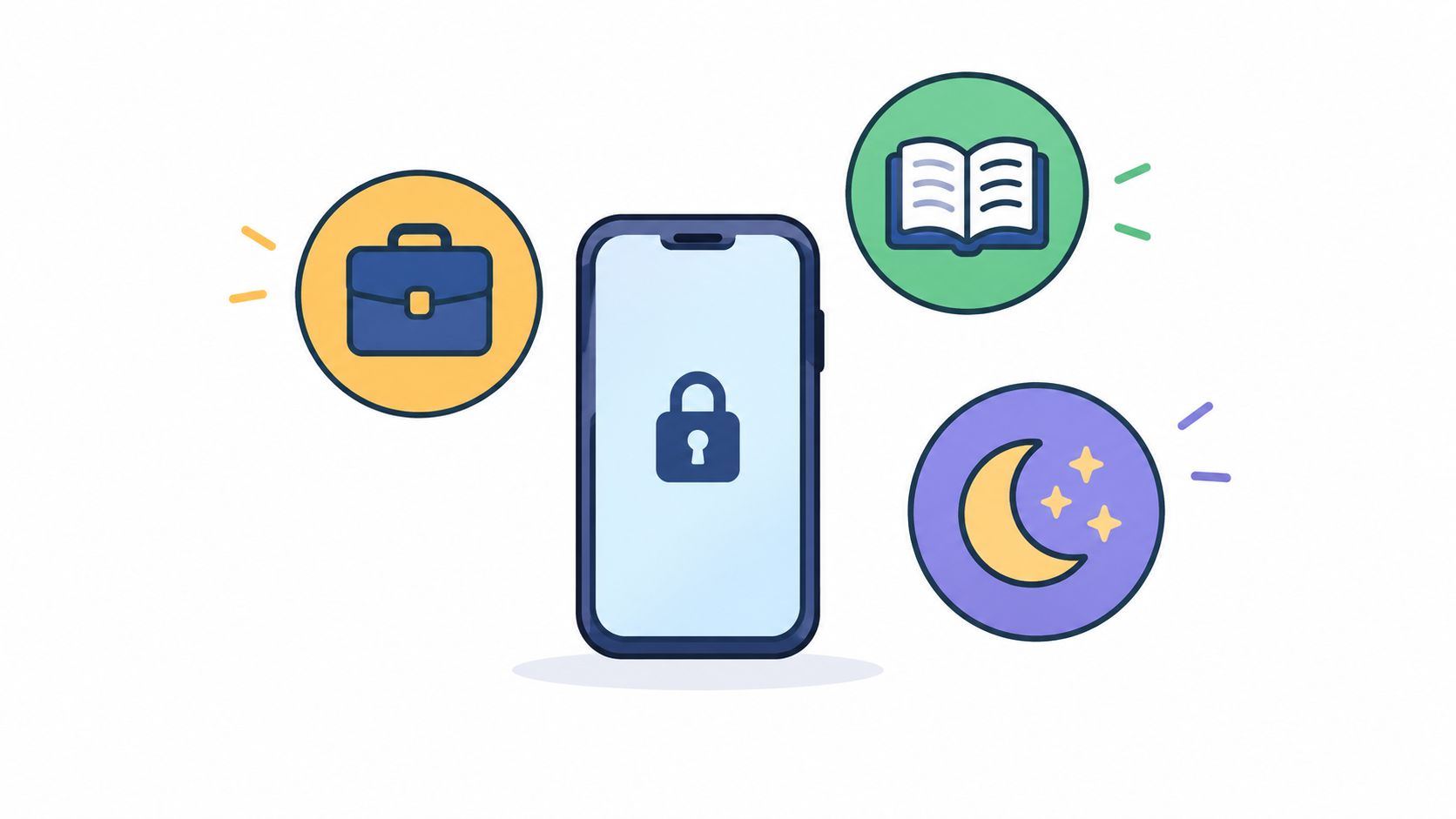
- Work list: Include the feeds, games and personal messaging apps you habitually open while avoiding difficult work.
- Study list: Include entertainment video apps and social feeds, while leaving required learning materials available.
- Sleep list: Keep evening distractions separate so you don't have to rebuild your work choices every day.
Leave genuinely necessary tools available. If a colleague must be able to reach you, agree on a permitted channel before committing to the block.
Make the break a separate activity
For a screen-free break, stand up, get water or look outside. Opening a feed introduces an activity without a natural stopping point, which makes returning a fresh decision.
Before the day starts, choose the row for tomorrow's first task and write its block length on paper. Don't leave that choice until you're sitting beside an available phone.
How to Build a Focus Session Step by Step
Prepare the session while you still want to do the work. Once you're bored, stuck or irritated, choosing between the task and an available distraction becomes a much less useful exercise.
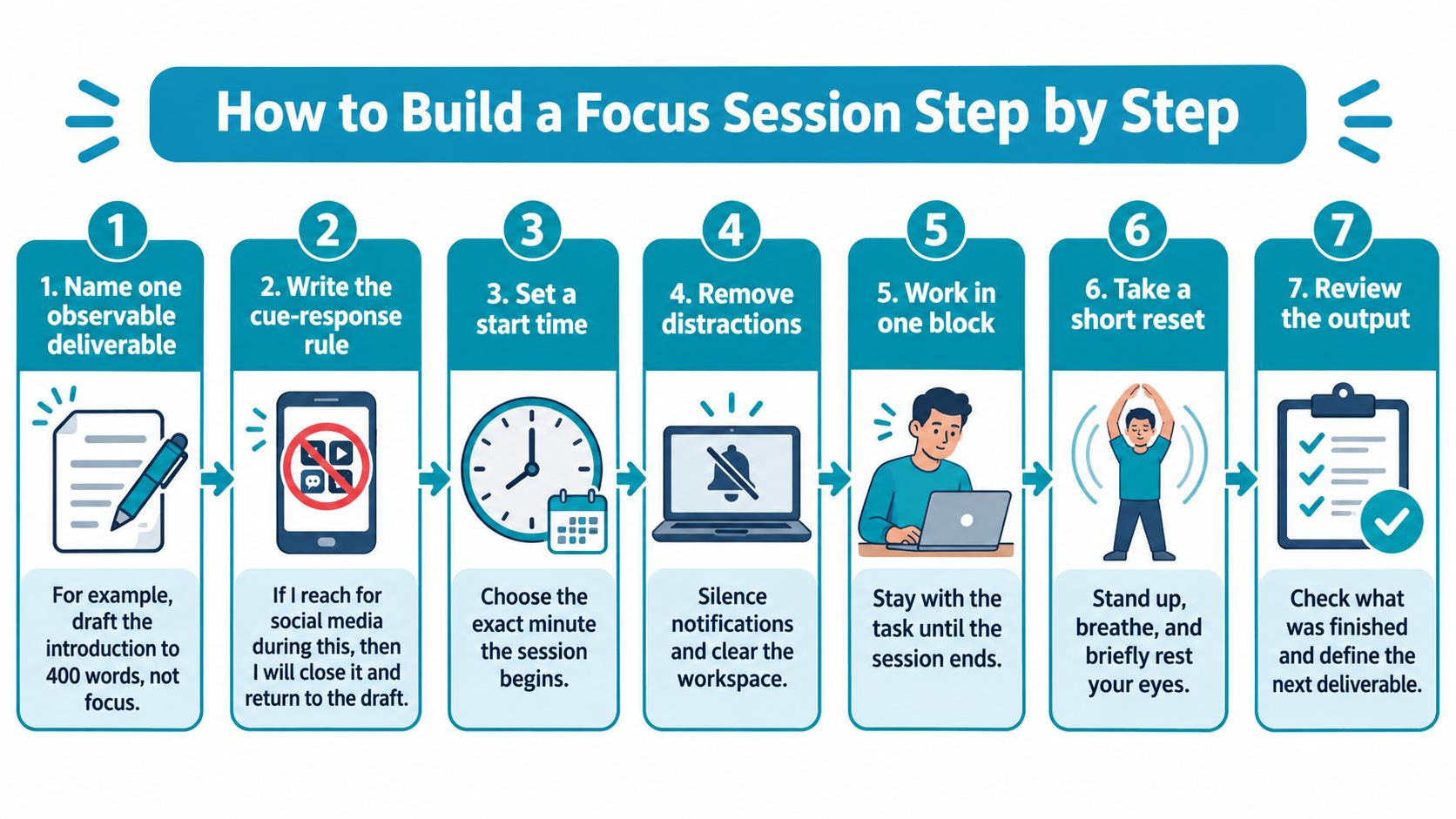
Use this visual checklist to keep preparation, work and review separate.
Prepare a response you can actually perform
Name one observable deliverable. For example, draft the introduction to 400 words rather than deciding to focus on the report. A visible output lets you distinguish working on the task from merely keeping its window open.
Write the cue-response rule. If I reach for social media during this block, I will write the urge on paper and go back to the draft. This gives you an action to perform at the difficult moment, rather than another instruction to be disciplined.
Pick the block length and start time. Use the task table as a starting point, then choose exactly when you'll begin. The duration needs to fit both the deliverable and the uninterrupted time available.
Put the phone out of reach and choose the blocklist for this context. Close unrelated desktop tabs as well, and tell colleagues which channel to use for truly urgent interruptions. Otherwise, you may move the same avoidance habit to the screen in front of you.
Start a TiedSiren session for the chosen duration. The focus timer shows the time left, and in Strict Mode a running session ends when its timer ends, and nothing else ends it. Check that required apps remain available before making that commitment.
Work until the timer ends, recording urges on paper. Keep each note brief, such as checking scores or looking up an unrelated question, then return to the next sentence or action. You're capturing the distraction for later, not opening a second task.
Review the output and adjust the plan. Mark whether the deliverable is finished, then inspect the urge notes for a repeated trigger. If the same difficulty keeps appearing, revise the cue-response rule instead of making a broader promise to try harder.
The method has a stronger basis than motivational self-talk: the Gollwitzer and Sheeran meta-analysis on implementation intentions, published in 2006, found improved goal achievement across 94 independent studies, with a medium-to-large effect size of d = 0.65. That finding concerns implementation intentions across goal-setting situations, not a measured result for an app blocker.
Avoid plans that collapse into another decision
The first pitfall is vagueness. A commitment to avoid distractions doesn't tell you what to do when you've reached a difficult paragraph and want relief.
The second is waiting for the urge before choosing your response. By then, you're asking yourself to invent a rule while also wanting an exception.
Make the return action smaller than the argument for leaving.
For a draft, that might mean typing the rough version of the next sentence. For code, it might mean writing the failing test before investigating another approach.
Use the accompanying video as a separate planning pause, rather than another tab to leave running during work.
A finished session should leave something concrete: the deliverable done, urges logged and a rule adjusted where needed. If the deliverable isn't finished, record the exact next action rather than an accusation about your attention.
Why Focus Breaks When the Urge Arrives
Say it's 9 a.m. Your document is open, you check a message before starting, and half an hour later you're looking at something unrelated. When you return, the cursor is still where you left it, but the argument you were about to make needs rebuilding.
The check itself can be brief. Returning to the work is a separate cost.
The University of California, Berkeley summary of interruption findings, drawing on UC Irvine research, reports that office workers averaged 12 minutes and 40 seconds on a task before interruption and 25 minutes and 26 seconds before returning to that same task; it also describes approximately 15 additional minutes to regain intense concentration on a difficult task, an experiment where 2.8-second interruptions doubled computer errors, and interruptions affecting 63% of tasks in open-plan offices versus 49% in private offices.
A quiet phone still leaves an available escape
Those findings describe different aspects of interruption. Don't add the recovery figures together and treat the result as a universal penalty for every phone check.
The practical problem is easier to recognize. You return to a spreadsheet and reread the formula. You reopen a draft and reconstruct why the paragraphs were arranged that way. You resume debugging and repeat an investigation because you no longer remember which possibility you ruled out.
Muting notifications removes a trigger. It doesn't prevent you from opening a feed when the task becomes uncertain.
In a 2025 naturalistic study of knowledge workers archived by ETH Zurich, participants left their primary task every 3.5 minutes on average, with self-initiated interruptions accounting for nearly 60% of off-task time. That makes internally triggered switching worth addressing alongside incoming messages.
Notice what happens immediately before your next unnecessary check:
- Boredom: You know what to do, but the next action is repetitive.
- Uncertainty: You don't know which step comes next, so you leave instead of defining it.
- Difficulty: You know the next step, but doing it feels uncomfortable.
- Anticipation: You're waiting for a reply and keep reopening the same conversation.
These require different task adjustments, but they share an immediate need: make leaving less convenient while you perform the planned response.
Friction belongs before the temptation
TiedSiren's screen-time app for Android addresses the point where an ordinary limit becomes a negotiation. Strict Mode makes the timer the end of the running session, rather than offering an override during it.
It also blocks the Android Settings screen while a session runs, raising the cost of turning it off. Custom blocklists grouped by context let you choose appropriate apps, scheduled sessions can recur daily or weekly, and the focus timer shows the time remaining.
That combination is useful if you already know your distractions and have previously disabled a blocker to reach them. It moves the decision to a calmer moment instead of asking you to defend it repeatedly during work.
A barrier is useful when it interrupts the habitual escape long enough for you to return to the task.
This is friction, not an absolute lock. It defeats the impulsive bypass, the one done in five seconds without premeditation; a determined person can still work around digital barriers.
AppBlock, BlockSite, Cold Turkey and Stay Focused also block solidly. TiedSiren's distinction here is the absence of an override during a session, not a claim of superior blocking.
Before starting difficult work, use a concrete test: Is a session running, and was the block set before the urge arrived?
Fixing a Session That Keeps Falling Apart
| Symptom | Likely cause | Fix |
|---|---|---|
| Checked the phone within 10 minutes | Block longer than current stamina | Shorten to 25 minutes and build back up |
| Opened a blocked app, then closed it | Impulse from boredom or difficulty | Pause, write the urge down, return to the task |
| Disabled the blocker mid-session | Exit visible during the urge | Use a strict session with a fixed timer and Settings blocked |
| Lost the thread after each interruption | No written next step | Write the next action on paper before every break |
| Session never started on time | Scheduling left to memory | Set a recurring session at the same time each workday |
| Colleague or manager needs you mid-block | No permitted interruption channel | Name one channel and a fixed time to check it, then return to the block |
These are working diagnoses and suggested experiments, not proof of why you got distracted. An early check might also mean the task is unclear, a required tool is unavailable or you're dealing with an urgent responsibility.
Change one variable at a time. If you shorten the block, rewrite the task, change your workspace and rebuild the blocklist together, you won't know which adjustment helped.
Repair the specific failure
Opening a blocked app and closing it doesn't automatically mean the session failed. You encountered a familiar cue and returned without continuing into the distraction. Record what prompted it, then keep working.
For repeated interruptions, make the written next step concrete. Continue report is too broad; compare the supplier's revised delivery date with the project schedule tells you where to resume.
Use the TiedSiren features overview to match the tool to the failure point rather than enabling restrictions indiscriminately. If timing is the problem, recurrence is relevant. If you repeatedly reverse a commitment, the session boundary matters more than another reminder.
A manager who needs you during a block creates a different problem. Agree on availability and urgent contact expectations, and choose a window compatible with your role. Don't promise uninterrupted availability and uninterrupted concentration at the same time.
Give variable attention external structure
For readers with ADHD, shorter blocks, a visible next action and another person working nearby may be more useful starting points than a demand for longer concentration. A 2025 analysis of ADHD and digital disconnection discusses time blindness, executive dysfunction and body doubling, supporting an approach that takes external structure seriously.
An app blocker is not ADHD treatment. Use it as support for a chosen work period, alongside whatever other strategies or professional support you need.
Before changing the plan, note where it broke: starting, staying, returning or finishing. That distinction gives you something specific to repair.
Treat the first failed session as information about the plan, not a verdict about you.
Start Your First Focus Block Today
Tomorrow morning, the first task will still need doing. You can arrive with a decision already made instead of spending the opening of the day negotiating with your phone.
For today, choose a deliverable small enough to complete in the time available. Don't attempt to recover the entire lost morning through an ambitious restriction that conflicts with your meetings or responsibilities. A modest block you start is a more useful test.
Make a commitment you can honor
If you're using Android, install TiedSiren through its Google Play listing. It's free and supports Android 8.0 and later.
Choose the duration deliberately. The built-in countdown keeps the selected apps locked until the timer ends, then releases the lock. Leave required tools available and account for anything you must respond to during that window.
For iPhone and desktop readers, the task table and session process remain usable without the app. Prepare the work, remove the easiest distractions and write down what you'll do when you want to leave.
Don't confuse a stronger barrier with a guarantee. The block adds friction, and you still need a clear task and a workable commitment. Start today with the next unfinished piece of work, not a promise to become permanently focused.
TiedSiren offers fixed-duration app blocking on Android for the moment when you'd otherwise undo your own limit. Visit TiedSiren, choose the apps that pull you away from work, and start your first committed focus block today.