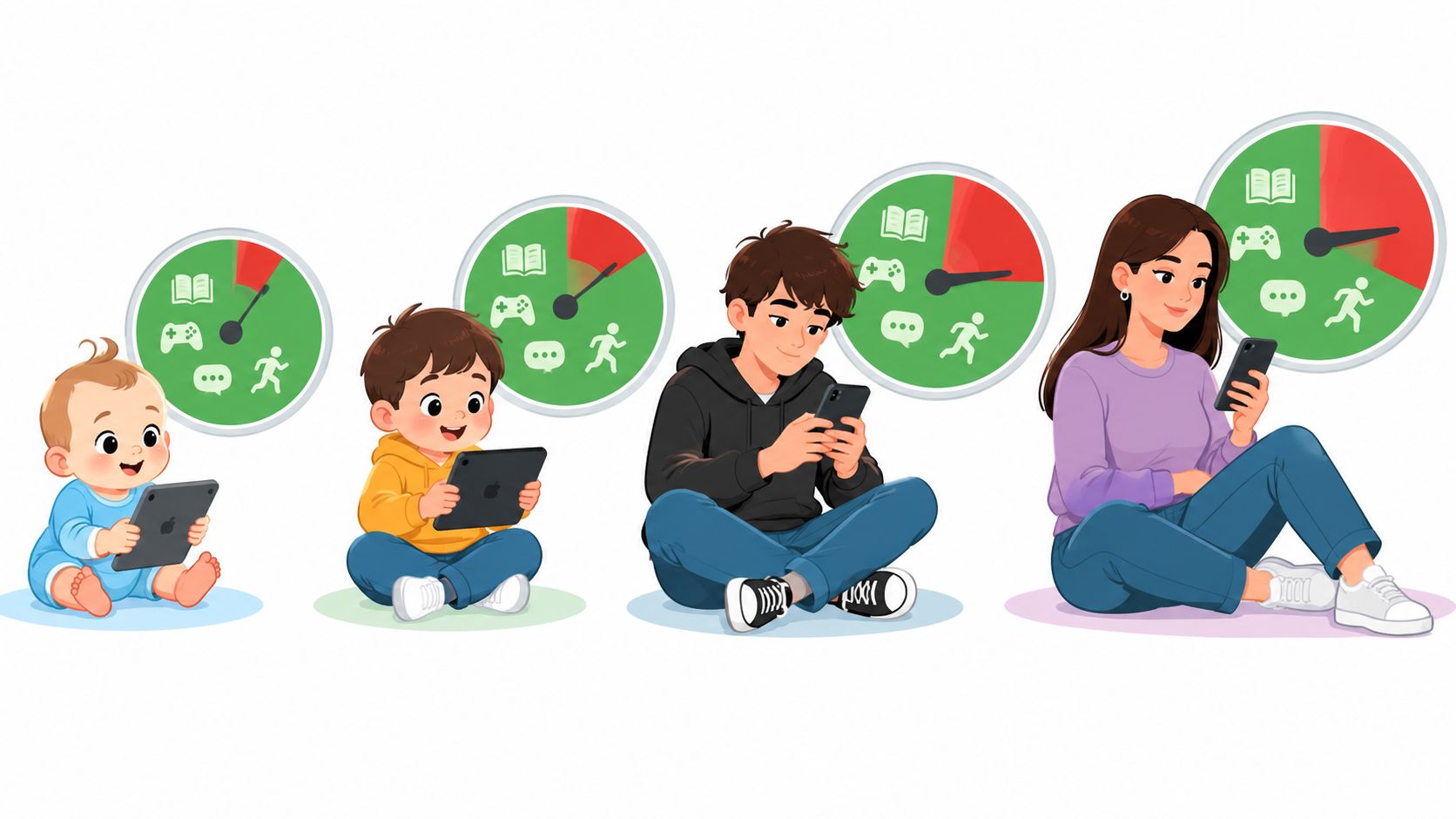
The rule existed, and that's the part that stings. You agreed on a calm Sunday that the phone would charge on the kitchen counter after nine and that homework would happen without it within reach. Three nights later the phone was upstairs again, and neither of you could name the evening the agreement stopped.
This is written for Android phones, because TiedSiren is a free Android app that runs on Android 8.0 and later. If your teenager carries an iPhone or does most of this on a laptop, the enforcement steps will look different on your device, but the reasoning below transfers intact.
The limits that hold aren't the strictest ones. They're the ones that don't require a fresh decision at the moment the urge shows up, and they're aimed at a specific hour rather than a daily total. That distinction is where most household screen plans succeed or fall apart, so it's worth seeing the patterns side by side before you change any settings.
Recurring Blocks Versus One-Time Sessions Compared
Tuesday night again. The phone is on the kitchen counter at nine, as agreed, and the history essay is half done. By 9:40, the phone is upstairs and the essay is still half done. Nobody set out to break the rule. The rule was not in place when the temptation arrived.
TiedSiren is designed for that gap. You choose which apps to block, set a duration, and start a session. While it runs, the blocked apps stay locked until the timer ends, so the decision cannot be casually reversed in the moment. The pattern of choosing a window in advance can apply across devices, but TiedSiren's blocking runs on Android. iOS, macOS and Windows are waitlist-only.
Choose a blocking pattern by context, not just by a daily total. A cap that counts every minute can miss the difference between useful screen time and scrolling past bedtime. Five patterns are worth comparing before you set a rule.
A daily minute cap totals phone use and compares it with a set amount. It can help track overall use, but it leaves room to renegotiate each evening. The number does not distinguish homework from the feed that interrupts it.
A daily recurring block repeats the same window each day. It suits homework or bedtime when those hours are fairly consistent. Its success depends on choosing a window that fits the family's actual routine, not an ideal one.
A weekly recurring block applies to selected weekdays. It works when school days and weekends follow different patterns. The gap is any day left out, so check the schedule against the whole week.
A one-time focus session starts manually for one assignment or an exam push. It runs for the chosen duration and ends with that session. It does not set a rule for tomorrow.
Reminder notifications can make someone more aware of time spent, but they do not block access. A reminder that appears during an engaging video is easy to dismiss.
The comparison that decides it
| Pattern | How it starts | Repeats | Best for | Weak point |
|---|---|---|---|---|
| Daily minute cap | You set a total number of minutes | Every day | Tracking overall use | Counts minutes, not context, and is easy to renegotiate |
| Daily recurring block | You set a window once | Every day at the same hours | Homework and bedtime | Needs a window that fits the real schedule |
| Weekly recurring block | You set a window once | Chosen weekdays | Different school and weekend routines | Gaps on days not selected |
| One-time focus session | You start it manually | Once | Exam prep and a single assignment | Nothing carries over after it ends |
| Reminder notifications | A nudge appears | Daily, each time the cap approaches | Building awareness | Easy to dismiss at the moment of temptation |
The American Academy of Pediatrics guidance on screen time says evidence is insufficient to show that one fixed limit benefits every child or teenager. It points instead to rules shaped around balance, content, shared use, communication and protected screen-free periods. That supports setting boundaries around the hours and activities causing friction, rather than relying only on a daily total.
Match the block to where the problem occurs. A study window can target the apps that derail homework; a bedtime window can address the ones that keep a teenager scrolling. Those lists may differ. A blocklist groups the distracting apps, such as Instagram, TikTok, YouTube and Reddit, so the restriction can fit the context instead of treating all phone use alike. When a blocker cannot resolve disagreement about what belongs in each window, the family still has to agree on the rule.
Which Apps and Limits to Start With
A two-hour cap can be a reference point, but it is not a rule that fits every teenager. The Conversation's history of the pediatric guidance reports that in 2013 and 2016, the AAP advised no more than two hours a day of entertainment screen use for school-age children and adolescents, broadly ages 5 to 18. The academy later acknowledged that evidence did not establish one limit for every teenager. Choose rules around the moments screen use is displacing, rather than policing a daily total.
Start with the apps that pull your teen away from a specific activity. In Pew Research Center's survey of 1,391 U.S. teens, fielded from September 18 to October 10, 2024, 73% used YouTube daily, about six in ten used TikTok daily, and roughly half used Instagram or Snapchat every day. Those figures can help you decide which apps to discuss, but the blocklist should reflect your teenager's habits, not a popularity ranking.
Give each block a purpose. Pew Research Center's 2025 short read about teens and social media found 45% of teens said social media hurts their sleep, 40% said it hurts productivity, 22% said it hurts their grades and 19% said it hurts their mental health. These are teenagers' perceptions, not proof of cause. Use them to start a conversation about what the household rule is meant to protect.
- Study list: Block feeds, short-video apps and games during homework. Leave the school portal and school messaging available.
- Sleep list: Block the study-list apps, plus messaging and video platforms, from lights-out until morning.
- Work or weekend list: Choose the one app that most disrupts the planned activity, and block it for a fixed afternoon.
A context-based plan makes the trade-off clear: the phone stays available for school communication during study time, while distracting apps are blocked. For help judging a broader daily limit, see how much screen time is too much.
Why Daily Minute Caps Keep Slipping
A teenager can stay under a daily cap on Monday and exceed it by Friday. A total-minute rule is renegotiated each evening, while a block tied to a specific window sets the boundary before the tempting moment arrives.
The intervention research shows why broad limits can be hard to sustain. In the Australian ATLAS trial, 361 boys aged 12 to 14 from 14 secondary schools in low-income communities took part in a 20-week program combining teacher training, physical-activity sessions, mentoring, seminars, a smartphone application and parental strategies for reducing screen time. Average screen time fell by about 30 minutes a day (standard error 10.08, p = 0.03). A separate cluster-randomized study of 1,224 adolescents found the intervention group logged 25.9 fewer minutes of total weekday screen time than controls, alongside fewer weekday and weekend minutes of television viewing.

These were modest changes after a multi-part program. They do not show that a single household rule will hold through an ordinary school week. Over time, daily totals can creep up as exceptions become routine.
The numbers that explain the drift
| Group | Baseline | After 28 months |
|---|---|---|
| Control group | 66% | 92% |
| Intervention group | 69% | 90% |
The table shows the general pattern: the share exceeding two hours of daily screen time rose over time in both groups. Without a source here tying these specific figures to the trial record, they should not be treated as verified drift data. The practical point remains that a one-time intervention does not guarantee a daily limit will keep holding.
A scheduled block changes the decision point. Rather than asking each evening whether another few minutes are acceptable, agree on a window in advance, such as homework or the hour before bed. The trade-off is that a fixed block can also catch useful activity if the window is too broad, so choose the context and what must stay available together.
On Sunday evening, check the phone's usage log by hour, not only by daily total. Look for the window when use clusters, then block that period and keep the total as a secondary check. A study block, a bedtime block and a weekend afternoon need not use the same schedule. A blocker can hold the agreed boundary; it cannot decide which apps are necessary or settle a disagreement about the rule.
The trial findings are limited to their samples and programs, and they do not establish one suitable daily limit for every teenager. Start with the window that is most disruptive, review whether the block fits the routine, and adjust it through conversation if it does not. The aim is a workable boundary, not a perfect number.
Study, Bedtime and Weekend Routines Side by Side
The bedtime hour is the most precise target in the research. In a repeated-measures adolescent sleep study, one screen use in bed delayed sleep onset by 35 minutes compared with nights without screen use (95% confidence interval 20 to 50 minutes). Interactive use cut total sleep more than passive use, by roughly 9 minutes versus 4 minutes for every 10 minutes of use. That's the case for a recurring bedtime block that covers social feeds, messaging, games and video from lights-out until morning, while emergency calling stays available.
The other routines need different treatment, because the risk isn't identical.
| Routine | Block window | Recurrence | Apps to block | Keep open |
|---|---|---|---|---|
| School-night homework | 4 pm to 6 pm on school nights | Daily, Monday to Friday | Social feeds, games, video apps | School portal, calendar, school messaging |
| Bedtime | From the agreed bedtime until morning | Daily | Social feeds, messaging, games, video platforms | Emergency calling |
| Exam or assignment week | One focused 90-minute session | One-time, repeated per study block | Every entertainment app used during study | Reference apps needed for the subject |
| Weekend | One fixed afternoon or none | Weekly, chosen days | Trigger apps only | Family calls and planned activities |
Weekends break the pattern that works on a school night. There's no homework bell and no fixed wake-up, so a teen who is blocked from everything for four hours on a Saturday will find a workaround out of boredom and a sense of unfairness. One fixed afternoon window, or a single trigger app blocked until dinner, holds far better. The 11 p.m. reopen is a school-night problem; Saturday needs its own answer.
Exam week also differs. A long study block plus a phone in another room beats a full-day ban, because the reference apps and group chats your teen needs have to stay open. Block the entertainment, not the subject.
Then measure the thing you're trying to move. Compare your teenager's median time to fall asleep and total sleep across one week with the bedtime block and one week without it, using whatever sleep tracking you both trust. Counting screen minutes tells you what the app did. Sleep onset tells you whether it mattered.
For a longer version of the same scheduling logic applied to study sessions, time management strategies for college students covers how to structure the block itself.
How Family Conflict Changes the Plan
A screen-time rule can become another nightly argument if a parent has to announce, enforce and renegotiate it each evening. The longitudinal study of early adolescents found that greater parental monitoring was associated with less total screen time (B = −0.37; 95% CI −0.58 to −0.16), while greater family conflict was associated with more screen time (B = 0.08; 95% CI 0.03 to 0.12). The strongest relationships involved YouTube, video games and television.
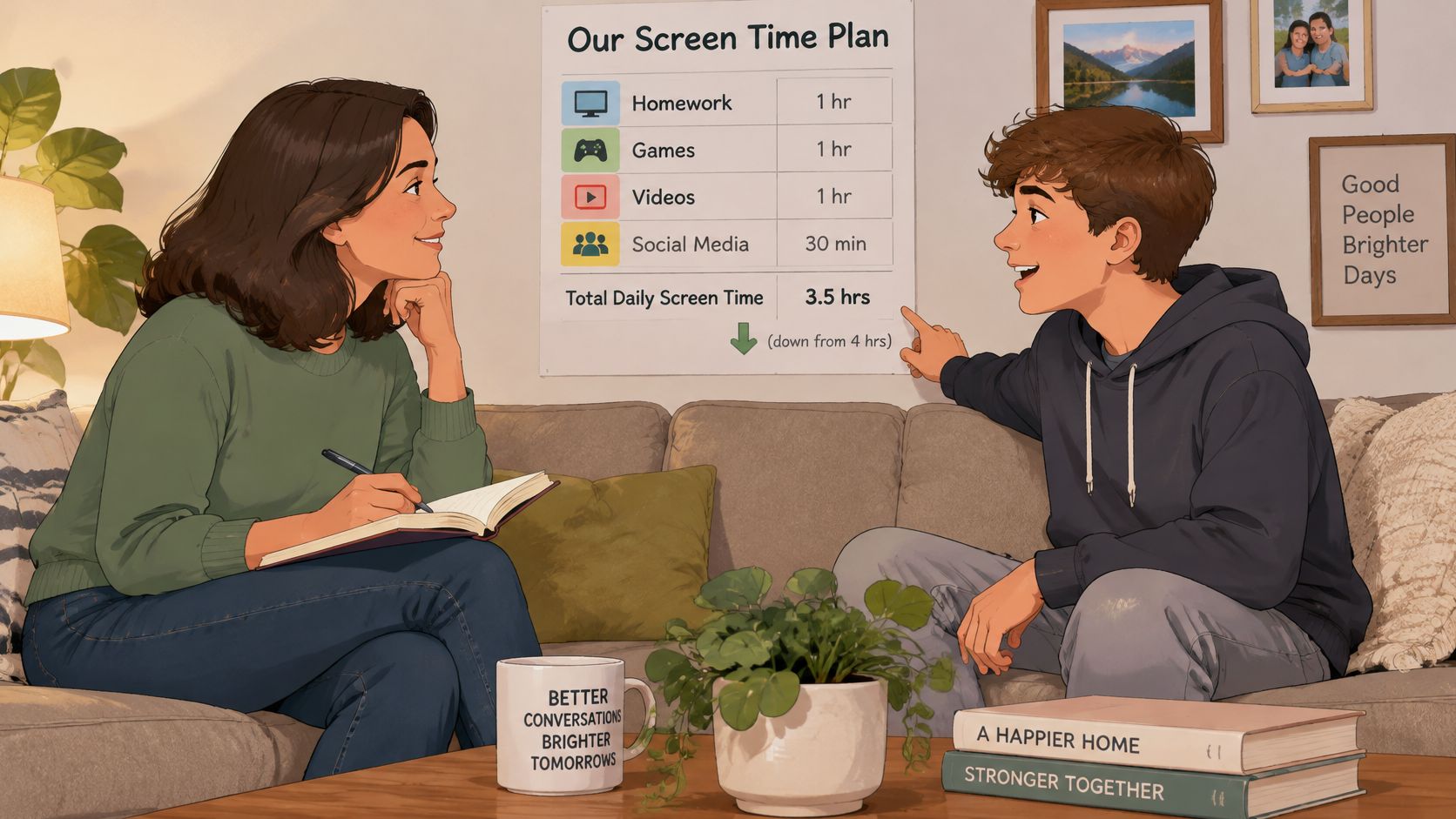
The same study reports that 64% of parents and 61% of teens disputed time spent online, and that sleep-related social media conflict was reported by 46% of parents and 43% of teens. These figures point to a practical problem: a limit that depends on a parent repeating it at the moment a teenager wants to use a phone can turn the rule itself into a source of friction.
Make the schedule predictable instead. A study block from 4 pm to 6 pm can start automatically, so the parent does not need to announce it at four or prompt the teen to put the phone away. The teenager can help choose which distracting apps go on the blocklist, while the agreed study window remains in place. That gives the family a clear trade-off: the block reduces the need for a nightly enforcement conversation, but the choice of rules still needs a conversation beforehand.
A rule your teenager has to argue with every evening is a rule that gets worn down. A rule that starts on its own is one they can plan around.
A blocker handles timing and access, not the reasons a teenager is struggling. It cannot build trust, provide worthwhile offline activities, or resolve a persistent sleep problem or low mood. If your teenager seems persistently flat, anxious or unable to sleep even on blocked nights, talk with a doctor or school counselor alongside the schedule. A timer can support a family plan, but it is not a diagnosis or treatment.
What a Blocker Stops and What It Cannot
During a session, blocked apps and websites do not open, and Strict Mode does not let you shorten the timer from the phone. The duration is chosen before the session starts. That moves the decision out of the moment when a teenager is most tempted to change it.
The Settings lock is optional, not automatic. If you turn it on before a session starts, TiedSiren also keeps the Android Settings screen closed until the timer ends, which raises the cost of the fastest exit. It adds friction, not an absolute lock: a determined person can still find ways around an Android blocker.
That distinction matters. A blocker can interrupt the quick, impulsive attempt to switch off a rule, but it cannot remove every technical workaround or settle a disagreement about whether the rule is fair. Its useful boundary is the session you set. Beyond that, the family still has to decide which apps belong on the list and which windows make sense.
The difference between blockers is not always how firmly they block. TiedSiren has no override inside an active Strict Mode session. That can help when a teenager tends to undo a limit in the moment, but it does not make every schedule a good one.
Outside a running session, blocking can be paused or the app uninstalled. That flexibility lets families revise a plan, while also meaning the commitment applies only during the chosen window. A schedule that blocks a school app or cuts off an important contact is likely to create friction for the wrong reason.
The one rule that keeps a block alive: do not block something your teenager genuinely needs for school or to reach someone who matters. A mistaken block can undermine confidence in the whole schedule.
Use the blocker for the time-bound part of the agreement. If your teenager objects to a block, review the list and the window together; if the disagreement is about trust, priorities, or an exception, the app cannot resolve it. Keep the schedule steady during the agreed window, and make changes at a planned review rather than in the middle of an argument.
How to Schedule a Recurring Block and Check It Works
A recurring block works when its hours match a real routine. For school nights, set one window first, then check whether it fits homework, dinner and bedtime before adding another rule.
- List the apps that pull your teenager in during that window. Instagram, TikTok, YouTube, Reddit and games can go on a custom blocklist. Leave school apps off, and ask your teen which distractions you may have missed.
- Choose the window around the work. A 4 pm to 6 pm block may fit homework that happens before dinner, but the right hours depend on when your teenager studies. A block that cuts across a necessary task is likely to create conflict.
- Set the recurrence. Choose daily or selected weekdays. Automatic starts remove the need to remember the rule each evening, while a one-time session is useful for a single study period.
- Choose whether to use Strict Mode. Decide before the session starts. During a Strict Mode session, blocked apps and websites do not open, and the timer cannot be cut short.
- Start the first session together and check the time-left display. Agree on when the block releases. A clear end time makes the boundary easier to understand than a rule that feels open-ended.
- Review after one week. Check whether homework began on time and whether the block started without an argument. If the window missed the routine, adjust it rather than adding another rule.
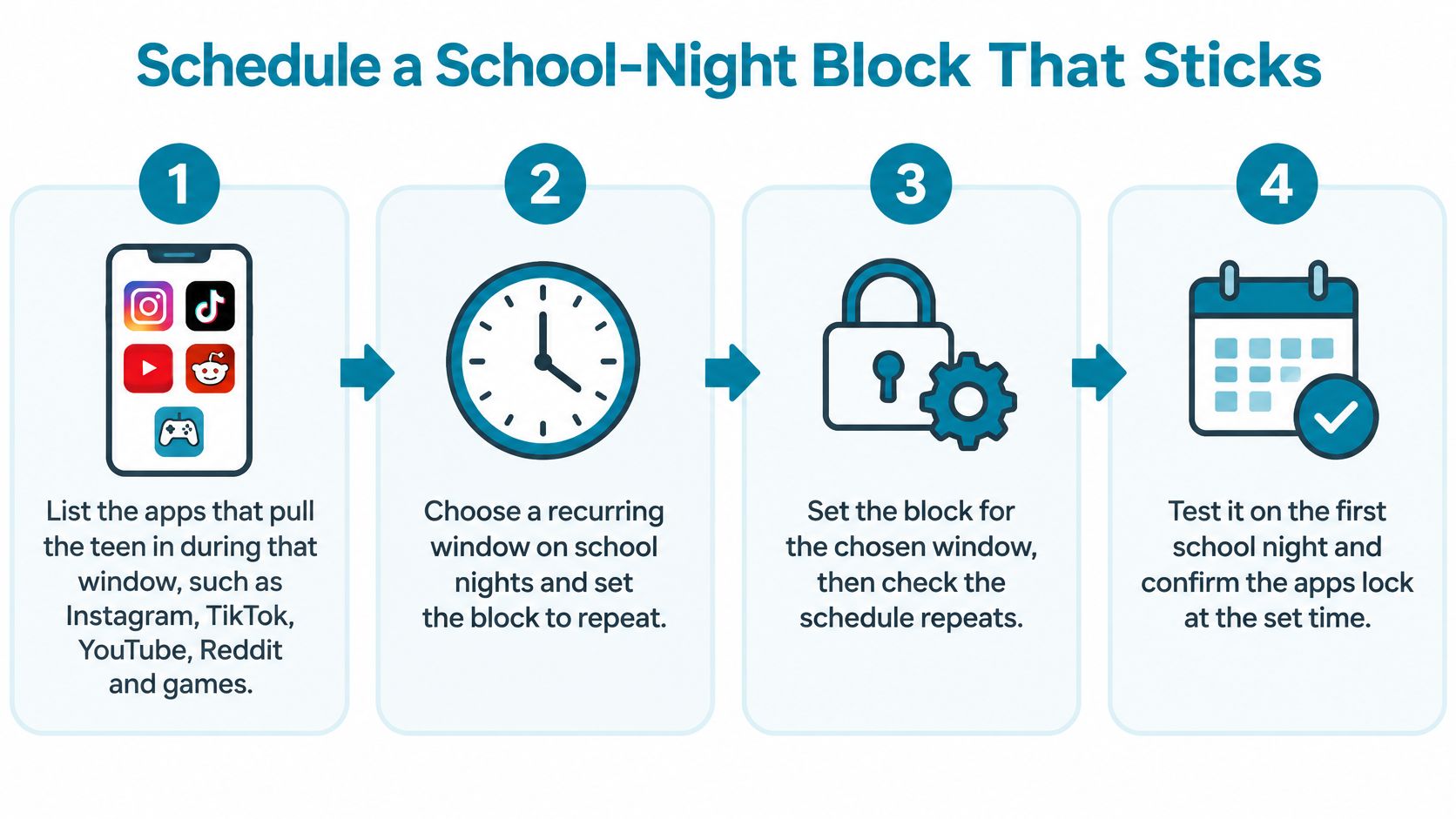
Separate lists can serve different routines, such as Study, Sleep and Work, and scheduled sessions can repeat daily or weekly, or block all day. The useful distinction is the purpose of each window: a study block protects a chosen work period, while a bedtime block protects the transition to sleep. Weekends may need a different pattern from school nights. Explain the reason for each block together, then check whether the timing still fits.
For setup details, see this schedule blocking app guide. TiedSiren is free on Android 8.0 and later, with no credit card required. It installs from Google Play; tiedsiren.com/download is also available. Blocking apps, websites, blocklists and scheduled sessions is free.
A block can enforce an agreed window, but it cannot settle whether the window is fair or useful. If your teenager needs an app for school, or the schedule repeatedly sparks conflict, revisit the timing and the reason together. Set the next window in advance, then judge it by whether it supports the routine the family chose.