You know the sequence. The phone sits face down on the desk. You finish a paragraph, a page, a sink of dishes, and the hand goes out before the thought arrives. Two minutes later you're four posts into something you don't remember choosing, and the thing you meant to do is still sitting there.
That gap between intention and action is the subject here. Not the total hours your phone reports, but what happens in the moment before you pick it up, and whether anything stands between the urge and the app.
TiedSiren, the tool this guide ends with, runs on Android phones with Android 8.0 and later. If you carry an iPhone or work on a laptop, almost everything below still applies to you: the signs, the prevalence data, the timing evidence, the placement rules. Only the final enforcement section is Android-specific.
Signs That Separate Problem Use From Heavy Use
The 1 a.m. version of this is easy to recognise and hard to admit. You decided earlier that you were finished for the night, the phone went on the nightstand, and twenty minutes later you're scrolling with the brightness down, telling yourself this is the last one. Do that twice a week for a month and you have a pattern worth testing.
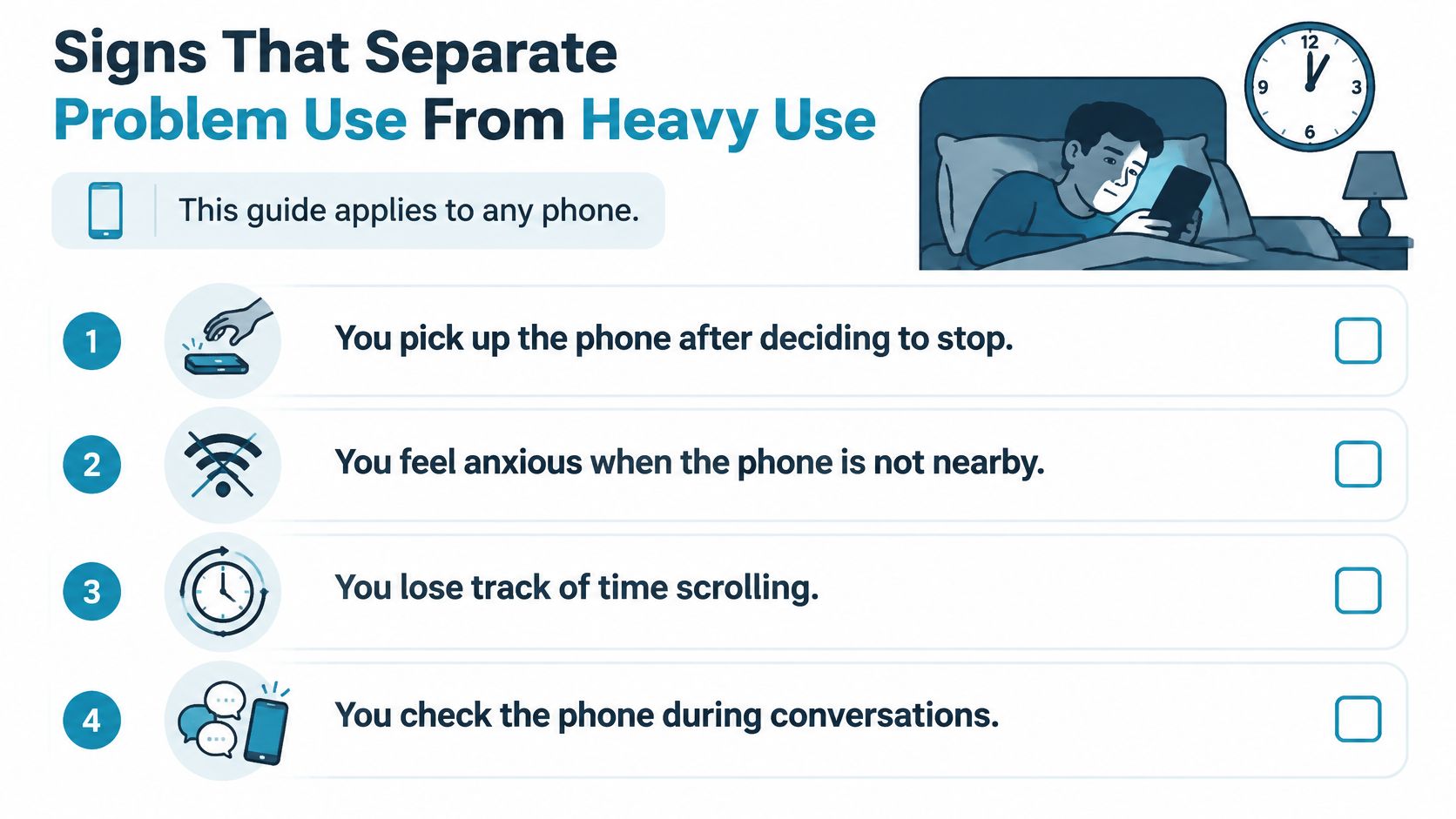
This guide applies to any phone. Before the test, one clarification that saves a lot of pointless self-diagnosis: cell phone addiction has no universally established definition, and current research increasingly uses "problematic smartphone use" to describe persistent difficulty regulating behavior and recurrent preoccupation. High screen time alone isn't the signal, because someone can log heavy hours without losing control, while a moderate user can fail repeatedly to stop. A 2025 analysis of smartphone addiction and sleep found 24.9% of 17,713 participants met its study-specific smartphone-addiction criteria, and the relationships it found between measured screen time, phone pickups, addiction scores and sleep were non-linear, not a straight line from hours to harm.
The five signs worth testing
| Sign | What it looks like | Question to ask yourself |
|---|---|---|
| Failed attempts to stop | You set a limit and broke it again and again | How many times did I try to cut back this month? |
| Bedtime delay | Sleep starts later than planned because of scrolling | Am I losing sleep I meant to keep? |
| Automatic checking | Picking the phone up several times in ten minutes without a reason | Do I remember what I was looking for? |
| Functional impairment | Work, study or relationships slip because of phone use | Has it cost me something I care about? |
| Distress when disconnected | Anxiety when the phone is missing, the battery is low or signal drops | Does losing access make me anxious? |
One bad night is a night. A sign that repeats across three weeks is a pattern, and a sign causing real damage to work, study or sleep deserves attention even when your total hours look modest next to someone else's.
Test, don't label. One repeated sign is enough to act on. You don't need a diagnosis to justify putting a barrier around the app that eats your evening.
Note which signs repeat, then check the prevalence figures and the mechanism below to see whether your pattern fits the general shape or is something more specific to your week.
One more thing, and I mean it plainly. If the distress or the functional damage is severe, if you're losing work, failing courses, or feeling genuine panic when separated from the phone, talk to a doctor or a counselor. Blocking tools help with habits. They aren't treatment for a clinical condition.
How Common Problematic Phone Use Is Across Studies
| Measure | Pooled estimate | Sample behind it |
|---|---|---|
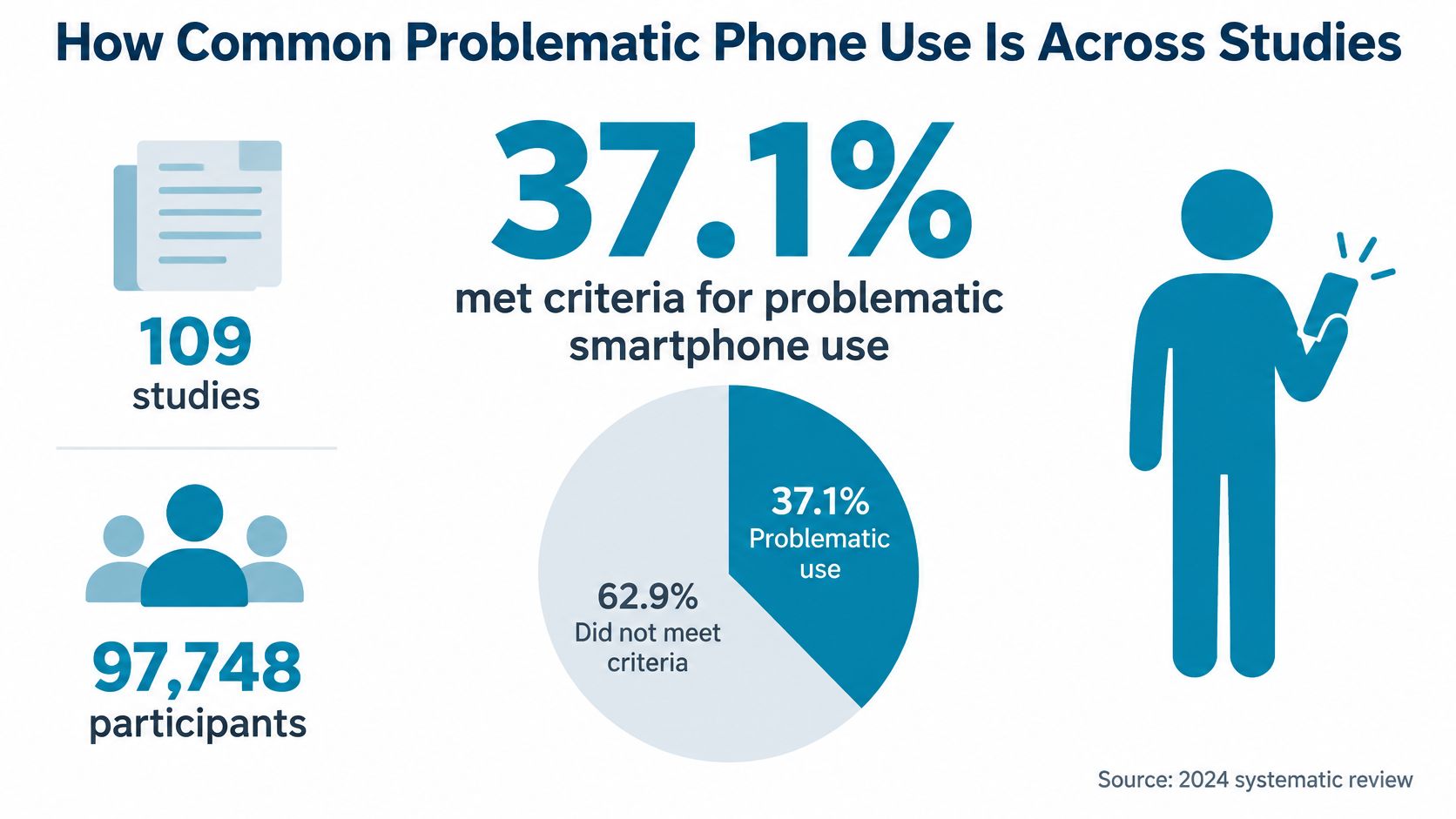
| Problematic smartphone use | 37.1% (95% CI 33.5% to 40.8%) | 109 studies, 97,748 participants, 2012 to 2022 |
| Smartphone addiction | 26.99% (95% CI 22.73% to 31.73%) | 504 studies, 2,123,762 people, 64 countries |
| Social-media addiction | 17.42% | Same 504-study review |
| Game addiction | 6.04% | Same 504-study review |
The top row comes from a 2024 systematic review and meta-analysis of problematic smartphone use, which pooled 106 articles covering 109 studies and 97,748 participants, with evidence published from 2012 through 2022. Pooled prevalence was 37.1%, with a 95% confidence interval of 33.5% to 40.8%. In plain terms, roughly one in three participants met the threshold their own study applied.
The other three rows come from a separate analysis of digital-addiction research covering 504 studies, 2,123,762 people and 64 countries. It estimated smartphone addiction at 26.99%, social-media addiction at 17.42% and game addiction at 6.04%. That breakdown is useful because it separates a broad device problem from narrower ones, and because the narrower numbers are smaller. Not all phone time is the same kind of problem.
Why the figures don't line up
Every study in both reviews used its own questionnaire, its own cutoff and its own sample. Change the screening tool and the percentage moves, which is why a figure from one review shouldn't be read as a worldwide clinical rate or applied to you personally.
What the numbers do show is scale. The 2024 review also found prevalence rising across the decade it covered, with a steeper trend among males than females, which suggests risk patterns differ by group rather than sitting evenly across everyone.
What they don't show is whether any one person has a condition. A population estimate tells you that a lot of people struggle with regulation, not that your particular Tuesday night scrolling crossed a diagnostic line. Your own four weeks of evidence is the more useful signal, and no percentage replaces it.
What Makes the Phone Hard to Put Down
A feed doesn't pay out on a schedule. Sometimes a check brings a message from someone you wanted to hear from. Sometimes a like. Mostly nothing. An unpredictable reward delivered on a fast cadence is the pattern that keeps a behavior repeating, and it operates below the level of a decision. The comparison people reach for is a slot machine, and it isn't a bad one.

Infinite scroll then removes the exit. A book ends. A printed page ends. A feed loads the next batch before you reach the bottom, so there's no natural point at which the activity concludes and you get to decide again. If you want the mechanics of that loop in more detail, this explanation of the social media dopamine loop goes through it.
Notifications do the opposite job. They interrupt a task in progress to pull attention back to the phone, and each interruption hands the next decision to the version of you that's mid-task and least able to resist.
Where anxiety fits in
The emotional side has a longer research history than many expect. The term nomophobia, short for no-mobile-phone phobia, came out of a 2008 UK survey commissioned by the Post Office and run by YouGov, reported in this review of nomophobia research. Of 2,163 British mobile-phone users, nearly 53% said they felt anxious when they lost the phone, ran out of battery or credit, or lost network coverage. The split was about 58% of men and 47% of women, and 9% said they felt stressed when the phone was switched off.
Treat that as one survey, not a global rate. The same review looked at 40 studies and found nomophobia estimates ranging from 15.2% to 99.7%, a spread that reflects how much populations, countries, definitions and assessment tools differ.
Here is the distinction that matters practically. Overuse and distress-on-disconnection are two different problems wearing one name, and they respond to different fixes. Someone who scrolls past their intentions needs a barrier at the trigger. Someone who panics when the battery dies needs a gradual reduction in dependence, not a sudden hard block that spikes the anxiety.
The Hours and Apps That Do the Most Damage
Treating cell phone addiction as a single daily-hour number is the most common mistake in this whole area, and the timing evidence is the reason to stop. A 2025 passive-sensing study of adolescent smartphone use and sleep found that late-night use, specifically between 10:00 p.m. and 5:59 a.m., predicted shorter sleep, later sleep onset, later waking, more sedentary behavior and fewer daily steps.
The associations held in within-person analyses, which reduces the concern that the results just reflect differences between heavy and light users. It doesn't remove it. The study's authors call for experimental replication before anyone makes strong causal claims, so read this as a reason to run a targeted experiment on your own evenings rather than a reason to fear every minute of screen time.
Which apps, and in which window
Separate the phone's jobs before you cut anything. Messaging, navigation, study reading, social feeds, video, mobile games and bedtime scrolling fail in different ways, and a blanket limit treats them as one thing.
- Messaging rarely causes lost hours. It causes interruption, and the fix is silencing rather than blocking.
- Navigation and maps are pure utility. Blocking them costs you and buys nothing.
- Study or learning use can be heavy without being compulsive, so it belongs outside the blocklist.
- Social feeds and short video are where unplanned sessions concentrate. These are the usual trigger apps.
- Mobile games tend to produce long single sessions rather than frequent short ones, so the window matters more than the app list.
- Bedtime scrolling is a time-and-place problem, not an all-day one. Blocking it at noon does nothing.
A three-day log you can start tonight
- Record the time each time you pick the phone up for anything that isn't a call, a message to a specific person, or navigation.
- Name the app you opened and what you meant to do in one line.
- Mark the failures, meaning every session where you did something other than the thing you wrote down.
Three days is enough to see a shape. The two or three windows with the most unplanned sessions are your high-risk periods, and the apps that keep appearing in them are your trigger apps. Those are what any blocking setup should target. The whole phone is almost never the right unit.
Why a Phone in Reach Costs Focus Even When Silent
Two experiments tested whether your own phone affects thinking while you aren't using it at all. Participants put the phone on the desk, in a pocket or bag, or in another room, then took tests of working-memory capacity and fluid intelligence. Those whose phones were in another room performed better than those who kept them nearby, as reported by the McCombs School research summary on phone presence and attention.
The finding that matters is what didn't change it. The effect didn't depend on notifications arriving, it didn't require the phone to be in use, and participants didn't have to report thinking about the device for the cost to show up.
That points at a specific mechanism. Keeping the trigger physically close holds a slice of attention in reserve, even when the screen is black. Silencing it, turning it face down or sticking it in a pocket doesn't return that slice.
Placement rules that hold when you're tired
Another room is the standard, not the ideal. During a study or deep-work block, the phone goes somewhere you'd have to stand up and walk to reach.
A closed drawer in the same room beats the desk. It isn't as good as another room and it's far better than arm's reach.
A bag by the door beats a pocket. Pockets keep the device in contact, and contact is the thing that costs you.
The work surface stays clear. Not face down at the edge of the desk, not under a notebook. Off it.
If you work at a shared desk, a library table or in a studio flat where "another room" means the bathroom, take the next-best option: a closed drawer or a zipped bag out of sight, plus a scheduled block on the apps you'd reach for.
For the working side of this, what deep focus requires covers how to structure the block itself.
There's a harder-nosed version of this finding. A 2017 report on the same smartphone and cognition experiments, covering nearly 800 undergraduate students, found that position mattered more than the phone's power state or orientation. Switched off, face down, hidden in a pocket or bag, the phone still cost more attention than one sitting in another room. Intending not to check it is not a strategy. Distance is.
The honest limit: this is evidence about attention and physical placement, not a clinical claim about addiction. It tells you where to put the phone during a block. It doesn't tell you how long the block should be, which is a scheduling question.
Choosing the Right Level of Friction
Start with the failure pattern, not the tool. Each level below assumes something about what goes wrong when the urge lands, and the right choice is the one whose assumption matches what your log shows.
| Approach | How it works | Where it fails | Fits when |
|---|---|---|---|
| Notification changes | Silencing alerts and removing badges | The feed is still one tap away | Most of the pull comes from interruptions |
| Built-in screen-time reminders | A nudge or limit notice | Can be dismissed in a single tap | You want awareness rather than a barrier |
| Voluntary limits you set yourself | Self-set daily caps | Renegotiated mid-impulse | Your limits have mostly held |
| Enforced blocking with a committed timer | Chosen apps blocked for a set duration, with no override during the session | A determined person can still find a way around any blocker on Android | You repeatedly override your own limits |
The ordering follows one idea. A reminder assumes the decision is still open and that you'll make it well, which is exactly the assumption that fails at the moment the urge lands. A voluntary limit assumes you won't renegotiate with yourself mid-impulse, and renegotiating mid-impulse is a common way a self-set cap breaks. The failure usually sits at the off switch, one tap away, at the moment you're least equipped to leave it alone.
What each level buys you
Reminders and notification changes cost nothing and are worth trying first if your log shows interruptions rather than compulsion. They help some people.
Voluntary caps work for people whose limits mostly hold and break occasionally. If you're breaking them weekly, more resolve isn't the missing piece.
Enforced blocking changes the shape of the moment. You decide once, in advance, and the decision is held for you. It defeats the impulsive bypass, the one done in a few seconds at 11pm without thinking about it. It does not make bypass impossible, because on Android no blocker is impossible to bypass, and any guide claiming otherwise is selling you something. Someone determined enough can still get around it with ADB or safe mode.
Several blockers do the enforcement job, including AppBlock, BlockSite, Cold Turkey and Stay Focused. A key question is which level of friction matches the failure you have.
Where TiedSiren sits
TiedSiren is a free Android app built for the person who already installed a blocker and switched it off at the exact moment it mattered. Strict Mode means a running session ends when its timer ends and nothing else ends it: no pause, no five-minute override, no confirmation prompt that lets you through. The optional Settings lock, turned on before the timer starts, keeps the Settings app closed until the session ends, including the Wi-Fi, Bluetooth and permission screens, which raises the cost of the fastest route to disabling the blocker. Blocklists can be grouped by context, such as work, study or sleep, and sessions can be scheduled daily or weekly so a window opens without a fresh decision.
If you've disabled a blocker at the moment it counted, a committed timer is the level to test next.
Start With One Blocking Window This Week
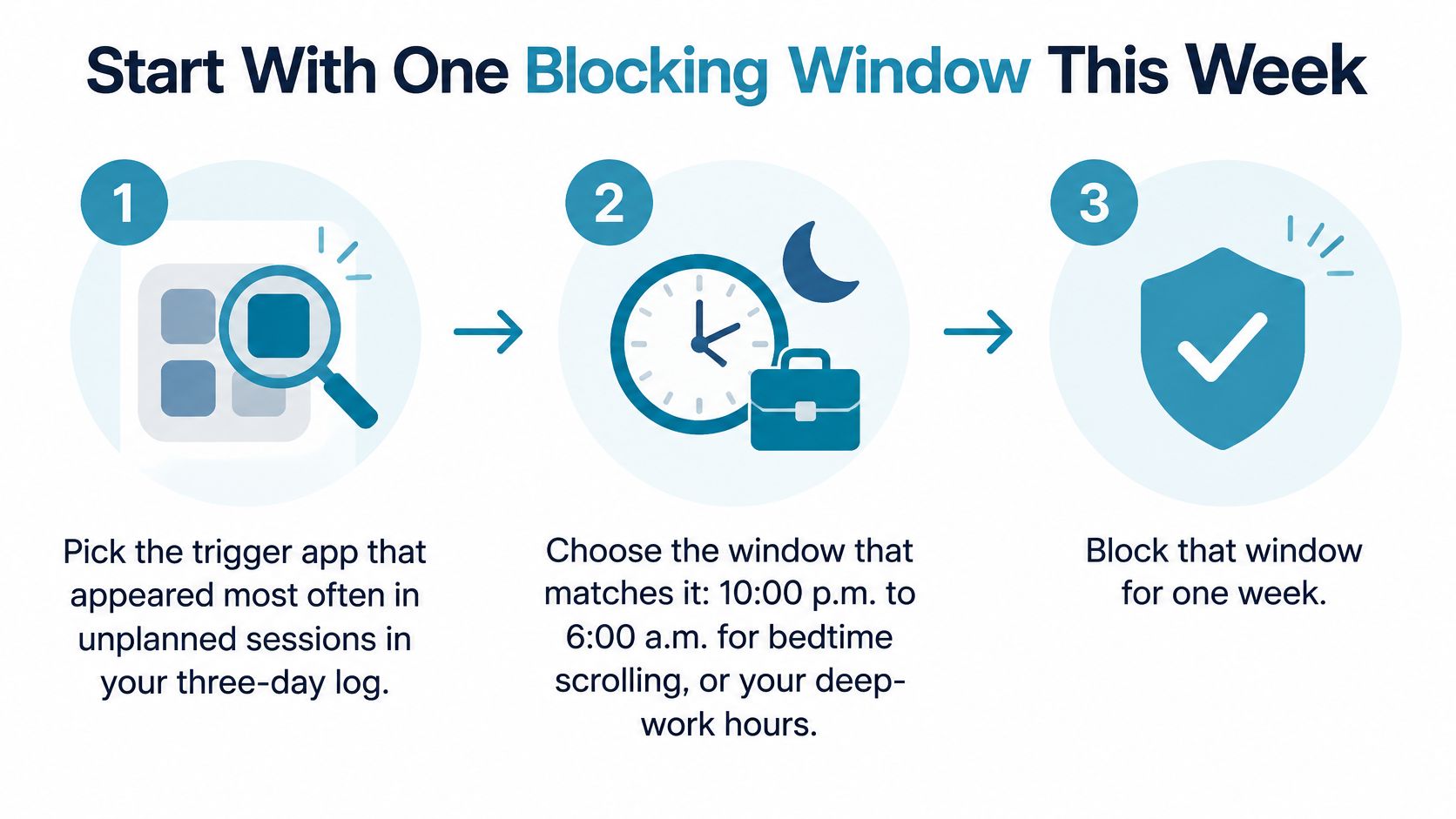
- Pick the trigger app that appeared most often in your unplanned sessions during the three-day log.
- Choose the window that matches it, either the late evening stretch around sleep or your deep-work block.
- Put that app and its closest companions into one blocklist grouped by that context, so the list stays meaningful.
- Create a scheduled session with daily or weekly recurrence, so the window starts without you deciding again each day.
- Set a session length you can commit to before it starts, because a running session ends only when its timer ends.
- Review after two weeks. Count how often the window held, note what you did instead, then adjust the window or the list.
Blocking apps, websites, blocklists and scheduled sessions is free, with no credit card required. Phone calls and emergency services are never blocked, even during a session. You need an internet connection once to create the account, after which blocking works offline and losing signal changes nothing about a running session. For the wider set of habits that support this, these digital wellbeing tips are a reasonable next read.
If you're on Android 8.0 or later, install from the TiedSiren Google Play listing or from the TiedSiren download page. On an iPhone or a desktop browser, the signs test, the prevalence figures and the placement rules above still apply to you.
TiedSiren exists for the moment your own limit stops working: you choose the apps to block and a duration up front, and during that session there's no override to talk yourself through. If you've already installed a blocker and disabled it at the worst possible time, that's exactly the failure it's built around. Take a look at TiedSiren and start with one window this week.