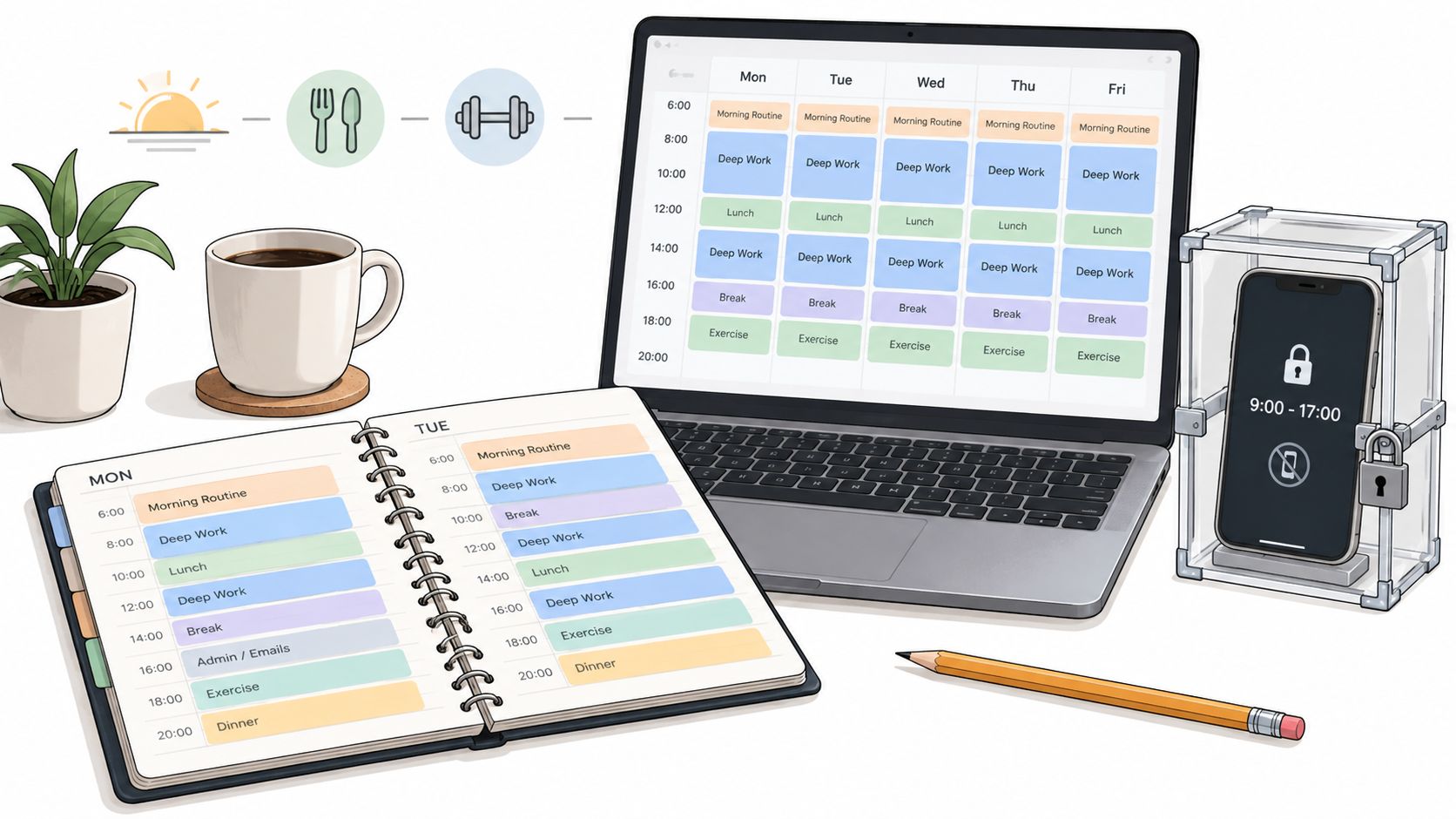
The plan is on the calendar. Three study blocks this week, color coded, realistic. Then it gets late on a Tuesday, you sit down, the phone lights up, and you pick it up to check one thing. Twenty minutes later the block is gone and you're not sure where it went.
Nothing about that plan was wrong. The blocks were the right length and the tasks were the right tasks. What broke was the gap between deciding to work and starting, and in that gap the phone was already in your hand.
Every strategy below is chosen because it survives that moment. Some remove a decision before you reach it. Some raise the cost of undoing a decision once it's made. None of them depend on you feeling motivated when the evening turns.
If you're on Android, the enforcement piece applies to you directly, since TiedSiren runs on Android 8.0 and later. If you're on an iPhone or a laptop, the planning strategies still work and you'll need whatever blocking tool your platform gives you.
Start with the one that matches where your weeks fall apart.
1. Weekly Time Blocking for Classes, Study and Commitments
Time blocking decides the week before the week starts. Every lecture, lab, shift, club meeting and family obligation goes on the calendar as a named block, and coursework fills the gaps that remain. A to-do list records what you owe. A calendar records when you'll pay it.
The 2022 study of 8,907 university students found that motivation positively predicted both time management and effort regulation, while procrastination negatively predicted them (Educational Psychology study on time management and procrastination). That's a mechanism, not a moral. The students who managed time well weren't working with more hours than anyone else. They were regulating effort and starting earlier, which is exactly what a block does for you.
Say you're a nursing student with clinical rotations Tuesday and Thursday and a lab on Monday. Those three go in first. The two open evenings become pharmacology review, named as such. A student working 15 hours a week blocks study time right after shifts, because free time after a shift rarely appears on its own.
Three things that make blocks hold
- Fixed commitments first: Enter rotations, shifts and labs before any study block, then scan the week for a day with no open time at all.
- Name the task: "Pharmacology ch. 4 review" tells you whether the block got used. "Study" tells you nothing.
- Keep one open block: Leave at least one unplanned slot per week so a missed session doesn't cascade into the next one.
The mechanics are in how to create a schedule that survives the week.
2. Pomodoro Technique for Coursework Sessions
Pomodoro splits work into fixed intervals, usually 25 minutes, separated by short breaks, with a longer break after four rounds. Francesco Cirillo developed it in the late 1980s while he was a university student and named it after his tomato-shaped kitchen timer. The method works for reading, problem sets and essay drafting because it gives each interval a concrete end, which makes starting cheap.
The timer is only a boundary. The break is what makes the method work, because a planned break removes the reason to reach for the phone mid-task.
The evidence on how fast that reach happens is bleak. In a U.S. college-student sample, participants typically shifted to media distractions such as Facebook or texting in less than six minutes after beginning to study, and phone use kept a statistically significant negative association with actual GPA after controlling for demographics, self-regulated-learning self-efficacy, academic-achievement self-efficacy and prior high-school GPA (β = −0.164, p < .001), per the SAGE study of college student media use. A 25-minute interval is roughly four times longer than the average drift.
Running it without ceremony
- Start with two intervals if 25 minutes feels long, then add one per day until the count matches your attention span.
- Keep the phone out of reach during intervals, or schedule a blocklist to match the work window.
- Leave the desk on breaks so the break doesn't turn into the feed.
- Track completed intervals for a week to see which course consumes your time.
A statistics student running four intervals on practice problems gets 100 minutes of work and three breaks that are real breaks. An essay writer uses intervals for drafting, then switches to longer blocks for final editing, where the setup cost of restarting outweighs the timer.
Interval lengths and break structures are covered in how to use a Pomodoro timer for coursework.
3. Working Backward From Deadlines
Reverse scheduling starts at the due date and walks backward through every step the assignment needs: research, outline, draft, revise, proof. Each step gets a date and a block. The point is to make the size of the job visible while there's still time to spread it out.
The 2020 cross-sectional study of 450 university students reported that temporal and metacognitive components played an important role in academic performance, alongside critical thinking and procrastination measures (study of time management and self-regulated learning in university students). The metacognitive half is the part students skip: estimating how long a step will take, then checking whether the planned work happened. A schedule you never audit is a wish list with dates on it.
Take a 10-page paper due in three weeks. Week one is source gathering. The start of week two is outlining. Drafting gets three evenings and revision gets two. If the outline takes four days instead of two, you find that out with ten days left instead of two.
Rules that keep a backward plan honest
- Schedule the first step within 48 hours of receiving the assignment, while the requirements are still fresh.
- Add one or two days of buffer before the final deadline rather than after the draft.
- Revise the later steps after the first one runs long, deliberately, instead of noticing in week three.
Group projects follow the same logic with one change. Individual deadlines all feed a shared review date, so the group's review isn't the first time anyone sees the work.
4. Eisenhower Matrix for Sorting Coursework and Commitments
The Eisenhower Matrix sorts tasks into four groups by urgency and importance: do now, schedule, delegate, drop. It earns its place in a midterm week when a paper, a shift, a club role and an unread reading list all want the same evening.
The matrix doesn't hand you answers. It forces a cut you'd otherwise postpone until a deadline makes it for you. Most students know they can't do everything and keep acting as if they can, and the plan absorbs that until it snaps.
Say your club has a volunteer event on the evening you'd normally do early reading for the course you neglect until exams. For you, this week, it's low importance and low urgency. It goes to drop, and the reading takes the evening.
The important-but-not-urgent box is where a semester is won, and it's the box almost nobody calendars because nothing in it is yelling yet.
Making the boxes mean something
- Cap "do now" at two or three tasks a week. More than that and the quadrant is a to-do list with a better name.
- Calendar the important non-urgent tasks or they stay important and unscheduled until week twelve.
- Use delegate properly: asking a group member to handle shared formatting is a real decision, not a cop-out.
- Review your drops weekly, because some commitments can stay cut permanently.
5. Scheduled Phone-Free Study Blocks With TiedSiren
Most study plans die at this point. The block is on the calendar, the assignment is open, and the phone is face up on the desk. One check becomes twenty minutes, and the block is gone. You knew the risk going in. Knowing wasn't the variable.
A randomized study of 234 college students found that putting phones away reduced reported distraction but produced no other differences in attention, enjoyment or lecture comprehension in that setting (Wiley study on phone removal during lectures). Putting the phone in a drawer is a suggestion you can revoke the moment it stops suiting you.
TiedSiren is a free Android app that blocks the applications you choose, for a duration you commit to up front. Strict Mode means a running session ends when its timer ends, and nothing else ends it. While a session runs, TiedSiren blocks the Android Settings screen, which raises the cost of the fastest route out. That's friction, not an absolute lock. It's built to defeat the impulsive bypass, the one done in five seconds without premeditation.
Scheduled sessions repeat daily or weekly, so a study window begins without a decision in the moment. Custom blocklists grouped by context keep coursework apps available while Instagram, TikTok and YouTube stay out of reach, and the focus timer shows how much of the session is left.
Setting it up so it survives a bad night
- Choose the session length before you start. Shortening it mid-session is the same negotiation you already lose.
- Build a study-specific blocklist so apps you need for coursework stay usable.
- Line sessions up with your calendar blocks so the phone and the plan agree.
- Measure something behavioral, such as sessions completed without early termination, instead of trusting a screen-time notification.
6. Weekly Planning Review on Sunday
Thirty minutes on Sunday, before the week starts, keeps the other strategies from decaying. You check deadlines against commitments, find the collisions, and move things while moving is still cheap. Most schedules break on Monday because nobody checked whether the week was realistic.
In an instructor-implemented college intervention, post-intervention time-management behavior was positively correlated with final course grades (r(142) = .239, p = .004), and a controlled study reported in the same article found fewer missing assignments in the intervention group than the control group, 2.5% versus 5.5% (Journal of the Scholarship of Teaching and Learning article on time-management instruction). The correlation is modest. Read it as evidence that consistent execution is the variable worth tracking, not as proof that a planner raises your grades on its own.
Say the review turns up two assignments and a shift all landing on Thursday. You move a reading block to Friday, and in daylight you decide that Thursday's phone session runs longer. That's the whole value. The week's collisions get solved before you're inside them.
A thirty-minute checklist
- Scan every deadline in the next ten days and flag anything inside 72 hours.
- Find the collisions and move the lowest-stakes item, never the highest.
- Name three priorities for the week and write them somewhere you'll see them on Wednesday.
- Adjust the blocking schedule in the same sitting, so the phone agrees with the new plan.
7. Buffer Time for Overruns and Interruptions
Students plan weeks as if every task will finish on schedule. Then a lab runs long, a shift gets extended, a roommate needs help, and by Wednesday the plan is fiction. Buffer time is unplanned space placed between commitments so the overrun has somewhere to land.
The underlying habit is the one thing nearly everyone gets wrong: people underestimate how long a task will take, including tasks they've done many times. Don't fix that with better estimates. Fix it with slack. A buffer isn't wasted time. It's the part of the plan that keeps the rest of the plan intact.
Say your shift ends at 9 p.m. and you've booked lecture review for 9:15. One late close and the review is gone, and so is the next morning if you stay up catching up. Keep the next morning's first hour open instead. A student who always finishes problem sets late should add a buffer day before each deadline rather than schedule another late night.
Buffers that don't drift
- Add buffers while the plan still has room. A buffer squeezed into a full week is just another commitment.
- Name what the buffer is for, whether that's overruns, catching up or rest. Unnamed open time becomes browsing time by default.
- Track how often you use it. If the buffer gets consumed every week, your estimates are the problem, not your discipline.
8. Batching Small Tasks and Admin Work
Admin work is small, endless and more expensive than it looks: course email, form filings, fee payments, portal updates, messages. Handled one at a time, each item pulls you to your phone, and the phone is where the drift starts. Batching puts them into one or two fixed windows so they get done together.
There's a wrinkle worth knowing. A quasi-experiment with 84 Taiwanese undergraduates found that visible notifications were associated with more frequent checking among students with high smartphone vigilance, while hiding notifications led students to spend longer on each phone use, and both patterns increased mental effort and harmed learning performance (Instructional Science study on smartphone notifications and learning). Silencing alerts fixes one failure mode and worsens another. Batching removes the reason to check during a work window at all.
Say you check course email at 10 a.m. and 4 p.m. and nowhere else. Notifications for email and the portal stay off in between. Forms and fee payments batch into a single Friday session. Nothing gets checked from memory, because there's one list and two windows.
Keeping the windows clean
- Two windows a day, same times. Consistency is what stops the mid-task peek.
- Turn off portal and email notifications outside those windows, so the badge isn't a prompt.
- Keep one admin list so nothing depends on remembering.
If drifting into other apps is your recurring problem, how to handle getting distracted easily goes deeper on the mechanics.
The eight strategies at a glance
| Strategy | Main effort | Best for | Time to set up |
|---|---|---|---|
| Weekly Time Blocking for Classes, Study and Commitments | Add fixed commitments and specific study blocks to a weekly calendar | Planning coursework around classes, work, and other obligations | Weekly planning session |
| Pomodoro Technique for Coursework Sessions | Work in timed intervals with planned breaks | Getting started and staying focused on coursework | A few minutes to choose a task and set a timer |
| Working Backward From Deadlines | Break an assignment into dated steps, starting from its due date | Managing multi-step assignments and avoiding last-minute work | Brief planning session per assignment |
| Eisenhower Matrix for Sorting Coursework and Commitments | Sort tasks by urgency and importance, then decide what to do, schedule, delegate, or drop | Prioritizing when obligations compete for time | About 10 minutes weekly |
| Scheduled Phone-Free Study Blocks With TiedSiren | Set app blocklists and schedule recurring phone-free sessions | Reducing phone distractions during planned study time on Android | Initial app and schedule setup |
| Weekly Planning Review on Sunday | Review the calendar, deadlines, and commitments, then adjust the plan | Keeping weekly schedules realistic and up to date | About 30 minutes weekly |
| Buffer Time for Overruns and Interruptions | Leave unplanned space between commitments and before deadlines | Absorbing overruns and schedule changes | Added during weekly planning |
| Batching Small Tasks and Admin Work | Group email, forms, and other small tasks into set windows | Reducing interruptions and containing administrative work | Brief setup to choose windows and list tasks |
Pick Two and Start This Week
It's Thursday night, the problem set is open, and the phone is face-up on the desk. The week's plan is already written. The failure is the next tap.
One planning strategy and one enforcement strategy. That's the combination that holds, because a plan with no lock on the phone is the version you've already written and watched fall apart.
Build the weekly calendar and skip the phone block, and you've written an intention and left the evening to the version of you that opens an app when a problem gets hard. Block the phone with no calendar, and you're protecting hours you never assigned to a class or a paper. Time blocking plus a recurring session is the cheapest pair to start. The calendar names the evening. The session makes that evening stay a study block. Sunday review plus buffer time is the pair when weeks keep breaking on Wednesday: one fixes the plan, the other absorbs the overrun.
There's a second choice inside the enforcement half. Work out which failure is yours. If alerts pull you out of work, hiding notifications and batching admin into set windows covers most of it. If you reach for the app yourself when a task turns difficult or boring, a notification setting will not touch it. You need the decision already made before the urge shows up. A reminder asks you to stop. A constraint removes that choice, and that is what decides whether a study block survives a hard problem.
TiedSiren is free on Android 8.0 and later, with no credit card required, and you can learn more at TiedSiren. You pick the apps that pull you in, set a session length before the urge arrives, and Strict Mode holds the block until the timer ends, with the Android Settings screen closed off while it runs. Set one recurring session on the block already sitting on your calendar, and let the week run before you judge it.