You're at your desk with the report open, the first paragraph still unwritten, and your phone in your hand. TiedSiren is a free Android app for Android 8.0 and later that blocks applications you choose for a duration you commit to up front. The routine below also works with another blocker, a paper timer, or a phone left in another room, so iPhone and desktop readers can use it too.
A Starter Routine for Your Next Work Block
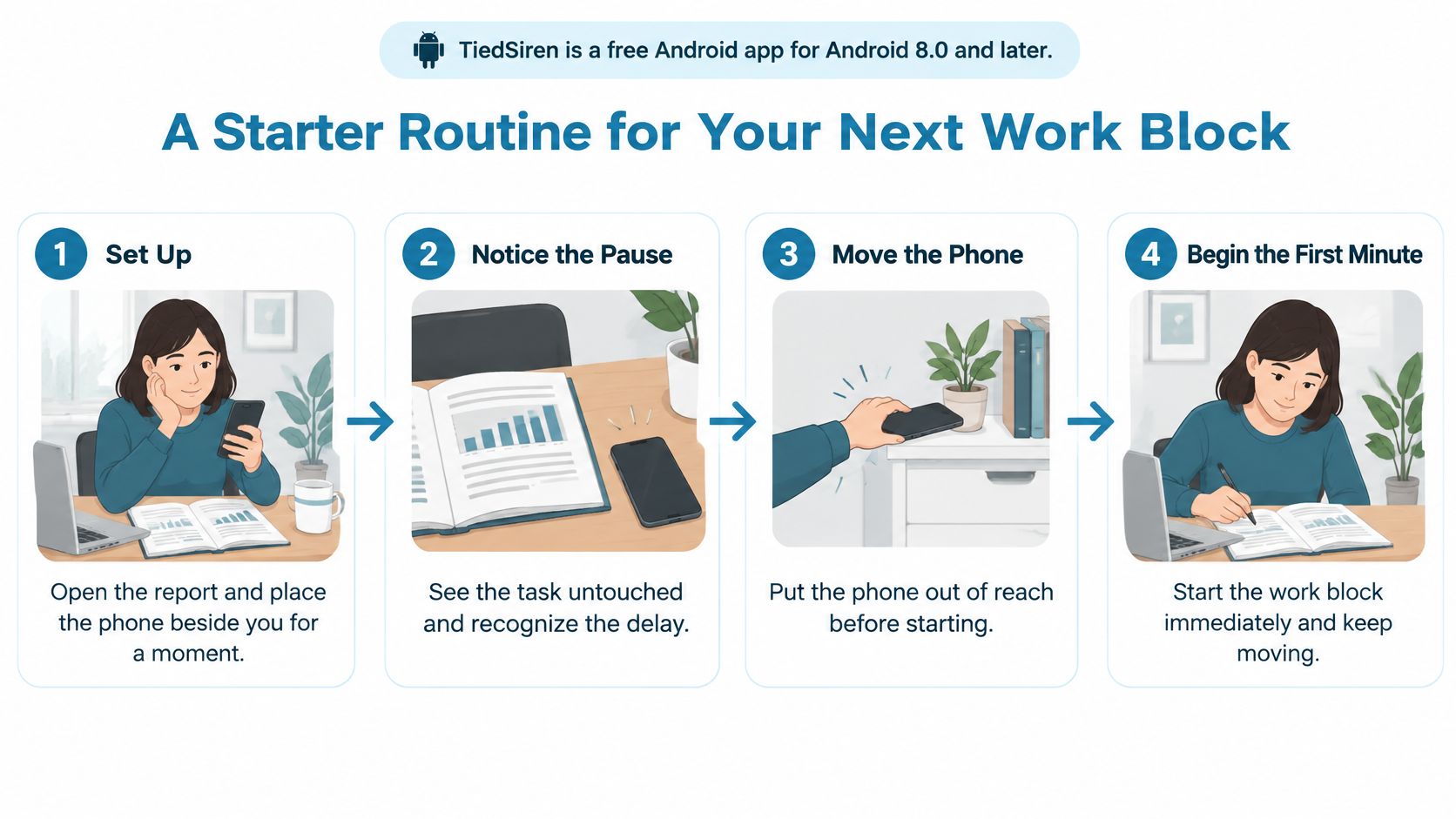
Write one visible action, with a place and start time. Replace a broad intention like finishing the report with a concrete instruction: at your desk after lunch, open the findings section and draft the summary paragraph. You should be able to tell whether you've started without debating what counts as work.
Pick a window you can protect. For your next attempt, try 25 to 45 minutes, choosing the shorter end if starting already feels difficult. This is a practical trial range, not a required attention span. Check for meetings, necessary calls, and other commitments before you commit.
Remove access before work begins. Put the apps that usually pull you away on a context-specific blocklist, then start the session before the work window opens. If you're using physical distance instead, leave the phone elsewhere before sitting down. Don't spend the opening minutes negotiating which distractions you might need.
When an urge appears, record the feeling and continue. Write a few words on paper, such as uncertainty about the argument or boredom with checking figures. Then return to the next visible action for the remainder of the window. The note should take less effort than opening a feed.
Record whether you stayed until the end. Separate finishing the window from finishing the assignment. You can complete a useful work block without completing the report, and that distinction makes the next attempt easier to assess.
Use the visual routine as a reminder to move from preparation into actual work.
Choose a boundary you'll respect
If you prefer alternating work and breaks, use a Pomodoro timer routine. Decide the break boundary before starting rather than awarding yourself a break whenever the work becomes uncomfortable.
Don't use the timer as a promise to finish everything. Use it as a commitment to stay with a defined action, with the necessary materials already available.
The decision to start belongs before the urge arrives, not inside it.
Diagnose Why You Are Avoiding the Task
Avoidance is often an attempt to escape a feeling before it's a planning problem. You may know exactly what the assignment requires and still dislike the uncertainty, frustration, or possibility of doing it badly.
A 2025 systematic review and meta-analysis published in Frontiers in Psychiatry found a moderate positive association between procrastination and negative emotions, r = 0.342, and discusses a study of 206 university students in which emotion dysregulation and spontaneous mind-wandering fully mediated relationships between procrastination and several attention-control measures. These associations don't establish a single cause, but they caution against treating every delay as an attention problem.
Avoidance symptoms, likely causes and first fixes
| Symptom | Likely cause | First fix |
|---|---|---|
| Opening email or feeds before the task | The task feels unclear or too big | Write the first action in one line |
| Rereading notes without writing | Fear of getting it wrong | Write three rough sentences before checking sources |
| Tidying or planning instead of starting | Low stakes make starting feel optional | Set a 10-minute timer and start only that |
| Reaching for a game or video at the first hard moment | A negative feeling about the task | Name the feeling, then keep the phone out of reach for the window |
| Starting, then drifting after fifteen minutes | Notifications and open apps pull attention | Block the trigger apps for the full window |
Distinguish discomfort from interruption
Treat these causes as working hypotheses, not diagnoses. The suggested sentence counts and timer lengths are starting exercises, not clinical thresholds.
With task aversion, the job itself feels threatening, tedious, or vague. With ordinary distraction, you have a clear next action, but an available notification or app draws you away.
Ask yourself what feeling appeared immediately before you reached for the phone. If you were afraid the paragraph would be poor, another calendar reminder won't address the obstacle. Drafting an intentionally rough version might.
If the problem feels broader than this assignment, examine why you feel unmotivated rather than adding more restrictions without understanding the pattern.
Once you've named the feeling, make the first action smaller than the discomfort. Keep the phone out of reach while you do it.
Put Distractions Out of Reach Before the Window Opens
A review of smartphone-cognition research reports that unintended interruptions from one mobile app delayed completion of a task in another by up to 400%, and summarizes findings that notifications disrupted an attention-demanding task even when participants didn't look at or respond to them. That upper figure describes particular experimental conditions, not a prediction for every workday.
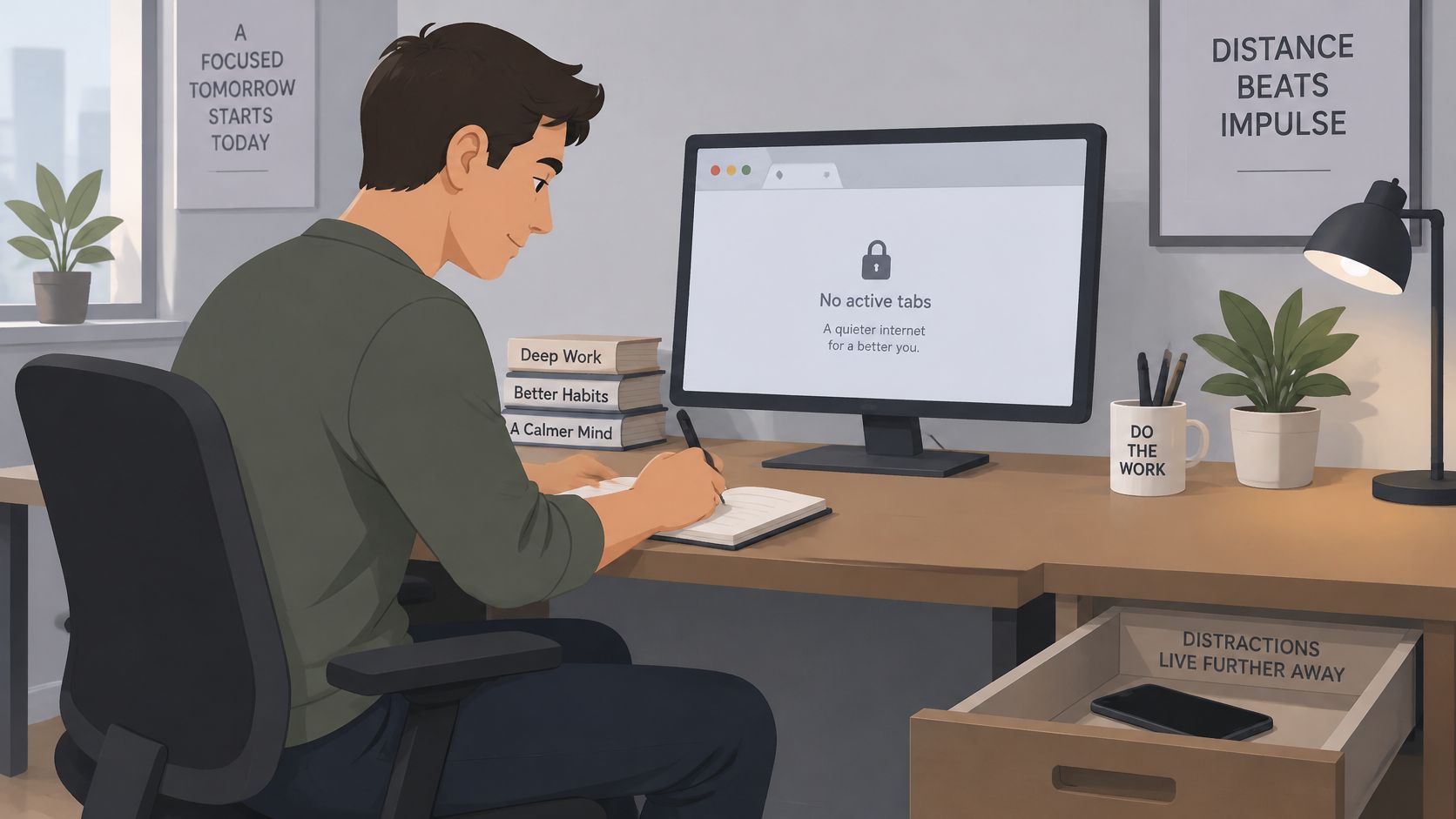
Treat digital distraction as an access problem as well as a willpower problem. A clear desk helps, but so does removing the invitation to switch.
Keep the workspace ready for the action you've chosen.
Distraction controls compared by how easily they are undone
| Control | What it does | Where it gives way |
|---|---|---|
| Reminder or nudge | Alerts you to stop | Dismissed in one tap |
| Daily app limit with an override | Warns you, then lets you continue | The override is chosen during the urge |
| Phone in another room | Removes the device from reach | Walking back to get it takes seconds |
| Strict session blocker | Keeps blocked apps closed until the timer ends | Creates friction against the impulsive undo, but is not an absolute lock |
Set the exit before you enter
If you've already turned a blocker off during work, another warning may offer little help. Choose the session's end time beforehand and treat that boundary as the exit, rather than reconsidering it whenever you want relief.
In TiedSiren, Strict Mode keeps blocked apps closed until the scheduled time expires. A running session ends when its timer ends, and nothing else ends it within the session. Blocking the Android Settings screen during that session raises the cost of turning the block off.
That creates friction against an impulsive undo, not an absolute lock. A determined person can still find another route, so the plan also needs a workable task and an appropriate window.
Use separate blocklists for work, study, and sleep. Decide which messages cannot wait before selecting apps, and preserve the communication you need. Blocking a required work tool only creates a reason to abandon the arrangement.
This video provides another way to think about the work-and-distraction problem.
If you're getting distracted easily, identify the actual route you take out of work. Restrict that route rather than blocking every digital activity indiscriminately.
Build a Start Cue You Repeat Every Day
A systematic review and meta-analysis of habit formation describes four stages: deciding to act, translating intention into behavior, repeating the behavior, and developing automaticity, with stable contexts, implementation intentions, and self-monitoring supporting repetition.
That gives you something more useful than a promise to try harder. Choose an observable starting action and attach it to a situation you can repeat.
Give the cue a specific response
For example, use the same chair, the same first minute, and the same opening action: open the assigned document and type the first sentence. Don't begin by choosing music, rearranging tabs, or deciding which assignment deserves attention.
Replace a vague goal to study more with a concrete plan:
- When and where: At the desk at 7 p.m.
- Opening action: Open chapter 3 and answer the first five questions.
- Record: Mark whether you began the questions, not whether you felt motivated.
Those details are an example to adapt, not a prescribed study schedule.
A 2024 study published in the Journal of the Experimental Analysis of Behavior found that more practice strengthened cue-response associations that promoted task success, without improving performance through stronger goal intentions or motivation. The practical implication is to rehearse beginning, rather than repeatedly trying to manufacture enthusiasm.
Keep the experiment stable
Try a two-week practice pattern: use the same time and place for five workdays, record each start, then review before changing anything. Repeat the workable version during the following week.
That's a testing schedule, not a deadline for forming a habit.
If the time proves impractical, change it deliberately. Don't change the chair, hour, opening action, and tracking method every day because the routine doesn't feel automatic yet. You need enough consistency to judge whether the cue is usable.
On a disrupted day, preserve whatever part remains possible, especially the opening action. Record the disruption rather than pretending the day followed the plan.
Break the Task Into Three to Five Pieces
A 2025 study of 105 full-time employees published through SCITEPRESS reported a positive correlation between digital-distraction frequency and procrastination, r = 0.38, and found moderate task decomposition into three to five sub-goals more effective than minimal or excessive decomposition.
Use that as a practical starting structure, not a universal formula. A useful sub-goal should fit inside a work window and leave something visible.
Turn the assignment into outputs
For a history essay, a workable draft plan could be:
- Outline the argument in a short sequence of claims.
- Gather two sources relevant to the central claim.
- Draft the introduction without polishing every sentence.
- Draft one body paragraph using the evidence.
- Review the citations attached to what you've written.
That's a starting sequence, not a complete specification for every essay. Follow the assignment's actual evidence and length requirements.
For a developer, a bug-fix sequence might be: reproduce the error, find the failing function, write a test, change one line, and run the suite. The line change is hypothetical, not an assumption that every bug has a tiny fix.
Stop before planning becomes another assignment
At one extreme, an isolated step can be so trivial that you dismiss it and postpone the meaningful work anyway. At the other, a ten-step planning exercise can become another project you avoid.
Don't split every mouse click into a checkbox. Choose a meaningful output, such as a failing test or a rough paragraph, and keep reference gathering subordinate to producing it.
If the first sub-goal won't fit, narrow its scope. Match the window to the sub-goal, not to the entire task.
Test the Routine for a Week and Read Your Log
Metrics to log for each work window
| Metric | How to record it | What it tells you |
|---|---|---|
| Sessions started | Count the planned windows you began | Whether the routine runs at all |
| Minutes completed | Note the time before your first break | Whether the task size fits the window |
| Urges logged | Tally each moment you reached for a distraction | Which triggers repeat |
| Sessions ended early | Mark any window you abandoned | Where the plan needs more friction |
| Deadlines met | Mark tasks finished before their deadline | Whether the routine changes the outcome |
Run a seven-day test before judging the arrangement. Keep the routine unchanged unless it prevents necessary work or communication. This is a practical observation period, not a claim that procrastination resolves within a week.
Guessing about progress leaves you with impressions. A short log lets you distinguish difficulty starting from difficulty staying, and both from choosing an unrealistic workload.
Review behavior rather than your character
At the end of the test, count the planned sessions you started. Check which urges repeated and whether you produced the intended outputs.
Then change one variable:
- Window length: Shorten an overambitious commitment.
- Blocklist contents: Add an app you repeatedly used to escape.
- Start-cue time: Move a window that repeatedly clashes with necessary obligations.
- Task scope: Replace an unclear assignment with a visible deliverable.
For a missed session, record the trigger rather than a verdict on yourself. An unexpected call, an unavailable document, and avoidance of a difficult paragraph require different changes.
Don't mark a work window complete merely because a blocking timer kept running. If you abandoned the task while the session continued, record that accurately. You're measuring work behavior, not whether software counted down.
A useful log might eventually show most windows starting, a small set of recurring triggers, and better deadline outcomes over several weeks. Those are patterns to look for, not promised results.
Write tomorrow's entry tonight
Write the task as an action, the window's start time and length, and the blocklist name. For example: draft the report's findings summary at the desk after breakfast, using the Work list for a window you've checked against your calendar.
Keep the entry short enough that recording it doesn't become another avoidance task.
For the Android option, TiedSiren is free on Android 8.0 and later, with no credit card required. Its Strict Mode keeps a session running until its timer ends, with the Settings screen blocked during it. That adds friction against impulsive undo, not a guarantee of productive work.
The Focus Timer shows the time remaining, and scheduled sessions can repeat daily or weekly. Install through Google Play or the TiedSiren download page, then prepare tomorrow's window before leaving your desk.
TiedSiren offers chosen-app blocking, context-specific blocklists, and committed sessions for the moment you'd otherwise renegotiate your plan. Visit TiedSiren and choose the apps and duration for your next concrete task. The routine works best when the window was chosen before the urge appeared.