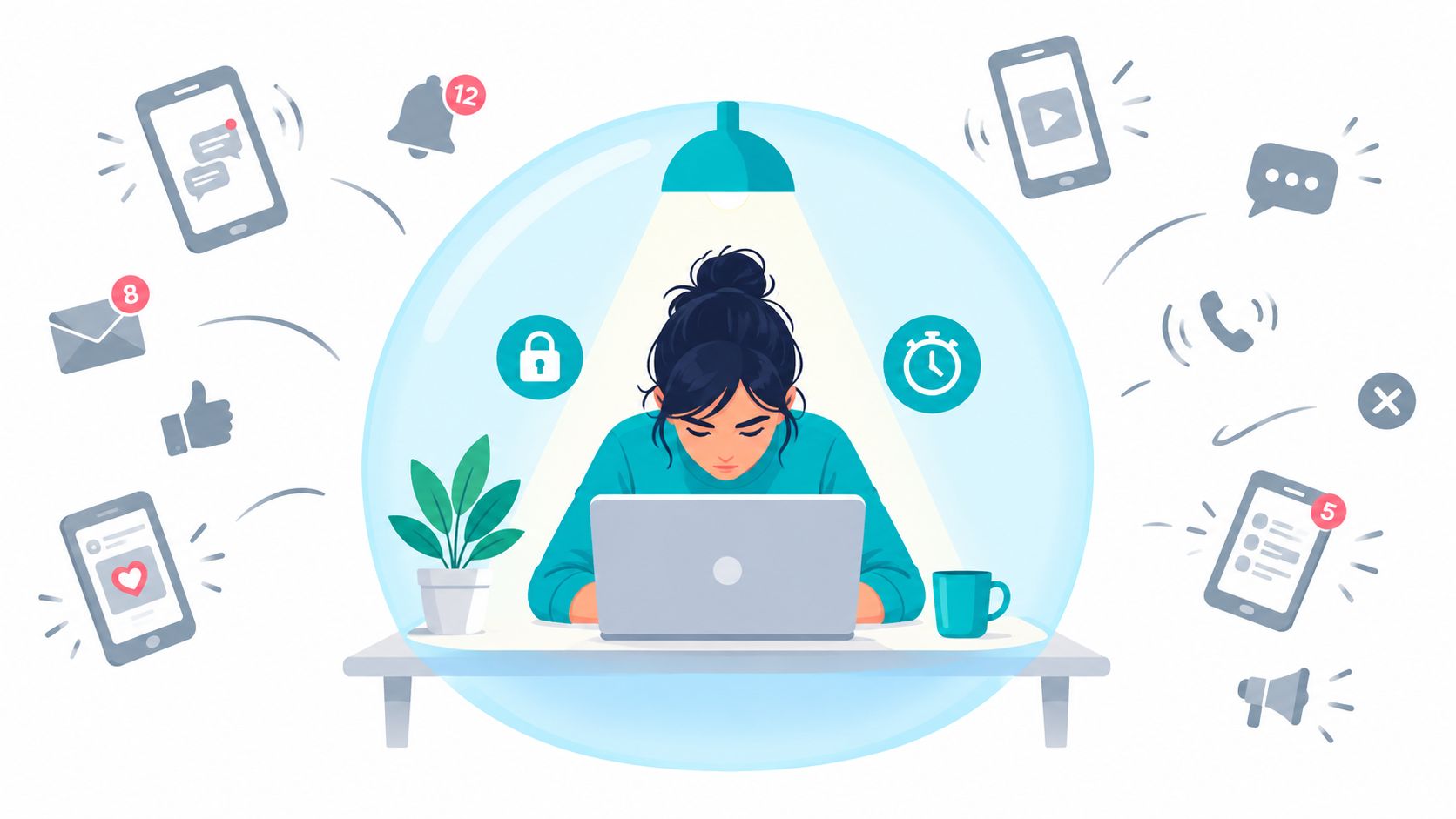
You sit down to draft a report. The document's open, your notes are ready, and you reach for your phone to check a message before starting. By the time you return, you've lost the work window without writing anything. You knew what to do. You even had a timer. But when you wanted out, the blocker was easy to disable.
Learning how to focus with ADHD means building a session that holds up when you want to abandon it. TiedSiren is a free Android app for Android 8.0 and later, and it's the Android option used here. The planning steps also apply to other phones with app-level controls, though enforcement will depend on those controls.
Why Focus Gives Out Before the Work Is Done
The report doesn't have to be difficult for you to leave it. An unclear opening sentence, an uncomfortable decision, or waiting for a file can be enough to send you toward something more immediately rewarding. A plan that requires you to resist that temptation repeatedly puts the hardest decision in the worst place.
In a smartphone-interruption experiment reported by ScienceDaily, 221 university students spent one week with alerts enabled and phones within reach, and another with alerts disabled and phones away; they reported significantly more inattention and hyperactivity symptoms during the interruption condition. The researchers cautioned that this doesn't mean smartphones cause ADHD or that reducing notifications treats it.
Separate the condition from the interruption
The systematic review of ADHD evidence in European Psychiatry describes difficulties involving attention regulation, inhibition, and sustained effort, and reports adult prevalence estimates of 4.61% for persistent ADHD and 8.83% for symptomatic ADHD, with substantial heterogeneity of I² = 98.8%. Those are different definitions, not interchangeable estimates of the same group; criteria and sampling account for considerable variation.
A study of ADHD symptoms and problematic smartphone use in Current Psychology found an association between them, with inattention and younger age predicting greater risk. That association doesn't prove causation, but it's a reason not to build your whole strategy around resisting the phone.
Reduce the opportunities to interrupt yourself. Don't make uninterrupted concentration the entry requirement for starting work.
Build support rather than another test of willpower
If you're getting distracted easily, separate the trigger from the task: what made you reach, what did you open, and how easily could you undo the restriction?
Use that information to prepare:
- A session setup with a visible endpoint and a concrete output.
- An app list matched to the work rather than a blanket restriction.
- A repair method for sessions that stall or get abandoned.
This isn't a diagnosis or treatment guide. A clinician is the right contact for an ADHD assessment, and distraction controls shouldn't replace treatment or accommodations you need.
Set the Task and Session Before You Start
Decide what you'll do before you're tired of doing it. A general intention to work leaves too many decisions open: where to begin, whether to check messages, and what counts as enough.
An implementation intention connects a situation to a pre-decided action. The Gollwitzer and Sheeran meta-analysis, covering 94 independent tests, found a medium-to-large positive effect on goal attainment, d = 0.65.
For example, make a hypothetical morning block specific: when the scheduled window starts, you'll draft the report's opening paragraphs, with the phone in another room. That's something you can carry out, not a promise to become more disciplined.
Make the decisions while the task is still clear
- Name an observable outcome. Draft the recommendations section, finish the assigned practice questions, or reconcile the outstanding invoices. Avoid targets such as making progress.
- Set the start and end. Choose a window you can protect, including the time you need afterward for another responsibility.
- Gather the materials. Open the file, reference notes, and necessary tabs before starting. Fetching something midway creates an easy detour.
Choose the blocked applications separately from the task materials. You need both decisions, but they answer different questions: what helps you finish, and what reliably pulls you away?
Session setup by task type
| Task type | What usually breaks it | Setup to try |
|---|---|---|
| Reading or studying | Switching to a feed in the middle of a page | Block short-form video and social apps, keep the reading app open |
| Starting a task | Opening the phone to avoid the first step | Write the first physical action on paper before starting the timer |
| Long writing or coding | Pings from messaging and social apps | Block messaging and social apps for the full window |
| Admin or email work | Drifting into news, shopping or game apps | Block the apps you open by habit, keep the mail and calendar apps open |
Make the output small enough to identify
A report is a project. A rough recommendations section is a session target. If you can't tell whether you've finished without debating it, narrow the target further.
Advance planning doesn't establish that a fixed app-blocking session treats ADHD or guarantees concentration. It improves the odds of carrying out a goal compared with relying on a general intention.
Your paper setup should be plain: an outcome, a window, an app list, and nothing left to find.
Choosing Apps to Block and Why Alerts Fall Short
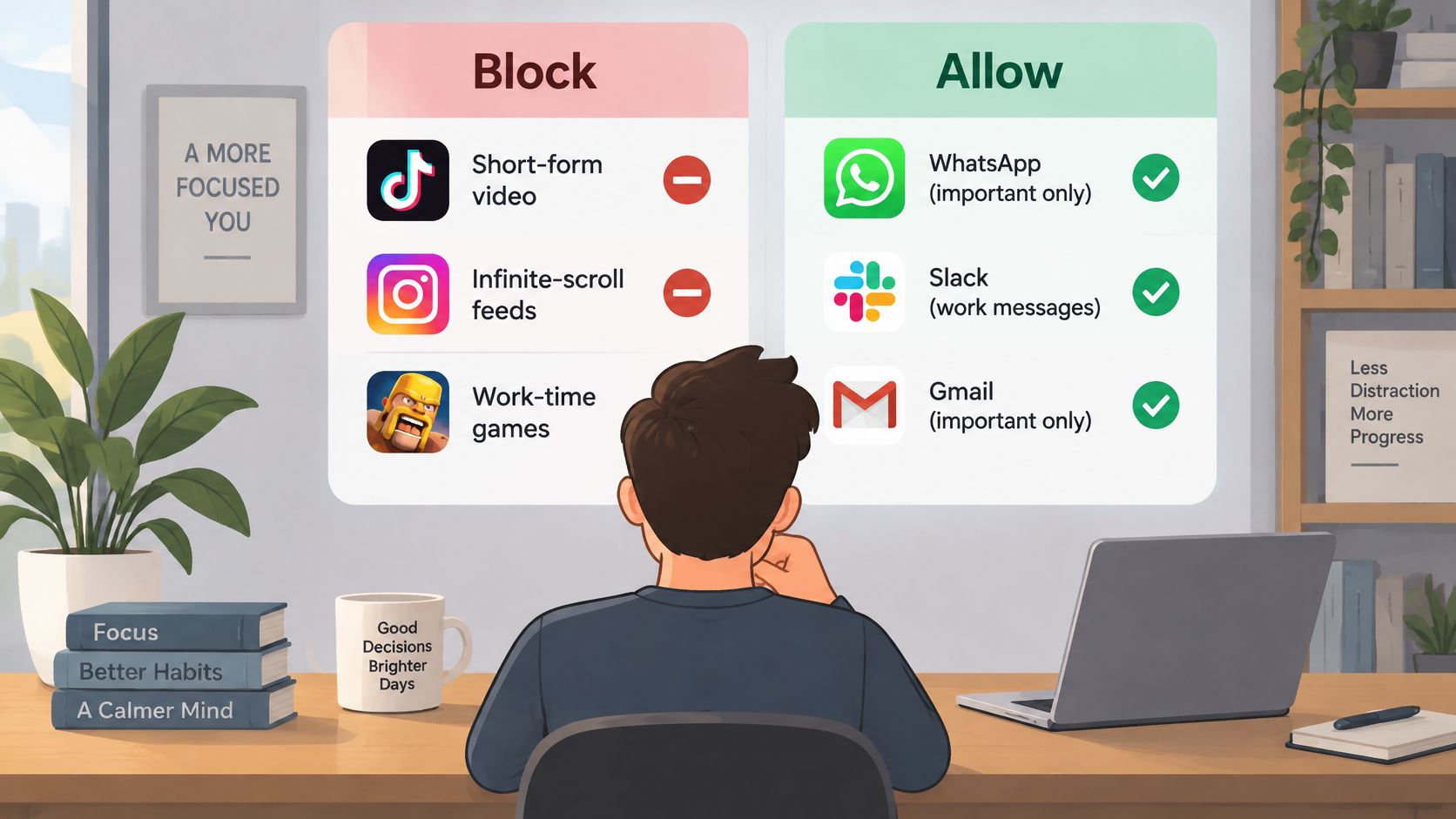
Start with the applications you open without deciding to use them. For many people, that means short-form video, infinite-scroll social feeds, and games used to escape an uncomfortable task. Add messaging apps if checking for replies regularly breaks your work.
Keep purposeful tools available. Your calendar, notes, reading app, accessibility tools, and timer may be part of completing the task. Blocking those can create a legitimate reason to dismantle the whole setup.
Use the distinction between distracting and useful access to build your list.
Match the list to the job
A review indexed by PubMed covering 147 studies found that excessive, unstructured screen time was consistently associated with worse inattention and hyperactivity, while interactive or cognitively engaging digital activity sometimes offered benefits. That supports a more useful distinction than treating all screen activity alike.
An educational video may belong in a study session. The recommendation feed beside it may not. When both live in the same application, decide whether you can prepare the needed material beforehand rather than keeping a tempting destination available throughout.
- For work, restrict feeds and reply-checking apps that aren't necessary for the deliverable.
- For study, preserve the reader, reference material, and accessibility tools.
- For sleep, choose the apps that keep you engaged beyond your intended stopping point.
Be careful with messaging. If someone genuinely needs to reach you, arrange an appropriate communication plan before the session. Don't discover a work obligation after you've committed to blocking its only channel.
Muting a cue doesn't remove access
A preregistered randomized controlled trial in Media Psychology tested disabling smartphone notifications for one week in 205 participants and found no measurable change in checking frequency, screen time, perceived control, overuse, productivity, vigilance, or smartphone-related distraction.
Keep that finding narrow. It doesn't mean notification settings are useless in every situation. It means disabling them alone didn't produce broad behavior change over that intervention.
If you habitually open a feed without receiving an alert, silence doesn't address the action you're trying to prevent. App blocking targets access during the chosen window, rather than asking you to ignore a prompt.
I would start with the smallest list that closes your usual escape routes. Overblocking adds inconvenience without necessarily protecting the task better. Underblocking leaves the familiar detour available. Choose based on your actual switching habits, not which apps sound unproductive.
How to Run a Blocked Session Step by Step
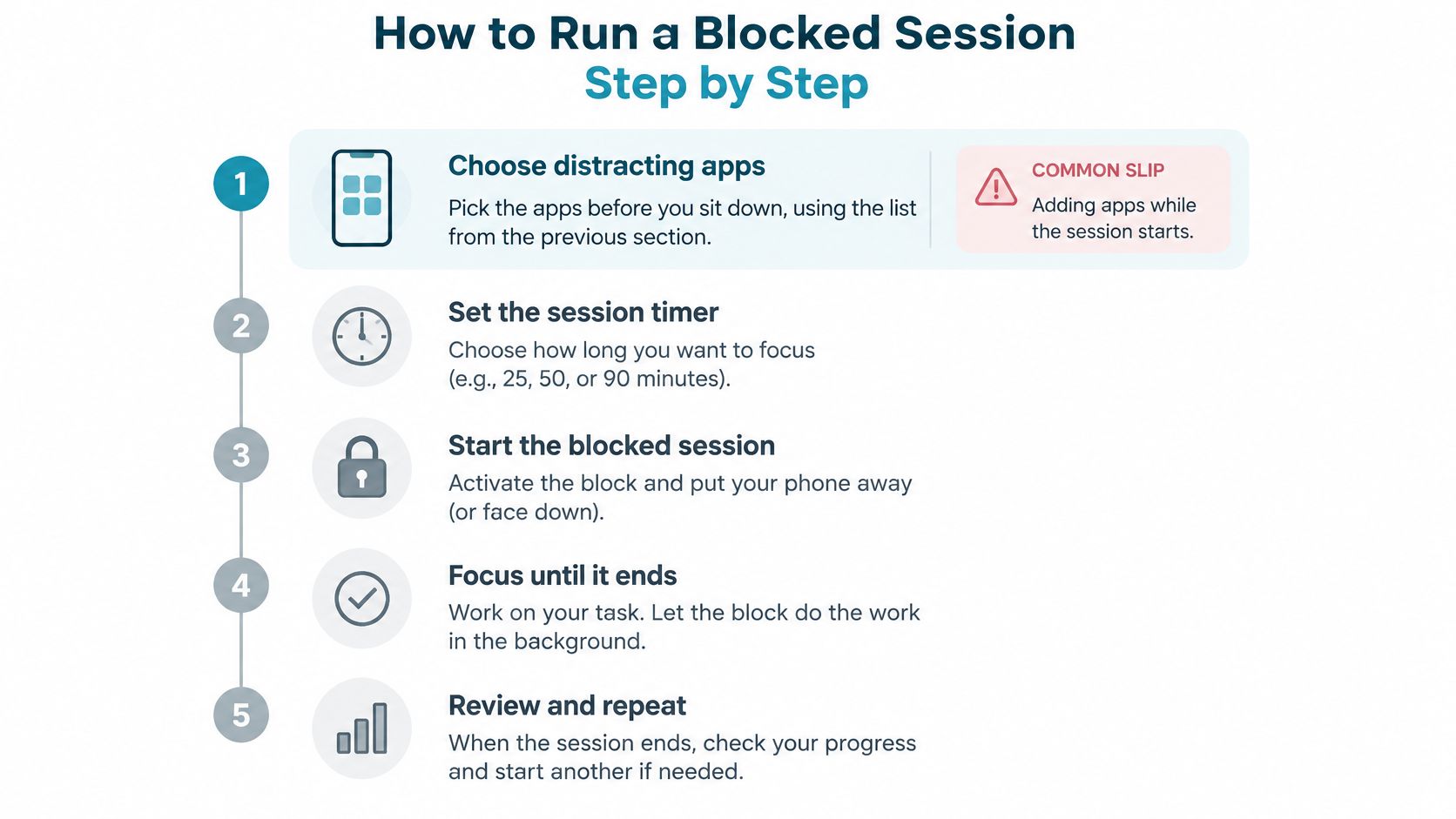
Use a repeatable sequence so you don't rebuild the arrangement every time you sit down. Prepare the task and restrictions before starting the countdown.
Keep the session sequence visible while you prepare.
Prepare, commit, and finish
Choose distracting apps before sitting down. Use the context-specific list you've prepared, checking that necessary tools remain available. The common slip is revising the list as the session starts, turning preparation into negotiation.
Fix the start and end. Treat the endpoint as part of the agreement, even when the work is going well. Extending because another paragraph seems close can make tomorrow's commitment feel less predictable.
Make access inconvenient during the window. Start the block rather than relying on a reminder that leaves the distracting app available. The common slip is mistaking an intention to stop checking for an actual access restriction.
Choose a workload that fits. Aim for a complete piece of work, such as annotating the assigned passage or drafting a function's tests. Don't carry an entire unfinished project into the session and judge yourself against that.
Lengthen later sessions only after reliable completion. Adult ADHD skills-based CBT trains planning, distraction management, and time management; a review of 17 randomized controlled trials completed through 2023 found moderate investigator-rated symptom effects compared with active controls. That supports structured skills work, not a promise about this routine, so avoid increasing duration and workload together.
Record the output and the next action. Before stopping, note what you finished and leave a concrete instruction for returning. Closing everything without that note makes the next start harder than it needs to be.
Put distance between you and the device
In a d2-R attention experiment published in Scientific Reports, attention-performance means were 108.95 without a smartphone and 99.71 with one present, with significantly lower attention performance and working speed in the presence condition. This wasn't evidence that phone removal treats ADHD, but the device didn't need to be used for a difference to appear.
If the phone isn't needed, put it away after starting the session. If you need it for reading or accessibility, leave the necessary tool ready and avoid handling it between task actions.
For a work-and-break rhythm, use this guide to using a Pomodoro timer without treating any particular interval as compulsory.
Use the video alongside your written session plan.
A successful session leaves evidence: the chosen output is finished, the distracting apps stayed closed, and the next action is written down. Wandering attention doesn't erase completed work.
Fixing Sessions That Keep Falling Apart
Session symptoms, likely causes and fixes
| Symptom | Likely cause | Fix |
|---|---|---|
| Reopening a blocked app within minutes | The session is longer than you can sustain | Shorten the next session and keep the same app list |
| Work stalls in the first few minutes | The task is not defined as one action | Write the next physical action before starting the timer |
| Urge to quit the session | Too many apps blocked for the task | Split the list by context and keep only the apps for that window |
| Session runs but nothing is finished | The output target is vague | Count finished items rather than minutes |
| Sessions stop working after several days | Same window and list every day with no review | Review once a week and change one variable |
Treat these as starting hypotheses, not diagnoses. Reopening an app might reflect an oversized session, but it might also mean you blocked a tool the assignment requires. Check what happened before making the restriction harsher.
Keep a record that explains the failure
For each session, note planned duration, completed output, interruptions, and bypass attempts. Include attempts that didn't succeed: reaching for a blocked feed tells you something different from spending the whole window confused about the assignment.
A useful note is specific: the reference file was missing, you tried to open social media, then returned and finished the outline. A note that says poor focus gives you nothing to change.
The adult ADHD CBT review in Psychiatry describes skills-based approaches combining organization, planning, distraction management, and behavioral activation. Use that broader perspective when troubleshooting: a stronger restriction won't clarify an ambiguous assignment or supply missing materials.
- Change duration when you consistently run out of workable effort before reaching the target.
- Change task definition when you stay seated but keep deciding what to do.
- Change the app list when a necessary tool is blocked or a habitual distraction remains accessible.
Change a single variable, then compare the next sessions. Otherwise, you won't know whether a shorter window, clearer target, or different blocklist helped.
Know when setup changes aren't enough
Minutes seated are a weak measure of completion. An unfinished document after a long session is different from a completed draft that required repeated redirection. Count the deliverable, then use interruptions to improve the process.
If abandoning restrictions is the recurring problem, work on improving impulse control alongside the session setup. Don't respond to every bypass attempt by designing a more punishing workday.
If sessions keep failing for weeks despite sensible adjustments, examine sleep, workload, and whether the work is realistically resourced. Bring persistent difficulties to a clinician, especially when they affect responsibilities beyond phone use. More blocking isn't always the appropriate next step.
Start One Blocked Session Today
Today, prepare tomorrow's session: choose a defined outcome, a fixed window, and the blocklist that fits. Make the first commitment manageable enough that you're willing to repeat it.
Use a boundary you chose in advance
Our free Android app supports Android 8.0 and later. In Strict Mode, a running session ends when its timer ends, and nothing else ends it. During the session, TiedSiren also blocks the Android Settings screen, raising the cost of impulsively turning it off.
The Focus Timer shows the remaining time, and the lock releases when the countdown finishes. Keep custom Work, Study, and Sleep blocklists side by side, choosing the appropriate list between sessions. Scheduled sessions can recur daily or weekly. Blocking distracting apps and websites is free, and the app carries no ads.
Keep the commitment honest
This is friction, not an absolute lock. A determined user can still get around device controls; the purpose is to defeat the impulsive bypass, not deliberate circumvention.
Install through the TiedSiren Google Play listing, then run the session you prepared. After the first week, check your tracking notes before changing the schedule.
TiedSiren offers committed Android app-blocking sessions for the moments when a reminder is too easy to dismiss. Visit TiedSiren, choose the apps that interrupt your work, and set a session around a deliverable you can finish.